Top 7 Tools for LinkedIn Connection Automation
Compare seven LinkedIn automation tools by features, pricing, and integrations to find the right fit for freelancers, recruiters, and B2B sales teams.
 Julien Gadea
Compare seven LinkedIn automation tools by features, pricing, and integrations to find the right fit for freelancers, recruiters, and B2B sales teams.
Compare seven LinkedIn automation tools by features, pricing, and integrations to find the right fit for freelancers, recruiters, and B2B sales teams.
Table of Contents
LinkedIn is a powerful platform for B2B networking, but manually managing connection requests and follow-ups can be time-consuming. That’s where automation tools come in. These tools help streamline repetitive tasks like sending requests, crafting messages, and tracking leads, allowing you to focus on building relationships and closing deals. Below are the top seven LinkedIn automation tools, each with unique features, pricing, and use cases:
Quick Comparison Table:
Tool
Starting Price
Key Features
Best For
Integration Options
SalesMind AI
Contact for pricing
AI messaging, lead scoring, CRM sync
B2B teams targeting decision-makers
CRM integration, real-time tracking
Octopus CRM
$9.99/month
Auto-connect, bulk messaging
Solopreneurs and small businesses
LinkedHelper
$15/month
Multi-step workflows, data export
Agencies and recruiters
CRM sync, CSV export
Linked Radar
$69.90/month
GPT-4 messaging, built-in CRM
Marketing teams
, CSV export
Waalaxy
Free plan
Multi-channel outreach, AI assistant
Freelancers, consultants
Email providers, CRM sync
Reply
$60/month
Multichannel sequences, AI assistant
Sales teams managing large campaigns
CRM, calendar, email integrations
LeadConnect
Free plan
Reply detection, graphical dashboard
Solo entrepreneurs, small teams
HubSpot (Professional plan)
Each tool offers unique benefits depending on your goals, budget, and team size. Whether you need basic automation or advanced AI-driven personalization, there’s an option to fit your needs. Always start with a free trial or demo to ensure the tool aligns with your workflow and keeps your LinkedIn account safe.
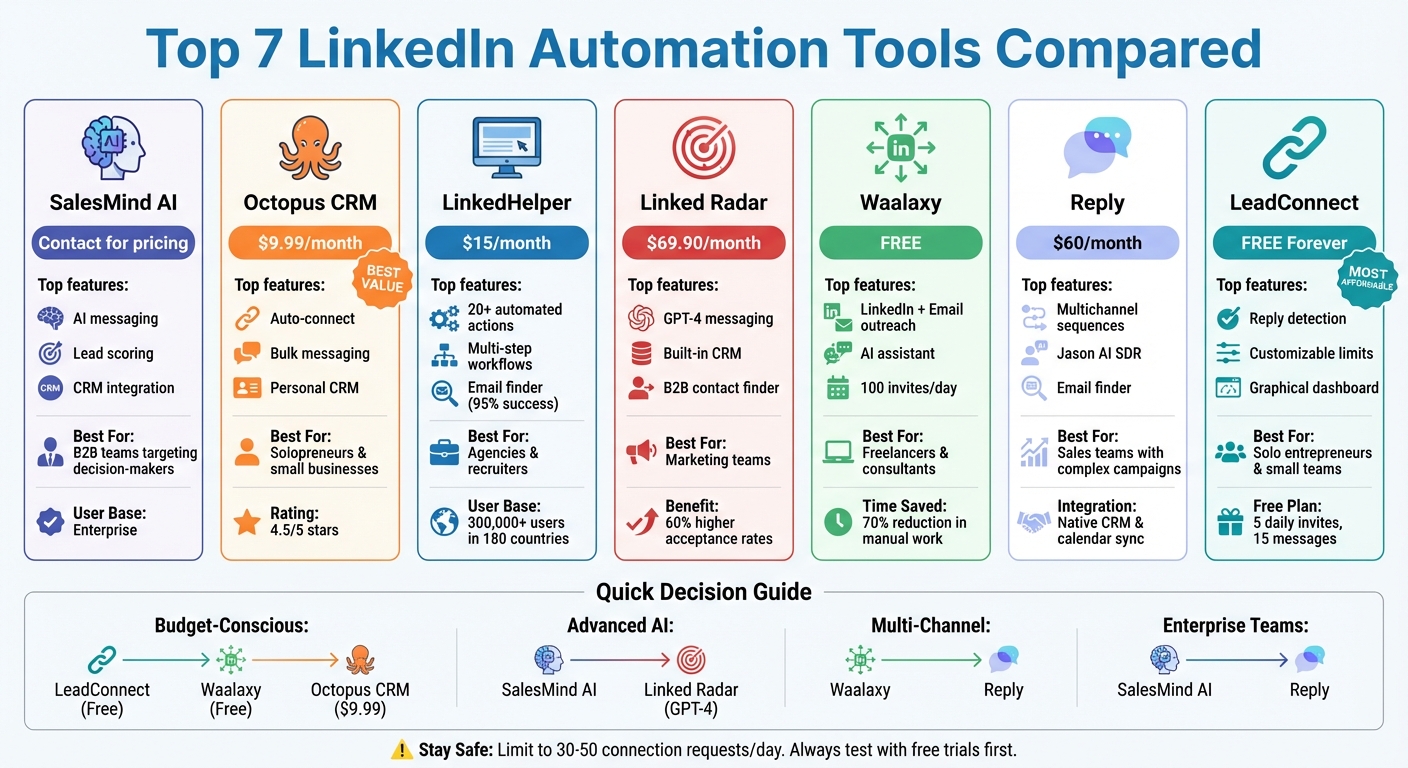 LinkedIn Automation Tools Comparison: Features, Pricing, and Best Use Cases" width="auto" height="auto" loading="auto">
LinkedIn Automation Tools Comparison: Features, Pricing, and Best Use Cases
9 Best Linkedin Automation Tools 2025 (Full Demo & Comparison)
1. SalesMind AI
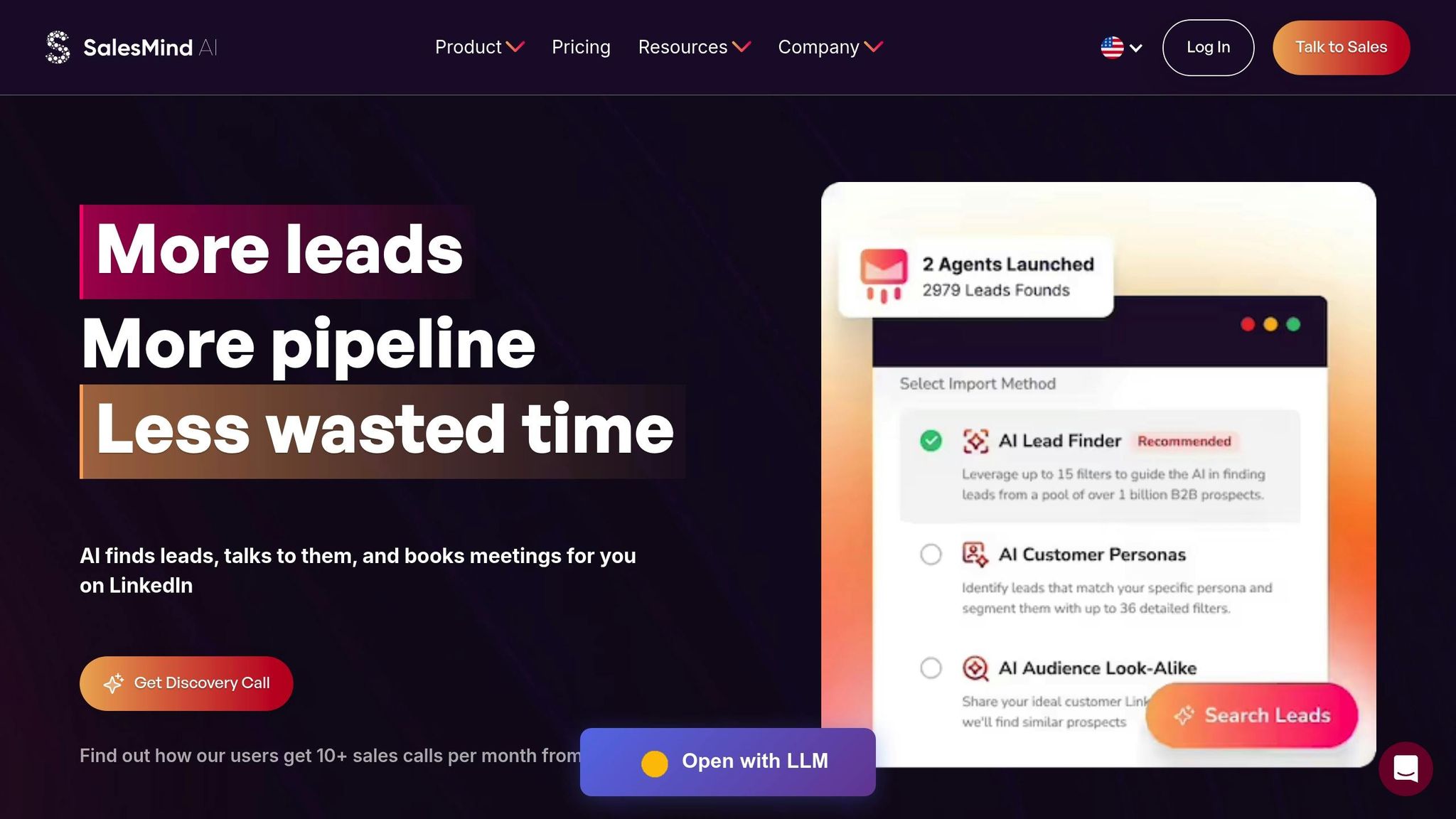
SalesMind AI handles everything from profile visits to personalized follow-ups, ensuring outreach feels authentic and tailored. Its AI-powered personalization engine dives into prospect data to create messages that resonate on a human level. Here's a closer look at how its features make scalable, customized outreach possible.
Automation Features
SalesMind AI takes care of a wide range of LinkedIn activities, including likes, follows, profile visits, connection requests, and messaging. A standout feature is its smart prospect extraction, which identifies qualified leads directly from LinkedIn events or groups based on your specific targeting criteria. The platform also includes a unified inbox and advanced lead scoring, simplifying multi-account communications while prioritizing prospects based on their engagement levels.
Pricing (in USD)
Pricing is customized through a demo to match your team's size and outreach needs. While the platform offers a "Try it Now" option, the exact trial details aren't provided upfront. This flexible pricing model likely depends on variables such as the number of users, LinkedIn accounts, and the scale of your monthly outreach.
Best Use Cases
SalesMind AI is a great fit for B2B teams running large-scale, personalized outreach campaigns across industries. It's especially useful for businesses targeting decision-makers, where speed can't come at the expense of personalization. The unified inbox makes it a strong choice for agencies or teams managing multiple client accounts, while the advanced lead scoring helps quickly qualify prospects before handing them off to sales reps.
Integration Options
The platform integrates smoothly with popular CRM systems, enabling automatic syncing of lead data and interaction tracking without the need for manual input. Real-time lead tracking ensures that your CRM stays up-to-date as prospects progress through your outreach workflows.
2. Octopus CRM
Octopus CRM offers a budget-friendly and straightforward solution for automating LinkedIn tasks. Its clean and simple interface makes it a great choice for solo entrepreneurs and small teams looking to kickstart their LinkedIn outreach efforts. Let’s dive into what makes this tool stand out.
Automation Features
Octopus CRM streamlines LinkedIn automation by handling tasks like sending personalized connection requests, viewing profiles, and endorsing skills. For those on higher plans, it also supports bulk messaging and multi-step outreach funnels. A built-in personal CRM helps you track connections and interactions, while activity stats let you monitor campaign performance. It is also crucial to stay within LinkedIn automation limits to protect your account. These features are available through tiered pricing plans tailored to different outreach needs.
Pricing (in USD)
The platform’s pricing is designed to be flexible and accessible:
Opting for annual billing lowers these costs to $6.99, $9.99, $14.99, and $24.99 per month, respectively. The platform boasts a solid 4.5 out of 5 review score [3].
Best Use Cases
Octopus CRM works best for freelancers, consultants, and small business owners who need basic LinkedIn automation without spending a fortune or tackling a steep learning curve. It’s particularly effective for straightforward outreach campaigns, and the funnel-building feature in higher-tier plans is useful for creating simple drip campaigns.
Integration Options
The Advanced and Unlimited plans offer integrations with HubSpot and Zapier, making it easier to manage LinkedIn connections alongside your existing sales tools. Import/export features simplify contact list management, while these integrations enable automated actions based on prospect behavior.
3. LinkedHelper
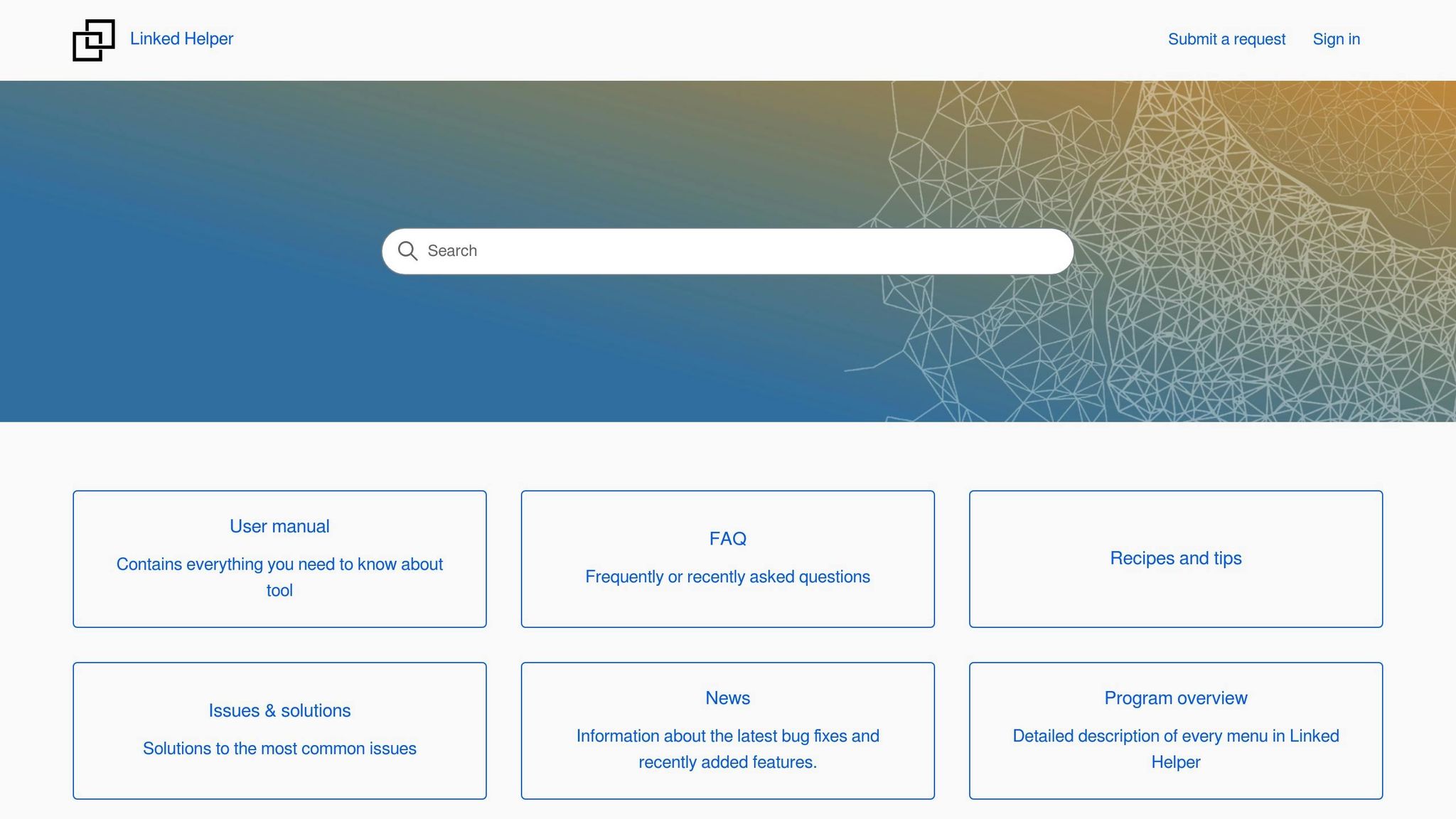
LinkedHelper operates through a standalone desktop application, which minimizes the risk of detection by LinkedIn. This setup adds an extra layer of security for users. With a user base exceeding 300,000 across 180 countries and over 10,000 businesses relying on it, LinkedHelper has earned a strong reputation for its technical capabilities and affordability [6]. Let’s take a closer look at its standout features.
Automation Features
LinkedHelper offers 20+ automated actions, covering everything from connection requests and InMails to endorsements and group messaging. One of its unique strengths is the ability to create multi-step "warm-up" sequences. These sequences can interact with posts, leave comments, and endorse skills before sending a connection request. This strategy has been shown to increase invitation acceptance rates by 15–25% [6].
The platform supports hyper-personalization with standard and custom variables, such as name, position, and company details. Additionally, you can attach personalized images to messages through integrations with tools like Hyperise or Uclic [5][6]. Another standout feature, "Find Profile Emails", can uncover up to 95% of emails for 2nd and 3rd-degree connections [6]. According to user Fahim Joharder, the tool efficiently manages invites and follow-ups, requiring only minimal inbox monitoring [5].
Pricing (in USD)
LinkedHelper offers two pricing plans, with discounts for annual commitments:
Both plans include a 14-day free trial with full access to features [6].
The Pro Plan offers additional perks, such as removing daily limits on messages to group members and event attendees, increasing email finder credits from 620 to 3,100 per month, and providing unlimited webhooks, event invites, and engagement actions. Both plans come with the campaign builder and core automation tools.
Best Use Cases
LinkedHelper is particularly effective for automating lead generation funnels. It allows users to scrape data from LinkedIn and Sales Navigator profiles and export it to CSV files or CRM systems [6][4]. Recruitment teams also benefit from its integration with LinkedIn Recruiter (Lite and Full), streamlining candidate outreach and hiring pipeline management. Additionally, it’s a great tool for growing communities, whether by inviting connections to follow company pages, join groups, or attend webinars [6].
The desktop-based design is ideal for users prioritizing safety and technical reliability. Many have reported up to a 35% increase in lead response rates through automated outreach [5]. Automated endorsements have also been shown to generate reciprocal endorsements from up to 30% of current contacts [4].
Integration Options
LinkedHelper integrates seamlessly with major CRM platforms like HubSpot, Pipedrive, Close.io, Zoho CRM, Salesforce, HighLevel, and Streak. It also works with Zapier, Make (formerly Integromat), and Webhooks, enabling custom workflows [6]. These integrations ensure LinkedIn data syncs automatically with your sales tools, eliminating the need for manual data entry and keeping your pipeline up to date.
4. Linked Radar
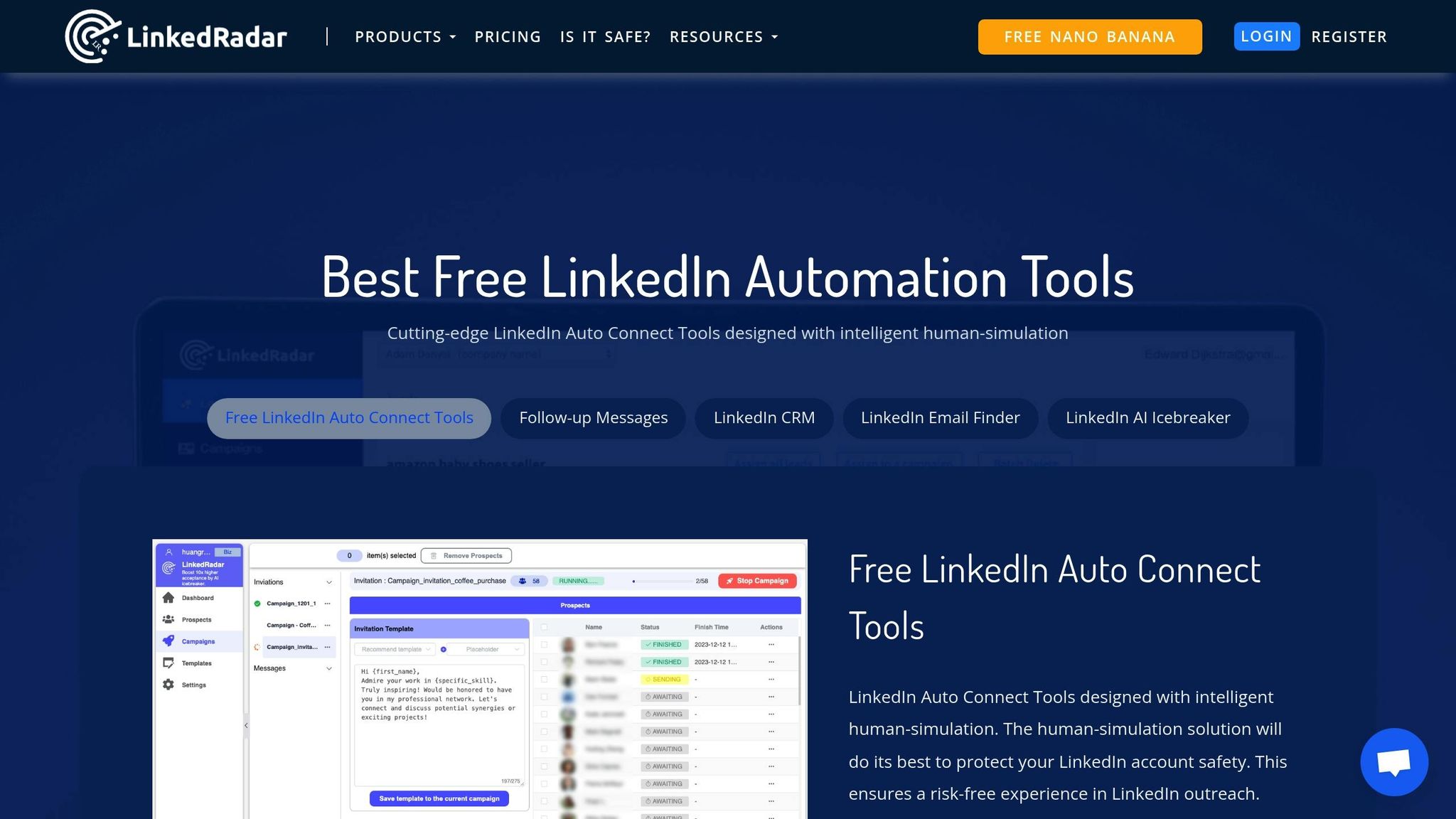
Linked Radar is a cloud-based LinkedIn automation tool designed to keep your campaigns running smoothly - even when your computer is off. Compatible with LinkedIn Free, Sales Navigator, Premium, and Recruiter Lite accounts, it offers flexibility for professionals managing outreach efforts from anywhere [7].
Automation Features
One standout feature is Linked Radar's AI-powered "AI Connect" button, which uses GPT-4 to analyze prospect profiles and craft personalized icebreakers. These tailored messages can increase invitation acceptance rates by up to 60% [9]. Users have also reported a 30% lead generation rate when utilizing these customized conversations [9].
"LinkedRadar generate AI-powered icebreakers invitation individually based on your target prospect profile. Imagine the impressive ice-breaking effect!" – LinkedRadar
The platform supports bulk messaging for LinkedIn connections and includes a built-in CRM with smart tagging capabilities. Additionally, it features a AI tools for LinkedIn prospecting like this B2B contact finder extract emails and phone numbers, along with an AI email composer equipped with over 60 templates. This setup enables users to draft business emails in just 10 seconds, cutting manual prospecting time by more than 80% [7][9]. To ensure safe use, it's recommended to start with 15 invitations per day at five-minute intervals [8].
Pricing (in USD)
Linked Radar offers a single subscription plan - the Unlimit Plan - priced at $69.90 per month [8]. This plan includes all automation features, AI-driven messaging, the built-in CRM, and the B2B contact finder. Users can send up to 100 invitations and 100 messages daily [8].
Best Use Cases
Linked Radar is ideal for businesses looking to scale outbound lead generation while maintaining a personalized approach [10]. It’s especially effective for B2B marketing in competitive industries, particularly in North America [8].
"It equips me with the ability to efficiently train my team, identify the best strategies, and adopt creative methodologies to triumph in the highly competitive North American market." – User Acquisition Manager, LinkedRadar
The platform is also a strong choice for integrated email and LinkedIn campaigns. By providing contact details and enabling multi-channel follow-ups, it simplifies complex outreach strategies [9].
Integration Options
Linked Radar is available as a Chrome Extension or Edge Add-on. While it doesn’t offer direct CRM integrations, it allows users to export lead data in Excel or CSV format for use with external tools [9]. It also features native integration with ChatGPT/GPT-4 for content creation and works seamlessly with Sales Navigator and Recruiter Lite for advanced prospecting [8][9].
sbb-itb-817c6a5
5. Waalaxy
Waalaxy is a cloud-based tool designed to supercharge multi-channel prospecting. It seamlessly blends LinkedIn outreach with automated email campaigns, enabling users to send up to 100 invitations daily - a significant boost compared to LinkedIn's standard weekly limits[11]. This makes it a go-to option for businesses aiming to scale their outreach efforts efficiently.
Automation Features
Waalaxy streamlines essential LinkedIn tasks like sending invitations, messages, profile visits, follow-ups, and even automated comments through its Kawaak integration. Its Waami AI assistant takes personalization to the next level by crafting tailored messages and icebreakers based on a prospect's profile. The platform also includes an Email Finder for enriching leads and an AI Prospect Finder to discover similar contacts, helping users broaden their target audience. By automating these processes, Waalaxy can shave off up to 70% of the time spent on manual outreach[12], making it especially appealing for solopreneurs and small teams.
Users appreciate its ability to safely avoid LinkedIn restrictions while bypassing invitation limits while maintaining an intuitive interface. However, some have pointed out the lack of phone support and the reliance on third-party tools like DropContact for email enrichment[11].
Pricing (in USD)
Plan Tier
Monthly Price
Annual Price (Effective Monthly)
Key Features
$0
$0
80 invites/mo, basic LinkedIn automation
~$112
~$43
800 invites/mo, CRM sync, LinkedIn only
~$160–$175
~$80
800 invites/mo, Email Finder, multi-channel outreach
~$350 (2 seats)
N/A
Centralized dashboard, anti-duplicate options
Best Use Cases
Waalaxy is particularly effective for recruitment automation. Recruiters can directly import prospects from LinkedIn Recruiter Lite or Recruiter Projects, automating candidate sourcing and follow-ups. Its centralized dashboard and smart inbox simplify managing conversations, making it a solid choice for teams that don’t rely on complex CRMs. For businesses running integrated campaigns, Waalaxy’s multi-channel approach - comparing cold email vs LinkedIn outreach and combining both actions - helps boost response rates across multiple touchpoints. These features make it a natural extension to any LinkedIn automation strategy.
Integration Options
To fit seamlessly into existing workflows, Waalaxy offers native synchronization with HubSpot and Pipedrive, as well as access to over 2,000 apps through Zapier and Make. These integrations make it easy for teams to use Waalaxy without overhauling their current tech stack. Features like lead sharing and anti-duplicate prospect imports further enhance collaboration, making it a team-friendly solution.
6. Reply

Reply is a multichannel sales engagement tool designed to integrate LinkedIn outreach into broader campaigns. It offers customizable daily limits for connection requests and messages, ensuring users stay compliant with LinkedIn's guidelines.
Automation Features
Reply streamlines LinkedIn connection requests and follow-ups with the help of its AI SDR assistant, Jason AI. This assistant handles pre-outreach engagement, qualifies leads, and manages multichannel follow-ups to keep conversations active. Its automation capabilities are particularly suited for managing complex outreach strategies across multiple channels.
Pricing (in USD)
Plan Type
Annual Price
Monthly Price
Includes LinkedIn Automation
$59/mo
$69/mo
$69/mo Add-on
$89/mo
$99/mo
Yes (1 Account)
$500/mo
$800/mo
Yes (1-2 Accounts)
$1,500/mo
$2,500/mo
Yes (5-10 Accounts)
N/A
$210/mo
$69/mo Add-on
The pricing reflects Reply's focus on serving enterprise and agency clients. LinkedIn automation is included with the Multichannel plan and higher tiers, while users on the Email Volume plan can add it for an additional cost. The AI SDR plans cater to businesses needing advanced automation across multiple LinkedIn accounts.
Best Use Cases
Reply is a great fit for sales teams managing intricate, multi-step campaigns, as it seamlessly integrates LinkedIn outreach with other communication channels. Recruiters can use its automation features for discovering candidates and sending personalized messages, allowing them to focus on building relationships. Startups can utilize the platform for investor outreach through targeted, cross-channel communication, while agencies can run large-scale campaigns for multiple clients without increasing manual work.
7. LeadConnect
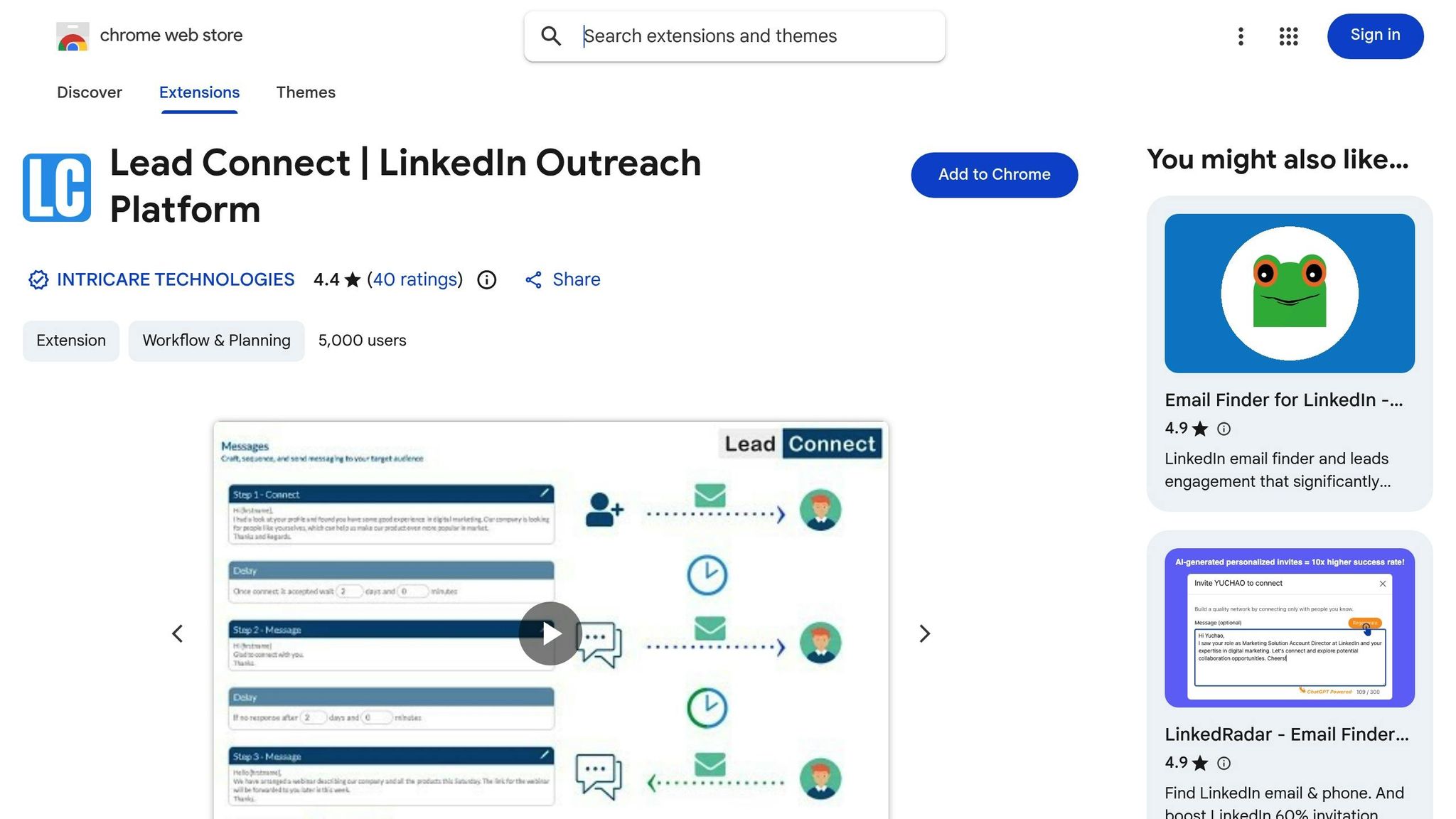
LeadConnect simplifies LinkedIn outreach for solo entrepreneurs and small teams, offering an affordable and straightforward solution. Its Free Forever plan allows users to test the platform without any upfront cost, while paid plans cater to growing outreach needs. This streamlined approach ensures effective automation without unnecessary risks.
Automation Features
LeadConnect automates connection requests and follow-up messages with customizable daily limits to protect your LinkedIn account. A standout feature is its reply detection, which pauses automation once a prospect responds, ensuring conversations feel natural. You can create tailored message templates for different campaigns, with the number of templates increasing based on your subscription tier. The platform also includes a graphical dashboard that tracks metrics like acceptance and response rates, offering actionable insights to fine-tune your outreach strategy.
Pricing (in USD)
Plan
Monthly Price
Daily Invites
Daily Messages
Templates
HubSpot Integration
$0
Up to 5
15
5
No
$25.95
Up to 30
90
10
Yes
$45.95
Up to 60
180
30
Yes
$85.95
Up to 100
300
Unlimited
Yes
LeadConnect stands out as a cost-effective option for LinkedIn automation. The Free Forever plan is practical for testing, while the Professional plan at $25.95 per month offers enough capacity for most individual users. These affordable pricing tiers make it a great choice for those mindful of their budget.
Best Use Cases
LeadConnect is perfect for freelancers and consultants aiming to build a high-quality LinkedIn network. The Free Forever plan, with its 5 daily connection requests, is tailored for focused and selective outreach. Small sales teams can benefit from the Professional or Grow plans, which support more robust campaigns and include HubSpot integration for syncing LinkedIn activities with their CRM.
Tool Comparison Table
Here's a handy table summarizing the tools discussed earlier, designed to help you quickly compare features, pricing, and suitability for your needs.
Tool
Starting Price (USD)
Key Features
Best For
Integration Capabilities
Contact for pricing
AI-powered messaging, unified inbox, advanced lead scoring, automated follow-ups
B2B sales teams focused on intelligent lead qualification and personalized outreach at scale
CRM integration, LinkedIn integration, real-time lead tracking
$9.99/month
Auto-connect, message sequences, profile visits, endorsements
Small businesses and solopreneurs exploring LinkedIn automation
Zapier, HubSpot
$15/month
Cloud-based automation, multi-account management, advanced filters
Agencies managing multiple client accounts
CSV export, CRM sync options
$29/month
Campaign builder, A/B testing, analytics dashboard
Marketing teams focused on data-driven campaigns
API access, webhook support
$0 (Free plan)
Multi-channel outreach (LinkedIn + email), Chrome extension, drip campaigns
Freelancers and consultants combining LinkedIn and email outreach
Email providers, basic CRM connections
$60/month
Multi-channel sequences, email finder, meeting scheduler
Sales development teams managing complex outreach workflows
Native email, calendar, and CRM integrations
$0 (Free Forever)
Reply detection, customizable daily limits, graphical dashboard
Solo entrepreneurs and small teams with tight budgets
HubSpot (Professional plan and above)
This table highlights the tools' distinct features, helping you choose based on your specific outreach goals and budget.
For those on a budget, LeadConnect and Waalaxy offer free options with essential features. If you're looking for more advanced capabilities, Reply provides robust multi-channel sequences, while SalesMind AI stands out with its AI-driven personalization and lead scoring. Meanwhile, Octopus CRM serves as an affordable starting point for LinkedIn automation, and Linked Radar is ideal for marketing teams that rely on data-driven insights.
Ultimately, your choice will depend on factors like the size of your team, the complexity of your campaigns, and your integration requirements. Whether you're a solo entrepreneur or part of a growing sales team, there's a tool here to fit your needs.
Conclusion
Picking the right LinkedIn connection automation tool isn't about chasing the "best" option - it’s about finding what works best for your unique needs. The tools we’ve discussed cater to a variety of users, from solo entrepreneurs watching their budget to enterprise sales teams juggling large-scale campaigns.
When making your decision, focus on four critical factors: your budget, team size, must-have features, and how well the tool integrates with your existing systems. A freelancer just starting out will have very different priorities compared to a B2B sales team managing hundreds of daily prospects. Think about whether you just need simple connection requests or advanced features like AI-driven lead scoring, whether you’re working alone or in a team, and how seamlessly the tool fits into your workflow.
One thing you can’t compromise on is account safety. LinkedIn generates 2 to 3 times more B2B leads than other major advertising platforms [1], making it too valuable to risk with tools that don’t operate within LinkedIn’s guidelines. Look for tools that mimic human behavior, using randomized delays and daily action limits. Start slowly with any new tool, keeping within LinkedIn’s typical cap of 30–50 connection requests per day [2][3].
And don’t forget: AI-driven LinkedIn outreach is meant to support your conversations, not replace them. The goal is to cut down on repetitive tasks so you can focus on meaningful interactions with qualified leads. If you’re spending more time troubleshooting software than connecting with prospects, it might be time to look for a better match.
Take advantage of free trials or freemium plans to test tools that align with your budget and feature needs. This gives you a chance to see if the interface feels intuitive and whether the automation actually saves you time. Ultimately, your LinkedIn outreach success depends on the tool you choose - so select one that fits your workflow, not just the marketing hype.
FAQs
How do LinkedIn automation tools protect your account from being flagged?
LinkedIn automation tools work to keep your account safe by imitating natural human behavior and staying within LinkedIn's activity limits. For instance, they cap daily actions like connection requests and messages, while also randomizing the timing of these activities to make them feel more genuine. Many tools even come with built-in safety measures like activity throttling and real-time alerts to flag anything unusual.
Some advanced platforms go a step further by using AI to craft personalized messages, steering clear of spam-like language that could raise red flags with LinkedIn’s filters. Additionally, certain tools rotate IP addresses to avoid detection from performing too many actions from one device. By blending features like controlled activity limits, randomized timing, and AI-powered personalization, these tools help you scale your outreach efforts without compromising your account's security.
What key features should I look for in a LinkedIn automation tool?
When selecting a LinkedIn automation tool, focus on features that boost efficiency, maintain personalization, and ensure safety. Look for tools that handle key actions like sending connection requests, messaging, visiting profiles, and following up. Tools with AI-driven personalization can help you craft messages that feel genuine and increase response rates.
To simplify your workflow, consider platforms with a unified inbox for managing replies and monitoring engagement in real time. Additional features like lead extraction from posts or events, campaign performance analytics, and CRM integration can keep your efforts organized and data-focused.
For protecting your account, choose tools that simulate human behavior, such as scheduling activities during non-peak hours or using rotating IP addresses. These safeguards help you stay within LinkedIn’s rules while expanding your professional network effectively.
Can LinkedIn automation tools work with my CRM?
Many LinkedIn automation tools work well with popular CRM systems, making it easier to sync leads and activity directly into your sales pipeline. LinkedIn itself offers options like CRM Connect for recruiters and Sales Navigator’s Salesforce sync, which automatically updates lead data and keeps contact details up to date.
On top of that, third-party tools often come with APIs or ready-to-use integrations for CRMs such as HubSpot, Pipedrive, Zoho CRM, and Microsoft Dynamics. These integrations can handle tasks like mapping fields (name, company, LinkedIn URL) and even triggering workflows when a connection request is accepted or someone replies to your message.
For a more comprehensive solution, tools like SalesMind AI combine LinkedIn outreach automation with built-in lead qualification and CRM syncing. This ensures your prospect data is seamlessly transferred into your system, making follow-ups more efficient.
{"@context":"https://schema.org","@type":"FAQPage","mainEntity":[{"@type":"Question","name":"How do LinkedIn automation tools protect your account from being flagged?","acceptedAnswer":{"@type":"Answer","text":"<p>LinkedIn automation tools work to keep your account safe by imitating natural human behavior and staying within LinkedIn's activity limits. For instance, they cap daily actions like connection requests and messages, while also randomizing the timing of these activities to make them feel more genuine. Many tools even come with built-in safety measures like activity throttling and real-time alerts to flag anything unusual.</p> <p>Some advanced platforms go a step further by using AI to craft personalized messages, steering clear of spam-like language that could raise red flags with LinkedIn’s filters. Additionally, certain tools rotate IP addresses to avoid detection from performing too many actions from one device. By blending features like controlled activity limits, randomized timing, and AI-powered personalization, these tools help you scale your outreach efforts without compromising your account's security.</p>"}},{"@type":"Question","name":"What key features should I look for in a LinkedIn automation tool?","acceptedAnswer":{"@type":"Answer","text":"<p>When selecting a LinkedIn automation tool, focus on features that boost efficiency, maintain personalization, and ensure safety. Look for tools that handle key actions like sending connection requests, messaging, visiting profiles, and following up. Tools with <strong>AI-driven personalization</strong> can help you craft messages that feel genuine and increase response rates.</p> <p>To simplify your workflow, consider platforms with a <strong>unified inbox</strong> for managing replies and monitoring engagement in real time. Additional features like <strong>lead extraction</strong> from posts or events, <strong>campaign performance analytics</strong>, and <strong>CRM integration</strong> can keep your efforts organized and data-focused.</p> <p>For protecting your account, choose tools that simulate human behavior, such as scheduling activities during non-peak hours or using rotating IP addresses. These safeguards help you stay within LinkedIn’s rules while expanding your professional network effectively.</p>"}},{"@type":"Question","name":"Can LinkedIn automation tools work with my CRM?","acceptedAnswer":{"@type":"Answer","text":"<p>Many LinkedIn automation tools work well with popular CRM systems, making it easier to sync leads and activity directly into your sales pipeline. LinkedIn itself offers options like <strong>CRM Connect</strong> for recruiters and <strong>Sales Navigator’s Salesforce sync</strong>, which automatically updates lead data and keeps contact details up to date.</p> <p>On top of that, third-party tools often come with APIs or ready-to-use integrations for CRMs such as HubSpot, Pipedrive, Zoho CRM, and <a href=\"https://www.microsoft.com/en-us/dynamics-365\" target=\"_blank\" rel=\"nofollow noopener noreferrer\">Microsoft Dynamics</a>. These integrations can handle tasks like mapping fields (name, company, LinkedIn URL) and even triggering workflows when a connection request is accepted or someone replies to your message.</p> <p>For a more comprehensive solution, tools like <strong>SalesMind AI</strong> combine LinkedIn outreach automation with built-in lead qualification and CRM syncing. This ensures your prospect data is seamlessly transferred into your system, making follow-ups more efficient.</p>"}}]}
 JG
JG