AI Tools for LinkedIn Prospecting
AI tools that speed up LinkedIn prospecting with lead scoring, personalized messaging, compliance safeguards, and CRM integration to boost reply rates.
 Julien Gadea
AI tools that speed up LinkedIn prospecting with lead scoring, personalized messaging, compliance safeguards, and CRM integration to boost reply rates.
AI tools that speed up LinkedIn prospecting with lead scoring, personalized messaging, compliance safeguards, and CRM integration to boost reply rates.
Table of Contents
LinkedIn prospecting is critical for B2B sales, and AI tools are transforming how businesses connect with leads. These tools save time by automating repetitive tasks like lead research, personalized messaging, and follow-ups. Key benefits include:
- Higher response rates: AI personalization boosts email open rates by up to 50% and response rates by 30-50%.
- Improved efficiency: Sales reps can manage workloads that previously required entire teams.
- Smarter targeting: AI analyzes job titles, company data, and engagement signals to identify high-potential leads.
When choosing AI tools, focus on features like lead scoring, automated messaging, LinkedIn compliance, and CRM integration. Tools like SalesMind AI streamline LinkedIn outreach by combining lead ranking, tailored messages, and follow-up automation - all while maintaining LinkedIn’s usage guidelines. Whether you're a solo professional or part of a large team, AI tools can help scale your prospecting efforts without sacrificing quality.
LinkedIn Outreach 2025: The Perfect AI Stack for Qualified B2B Leads
How to Evaluate AI LinkedIn Prospecting Tools
When choosing an AI tool for LinkedIn prospecting, focus on three key areas: measurable outcomes, LinkedIn compliance, and integration with your existing sales tools.
Start by setting clear performance benchmarks. Metrics like activity rates, connection acceptance rates, and the number of qualified meetings per 100 prospects can help you gauge the tool's impact. These benchmarks allow you to track improvements effectively.
Run a pilot program for 60 to 90 days with a controlled group. This helps you measure both efficiency (time saved, tasks automated) and quality (higher acceptance rates, better meeting conversions). Testing the tool in real-world conditions ensures it meets your expectations.
Features That Matter Most
Certain features can dramatically improve your prospecting efforts:
- AI-driven lead scoring: This helps identify high-potential prospects by analyzing factors such as job titles, company growth trends, and engagement history. Top tools also predict reply likelihood and assess buying intent using sentiment analysis, allowing you to focus on leads most likely to engage.
- Personalized automated messaging: Go beyond generic templates. The best tools craft messages tailored to a prospect's role, company, or recent LinkedIn activity, ensuring your outreach feels genuine.
- Smart follow-up workflows: Automating follow-ups based on prospect behavior (like message opens or profile views) can increase engagement. Multi-touch sequences, which combine LinkedIn messages with other channels, often yield better results than relying solely on LinkedIn.
- LinkedIn integration: Some tools require LinkedIn Sales Navigator, which costs about $99 per month per user. While it adds to your budget, it provides advanced search filters and detailed profile data, which are invaluable for targeted prospecting.
A 2024 survey revealed that 68% of sales teams using AI prospecting tools reported higher reply rates, and 54% experienced shorter sales cycles. These gains often come from tools offering a mix of advanced AI features and seamless LinkedIn integration.
LinkedIn Compliance and Usage Guidelines
LinkedIn actively monitors for automation, so your tool must mimic human behavior to avoid detection. This includes spacing actions, introducing random delays, and scheduling messages during business hours. Experts recommend staying under 100 connection requests and messages per day to stay within LinkedIn's safe limits.
Features like time zone–based scheduling ensure messages are sent during appropriate hours in the prospect's location. For instance, sending messages at 3:00 AM in the recipient's time zone can signal overly mechanical automation. Tools that use dedicated proxies or cloud-based systems are generally safer than those running automation locally.
To further enhance compliance, look for tools that simulate human actions such as profile scrolling, viewing posts, and varying message lengths. If a vendor doesn’t clearly explain their compliance measures, consider it a warning sign. Transparency about safeguards is essential to protect your LinkedIn account.
Integration with U.S. Sales Tools
Your LinkedIn prospecting tool should integrate effortlessly with your sales stack, eliminating data silos and reducing manual data entry.
- CRM integration: The tool should sync prospect data, activity history, and conversation threads directly with your CRM. Popular platforms like Salesforce and HubSpot are common choices for U.S. teams. Ensure the tool can automatically update lead records and trigger tasks or advance leads to new stages when prospects engage.
- Sales engagement platforms: Integration with tools like Outreach or SalesLoft is crucial for managing multi-channel outreach. A unified inbox that consolidates LinkedIn messages, InMails, and email replies can save time and reduce system-switching.
- Data export and reporting: Make sure data can be exported in formats like CSV, with U.S.-friendly date formats (MM/DD/YYYY) and USD currency. Features like lead assignment and territory management can also help larger teams coordinate prospecting.
During your pilot phase, test these integrations thoroughly. A smooth data flow between the prospecting tool and your existing platforms ensures your team has all the information they need without juggling multiple systems. This streamlining can significantly improve productivity and collaboration.
SalesMind AI: LinkedIn Outreach Automation
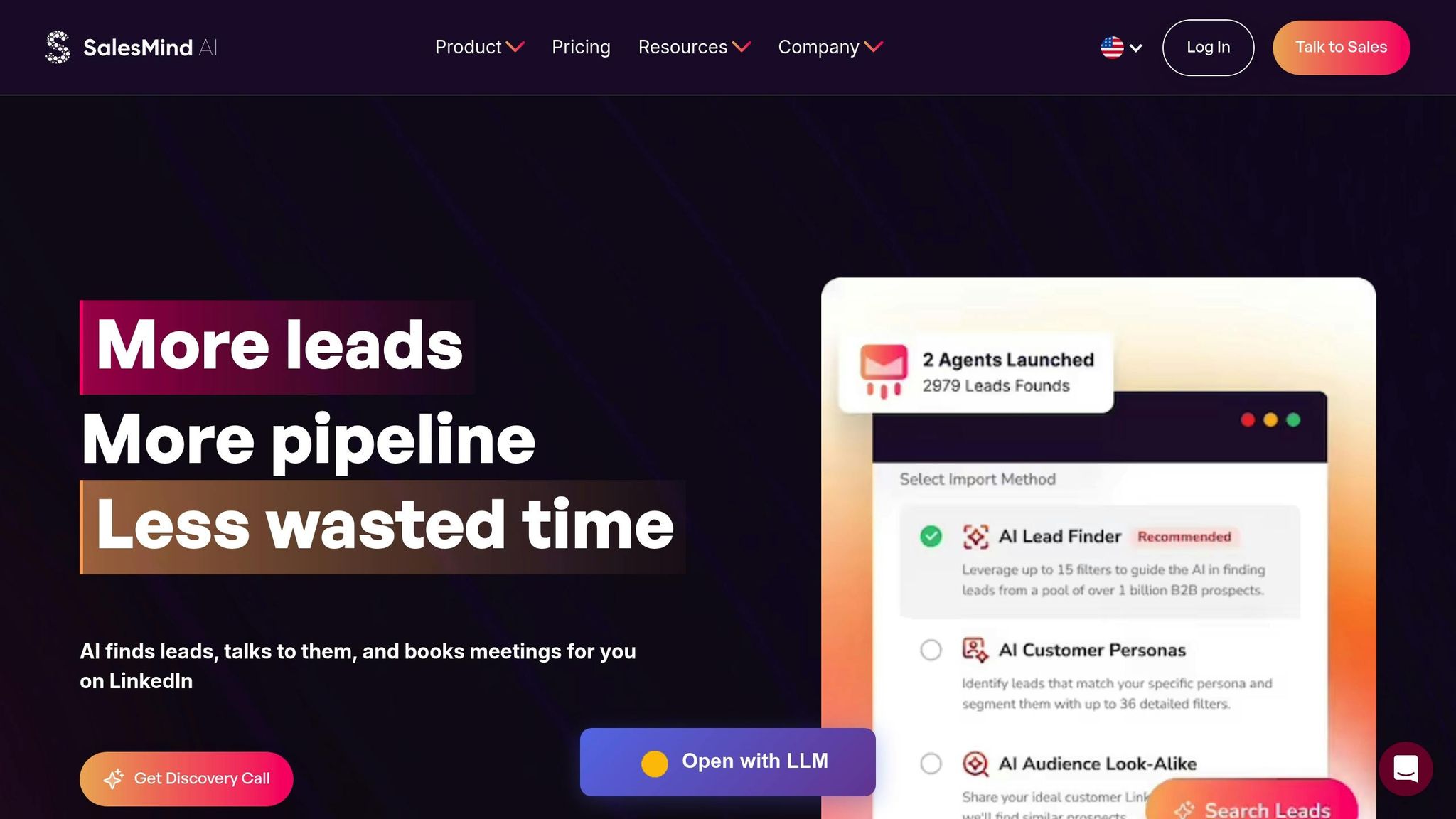
SalesMind AI takes LinkedIn prospecting to the next level for U.S. B2B sales teams, blending automation with a personal touch. By combining LinkedIn automation with AI-driven lead qualification, the platform helps sales reps focus on meaningful conversations rather than repetitive tasks. It’s designed to tackle the challenge of reaching hundreds of prospects weekly while keeping interactions personalized. With automated message sequences, follow-ups, and lead prioritization, businesses can secure more qualified meetings without needing to expand their teams.
SalesMind AI Features
At the heart of SalesMind AI is an advanced lead scoring system that evaluates multiple data points to rank prospects based on their likelihood to convert. It analyzes factors like engagement (profile views, message replies, and content interactions), firmographics (company size, industry, growth trends), and behavioral signals that indicate purchase intent. The system continuously learns and adjusts, ensuring sales teams can focus on the most promising leads.
"SalesMind AI has transformed our lead generation process. The platform's intuitive interface and smart automation features have significantly boosted our sales efficiency. The lead scoring system is particularly impressive, providing clear insights into lead quality."
– Svit Babarovic, Food and Beverage Retail, MountainDrop
The platform’s unified inbox simplifies LinkedIn conversations by consolidating them into one dashboard. It organizes replies, suggests AI-powered responses, and sets follow-up reminders, ensuring no interaction gets overlooked - even when dealing with prospects across different U.S. time zones.
SalesMind AI also goes beyond basic templates by personalizing messages based on a prospect's profile. It factors in details like job title, company, industry, recent activity, and shared connections, creating outreach that feels researched and genuine rather than generic.
Its automated follow-up workflows adapt to prospect behavior. For instance, if someone views your profile but doesn’t reply, the AI can send a follow-up at the right time. Built-in compliance features, such as randomized delays, rate limits, and business-hours scheduling, protect your LinkedIn account. Additionally, integrations with CRMs like Salesforce and HubSpot ensure all prospect data, activity, and conversation history are synced seamlessly, reducing manual work and keeping your tools aligned.
These features support a range of use cases, from outbound prospecting to engaging multiple stakeholders within a single account.
How to Use SalesMind AI
SalesMind AI makes targeting and outreach straightforward. Sales reps can filter accounts by criteria like company size, industry, and job title, then launch personalized multi-touch campaigns. For example, a SaaS company targeting IT directors at mid-sized firms can personalize connection requests referencing recent company news or LinkedIn activity. This is followed by a series of tailored messages spaced out over two to three weeks.
The platform also excels in multi-stakeholder engagement. It tracks communications with various decision-makers within an account and uses lead scoring to highlight the most engaged contacts, enabling coordinated outreach.
For pipeline acceleration, SalesMind AI nurtures prospects who haven’t responded to initial messages with automated follow-ups. This increases the likelihood of getting a reply and keeps the conversation moving forward.
Success stories illustrate its impact. Alex L., CTO at Slash Co, saw a 10× increase in lead prospecting efficiency within a week, generating 5 to 10 new conversations weekly. Similarly, Steven Huibers, COO of Policereports.ai, reported tripling his results compared to previous LinkedIn outreach efforts.
SalesMind AI Pricing
SalesMind AI offers three pricing tiers to suit businesses of different sizes and prospecting needs. Pricing is in U.S. dollars, and it’s best to confirm current rates with the provider.
- Basic Plan: Includes LinkedIn automation, basic lead scoring, and limited monthly outreach. Perfect for individual sales professionals or small teams starting with AI-powered prospecting.
- Professional Plan: Adds higher usage limits, advanced lead scoring with intent detection, and is ideal for growing teams handling more prospects.
- Enterprise Plan: Offers unlimited outreach, custom lead scoring tailored to your ideal customer profile, dedicated support, and API access for custom integrations. Designed for large organizations with complex sales processes.
Plans are available on monthly or annual subscriptions, with annual commitments often offering discounts. Many U.S. businesses find that the time saved on research and outreach, combined with improved response rates, delivers a positive return on investment in as little as three to six months.
"I love the way it allows us to scale the prospecting without spending much time writing the messages."
– Eugenie Masse, Senior Consultant, BDO
SalesMind AI enjoys high user satisfaction, with ratings of 4.4 on Trustpilot, 4.7 on G2, and 5 on the Chrome Store. Users consistently highlight time savings, better response rates, and the ability to scale outreach while keeping it personal.
sbb-itb-817c6a5
AI Features That Improve LinkedIn Prospecting
AI simplifies the heavy lifting of prospecting by handling tasks like research, lead scoring, and outreach sequencing. This allows sales teams in the U.S. to dedicate more time to live conversations and strategic planning.
Three main AI-driven functions are central to successful prospecting: intelligent lead scoring, automated messaging with strategic follow-ups, and data enrichment to refine targeting. Together, these features create a streamlined process for identifying, engaging, and converting leads.
AI Lead Scoring and Intent Detection
AI lead scoring ranks prospects based on how likely they are to convert. It evaluates a mix of behavioral signals (e.g., profile views, message replies, and content engagement), profile details (like job title, seniority, and tenure), and firmographic data (such as company size, industry, and growth trends).
The system continuously learns and improves. For instance, when a specific type of prospect converts into a customer, the AI prioritizes similar profiles in the future. On the flip side, signals that don’t align with conversions are downgraded, keeping the scoring model relevant and accurate.
Intent detection takes this a step further by spotting prospects who show active interest. Indicators like recent job changes, increased engagement with industry-related content, or participation in relevant LinkedIn groups suggest readiness to buy. For U.S. sales teams, this means focusing efforts on leads that not only fit the ideal profile but also show clear buying signals.
SalesMind AI provides a strong example of this system in action, combining engagement data, firmographics, and behavioral insights to rank prospects effectively.
Once high-potential leads are identified, the next step is crafting personalized outreach.
Automated Messaging and Follow-Ups
On LinkedIn, personalized outreach is non-negotiable. AI tools help by generating tailored connection requests and follow-up messages that reference specific details from a prospect’s profile, such as their job title, company, industry, recent activity, or shared connections.
The messaging adapts to the recipient’s role. For example, a technical decision-maker might receive a message focused on integration features and data security, while a business leader might see points about ROI and efficiency. This level of customization ensures that messages feel relevant and avoid coming across as generic or spammy - a key factor for success in U.S. markets.
Automated follow-up systems enhance engagement by tracking actions like profile views, connection acceptances, or message opens. They then trigger follow-ups at optimal times, randomizing send times within U.S. business hours to maintain a natural cadence. By spacing messages appropriately and following best practices - such as keeping messages concise and offering clear opt-out options - the outreach remains professional and respectful of LinkedIn’s guidelines.
Data Enrichment for Better Targeting
Effective outreach starts with accurate targeting. Data enrichment ensures that prospect lists are complete, up-to-date, and aligned with the ideal customer profile.
Firmographic enrichment adds critical details such as company size, revenue, employee count, industry classification, and growth trends. For U.S. B2B prospecting, these insights help fine-tune both targeting and message personalization.
Technographic enrichment focuses on the tools and platforms a company uses, such as CRMs, marketing software, or collaboration tools. For example, if your solution integrates with Salesforce, AI can filter your prospect list to include companies already using that platform, making your outreach more relevant.
AI accelerates this process by matching profiles with databases, verifying contact details, and filling in missing information. This not only improves lead scoring accuracy but also supports account-based strategies by identifying multiple stakeholders within target organizations.
When combined with lead scoring and messaging automation, data enrichment creates a seamless workflow. Tools like SalesMind AI integrate enriched data directly into scoring and messaging, ranking leads by fit and intent, then pushing them into AI-generated LinkedIn sequences. Automated follow-ups and an AI-powered inbox further manage responses, categorizing replies as interested, not now, or not a fit, and suggesting next steps. This helps sales teams move from initial contact to booked meetings while maintaining a personalized approach at scale.
Key performance metrics for AI-driven prospecting include connection acceptance rates, reply rates, positive reply rates, meetings booked per 100 prospects, and monthly pipeline or revenue generated via LinkedIn. Many sales teams also report saving significant time on research and manual follow-ups, with reply rates often improving by 20 to 50% after adopting AI tools. These metrics help justify the investment and pinpoint which AI features deliver the best results.
Experts recommend using AI primarily for tasks like research, segmentation, and drafting initial messages, leaving account personalization and live conversations to human expertise. Regularly reviewing AI-generated messages and lead scores, combined with feedback from both successful and lost deals, ensures that automation stays aligned with real-world outcomes.
How to Choose the Right AI Tool for LinkedIn Prospecting
Selecting the right AI tool for LinkedIn prospecting starts with understanding your specific needs. Whether you're a solo consultant or part of a large sales team, your goals - like booking more meetings, improving reply rates, saving research time, or breaking into new U.S. markets - should guide your decision. For example, teams struggling with low reply rates might prioritize tools that excel in AI-driven personalization and intent detection over those focusing on sheer automation volume.
Your sales cycle and deal size also play a big role. If you're closing high-value U.S. contracts, investing in research-heavy tools might make sense. On the other hand, if you're operating in a high-velocity, lower-value sales environment, cost-effective automation tools might be a better fit. Consider your team's expertise, too. Without a dedicated Revenue Operations (RevOps) team, simpler tools with strong onboarding and pre-built templates are often more effective than complex, highly customizable platforms.
Below, we’ll explore how to match AI tools to your team size, budget, and integration needs.
Matching Features to Team Size and Sales Process
Solo professionals like consultants, freelancers, and founders need tools that are easy to use and quick to set up. Look for options that can be operational within hours, not weeks. Simple pricing models - typically between $100 and $200 per month for a single seat - make budgeting straightforward. Features like built-in messaging templates save time, eliminating the need to create sequences from scratch.
The best tools for solo users combine profile scraping, basic data enrichment, and AI-generated messaging in one platform. This keeps things simple, avoiding the hassle of managing multiple tools. AI-powered features, such as personalized LinkedIn connection notes and InMails, can significantly cut down research time, making prospecting more efficient.
Small teams (2 to 10 representatives) should focus on scalability. Shared templates, role-based permissions, and basic analytics are vital for tracking performance at both the individual and team levels. Features like AI lead scoring and intent detection help smaller teams focus on high-priority U.S. accounts. Integration with a CRM ensures that outreach efforts are visible across the team, keeping everyone aligned.
Large enterprises often require advanced capabilities. These include AI analytics to identify the best-performing sequences, customer personas, and messages. Compliance controls, detailed audit trails, and the ability to manage hundreds of users across regions are also essential. For companies using account-based strategies, tools that identify multiple stakeholders within target organizations and coordinate outreach across teams are invaluable.
The complexity of your sales process matters, too. If LinkedIn is your only outbound channel, a specialized LinkedIn tool may suffice. But if your strategy involves email, phone, and social channels, a multichannel platform or all-in-one sales solution might be a better fit for managing your sales funnel in one place.
Budget and ROI Factors
Pricing for LinkedIn AI tools can vary significantly. Some charge per seat per month, while others use a usage-based model, billing per contact, credit, or message. High-volume outreach can make usage-based pricing costly if not carefully managed.
For example, some tools start at $246 per month (billed biannually) and may require an additional LinkedIn Sales Navigator subscription, which costs about $99 per month. This brings the total to roughly $345–$350 per month per user for U.S. teams. Broader sales suites often use tiered or custom pricing, with small-to-medium business plans starting in the low hundreds of dollars per user per month, while enterprise contracts can reach thousands, depending on the number of seats and data usage.
Monthly billing offers flexibility, but annual contracts often come with discounts of 20%–30%. Startups might find monthly plans more appealing until their prospecting strategies prove effective.
To calculate ROI, start by measuring your current LinkedIn-sourced meetings, opportunities, and closed revenue. Many tools claim to double or triple reply rates and meetings when personalization and multichannel strategies are used. For instance, if a tool costs $150 per user per month and a team of five generates an extra $5,000 from LinkedIn, the ROI is strong. Don’t forget to factor in time savings - calculate the hours saved on research and manual follow-ups, multiply by your internal hourly rate, and see if this offsets the tool’s cost.
Compliance and Workflow Integration
LinkedIn has strict guidelines on automation and outreach volume, so it’s crucial to choose a tool that adheres to these rules. This protects both your account and your company’s reputation. Additionally, ensure the tool can automatically log LinkedIn activities - like connections, messages, and InMails - in your CRM to avoid duplicate outreach.
Workflow integration is equally important. Look for tools that sync LinkedIn activities with your CRM, logging them as tasks or timeline events. Ask about data update frequency and how the tool handles API limits or failures. For U.S. teams using CRMs like Salesforce or HubSpot, seamless integration can significantly improve efficiency.
For example, SalesMind AI integrates enriched data directly into lead scoring and messaging workflows. It ranks leads by fit and intent, pushes them into AI-generated LinkedIn sequences, and automates follow-ups. Its AI-powered inbox even categorizes responses - such as "interested", "not now", or "not a fit" - and suggests next steps.
Before committing to a tool long term, consider running a short pilot program. Define a 30- to 60-day test period and assign similar U.S. target segments to a few seats. Use standardized message frameworks and cadences to let the tool’s AI personalize without drastically altering your strategy. Track metrics like connection acceptance rates, reply rates, booked meetings, and pipeline revenue to evaluate the tool’s impact. This approach minimizes risk while helping you determine if the tool is the right fit for your team.
Conclusion
AI tools have reshaped how sales teams in the U.S. approach LinkedIn prospecting. By automating research, messaging, and follow-ups, these tools save time while maintaining a personal touch. The right AI solution doesn’t just make tasks easier - it transforms your outbound strategy by identifying high-intent prospects and managing engagement, all without adding to your team size. This creates a smoother, more results-focused approach to prospecting.
When choosing tools, consider your team’s size, sales cycle, and goals. Solo professionals can benefit from platforms that handle profile analysis and personalized outreach. Growing teams often need features like shared templates, lead scoring, and CRM integration. Larger organizations typically require advanced analytics, compliance controls, and multi-channel coordination. Look for tools that offer measurable ROI - some multi-channel strategies have shown up to 3.5× more replies [1].
SalesMind AI is one such tool, offering a comprehensive solution for LinkedIn automation. It includes AI-powered lead scoring, personalized messaging, intelligent follow-ups, and response categorization. Its unified inbox organizes replies by intent (e.g., interested, not now, not a fit) and suggests next steps, allowing teams to prioritize high-value conversations. Plus, it ensures compliance with LinkedIn’s guidelines, such as sending messages during U.S. business hours and adhering to connection limits.
For seamless integration, SalesMind AI logs LinkedIn activity directly into your CRM, reducing duplicate efforts and keeping your sales tools in sync. If you’re new to AI-driven prospecting, start with a small pilot program. A 30- to 60-day trial targeting specific U.S. segments can help you track key metrics like connection acceptance rates, reply rates, booked meetings, and revenue impact. This approach minimizes risk while showing whether the tool delivers results. Features like AI lead scoring can further streamline follow-ups by prioritizing high-intent replies and routing neutral responses into nurture campaigns.
AI doesn’t replace the human side of sales - it enhances it. By automating repetitive tasks, your team can focus more on building genuine connections with qualified prospects. Tools that enrich profiles with data like firmographics, technographics, and intent signals give your reps the insights they need to personalize outreach effectively. This balance between efficiency and personalization ties together the themes of this article.
Whether LinkedIn is your main outbound channel or part of a larger multi-channel strategy, the goal remains the same: scale your efforts without compromising quality or overloading your team.
Evaluate your current process, embrace AI’s capabilities, and watch your pipeline thrive.
FAQs
How can AI tools help boost response rates and streamline LinkedIn prospecting for B2B sales?
AI tools, like those from SalesMind AI, can transform LinkedIn prospecting by automating time-consuming tasks such as crafting personalized messages, qualifying leads, and managing follow-ups. This not only saves valuable time but also ensures that your outreach feels relevant and customized for every prospect.
Features such as AI-powered lead scoring and a centralized inbox allow businesses to focus on high-priority leads and handle conversations more efficiently. By simplifying these processes, AI tools can boost response rates and make LinkedIn prospecting a powerful strategy for B2B sales teams.
What should I keep in mind to ensure compliance and avoid LinkedIn account suspension when using AI tools for prospecting?
To prevent your LinkedIn account from being suspended while using AI tools for prospecting, it's important to stick to LinkedIn's Terms of Service and User Agreement. This means avoiding practices like over-automation or spammy behavior, such as bombarding people with too many connection requests or messages in a short span of time.
When using AI tools, make sure your outreach feels personal and genuinely valuable to the recipient. Keep an eye on LinkedIn's activity limits to avoid triggering red flags. Actions like bulk messaging or scraping data without permission can quickly lead to trouble. By staying within the guidelines, you not only safeguard your account but also ensure your prospecting efforts remain effective and professional.
How can AI tools improve lead scoring and intent detection for LinkedIn prospecting?
AI tools make LinkedIn prospecting smarter by diving into data to evaluate lead quality and identify buying intent. This means businesses can zero in on the most promising prospects, making their outreach more precise and impactful.
By automating processes like lead qualification and intent detection, AI not only saves time but also enhances productivity. It ensures that efforts are focused on leads with higher chances of conversion, which can lead to better response rates and stronger sales results.
 JG
JG