

.avif)


Find out how our users get 10+ sales calls per month from LinkedIn.

Want your LinkedIn messages to stand out? Timing is everything. Sending messages when your prospects are most active increases visibility and response rates. Here’s what you need to know:
- Best Time to Send Messages: Weekdays between 10:00 AM and 4:00 PM in the recipient's local time zone.
- Peak Engagement Days: Mondays see the highest connection acceptance rates (22.04%), while Thursdays lead in reply rates (20.32%).
- Avoid Weekends: Messages sent on Saturdays have a low acceptance rate of 1.36%.
- Why Timing Matters: Messages sent during active hours are more likely to be seen and responded to, avoiding inbox clutter.
- Automation Tools: Platforms like SalesMind AI can schedule messages to align with local time zones, ensuring consistency without manual effort.
Key Insight: The first 60–90 minutes after sending a message is critical for engagement. Use this window to maximize visibility and responses.

LinkedIn Outreach Timing Statistics: Best Days, Times, and Response Rates by Time Zone
LinkedIn Activity Patterns Across Time Zones
Crafting an effective outreach strategy starts with understanding how LinkedIn activity shifts based on regional time zones and work schedules.
Peak Activity Times by Region
LinkedIn engagement closely follows the rhythm of the workday, but the timing differs across regions. Southern Europe leads the way with an engagement rate of 11.81%, followed by South America at 9.71% and Northern Europe at 9.41%. Meanwhile, the Middle East trails with a lower rate of 7.24% [3].
Each time zone has its own activity peaks. For instance:
- EST: Early Tuesday mornings, mid-day Thursday, and early Friday.
- PST: Mid-afternoon on Thursdays and Fridays.
- GMT and CET: Thursday mornings and evenings, respectively [6].
The first 60–90 minutes after sending a message - the "golden hour" - is crucial. High engagement during this window can amplify visibility to broader networks. With LinkedIn engagement recently dropping by 8.3%, targeting these prime windows has become even more essential [4].
By identifying these regional activity peaks, you can better align outreach efforts with users' daily routines.
How Work Schedules Affect Outreach Timing
Professionals' LinkedIn habits often align with their work schedules, though patterns differ by industry. Sectors like B2B, tech, healthcare, and education see activity spikes during specific times, such as early mornings or lunch breaks [4].
"Professionals are most likely to review and respond to messages early in the workweek, when their schedules are more structured and motivation is higher." - Yuriy Boyko, Head of Account Management, Belkins [3]
Factors like remote work and local customs also influence engagement. For example, regions like the Middle East emphasize building relationships first, requiring a more tailored approach. Additionally, Gen Z professionals, with their mobile-first mindset, tend to engage outside of traditional working hours more than older generations [2].
Tuesday consistently outperforms other days with a reply rate of 6.90%, while weekends see engagement dip to 6.40% or lower. For the best results, focus your outreach on Tuesday through Thursday, when professionals are more likely to be attentive and responsive [3].
These insights into work habits and time zones show the importance of customizing outreach timing to maximize engagement.
How to Identify and Organize Prospect Time Zones
To make the most of LinkedIn activity patterns, understanding and organizing prospect time zones is a game-changer for scheduling outreach. Start by pulling location data from LinkedIn profiles - this usually includes the city, state, or country. LinkedIn Sales Navigator simplifies this process with its advanced geographic filters, allowing you to narrow down prospects by location before you even begin. This location data becomes the backbone for scheduling outreach at the right time.
Using LinkedIn Profile Data to Determine Time Zones
The easiest way to pinpoint a prospect's time zone is by standardizing their location to formats like IANA (e.g., America/Los_Angeles) or GMT offsets. If a city isn't listed, the country field or even phone number area codes can help assign the correct time zone.
When importing LinkedIn data into your CRM or outreach platform, make sure to map the "Timezone" field. This allows your software to display each prospect's local time automatically for your sales team [7]. It’s a simple but crucial step to avoid contacting someone at 3:00 AM in their time zone.
"The right message at the wrong time is the wrong message." - FreshProposals [1]
Segmenting Prospects by Time Zone
Once you’ve standardized time zone data, the next step is segmentation. For U.S.-based outreach, group prospects by state to assign them to Eastern, Central, Mountain, or Pacific time zones [8]. For international campaigns, organize them into broad regions like APAC, EMEA, and the Americas [1].
To take it a step further, create Time Zone Personas that combine location with work habits. For example:
- Tokyo Tech Leaders are most responsive between 7:00 AM and 9:00 AM JST.
- Berlin B2B Buyers prefer outreach between 9:00 AM and 11:00 AM CET, avoiding lunchtime.
- NYC Sales Execs typically handle internal meetings in the morning, so reaching out after 10:00 AM EST works best [1].
Use features like "Smart Views" to filter prospects based on their local business hours (e.g., 9:00 AM to 5:00 PM). This ensures you’re targeting prospects during their optimal time. Emails sent between 6:00 AM and 7:00 AM local time, for instance, see a 45% higher response rate compared to those sent later in the day [1].
Setting Up Time-Zone Based Outreach with SalesMind AI
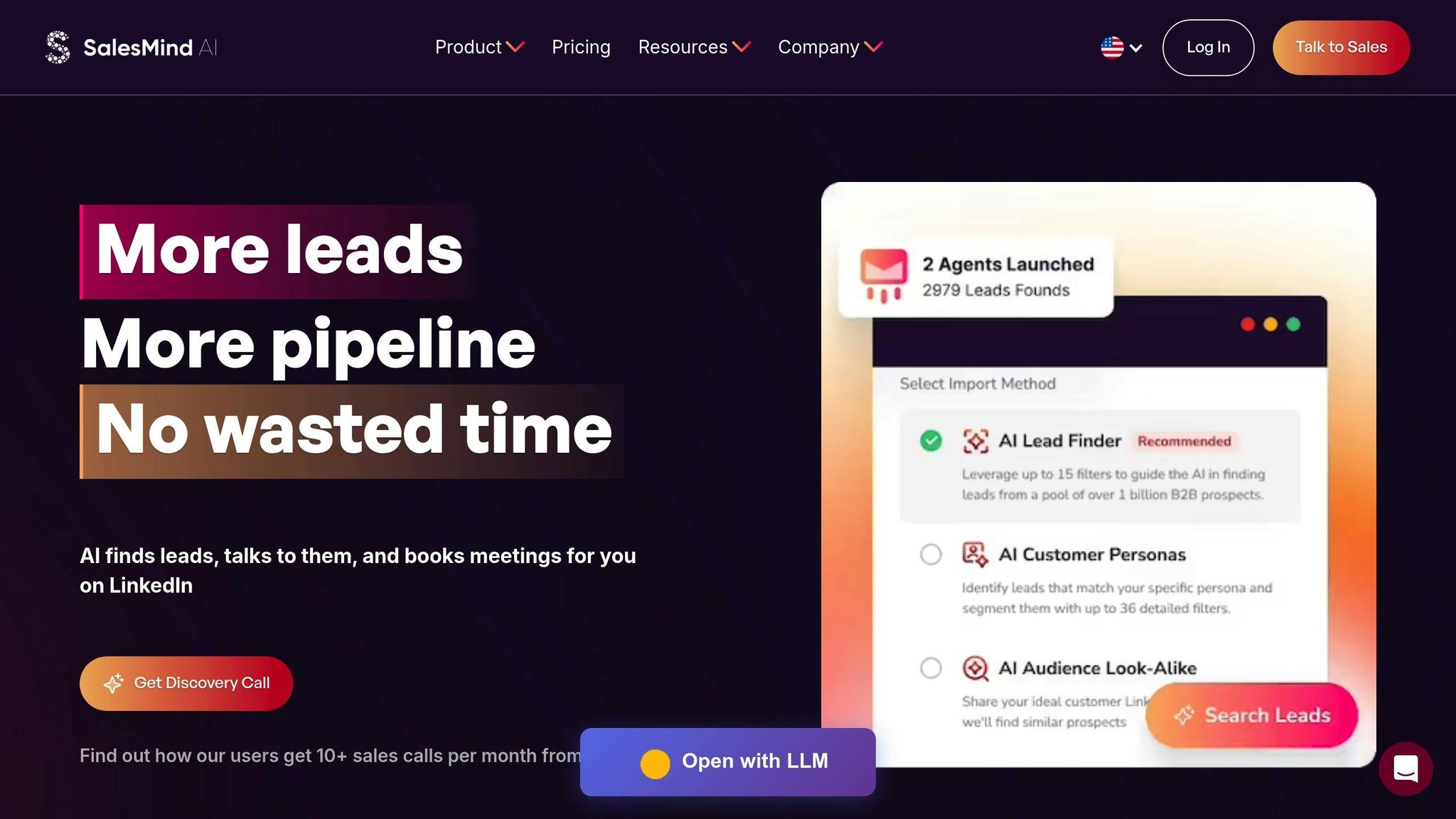
Once you've segmented your prospect list, the next step is to ensure your outreach respects local working hours. SalesMind AI makes this process seamless by automating schedules to align with each prospect's business hours - no manual adjustments needed [12]. This automation is the core of time-zone optimized outreach.
SalesMind AI Time-Zone Scheduling Features
SalesMind AI takes the guesswork out of timing by using office-hour detection. This feature automatically ensures that connection requests, messages, and profile visits only happen during the recipient's active business hours. Even when you're offline, your campaigns will stay on track [12].
The platform also leverages predictive engagement timing, which analyzes activity patterns to identify the best times to reach out. This has led to impressive results, including reply rates increasing by 2.3x, connection rates exceeding 55%, and average reply rates climbing above 60% [13].
"The results were sometimes almost too good - connection rates and responses were way above what I expected." - Nick Heijman, Chief Executive Officer, HypotheekXperts [11]
Another standout feature is scheduling precision, which allows you to set delays between connection requests, initial messages, and follow-ups. This creates a natural flow of interaction, protecting your LinkedIn account while fostering authentic engagement. Additionally, the unified AI inbox centralizes responses from all time zones, making it easier to manage replies across campaigns [13].
By understanding these tools, you can make informed decisions about which plan fits your outreach goals.
Selecting the Right SalesMind AI Plan
SalesMind AI offers three subscription tiers, each tailored to different needs:
- Basic Plan: Perfect for individuals or small teams, this plan includes core LinkedIn automation, AI messaging, and basic lead scoring. It's a great starting point for time-zone based outreach.
- Professional Plan: Designed for growing teams, this tier adds advanced lead scoring, a unified inbox for managing multiple accounts, and CRM integration - ideal for handling prospects across multiple regions.
- Enterprise Plan: Built for large organizations, this plan offers custom integrations and dedicated support, making it suitable for managing global campaigns.
All plans come with office-hour detection and cloud-based scheduling. The main differences lie in the number of LinkedIn accounts you can manage, the depth of lead scoring, and CRM integration capabilities, which allow you to sync time-zone data with your existing tools.
Users across all plans report impressive outcomes, including an average pipeline value of $100,000 per month [12] and up to a 10x increase in lead prospecting productivity within the first week [11]. SalesMind AI has earned a 4.7/5 rating on G2 and a perfect 5/5 rating on the Chrome Store [11]. If you're curious, you can try a free demo to see these features in action [13].
sbb-itb-817c6a5
Time-Zone Based LinkedIn Outreach Strategies
Timing plays a huge role in LinkedIn outreach. Aligning your messages with a prospect's local schedule can make all the difference. The key? Thoughtful scheduling, smart automation, and keeping an eye on performance metrics.
Building Outreach Schedules for Different Time Zones
Timing your messages for when your audience is most active can maximize engagement. For global campaigns, staggering your outreach to match each region's workday ensures you're reaching people at the right moment. Focus on these time slots for the best results:
- Mid-morning (9:00 AM to 12:00 PM): Professionals often check LinkedIn during their first break of the day.
- Lunchtime (12:00 PM to 2:00 PM): A natural pause in the day when people catch up on messages.
- Mid-afternoon (3:00 PM to 6:00 PM): Another window when professionals are likely to check LinkedIn.
Studies reveal that emails sent between 6:00 AM and 7:00 AM local time can achieve a 45% higher response rate compared to those sent later in the day [1]. Similarly, LinkedIn messages perform best during standard weekday hours [2].
Speed also matters. Businesses are seven times more likely to qualify leads when they respond within an hour of an inquiry. And if you can respond within a minute, conversions can increase by a staggering 391% [14]. To manage this effectively, consider using automation tools to schedule messages during local business hours [9].
For even better results, create time-zone-specific personas. For example, you might target Tokyo's tech leaders between 7:00 AM and 9:00 AM JST, while waiting until after 10:00 AM EST to reach executives in New York [1]. This approach shows you're mindful of their schedules, which can lead to higher engagement.
Using Automation to Replicate Natural Timing
Automation can help you maintain a human touch in your outreach. Instead of sending all your messages at a fixed time like 9:00 AM, stagger them throughout the morning to mimic natural behavior. Tools like SalesMind AI allow you to add delays between steps, making your interactions feel more authentic.
Testing different send times can also help you identify the most effective windows. For instance, try comparing Tuesday mornings to Thursday afternoons to see which resonates more with your audience [2]. Globally, B2B emails tend to perform best on weekdays between Tuesday and Thursday at 10:00 AM local time [1], but your audience might have its own preferences.
SalesMind AI also simplifies managing responses across multiple time zones with its unified inbox, so you can keep track of all your conversations without getting overwhelmed.
Tracking and Improving Outreach Results
Once your outreach schedules and automation are in place, tracking performance is crucial. Keep an eye on key metrics like connection acceptance rates, response rates, and meeting conversion rates. Here's what to aim for:
| Metric | Target Benchmark | Metric Definition |
|---|---|---|
| Connection Rate | 20%+ | Reflects first impressions and profile trust. |
| Response Rate | 5–10% | Indicates how well your message resonates. |
| Meeting Conversion | 30%+ | Measures how effective your call-to-action is. |
| Avg. Response Time | <48 Hours | Shows if your timing aligns with prospect activity. |
Most responses happen within the first 48 hours of sending a message [15], and 23% of email opens occur within the first hour of delivery [10]. If your response times are lagging, it might mean your messages aren't landing during peak engagement windows.
Integrating your LinkedIn outreach data with a CRM can help you track long-term ROI. This allows you to monitor metrics like pipeline velocity and deal conversion rates. Even a 5% deal conversion rate from meetings is considered a win [15]. Weekly reviews can help you refine your strategy by analyzing message performance, identifying objections, and updating templates based on feedback [2].
"Establish a clear framework for tracking and analyzing essential LinkedIn messaging KPIs: Open rate, Response rate, and Conversion rate." – Raz Popescu, Content Lead, Bardeen [2]
Lastly, keep an eye on your Social Selling Index (SSI). This metric evaluates your professional brand, targeting accuracy, and engagement quality. A high SSI not only boosts your credibility but also expands your reach on LinkedIn [15]. And remember, well-timed calls and emails can increase conversions by 49% and 53%, respectively [14]. Use the data at your disposal to fine-tune your approach and improve your results.
Conclusion
Time-zone-based LinkedIn outreach plays a key role in crafting an effective strategy. By timing your messages to align with a prospect's local schedule, you show respect for their routine while increasing the likelihood of connecting during optimal moments in their workday [4].
Research highlights that the first 60 to 90 minutes after sending a message are critical for determining its overall performance [4][16]. This "Golden Hour" is your window of opportunity to maximize engagement and amplify the reach of your outreach efforts.
For global campaigns, scheduling messages by time zone allows you to engage with decision-makers in major hubs like New York, London, and Singapore - without requiring late-night or early-morning effort on your part [2]. This approach ensures your communications are timely and professional, steering clear of sending notifications at inconvenient hours [5].
Start by organizing your prospect lists by region and experimenting with different time slots [2][16]. Tools like SalesMind AI can help automate time-zone-specific delivery, freeing you up to focus on building genuine connections. With this strategy, your outreach becomes more than just a message - it evolves into a well-timed, meaningful conversation.
FAQs
What’s the best way to choose the right time zone for LinkedIn outreach?
To make your LinkedIn outreach more effective, it's important to consider your recipient's local working hours and their peak activity times. Reaching out during their morning or early afternoon often leads to better engagement.
You might also want to develop time zone-based personas by factoring in geographic habits and work patterns. For instance, early mornings in Tokyo or late mornings in New York City are often prime times to connect with prospects. Timing your outreach to match their local schedule helps you avoid sending messages during off-hours, boosting the likelihood of a response.
What are the main advantages of using tools like SalesMind AI for automating LinkedIn outreach?
Automation tools like SalesMind AI make life easier by handling repetitive tasks like sending connection requests, follow-ups, and replies. This frees up sales teams to spend more time on what truly matters - building relationships and closing deals - rather than getting bogged down in manual outreach.
These tools also excel at scaling personalization. By analyzing details like a prospect’s LinkedIn profile, job role, and company information, they create tailored messages that feel personal. This not only boosts engagement but also increases response rates without losing that human touch.
On top of that, advanced features such as lead scoring and optimized workflows help sales teams focus on the most promising leads. This makes outreach more efficient and effective. By using automation, businesses can expand their LinkedIn strategies while staying aligned with LinkedIn’s rules and maintaining high-quality interactions.
How can scheduling LinkedIn messages based on time zones boost engagement rates?
Scheduling LinkedIn messages with time zones in mind allows you to connect with prospects when they’re most likely online. By matching your outreach to their local working hours, you boost the likelihood of your messages being noticed and receiving a quick response.
This strategy helps your communication feel more timely and relevant, which can lead to better open rates and more replies. It’s an easy way to make your outreach stand out and feel more tailored to the recipient.
Have You Ever Experienced Sales Done by AI?