How White Label AI Boosts LinkedIn Outreach
Automate branded LinkedIn outreach with white-label AI: personalized messages, lead scoring, multi-account management, higher reply rates.
Share this article
- Save Costs: Avoid spending $50,000+ on development.
- Boost Results: Achieve 40% connection acceptance and 45% reply rates.
- Personalized Automation: AI crafts tailored messages using LinkedIn data.
- Lead Prioritization: Focus on high-value prospects with scoring tools.
How White Label AI Boosts LinkedIn Outreach
LinkedIn outreach can be time-consuming and inconsistent, but white label AI changes the game. It automates repetitive tasks like connection requests, personalizes messages at scale, and prioritizes leads using advanced scoring - all under your brand. Businesses save time and money by skipping the need for custom software development, launching their own outreach platform in just days.
Key Benefits:
- Save Costs: Avoid spending $50,000+ on development.
- Boost Results: Achieve 40% connection acceptance and 45% reply rates.
- Personalized Automation: AI crafts tailored messages using LinkedIn data.
- Lead Prioritization: Focus on high-value prospects with scoring tools.
- Multi-Account Management: Unified inbox simplifies handling multiple campaigns.
This approach streamlines LinkedIn prospecting, helping companies grow their pipeline by up to $100,000 per month while cutting manual effort.
White Label AI LinkedIn Outreach: Key Benefits and Performance Metrics
What Is White Label AI for LinkedIn Outreach
White Label AI Explained
White label AI refers to a ready-made software solution that one company develops and another business can rebrand as its own. Instead of investing months (or even years) into creating technology from scratch, businesses and agencies can license these tools, customize them with their branding - think logos, colors, and domain - and offer the platform as if it were their own proprietary product. This approach delivers a fully operational platform for LinkedIn outreach without requiring the hiring of engineers or designers. Plus, the original provider handles all the backend work, like updates, bug fixes, and infrastructure maintenance.
Now, let’s explore how this solution simplifies LinkedIn prospecting.
How White Label AI Works for LinkedIn Prospecting
White label AI takes the hassle out of LinkedIn prospecting by automating the entire process. It identifies potential leads, crafts personalized connection requests and messages, and even handles follow-up communication. Using advanced models like GPT-4, the platform analyzes effective outreach patterns and generates messages that sound natural while adhering to LinkedIn's rules[8].
The system also includes lead scoring tools that assess prospects based on over 50 different signals, helping businesses focus on the most promising leads[8]. With a unified dashboard, users can manage multiple client accounts at once. Each client gets access to their own branded portal, where they can track real-time campaign performance - like connection acceptance rates, reply rates, and overall pipeline metrics[1][2]. Additionally, the platform integrates seamlessly with popular CRMs such as HubSpot, Pipedrive, and Salesforce, ensuring that qualified leads flow directly into existing workflows[1][2].
Benefits of White Label AI for LinkedIn Outreach
Scale LinkedIn Outreach Without Development Costs
White label AI eliminates the need for businesses to invest in technical teams, as the provider takes care of all the coding, infrastructure, and ongoing support. This means a company can launch a fully branded platform without touching a single line of code. The entire process - from signup to going live - usually takes just 7 to 14 business days[2]. As Erwan COATNOAN, CEO of INTANGIBLE CAPITAL VALUE, put it:
Probably 3 years ahead and new features every month
Developing and maintaining in-house tools can cost anywhere from $5,000 to $15,000 per month, but white label providers handle these expenses entirely[2]. This quick setup allows businesses to focus on delivering a tailored experience to their clients.
Customize Branding for Client-Facing Campaigns
With white label AI, businesses can replace the provider's branding with their own logos, colors, and even a custom domain. This ensures that clients interact exclusively with the agency's brand, creating a seamless, professional experience. This approach not only builds trust but also strengthens client loyalty, with retention rates averaging 89%[1]. A branded dashboard further enhances the experience, offering clients 24/7 access to real-time campaign metrics. As Bennett Newhook, Founder of Outport AI, shared:
SalesMind AI has elevated my LinkedIn experience, offering exceptional customer service to maximize the impact of their product.[1]
Reduce Costs While Automating Outreach Tasks
The benefits of white label AI go beyond cost savings. Automation simplifies time-consuming tasks like sending connection requests, crafting personalized messages, and managing follow-ups. This efficiency allows businesses to scale operations without adding staff. A multi-client management dashboard makes it easy for agencies to oversee multiple campaigns, helping them achieve impressive results - many agencies average $100,000/month in pipeline value[2]. Steven Huibers, COO of Policereports.ai, highlighted this advantage:
I've used a couple of other tools for LinkedIn outbound, but this has gotten me 3x the results.[2]
How to Set Up SalesMind AI for LinkedIn Outreach
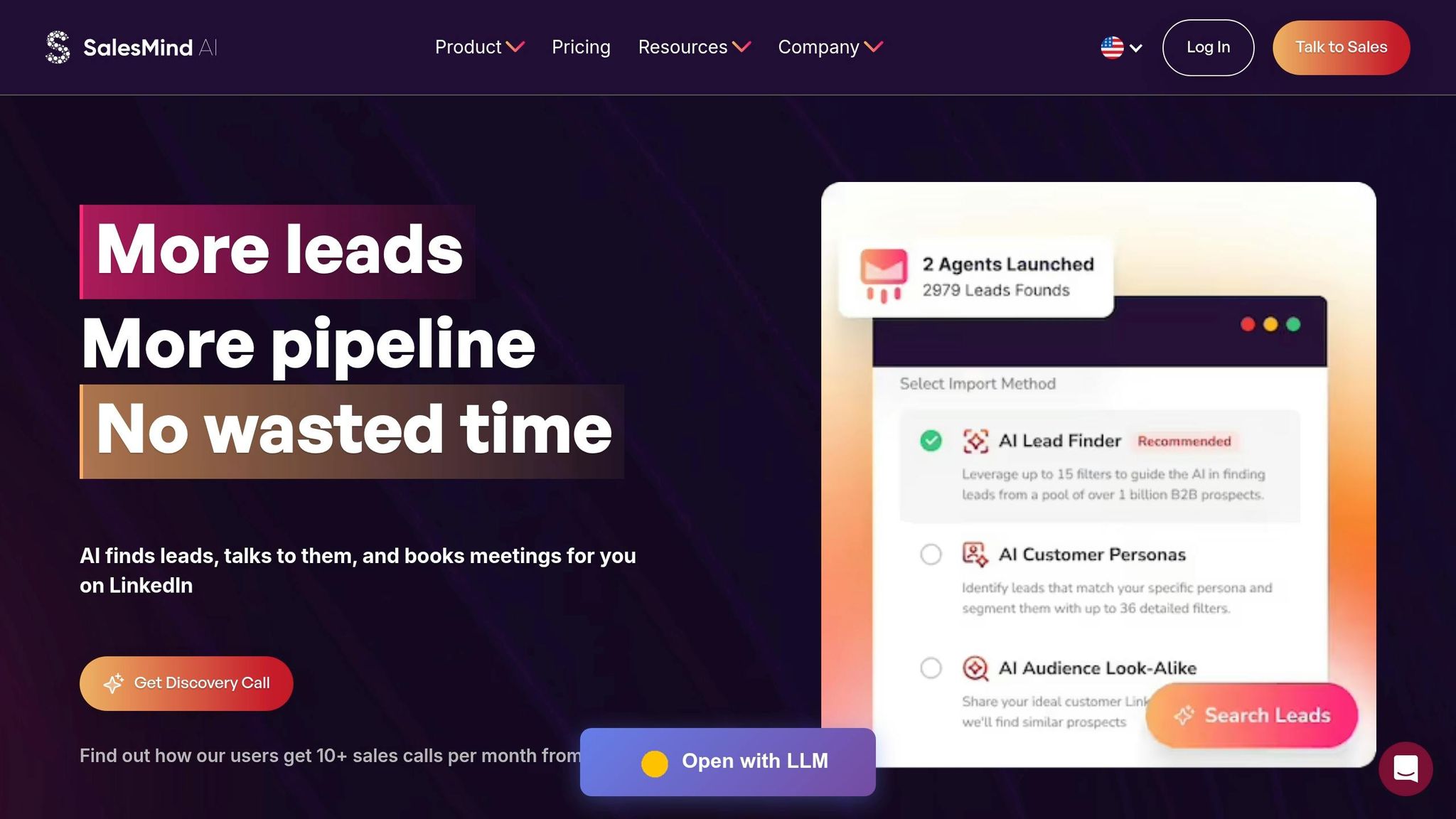
Setting Up SalesMind AI
You can have SalesMind AI up and running in less than two weeks, with full deployment completed in just a few days. This makes it possible for agencies and startups to quickly launch a fully branded lead generation tool - no coding required[9]. Start by connecting your LinkedIn profile through the Chrome extension. Once that’s done, head over to the Reseller dashboard to set up your white label settings.
To customize your brand, upload your logo, choose your color scheme, and map a custom domain using a CNAME record. This step ensures the tool aligns with your business identity. For lead sourcing, you can either import prospect URLs or upload a CSV file from LinkedIn Sales Navigator. With access to a database of over 1 billion B2B contacts[9] and role-based permissions for team members and clients, SalesMind AI simplifies outreach preparation and fosters seamless team collaboration. Once your account and branding are set up, you’re ready to automate connection requests and messaging for your LinkedIn outreach.
Automating Connection Requests and Messages
With your account configured, you can launch your first outreach campaign using a structured workflow. A typical sequence might start with a profile view, followed by a connection request, and then a series of follow-up messages. To stay within LinkedIn’s limits, set realistic intervals between actions - for instance, wait two days after a connection is accepted before sending a follow-up message.
Begin cautiously, sending 10–15 connection requests per day, and gradually increase the number while adhering to LinkedIn's weekly cap of around 100–200 requests. To make your outreach more effective, configure the AI Writer by providing relevant details about your offering. The AI will analyze each prospect’s profile and craft personalized icebreakers, which can result in an impressive 42% average reply rate[9]. For even better results, you can use Sales Navigator’s advanced filters to target active users - such as those who have posted in the last 30 days. This ensures your efforts are focused on prospects more likely to engage.
Personalizing LinkedIn Outreach with AI
Creating Personalized Messages with AI
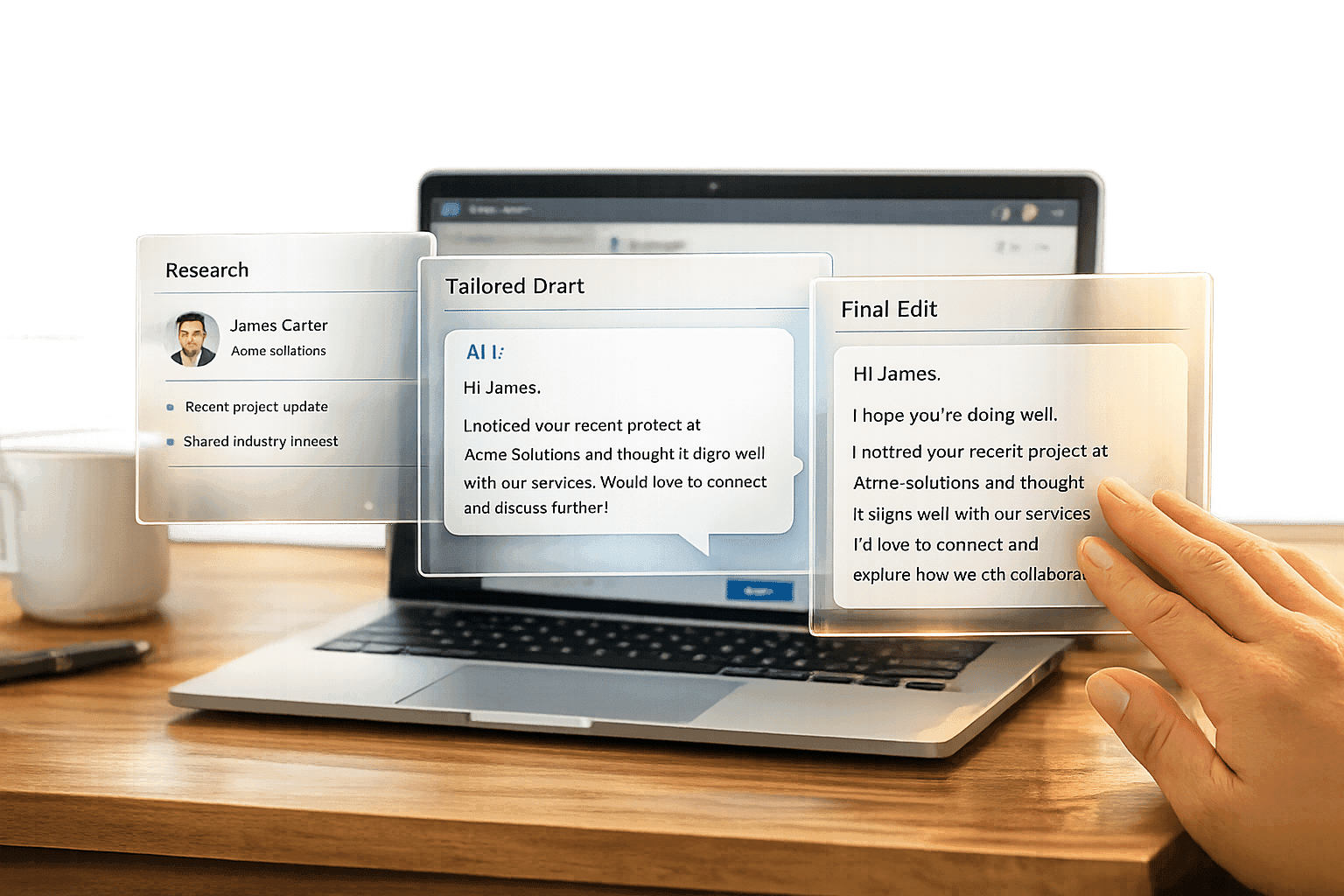
SalesMind AI takes the guesswork out of LinkedIn outreach by pulling real-time insights directly from a prospect's LinkedIn profile. It uses details like job titles, company information, recent posts, and shared connections to create messages that feel personal. For example, it might generate something like: "Hi [Name], I noticed your recent post on AI in sales at [Company] - our tool has helped similar teams boost response rates by 30%." [3]
What’s more, the platform ensures a 95% uniqueness rate across thousands of messages daily by using natural language generation and cycling through over 20 synonyms per template [10]. This keeps your outreach from sounding repetitive and helps avoid LinkedIn's spam filters. The results? Users report 40–60% higher response rates compared to generic messages, with one SaaS company achieving a 25% connection acceptance rate [5].
"I love the way it allows us to scale the prospecting without spending much time writing the messages."
– Eugénie Masse, Senior Consultant [11]
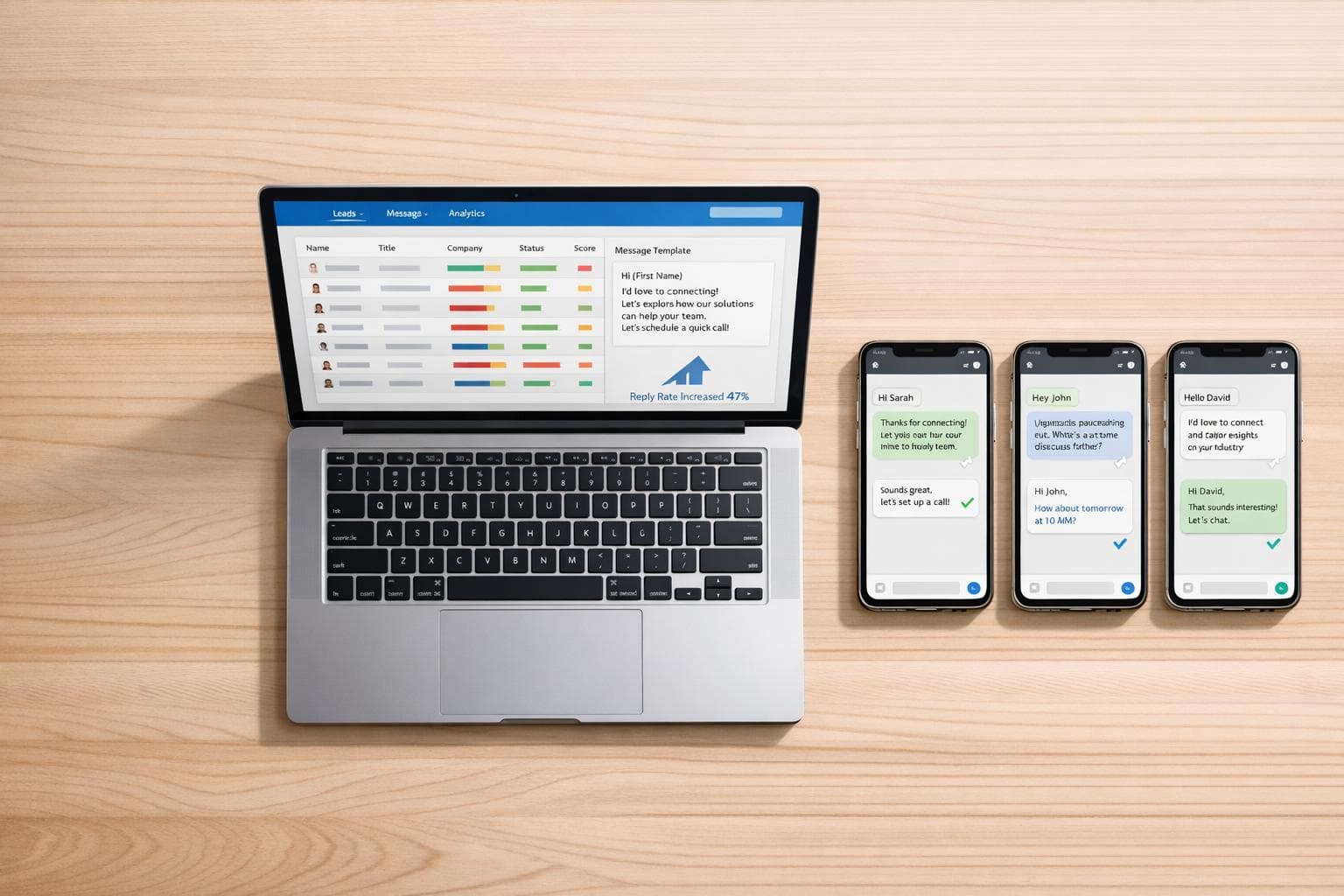
Setting up the AI Writer is quick and straightforward. You provide some basic details about your offering, and the system takes care of the rest - filling in prospect-specific information like mutual connections or recent achievements. In less than five minutes, you can generate 100 tailored messages [4]. To stay within LinkedIn’s policies, the platform uses rate limiting and human-like delays, keeping restriction rates under 1% when limiting sends to 50–100 per account daily [6].
By automating personalized outreach, you can focus on managing and scaling conversations with ease.
Managing Multiple Accounts with a Unified Inbox
Scaling LinkedIn outreach isn’t just about personalizing messages - it’s also about managing multiple accounts efficiently. That’s where the unified inbox comes in. This feature pulls together messages, connection requests, and replies from multiple LinkedIn accounts into a single, easy-to-use dashboard. For agencies juggling 10 or more client accounts, this reduces the time spent switching between accounts by 80% [7]. Conversations are clearly tagged by prospect, account, and outreach stage, and the AI co-pilot even suggests responses based on the context.
The platform also provides cross-account insights, like shared prospect history and AI-generated summaries of past conversations. For example, when reviewing a thread, you might see a note like, "This prospect engaged twice before", helping you craft follow-ups that feel relevant [12]. One agency using the unified inbox scaled to 5,000 monthly conversations, saving 50% of their time while improving personalization with AI-flagged conversation gaps [12].
"SalesMind AI has proven very useful to our sales team in reducing the massive pain points of manually tracking each and every lead interaction."
– Rahul Pushkarna, Senior Advisor, Bounty Media [11]
You can also customize replies with account-specific branding while viewing all conversations in one place. This not only ensures consistency across 50+ accounts but also boosts reply rates by 35% [12]. Plus, real-time notifications for high-priority leads mean you can respond quickly, while the AI takes care of routine interactions.
Setting Up Lead Scoring and Automated Follow-Ups
Configuring Lead Scoring to Prioritize Prospects
SalesMind AI takes personalized outreach to the next level by refining how you target prospects through its lead scoring and automated follow-up features.
Each prospect is assigned an Engagement Score (ranging from 0 to 100) based on their interactions, with scores updated in real time. You can view the specific scoring factors in the campaign activities tab. To keep your efforts focused, you can also define exclusion criteria, which automatically disqualify leads that don’t fit your ideal customer profile.
Another handy feature? Visual temperature tags. Prospects are instantly categorized as "hot", "warm", or "cold", making it easy to prioritize your outreach. For example:
- VP of Sales title: 30 points
- Manager title: 10 points
- Companies with 500+ employees: 25 points
- Profile view: 15 points
- Liked post: 20 points
When prospects score 70 or higher, they’re marked as "hot." This approach has been shown to boost response rates by 25% [13].
Automating Follow-Up Messages
Once your leads are scored, SalesMind AI can take over the follow-up process. Using autopilot rules, it triggers follow-up messages based on a lead’s engagement level or specific actions. For instance, if a "cold" lead becomes "warm" after interacting with your profile, the system sends a timely follow-up to keep the momentum going.
Here’s a tried-and-true sequence:
- Day 1: Send a connection request.
- Day 4: Follow up with a personalized note referencing their recent activity.
- Day 10: Share a relevant case study.
- Day 14: Include a strong call-to-action.
Stick to intervals of 3–7 days between messages and limit your outreach to five messages per week per account. Research suggests sequences with 4–6 touches increase conversions by 21% [13].
Tracking LinkedIn Outreach Performance
Monitoring Response Rates and Engagement
Once you've automated your outreach efforts, it's crucial to track how they're performing. SalesMind AI offers an integrated analytics dashboard that centralizes key data points like invitations sent, messages delivered, and replies received. This makes it easier to spot trends, such as a decline in acceptance rates, which could indicate it's time to tweak your audience targeting or update your message templates. The analytics go beyond surface-level stats, focusing on milestones like acceptance rates, reply rates, qualifications, and meetings. This approach connects your LinkedIn activity to tangible sales opportunities, emphasizing the quality of engagement over sheer numbers [14].
Some key metrics to keep an eye on include:
- Outreach Activity: Tracks the number of invitations and messages sent, giving you a sense of your campaign's scale.
- Engagement: Measures acceptance rates and replies, showing how well your targeting and messaging are working.
- Pipeline Growth: Tracks metrics like lead qualifications and meetings booked, illustrating the impact on lead generation and sales opportunities.
Make a habit of reviewing the dashboard daily. This allows you to quickly identify and address any performance dips, ensuring your outreach efforts stay on track and aligned with your sales goals.
Measuring Pipeline Growth with Analytics
SalesMind AI takes engagement tracking a step further by providing insights into your pipeline's growth. Using the lead scoring system discussed earlier, the platform offers a detailed breakdown of each lead's score in the Activities tab. This helps you pinpoint and prioritize the most promising prospects [15].
To make data analysis even more convenient, the Dashboard V2 Template allows you to export campaign information directly to Google Sheets. This includes detailed insights like job descriptions, making it easier to understand prospect behavior and refine your strategies [15]. Additionally, when leads are disqualified for not meeting your criteria, the system provides explanations. These insights can guide you in fine-tuning your targeting to achieve better results [15].
LinkedIn Outreach 2025: The Perfect AI Stack for Qualified B2B Leads
Conclusion
SalesMind AI redefines LinkedIn outreach by automating tedious tasks while still keeping interactions personal. With its advanced lead scoring, you can zero in on the prospects most likely to convert, and the unified inbox ensures all your conversations stay neatly organized, even across multiple accounts.
Companies leveraging AI for LinkedIn outreach often see a 30–50% boost in response rates thanks to personalized messaging, while cutting outreach costs by 40–60% compared to manual efforts [3][6]. This automation gives you more time to focus on closing deals.
Getting started with SalesMind AI is simple - no technical skills are needed. Just integrate your LinkedIn account, set up lead scoring criteria, experiment with personalized message templates, and use the analytics dashboard to fine-tune your strategy.
FAQs
Is white label AI safe for my LinkedIn account?
White label AI can be a safe option for LinkedIn outreach when used responsibly. Tools that mimic human behavior, respect LinkedIn's activity limits, and steer clear of spammy or repetitive messages are key. By following these practices, you can maintain compliance and minimize risks to your account.
How do I keep AI messages from sounding spammy?
To make AI-driven messages feel less spammy, prioritize personalization and authenticity. Tools like SalesMind AI can analyze LinkedIn profiles and user behaviors to create messages that feel custom-made and engaging. To stay within LinkedIn’s guidelines, keep connection requests limited, avoid sending repetitive messages, and ensure every outreach is uniquely tailored. Features like dynamic templates and activity tracking allow the AI to fine-tune tone and content, making each message more relevant and natural for the recipient.
What lead-scoring signals should I prioritize first?
Pay attention to engagement patterns - things like how often prospects interact with your content or visit your profile. Actions such as profile visits or content interactions can reveal their level of interest.
Don’t overlook external factors either, like job changes or company updates, which might signal a shift in their needs or priorities.
When you combine these signals with predictive AI scoring, you can zero in on prospects who are more likely to convert, helping you focus your efforts where they matter most.
Related Blog Posts
Get AI Sales Insights Weekly