How AI Detects Workflow Bottlenecks in Sales
AI analyzes CRM, email, calendar and real-time metrics to detect, diagnose, and fix sales workflow bottlenecks.
Share this article

- AI analyzes CRM, email, and calendar data to detect delays in real-time and flag issues like stalled deals or poor follow-ups.
- Natural Language Processing (NLP) identifies subtle risks in communication, such as hesitation or frustration in customer tone.
- Tools like predictive lead scoring vs. traditional methods to prioritize high-value leads, improving team efficiency and reducing wasted time.
- Companies using AI report a 40% boost in forecast accuracy, 18% higher win rates, and 94% fewer contract errors.
How AI Detects Workflow Bottlenecks in Sales
AI helps sales teams identify and resolve bottlenecks by analyzing both historical and real-time data. Bottlenecks, like delays in lead qualification or stalled negotiations, slow down sales cycles and hurt revenue potential. With sales cycles now lasting 2–3 times longer due to complex buying processes, AI offers a solution by automating bottleneck detection and providing actionable insights.
Key Takeaways:
- AI analyzes CRM, email, and calendar data to detect delays in real-time and flag issues like stalled deals or poor follow-ups.
- Natural Language Processing (NLP) identifies subtle risks in communication, such as hesitation or frustration in customer tone.
- Tools like predictive lead scoring vs. traditional methods to prioritize high-value leads, improving team efficiency and reducing wasted time.
- Companies using AI report a 40% boost in forecast accuracy, 18% higher win rates, and 94% fewer contract errors.
How It Works:
- Historical Analysis: AI reviews past sales data to pinpoint where deals typically stall.
- Real-Time Monitoring: Tracks metrics like lead velocity, response times, and pipeline throughput to flag current bottlenecks.
- Predictive Analytics: Forecasts potential slowdowns using machine learning and external factors, enabling proactive adjustments.
- Root Cause Diagnosis: NLP and performance analytics uncover why bottlenecks occur, from poor engagement to inefficient workflows.
- Actionable Fixes: AI suggests targeted interventions like automated follow-ups or resource reallocation to resolve issues.
Results:
AI transforms sales workflows by reducing delays, improving forecasting, and increasing deal velocity. Teams using AI tools save time, close deals faster, and achieve higher accuracy in their sales processes.
5-Step AI Workflow Bottleneck Detection Process for Sales Teams
How an AI Sales Agent Eliminates the Biggest Bottlenecks in Your Sales Process
Step 1: Collect and Analyze Historical Sales Data
To detect bottlenecks using AI, the first step is to gather clean and well-organized CRM data. This data allows AI to analyze past sales activities and identify patterns where deals tend to stall. Key data points include how long leads stay in each pipeline stage, records of customer interactions (emails, calls, etc.), lead behavior data (like how prospects engage with your content), and historical win/loss data that explains why deals stagnated. Without clean and structured data, AI insights can be unreliable, making regular data maintenance a must [1]. This solid data foundation is critical for accurate pattern detection as the analysis progresses.
Using CRM Data to Find Patterns
AI sifts through historical CRM data to track how long deals remain in each stage of the pipeline. If a particular phase consistently slows progress, the system flags it as a bottleneck. For instance, if most leads move quickly through qualification but some linger unusually long, AI identifies that stage as a recurring issue. Beyond timing, AI also evaluates engagement levels, response times, and past deal outcomes to recognize when current deals are showing similar stalling patterns.
"AI tracks how long deals remain at each stage of the sales pipeline and identifies bottlenecks that slow down progress." – Legitt AI [1]
Predictive models enhance their accuracy over time by learning from both successful and failed deals. They can even incorporate external factors, such as seasonal trends or economic conditions, to provide a broader view of potential pipeline challenges [1].
Key Metrics for Bottleneck Analysis
Once patterns are identified, AI zeroes in on specific metrics to locate bottlenecks. These include:
- Lead-to-conversion rates: Highlight stages where the most prospects drop out.
- Sales cycle duration: Shows how long deals take to close and where delays occur.
- Deal drop-off points: Pinpoint the stages where deals are most likely to fall through.
- Response times: Measure how efficiently your team engages with leads using real-time lead tracking.
Step 2: Monitor Real-Time Pipeline Metrics and KPIs
Once you've laid the groundwork with historical data, the next move is to keep a close eye on current sales pipeline activities. Real-time monitoring allows AI to detect bottlenecks as they happen - not weeks later when stalled deals have already impacted revenue. This instant visibility ensures you can act quickly, preventing small delays from snowballing into bigger problems. These live updates provide a solid foundation for examining key sales metrics.
Tracking Key Sales Indicators in Real Time
AI keeps tabs on several key metrics to pinpoint potential workflow issues. One critical metric is lead velocity, which measures how quickly prospects move through pipeline stages. For example, if leads usually take five days to progress from qualification to proposal but suddenly start taking 12 days, AI flags this immediately.
Rep activity metrics - like call volume, email sends, and meeting bookings - show whether your team is actively working on deals or getting bogged down with other tasks. Pipeline throughput, which tracks the number of deals moving through each stage weekly, reveals whether deals are advancing smoothly or bottlenecking at certain points. Similarly, time-in-stage metrics compare how long current deals spend in stages like qualification or negotiation against historical averages.
AI also monitors conversion rates between stages to identify where prospects are dropping off unexpectedly. Additionally, it tracks response times from initial contact to follow-ups, highlighting any delays in communication. Together, these metrics provide a real-time overview of your pipeline's health, updating continuously as your team logs activities and progresses deals.
Identifying Anomalies and Delays
Using these metrics, AI can quickly spot anomalies. Through anomaly detection, AI learns normal performance patterns and alerts you when something falls outside acceptable limits. For instance, if deals usually spend five to seven days in qualification, AI will notify you if one lingers for 14 days. It even accounts for seasonal trends - like slower activity in December - to avoid unnecessary alerts.
The system also factors in variables like deal size (larger deals often take longer) and sales rep experience. By comparing current performance to rolling averages, AI can distinguish between isolated slowdowns and broader issues affecting the team. Real-time dashboards visually display your pipeline's status, using color coding - green for on-track, yellow for at-risk, and red for bottlenecked deals. When thresholds are breached, alert notifications provide detailed insights, including affected deals and suggested actions. This allows sales leaders to step in immediately instead of waiting for monthly reviews to uncover problems.
Step 3: Apply Predictive Analytics for Bottleneck Forecasting
Real-time monitoring shows you what's happening right now, but predictive analytics takes it a step further by forecasting what’s likely to happen next. By analyzing historical sales data, market trends, and customer behavior, AI can predict future performance and pinpoint patterns that might signal upcoming pipeline slowdowns [1]. This helps you address potential issues before they impact revenue, complementing real-time insights with a forward-looking strategy to maintain a healthy sales pipeline.
Using Machine Learning Models
Machine learning models take forecasting to the next level by digging into historical outcomes, deal velocity, engagement, and CRM activity signals like reply times, meeting schedules, and "next step" notes [1][2]. For example, if past data shows that deals usually move through a stage within a specific timeframe, AI can flag those that are lagging behind and predict where bottlenecks might form.
These models also incorporate external factors like seasonal trends and economic conditions to create a more detailed risk assessment [1]. For instance, if your industry typically slows down during certain seasons or experiences procurement delays at the end of a quarter, the AI adjusts its forecasts accordingly. It can even pick up on subtle changes in CRM notes - like shifts in language - that have historically led to deal stalls [2]. Natural Language Processing (NLP) adds another layer by analyzing customer sentiment in emails and calls, identifying hesitation or frustration that might indicate trouble ahead [1]. Armed with these insights, you can move from simply predicting bottlenecks to actively preventing them.
Making Proactive Adjustments to Prevent Bottlenecks
Once you have accurate forecasts, it’s time to act. AI-driven predictions allow you to reallocate resources and tweak strategies before problems escalate. For example, if the system predicts a pileup in a specific stage, you can immediately assign extra team members to handle the load [1].
When AI flags a deal at risk of stalling, targeted interventions can help keep things moving. This could mean offering time-sensitive discounts or focusing efforts on key decision-makers to reignite momentum [1]. Predictive lead scoring also plays a crucial role, helping sales teams prioritize prospects with the highest likelihood of converting, rather than wasting time on leads that won’t go anywhere. By integrating these predictive tools directly into your CRM, you can access actionable insights right within your existing workflow, enabling quick and effective responses to potential risks [1].
Step 4: Diagnose Root Causes with Advanced AI Techniques
Spotting bottlenecks is helpful, but understanding why they happen is what allows you to resolve them for good. AI steps in here, digging beneath surface-level metrics to uncover the real reasons behind pipeline slowdowns. By analyzing customer interactions and internal workflows, AI transforms vague suspicions into clear, actionable insights. This step takes forecasting to the next level by identifying the exact causes of delays.
Natural Language Processing for Communication Analysis
Numbers tell part of the story, but Natural Language Processing (NLP) dives into qualitative data to uncover what’s really going on. NLP analyzes sales conversations, emails, chats, and call transcripts to detect subtle warning signs that might go unnoticed in traditional metrics. For example, it can assess customer sentiment - picking up on hesitation, frustration, or enthusiasm in a prospect’s tone - and alert sales reps when intervention is needed [1].
If a previously eager buyer suddenly starts sending shorter, less detailed replies, NLP can flag this as a potential risk.
"Your pipeline always leaves clues. A deal that once moved quickly now stretches. A buyer who was responsive starts replying with shorter notes. Scope tightens. Budget language changes. Something feels off long before the forecast reflects it." - Highspot [4]
NLP also identifies recurring issues in communication, like pricing objections or shifts in budget-related language, helping teams address these problems before they derail deals [4]. It can even track response times to highlight "ghosting" scenarios, where engagement quietly fades away. Sales managers can use these insights to improve training and refine how objections are handled [1]. Additionally, AI can analyze past response patterns to recommend the best timing and content for follow-ups, boosting re-engagement efforts [1].
Performance Analytics to Identify Inefficient Processes
While NLP focuses on external communication, performance analytics turns its attention inward, examining team workflows and processes. AI monitors how long deals stay in each pipeline stage and flags cases that exceed historical averages or predefined benchmarks [1]. For instance, if a deal lingers unusually long in a particular stage, the system highlights it as an inefficiency that needs attention.
AI also reviews administrative workflows to uncover delays caused by internal bottlenecks. By comparing current deal progression rates with historical data, it identifies specific actions - or lack thereof - that are slowing things down. This allows teams to address the root issues directly, rather than just treating the symptoms.
Integrating SalesMind AI for Bottleneck Detection
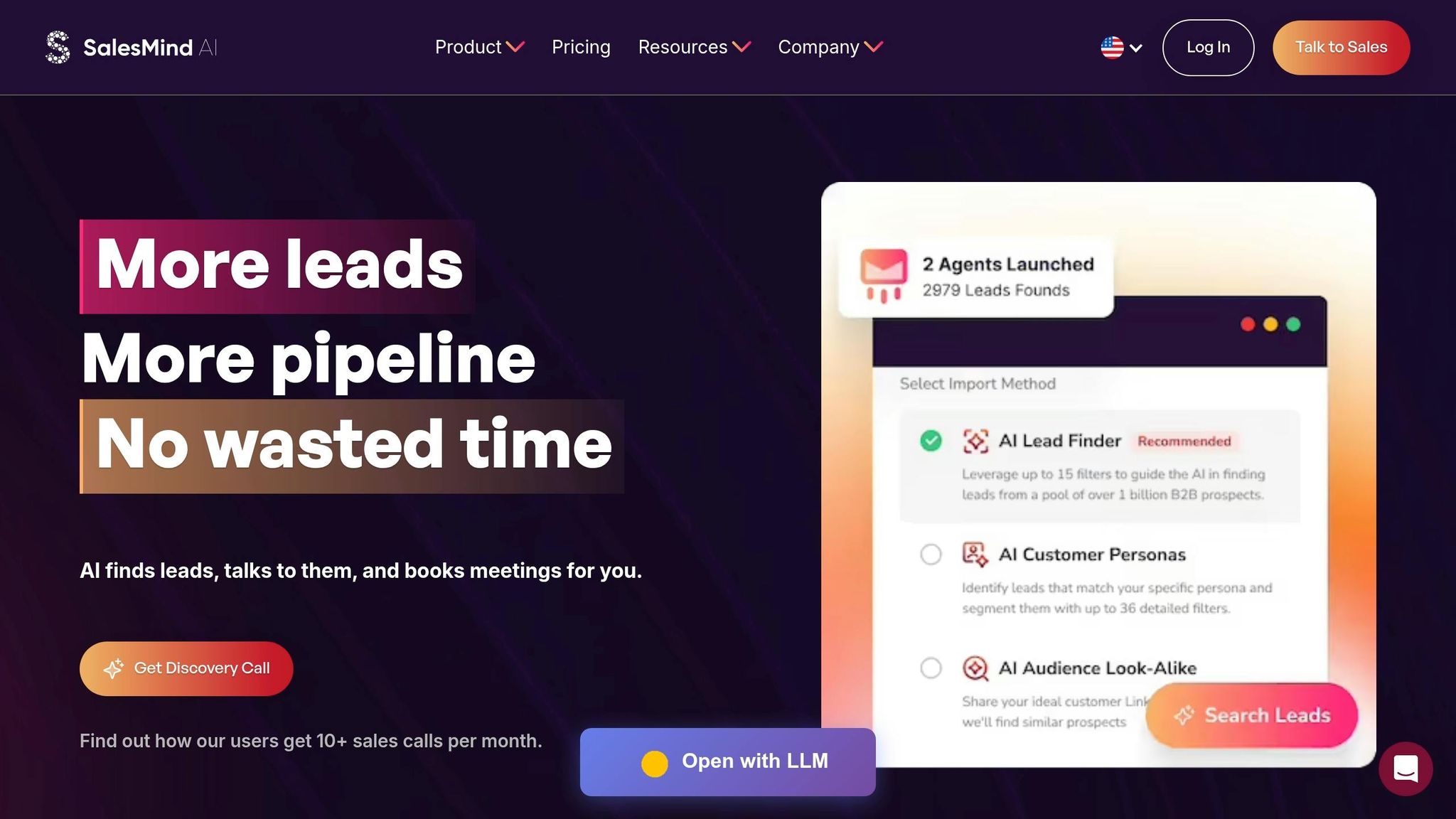
SalesMind AI takes bottleneck detection a step further by continuously refining your sales workflows. Once bottlenecks are identified, the platform steps in to monitor and address them in real-time. Specifically designed for LinkedIn-based sales processes, it prevents delays from escalating by automating repetitive tasks like tracking lead interactions, scoring engagement, and managing follow-ups across multiple accounts. This ensures your sales process stays efficient and aligned with your goals.
Key Features for Workflow Optimization
SalesMind AI simplifies bottleneck resolution with features like automated engagement scoring, which assigns each lead a score from 0 to 100 based on actions such as email opens, landing page visits, and demo requests [3]. This scoring system removes the guesswork, helping sales teams focus on high-priority leads that are ready to convert.
Another standout feature is the unified AI inbox, which consolidates replies from multiple LinkedIn accounts into a single interface. With tags, reminders, and AI-powered responses, this tool eliminates delays caused by scattered communication. Rahul Pushkarna, Senior Advisor at Bounty Media, shared that SalesMind AI "has significantly reduced the burden of manually tracking every lead interaction" [5].
Transparency is another key element. The platform offers lead score transparency through its "Activities" tab, which provides clear explanations for each lead’s score. If scores are consistently low, managers can quickly identify whether the issue lies in targeting, persona definitions, or LinkedIn Sales Navigator filters [3][7].
Automated conversation triggers are also critical. These triggers automatically initiate the next workflow step whenever a lead's status changes, ensuring timely follow-ups and reducing the risk of leads going cold [3].
Comparing Plans for Scalability
SalesMind AI offers three plan tiers, tailored to different team sizes and their unique challenges:
| Plan Tier | Best For | Key Bottleneck Detection Features |
|---|---|---|
| Basic | Freelancers and small teams | AI lead generation tools, Unified Inbox, Basic Lead Scoring |
| Professional | Growing sales teams | Automated Engagement Scoring, Reply Triggers, CRM Integration |
| Enterprise | Large organizations | Advanced Exclusion Criteria, Dashboard Exports, Multi-Account Management, Priority Support |
The Professional plan is ideal for scaling teams, offering full engagement scoring and automated triggers to handle higher lead volumes without increasing staff. For larger organizations, the Enterprise tier includes advanced tools like multi-account management and enhanced exclusion criteria, perfect for managing complex targeting and multiple LinkedIn profiles. CRM integration across all plans ensures seamless data flow, eliminating the silos that can cause long-term inefficiencies [5][6].
Customer feedback highlights the platform’s impact. Alex Lossing, CTO at Slash, noted, "from the very first week, SalesMind AI boosted my productivity in lead prospecting by 10×" [5]. With ratings like 4.7 out of 5 on G2 and a perfect 5 out of 5 on the Chrome Store, SalesMind AI continues to earn praise for its performance [5].
Step 5: Implement AI-Prescribed Fixes and Monitor Outcomes
Acting on AI Recommendations
Once AI identifies bottlenecks in your workflow, the next step is to act on its insights. Start by testing changes in a specific area rather than overhauling your entire process. For instance, if AI highlights that deals often stall at the "Proposal Sent" stage, try implementing automated follow-up sequences with a small group of sales reps first. This way, you can measure the impact without disrupting the broader pipeline. Industry reports indicate that when applied thoughtfully, AI-powered sales automation can lead to a 30% increase in productivity and a 40% rise in revenue [8][9].
AI also helps reallocate resources based on workflow data. For example, if the discovery phase moves quickly but negotiations slow down, you might assign senior reps to focus on closing deals. Additionally, AI can take over repetitive tasks like updating CRM records or sending follow-up emails, saving sales teams an average of 2 hours and 15 minutes per day [8].
"AI shifts sales from intuition-driven to data-driven. Teams spend less time on manual work and guesswork, and more time on high-impact activities that move deals forward."
– Chris Kontes, Co-Founder, Balto [9]
AI platforms often suggest next-best actions by analyzing historical trends and real-time signals. For example, they might recommend sharing a case study with an inactive prospect or escalating a high-value deal that shows signs of cooling off. Sales teams using AI tools weekly report 81% shorter deal cycles [8][9].
Establishing Feedback Loops to Refine Your Approach
After implementing AI-driven changes, it’s crucial to monitor the results and make adjustments as needed. Use automated engagement scoring to track how prospects respond to your updated workflows. If engagement scores plateau or response rates decline, revisit the changes and tweak them accordingly [10].
Transparency in lead scoring is key. Regularly review the logic behind AI recommendations to ensure they’re targeting the right segments. For instance, if AI prioritizes leads based on specific criteria but conversion rates remain low, dig into the data to uncover potential mismatches. This prevents wasting resources on ineffective strategies.
Track both quantitative metrics - like lead conversion rates, deal velocity, and cycle length - and qualitative feedback from your team. If sales reps frequently override AI suggestions, it could signal that the AI needs more training data or that your team might benefit from additional onboarding. Companies that fine-tune their AI tools consistently report 30% better conversion rates and 96% forecast accuracy [8][9].
"The most effective sales organizations will be those that combine strong human judgment with AI-driven execution, using agentic systems not to replace people, but to amplify performance at scale."
– Chris Kontes, Co-Founder, Balto [9]
Be mindful of over-automation. If your outreach starts feeling robotic or if reps lose the ability to handle complex situations, it’s time to scale back. Consider setting up workflow triggers that adjust automatically based on lead status changes, but always leave room for human decision-making. Striking this balance ensures that your fixes address bottlenecks effectively rather than pushing them further down the pipeline [9][10].
Conclusion
AI is changing the game for sales workflows, turning bottleneck detection from a reactive guessing game into a precise, proactive process. By tapping into detailed sales data and real-time insights, teams can spot potential delays before they impact deals. Tools like natural language processing can uncover communication gaps, while performance analytics help identify inefficiencies - such as the 20–40% of time sales reps often waste on unqualified leads.
The impact is hard to ignore. Sales teams using AI to address bottlenecks report impressive results: 30% shorter deal cycles through predictive forecasting and 25% higher close rates by solving issues early. Take the example of a B2B sales team that used AI to analyze their CRM data. They discovered a 15-day follow-up delay and implemented automated sequences to fix it. The outcome? A 40% boost in pipeline velocity and 25% more qualified leads - without needing to expand their team. These results highlight how scalable automation can drive growth.
To unlock these benefits, businesses need a solid automation platform. SalesMind AI offers tools like LinkedIn automation, a unified inbox, and advanced lead scoring to eliminate bottlenecks and streamline workflows. With this platform, teams can engage with up to 500 prospects weekly while maintaining a personal touch, cutting manual follow-up time by 50%. Even as a business scales from 10 to 100 sales reps, efficiency remains intact, making it a perfect fit for growth-focused companies.
For success, integrate your CRM with real-time monitoring and predictive tools. Set SMART goals, like reducing pipeline stagnation by 20% in 90 days, and track KPIs every week. Companies that fine-tune their AI systems consistently see 15–20% annual efficiency gains and achieve up to 96% forecast accuracy.
This shift from intuition-based to data-driven sales marks a new era of workflow optimization. AI doesn’t just detect bottlenecks - it helps prevent them entirely, keeping your pipeline agile and scalable. With continuous monitoring and strong feedback loops, your team can stay ahead of delays and focus on the ultimate goal: closing more deals.
FAQs
What data do I need in my CRM for AI to spot sales bottlenecks?
To help AI spot sales bottlenecks, your CRM needs to capture detailed data about your sales pipeline and customer interactions. This includes:
- Deal stages with timestamps: Track the progress of deals step-by-step and when each stage occurs.
- Lead scores: Provide insights into the quality or potential of each lead.
- Communication history: Log emails, calls, meetings, and other touchpoints with prospects.
- Engagement signals: Note actions like demo requests or content downloads that indicate interest.
Having accurate, real-time data makes it easier for AI to identify patterns, flag delays, and pinpoint exactly where bottlenecks might be slowing things down.
How does AI tell a normal slow deal from a real bottleneck?
AI pinpoints bottlenecks by examining how deals progress, monitoring communication cues, and tracking engagement metrics in real time. It spots irregular delays - like stalled activity or reduced engagement - during critical phases such as approvals or negotiations. By comparing these delays to standard sales cycles, AI separates normal slowdowns from actual risks, enabling sales teams to tackle problems before deals lose momentum.
How can I use AI insights without making outreach feel automated?
AI can transform the way you connect with prospects by making your outreach more strategic and personalized. Tools like SalesMind AI analyze engagement patterns and behaviors to pinpoint the best times to reach out. This means your messages land when your audience is most likely to respond.
Beyond timing, AI helps craft messages that feel tailored to each recipient. By leveraging profile data and recent activity, it ensures your outreach is not only relevant but also engaging.
Features like automated scoring and follow-ups take it a step further by helping you focus on high-priority leads. These tools allow you to maintain timely, meaningful interactions while blending automation with a personal, human touch.
Related Blog Posts
Get AI Sales Insights Weekly