AI Personalization in LinkedIn Campaigns
AI scales personalized LinkedIn outreach by automating research, crafting tailored messages, and human editing to boost reply rates.

AI Personalization in LinkedIn Campaigns
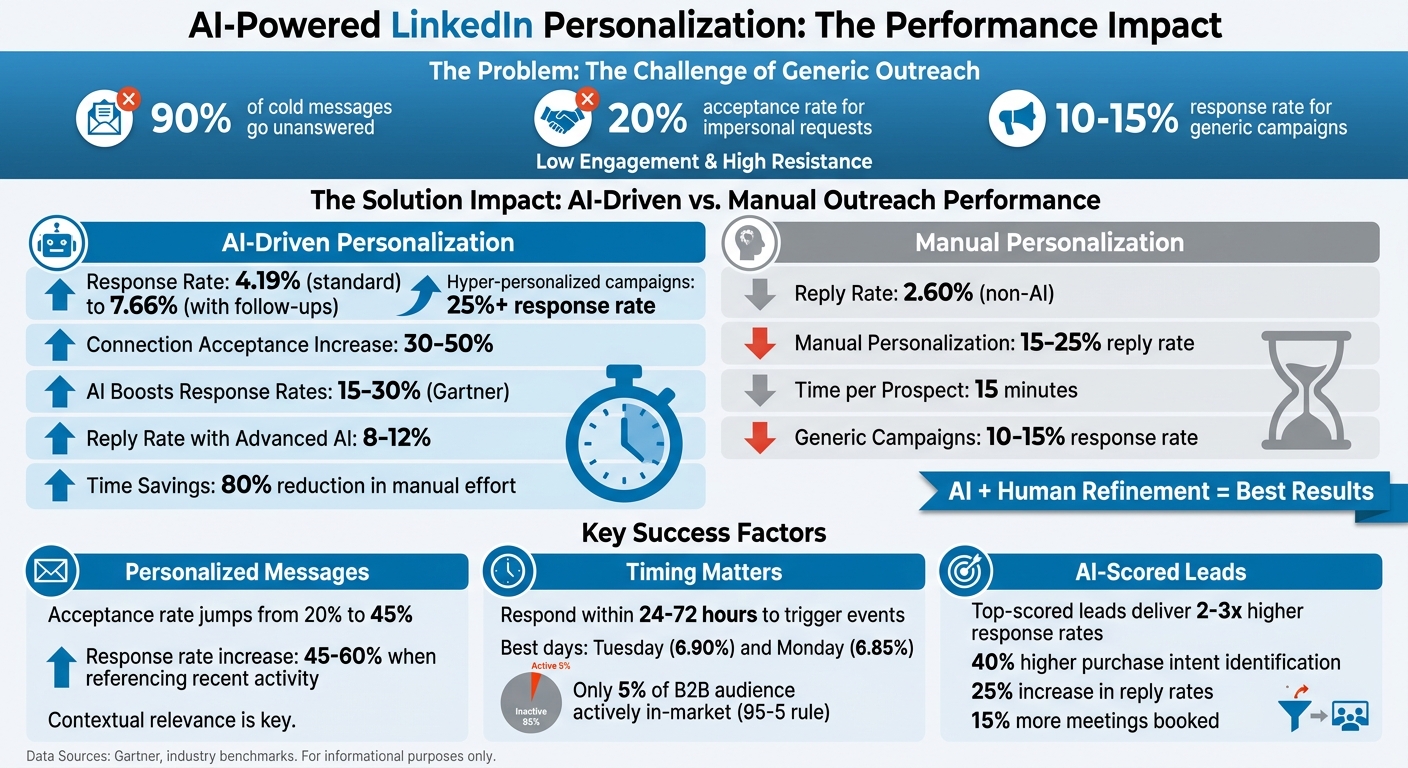
LinkedIn outreach often fails because it’s too generic. Over 90% of cold messages go unanswered, and impersonal requests see only a 20% acceptance rate. But when messages are tailored, acceptance rates more than double to 45%, and response rates can climb to 7.66% with follow-ups. AI tools make this possible by analyzing profiles, activity, and company data in seconds, creating messages that resonate without requiring hours of manual research.
Key Takeaways:
- Personalized outreach works: AI-driven messages achieve higher response rates (4.19% vs. 2.60% for non-AI).
- Timing matters: Responding within 24–72 hours to events like job changes or funding announcements boosts success.
- AI automates and improves: Tools handle repetitive tasks, score leads using various methods, and craft tailored messages, saving time while increasing engagement.
AI doesn’t replace the human touch but makes personalization scalable. Combining AI’s efficiency with human refinement leads to better connections and higher reply rates.
AI vs Manual LinkedIn Outreach Performance Comparison
How I Automated LinkedIn DM Outreach with 2x AI Agents (Free Template Included)
sbb-itb-817c6a5
Key Components of LinkedIn Personalization
Start with a well-defined audience - personalization only works when you're reaching the right people. As one expert explains, "Personalization is the last layer. Not the first fix. It doesn't make a bad list good" [2]. Begin by defining your ideal customer profile (ICP), identifying buying signals, enriching your leads with reliable data, and then crafting personalized messages. Skipping these steps can lead to wasted effort on outreach to people who are unlikely to convert.
Identifying Your Target Audience
A strong ICP goes beyond surface-level details like job titles. For a deeper understanding, include factors like recent company updates, tech stack, and LinkedIn activity. Not all intent signals are created equal. For example:
- High-intent signals: Visits to pricing pages or demo requests.
- Medium-intent signals: Multiple content downloads or frequent email engagement.
- Low-intent signals: Single blog visits or social media follows.
Timing is just as critical as targeting. According to the 95-5 rule, only 5% of a B2B audience is actively in-market at a given time [3]. Focus on company-level triggers such as funding announcements, acquisitions, product launches, or rapid hiring. On an individual level, watch for job changes, profile views, content engagement, or connection requests. New executives in their first 90-120 days are particularly receptive to evaluating new tools and processes. Keep in mind that intent signals lose value quickly - respond to events like a funding announcement or job change within 24 to 72 hours for maximum impact. Once you've nailed down your audience, make sure every message is tailored to their specific situation.
Creating Customized Messages
Generic outreach leads to mediocre results. While standard LinkedIn campaigns typically see response rates of 10-15%, hyper-personalized efforts can achieve rates of 25% or more [4]. The key is moving beyond surface-level personalization, like using someone's first name, to addressing their specific challenges, recent actions, or company milestones.
Keep your opening message concise - 100 words or fewer - to respect the recipient's time [4]. Reference something recent, like a post they shared or a comment they made, to demonstrate genuine interest. Instead of offering hollow compliments, make thoughtful observations. For example, "Saw your team is scaling fast" is more impactful than "I was impressed by your growth." Start with a non-threatening question or share a helpful resource rather than diving straight into a sales pitch. This softer approach builds trust and increases the likelihood of a response. By aligning your message with their current context, you set the stage for more meaningful engagement.
Using Data to Personalize Outreach
Once you’ve crafted your messages, back them up with strong data insights. Effective personalization pulls from three key areas:
- Profile data: Job title, seniority, and career history.
- Firmographics: Industry, company size, tech stack, and recent funding activity.
- Behavioral signals: LinkedIn activity, such as posts, comments, or shares.
External sources like podcasts, press releases, YouTube interviews, or conference appearances can also provide unique hooks that show you’ve done your homework. AI tools can quickly analyze these sources to highlight relevant details, such as job roles, achievements, or recurring themes in their content. Focus on one standout observation to avoid sounding robotic. As one expert explains, "A message that could have been sent to anyone will be treated like it was sent to no one" [2].
How AI Improves LinkedIn Campaign Personalization
AI has taken LinkedIn outreach to a whole new level, turning what used to be a time-consuming process into something scalable and efficient - without losing the personal touch. By analyzing multiple profile factors in seconds, AI crafts messages that feel tailored to each recipient. According to Gartner, AI-driven personalization can boost LinkedIn response rates by 15-30%, and predictive models can accelerate pipeline velocity by 20% [5][8]. The key areas where AI excels include automation, prediction, and content creation.
Automating Repetitive Tasks
One of AI's biggest strengths is removing the drudgery from LinkedIn campaigns. It can handle connection requests, initial messages, and even follow-up sequences automatically. These tools analyze profiles for shared interests, mutual connections, and recent activity, ensuring invites feel genuine rather than robotic. This approach has been shown to increase acceptance rates by 30-50% compared to generic requests [5][7]. AI sifts through over 100 profile variables - like job history and recent posts - to personalize connection requests in seconds, saving hours of manual research.
Follow-up messaging is another area where AI shines. It adjusts automatically based on how the recipient interacts with your outreach. For example, if someone views your profile but doesn’t reply, AI can send a different follow-up than if they ignored the initial message entirely. This allows teams to send thousands of personalized messages daily while staying relevant. The time savings are massive, cutting the effort per lead from hours to mere seconds and letting sales teams focus on meaningful conversations instead of repetitive tasks [5][7].
Using AI for Predictive Analytics
AI doesn’t just automate tasks - it also predicts which leads are most likely to convert and when to reach out. Machine learning models analyze LinkedIn activity and external data to score leads based on their conversion potential. Top-scored leads have been shown to deliver 2-3x higher response rates compared to manual targeting [6][7]. AI also suggests the best times for outreach, such as Tuesday mornings, and whether to use InMail or direct messages.
The results speak for themselves. In one B2B SaaS campaign, AI identified leads with 40% higher purchase intent by analyzing profile tenure and interaction data. This led to a 25% increase in reply rates and 15% more meetings booked [5][8]. Another team used AI to tailor messaging angles for different segments, boosting engagement by 35% over generic campaigns. These models adapt in real time, learning from historical response data to fine-tune message length, tone, and even whether to include attachments - all based on what works best for similar profiles [6][7].
Generating Dynamic Content with AI
AI’s natural language generation (NLG) capabilities take personalization to the next level. It creates unique, recipient-specific message variants by pulling in details like recent job changes, shared connections, or company news. For instance, it might generate a message like, "Congrats on your promotion at Salesforce, Sarah - loved your post on sales enablement strategies." This level of personalization can increase open rates by 20-40% compared to static templates. AI can also generate 10-20 message variants for A/B testing and refine them based on performance data.
Platforms like SalesMind AI showcase how automation and dynamic content work together. They manage everything from connection requests to follow-ups, embedding personalized elements informed by lead scoring insights. These systems enable teams to scale to over 10,000 personalized touches weekly, with 90% of the content generated without human input. A unified inbox tracks all interactions, allowing teams to pivot quickly when prospects engage. Experts recommend a hybrid approach, where human oversight ensures campaigns don’t feel overly automated. With this balance, optimized campaigns can see engagement rates climb by over 40% [5][8].
Combining AI with Human Input
AI can supercharge your LinkedIn outreach, but it can't replicate the human touch required to build meaningful relationships. The most effective strategy combines AI's ability to handle research and initial drafts with human expertise to refine and personalize the final message. On average, manual personalization takes about 15 minutes per prospect and achieves reply rates of 15–25%, while AI-generated messages offer 8–12% reply rates in a fraction of the time[9]. The key is blending AI's speed with the authenticity only humans can provide. Let’s explore how to strike that balance.
Balancing Automation with Personal Connection
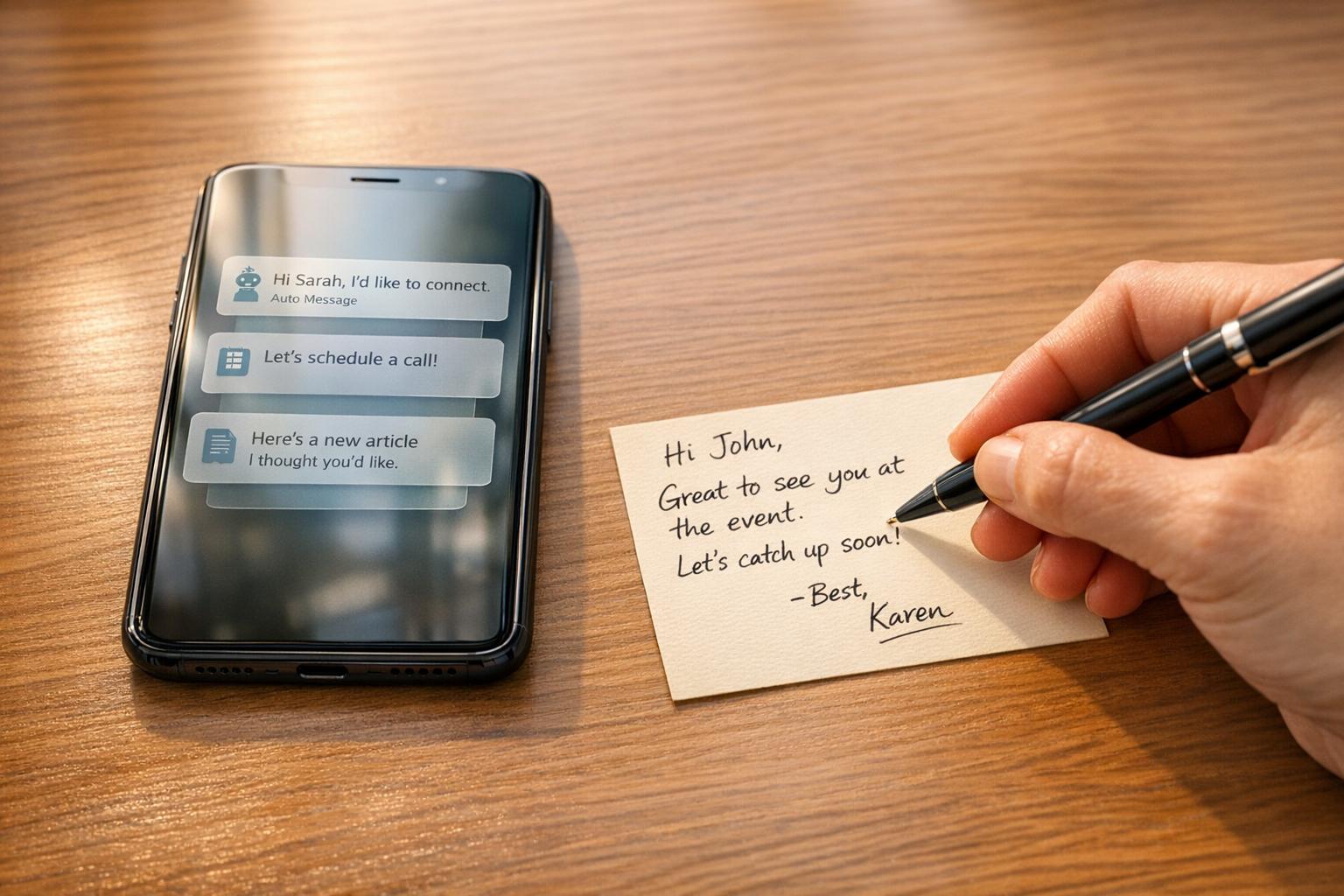
AI excels at tasks like pulling key details from profiles, company updates, and activity feeds. Use it to identify hooks - like a recent promotion, a shared connection, or a new post - and then let a human step in to craft a personalized, compelling message. This ensures the outreach feels genuine and avoids the “uncanny valley” effect, where messages feel almost right but lack the natural flow that builds trust.
The language you use matters. Prospects can easily spot overly polished or buzzword-heavy messages, which is why adding subtle, conversational touches is crucial. These "micro-phrases" soften the tone and make your outreach feel more authentic. For example, instead of rigid statements, try phrases like, "I might be off base here, but…" or "Curious if…" to create a more approachable vibe[9].
"The goal is to use AI to scale the research phase, not just the writing phase." – ScaliQ[9]
To keep AI-generated messages natural, guide the tool to write at a 5th–8th grade reading level and vary sentence structures. This helps prevent repetitive patterns and ensures the message feels more human. After the AI drafts the message, a final review adds the necessary polish and authenticity.
Reviewing AI-Generated Messages
Always review AI-generated messages to replace generic phrases like "I hope this finds you well" with something more specific to the recipient's situation. Aim for a conversational tone that reflects an understanding of the prospect’s challenges and goals. This extra step can make all the difference in creating outreach that resonates.
Using SalesMind AI for LinkedIn Campaigns
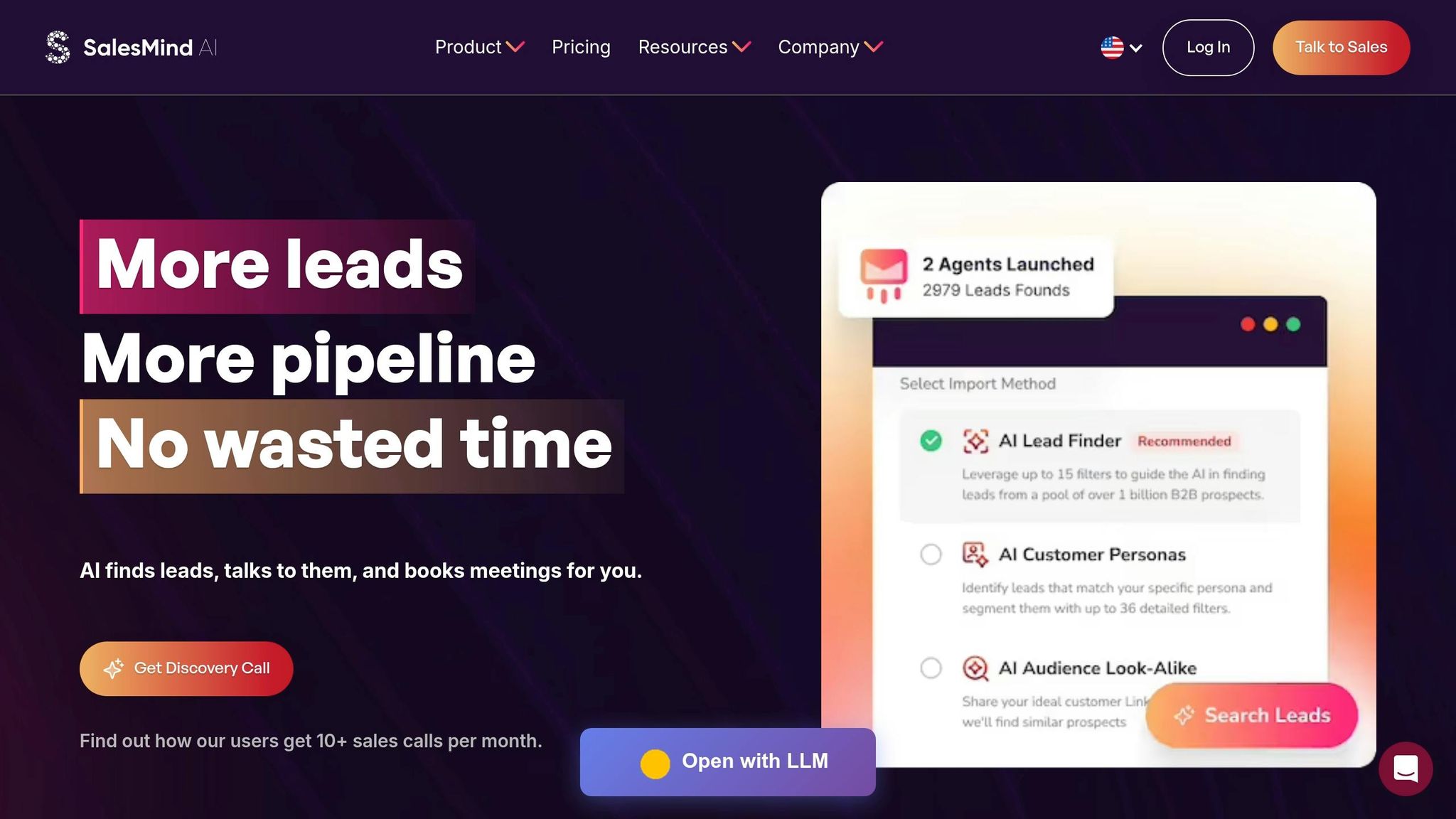
SalesMind AI blends automation with a personal touch, simplifying the process of LinkedIn outreach while keeping messages relevant and engaging. Designed specifically for B2B teams, it helps scale personalized campaigns without overwhelming your sales team or compromising on quality. With a 4.7/5 rating on G2 and a perfect 5/5 on the Chrome Store, it’s a trusted tool for connecting with prospects at scale[10]. Let’s explore how it transforms outreach.
Outreach Automation and Unified Inbox
SalesMind AI takes the hassle out of LinkedIn engagement by automating tasks like profile visits, connection requests, and multi-step messaging sequences (up to 10 steps). This reduces manual effort by 80% while maintaining a 95% deliverability rate on LinkedIn[5]. Instead of spending hours clicking through profiles, your team can focus on closing deals.
The unified inbox consolidates all LinkedIn replies, connection responses, and follow-up notifications into one dashboard. This setup cuts response times by 50% and allows teams to manage five times more conversations daily[5][7].
To make things even smoother, the platform uses real-time AI triage to prioritize leads by tagging them as "interested" or "needs follow-up." This ensures your team spends time on high-value prospects. As Florian Decludt, Product Marketing at Clutch, shares:
"It's the best tool out there to curate your audience on autopilot while focusing on higher-leverage tasks"[10].
The AI Pilot feature further simplifies communication by offering ready-to-send responses with just one click, ensuring you can handle hundreds of conversations without losing the personal touch.
Personalized Messaging and Lead Scoring
SalesMind AI excels at crafting personalized outreach. By analyzing over 20 data points per profile - such as recent posts or shared connections - it tailors messages to the recipient’s context. For example: "Hi [Name], loved your recent post on AI in sales. How is [Company] implementing predictive analytics?"
This approach works. A SaaS company targeting tech VPs automated 5,000 personalized messages using the platform, resulting in a 28% reply rate and a 15% meeting booking rate - double their manual efforts[7].
The platform's lead scoring system assigns scores from 0 to 100, based on factors like engagement, job title relevance, and mutual connections. Leads scoring above 75 are prioritized for follow-ups, improving conversion rates by three times[6]. Powered by machine learning, this system analyzes millions of B2B interactions to focus your efforts on the most promising prospects. Eugénie Masse, Senior Consultant, highlights:
"I love the way it allows us to scale the prospecting without spending much time writing the messages"[10].
These tools not only streamline outreach but also enhance follow-up strategies and CRM integration.
Automated Follow-Ups and CRM Integration
SalesMind AI ensures no lead falls through the cracks with automated follow-ups. These are triggered between three and seven days after the initial outreach and adapt based on previous interactions. For example: "Following up on my note about AI personalization - any thoughts on testing it at [Company]?" These sequences have been shown to boost reply rates by 25%[5][7].
The platform also integrates seamlessly with CRMs like HubSpot, Salesforce, and Pipedrive. This syncs lead data, scores, and conversation history in real time, eliminating data silos and enabling teams to track ROI directly from their CRM dashboards. Campaigns leveraging these integrations report 2.5x faster pipeline velocity[11][6]. Rahul Pushkarna, Senior Advisor at Bounty Media, sums it up well:
"SalesMind AI has proven very useful to our sales team in reducing the massive pain points of manually tracking each and every lead interaction"[10].
With users reporting over 10 sales calls per month generated through LinkedIn automation, SalesMind AI transforms outreach into a reliable revenue driver[10].
Best Practices for AI-Driven LinkedIn Campaigns
When running AI-powered LinkedIn campaigns, testing and refining every element is key. A strong testing framework, clear metrics, and data-driven strategies can significantly boost engagement.
A/B Testing Your Messages
Focus on testing one variable at a time, such as the opening line, tone, or call-to-action, to pinpoint what works best[12]. AI tools can help generate 3–5 message variations for testing. For example, compare a question-based opener like "Are you exploring ways to reduce sales cycle time?" with an insight-driven one, such as "Noticed your team is hiring three SDRs - often a signal of growth challenges." Small-batch tests of around 50 messages can validate your personalization approach before scaling[9].
When testing calls-to-action, experiment with direct asks like "Book a demo" versus softer suggestions like "Worth a chat?" or "Open to comparing notes?"[9]. As one expert explains:
"The difference between mediocre LinkedIn advertising and exceptional results? Testing. That's it." – LeadsMonky[12]
Follow a structured testing process: start with your offer, then move to visuals or hooks, followed by headlines or intro text, and finish with calls-to-action[12]. Allow at least 14 days for tests and aim for a minimum of 30–50 clicks or 10+ conversions per variation to ensure reliable results[12].
Once the tests are complete, use performance metrics to identify the most effective variations.
Tracking Performance Metrics
Choosing the right metrics helps separate meaningful insights from noise. Response rates are a vital measure when evaluating A/B tests. If your connection acceptance rate is below 30%, your targeting or initial message might need adjustments. Keep an eye on reply rates by day; engagement tends to peak on Tuesdays (6.90%) and Mondays (6.85%)[1]. For sponsored content, a click-through rate above 1% is excellent, while 0.5% is average[12].
Personalization plays a big role in performance. Referencing a prospect's recent activity or specific job challenges can boost reply rates by 45% to 60%[9]. Medium-level personalization, like mentioning mutual connections or shared work history, typically increases replies by 20% to 30%[9]. Keep messages concise - ideally under 100 words - to hold attention[1].
Refining Campaigns with AI Insights
AI isn’t just about automation - it also uncovers patterns you might miss. For example, advanced contextual AI can raise reply rates from 1–3% to 8–12%[9].
Leverage AI to spot intent-based triggers, such as prospects asking relevant questions in forums or discussing challenges in posts[9]. AI writing tools can also help tailor your tone to match each prospect, whether formal, technical, or casual[1].
Document your testing results to avoid repeating experiments and to build a library of effective tactics[12]. However, steer clear of overly personal details like family or home information, as this can come off as invasive rather than professional[9]. As one expert puts it:
"True personalization feels like a professional coincidence, not surveillance." – ScaliQ[9]
While experienced humans can achieve 15% to 25% reply rates through in-depth research, AI can deliver 8% to 12% at much greater speed, making it ideal for scaling outreach efforts[9]. By continuously refining your approach with AI insights, you can maintain high engagement and make the most of LinkedIn's potential for connecting with prospects.
Wrapping Up
AI-driven personalization takes LinkedIn campaigns from bland, one-size-fits-all outreach to meaningful conversations that spark real engagement. By pinpointing the right audience, tailoring messages with data, and using AI for automation, predictive lead scoring, and dynamic content, you can achieve response rates that outperform typical benchmarks. The trick? Combining AI's efficiency with human input to keep messages feeling genuine and professionally relevant.
SalesMind AI streamlines this process by automating tasks like personalized messaging, lead qualification, and follow-ups. Whether you're experimenting with smaller campaigns or scaling up to reach thousands of prospects, the platform integrates seamlessly into your workflow.
Refining your approach is just as important. Testing and tracking metrics - like A/B testing messages or monitoring response and click-through rates - help you uncover valuable insights. AI can reveal trends and opportunities that might otherwise go unnoticed.
With SalesMind AI, you can turn automation into authentic engagement, filling your pipeline with qualified prospects. The best results come not just from the tools you use, but from how thoughtfully you use them.
FAQs
How do I choose the best “hooks” to personalize a LinkedIn message?
To craft effective "hooks", zero in on one or two meaningful details about each prospect. This could include recent posts they've shared, mutual interests, a new job role, or updates about their company. Using AI tools can help you quickly analyze profile data and activity to spot these triggers. These personalized touches make your message feel relevant and timely, boosting engagement while ensuring your outreach remains efficient and scalable.
What should I automate with AI vs. keep human-written?
AI shines when it comes to handling repetitive tasks such as personalizing messages, managing follow-ups, scoring leads, and sending connection requests. By automating these processes, businesses can save time while scaling efforts to deliver tailored content that drives engagement.
However, it's essential to keep humans at the heart of strategy. People should lead when it comes to crafting plans, fostering genuine interactions, and overseeing automation to ensure everything stays compliant and trustworthy. Let AI handle the routine work, while human input focuses on relationship-building and adding those meaningful, personal touches.
How can I personalize at scale without sounding creepy or robotic?
AI tools, such as SalesMind AI, are designed to create personalized messages by examining details like prospect profiles, behaviors, and communication patterns. These tools can tweak the tone to match specific personas, such as a prospect's role or industry, making the messages feel both relevant and approachable.
By using dynamic templates and incorporating personalized references, these tools ensure outreach retains a natural and human-like quality, even at scale. Striking a balance between automation and human oversight helps maintain authenticity, while AI's capacity to refine messaging over time ensures communication stays engaging and effective.