Top 7 CRMs with LinkedIn Integration 2026
Compare seven CRMs that integrate with LinkedIn in 2026 — features, AI tools, automation, pricing, and best use cases to match team needs.
 Julien Gadea
Compare seven CRMs that integrate with LinkedIn in 2026 — features, AI tools, automation, pricing, and best use cases to match team needs.
Compare seven CRMs that integrate with LinkedIn in 2026 — features, AI tools, automation, pricing, and best use cases to match team needs.
Table of Contents
LinkedIn is key for B2B sales, driving 80% of social media leads. But manual tasks like updating CRM records can consume up to 40% of a sales rep's time. CRMs with LinkedIn integration solve this by automating lead capture, syncing messages, and consolidating outreach efforts. These tools save time, improve efficiency, and help teams focus on selling.
Here are 7 CRMs offering LinkedIn integration in 2026:
- SalesMind AI: Automates LinkedIn actions like connection requests and messages, with AI-driven outreach for a 45% reply rate.
- Salesflare: Integrates with LinkedIn and Sales Navigator, automating data entry and email sequences.
- Breakcold: Syncs LinkedIn messages and interactions, with AI-powered lead tracking.
- Folk CRM: Offers a Chrome extension for LinkedIn lead capture and multi-channel outreach.
- Capsule CRM: Uses third-party tools for LinkedIn integration, with basic automation features.
- Zoho CRM: Syncs with LinkedIn Sales Navigator, featuring AI for workflow automation and lead prioritization.
- Salesforce Sales Cloud: Advanced LinkedIn integration with AI tools like Einstein for predictive lead scoring.
These CRMs vary in features, automation, and pricing, catering to different team sizes and budgets.
Quick Comparison
| CRM | LinkedIn Features | AI Tools & Automation | Starting Price | Ideal For |
|---|---|---|---|---|
| SalesMind AI | Lead capture, LinkedIn automation | AI messaging, unified inbox | Contact for pricing | Agencies, large outreach teams |
| Salesflare | LinkedIn/Sales Navigator integration | Email sequences, data automation | $29/user/month | SMBs needing personal LinkedIn use |
| Breakcold | LinkedIn message sync, social feed | AI lead tracking, automation | $29.99/month | Social sellers |
| Folk CRM | LinkedIn extension, multi-channel | Proactive reminders, templates | $25/month | Collaborative teams |
| Capsule CRM | Third-party tools for LinkedIn | Basic automation | $16–$79/user/month | Small teams |
| Zoho CRM | Sales Navigator, profile enrichment | Zia AI for lead scoring | $40/user/month | Mid-market businesses |
| Salesforce | Sales Navigator SNAP integration | Einstein AI, predictive scoring | $25–$550/user/month | Large enterprises |
Choose a CRM based on your team's size, budget, and LinkedIn usage needs. Automated LinkedIn tools can save over 10 hours weekly, boosting productivity and enabling better focus on sales.
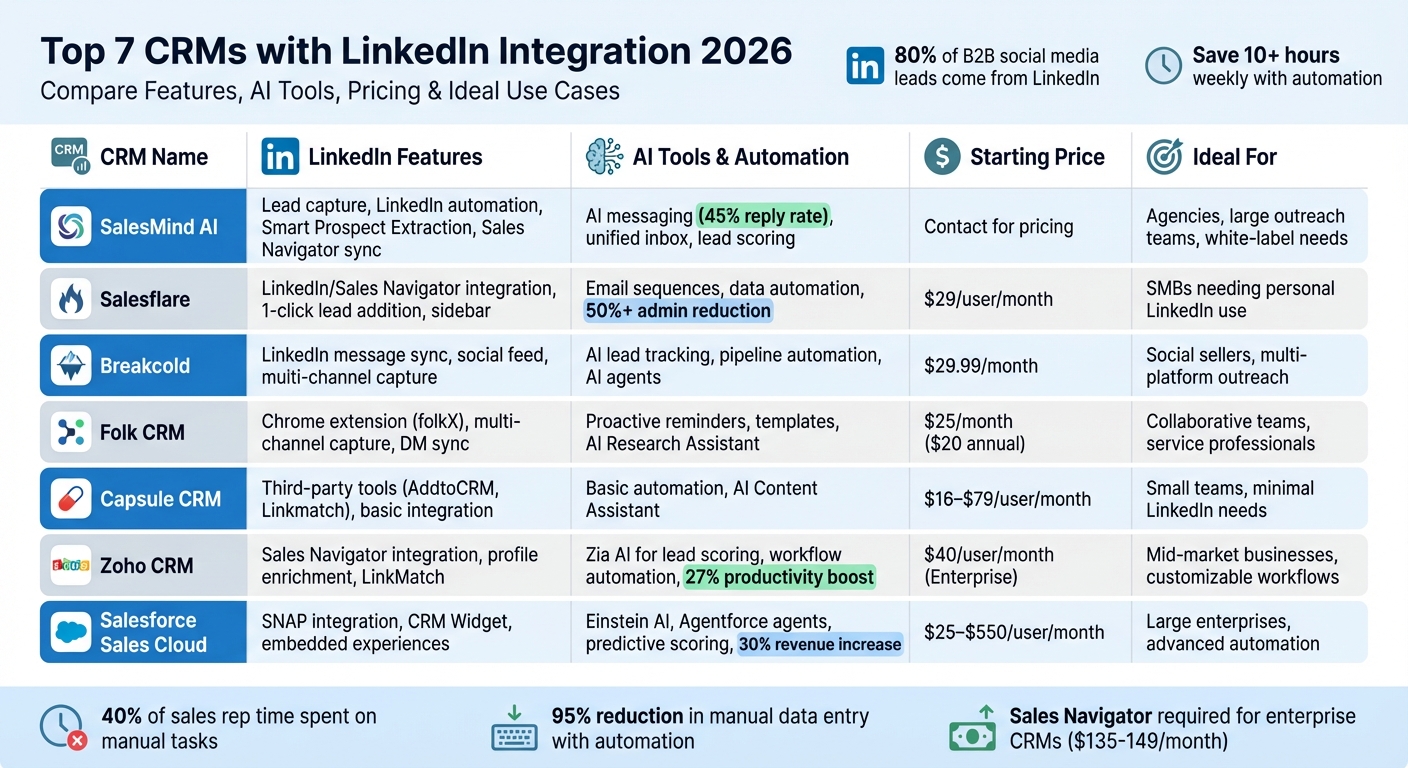
CRM LinkedIn Integration Comparison: Features, Pricing & Best Use Cases 2026
1. SalesMind AI
LinkedIn Integration Features
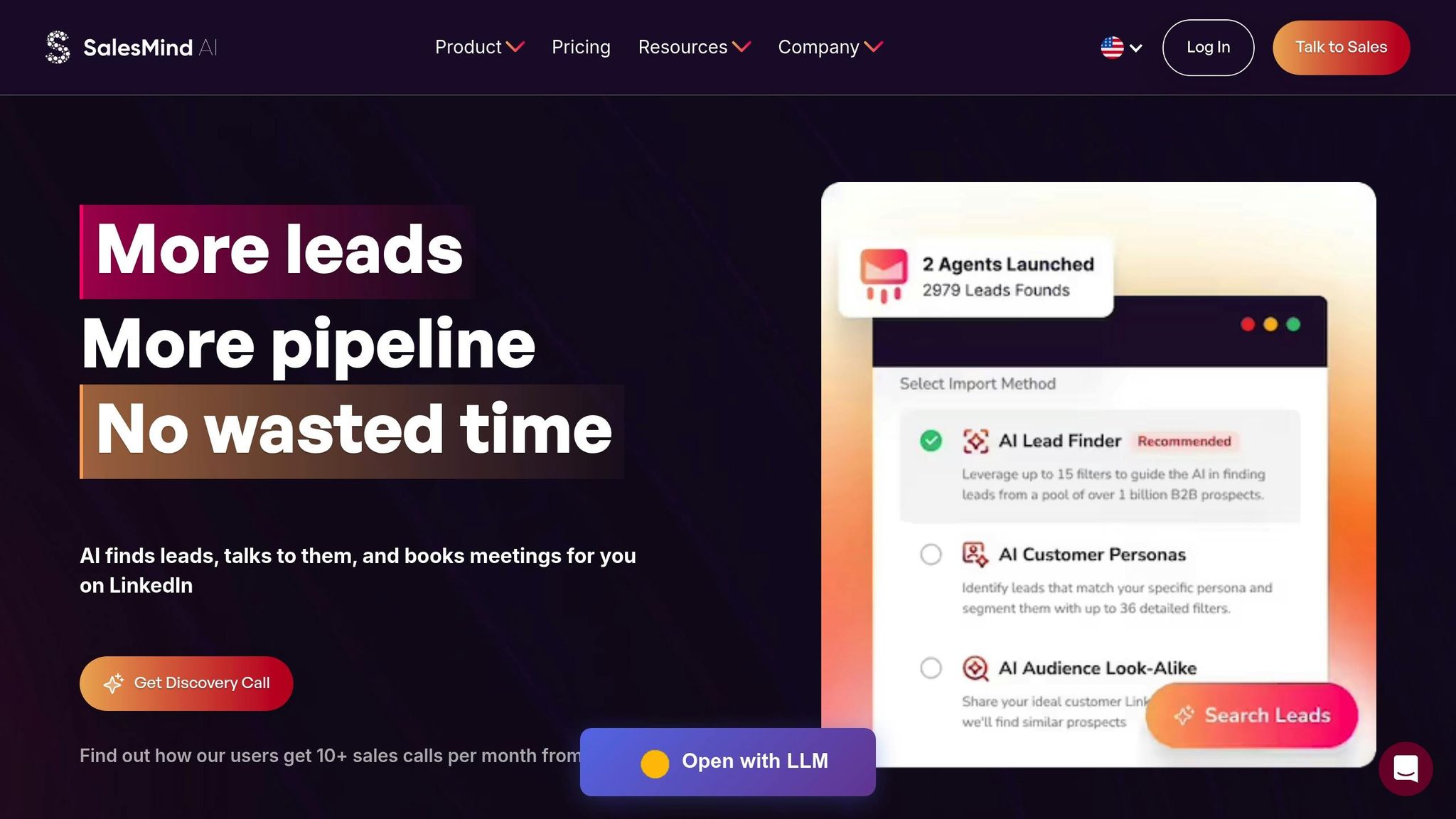
SalesMind AI takes the hassle out of LinkedIn tasks by automating actions like likes, follows, profile visits, connection requests, and direct messages. This allows users to concentrate on their primary goals. Its Smart Prospect Extraction tool is a standout feature, letting you gather leads from LinkedIn events, post interactions, and competitor followers with just one click. Plus, it syncs seamlessly with Sales Navigator, making it easy to import and refresh lead lists - saving teams up to 40 hours every week [5][7]. On top of that, teams can share these lead lists across departments, simplifying collaborative prospecting efforts.
Automation Capabilities for Sales Outreach
SalesMind AI doesn't stop at integration - it takes outreach automation to the next level. With advanced scheduling, your messages are sent during office hours, tailored to local time zones using local IP addresses for authenticity. Its AI-powered personalization engine creates targeted messages that deliver impressive results: a 45% reply rate and a 40% connection acceptance rate [5].
Here’s what users have to say about it:
"I've used a couple of other tools for LinkedIn outbound, but this has gotten me 3x the results." - Steven Huibers, COO, Policereports.ai [5]
Some users even report a 10× boost in productivity for lead prospecting in just one week [6]. Nick Heijman, CEO of HypotheekXperts, shared his experience:
"The results were sometimes almost too good, connection rates and responses were way above what I expected" [5]
AI-Driven Tools for Lead Management
SalesMind AI’s unified AI Inbox is a game changer. It centralizes all LinkedIn conversations and includes an AI co-pilot that suggests responses, auto-tags messages, and sets follow-up reminders. This tool alone has helped users generate an average monthly pipeline of $100,000 [5]. For seamless follow-up management, lead data can be exported to external CRMs, ensuring no prospect details slip through the cracks.
Users also appreciate its simplicity and scalability. With a 4.7/5 rating on G2 and a 5/5 rating on the Chrome Store [6], it’s clear that SalesMind AI delivers on its promises. Its intuitive interface makes scaling prospecting efforts easy, without the burden of crafting endless messages.
Pricing and Scalability for Different Team Sizes
SalesMind AI offers flexible pricing tailored to teams of all sizes, from small groups to large enterprises. Pricing is determined through a discovery call, and there’s even a free exploration option to get started. For businesses looking to rebrand, the platform supports white-label capabilities. With these features, SalesMind AI simplifies LinkedIn outreach and integrates it seamlessly into your CRM.
2. Salesflare
LinkedIn Integration Features
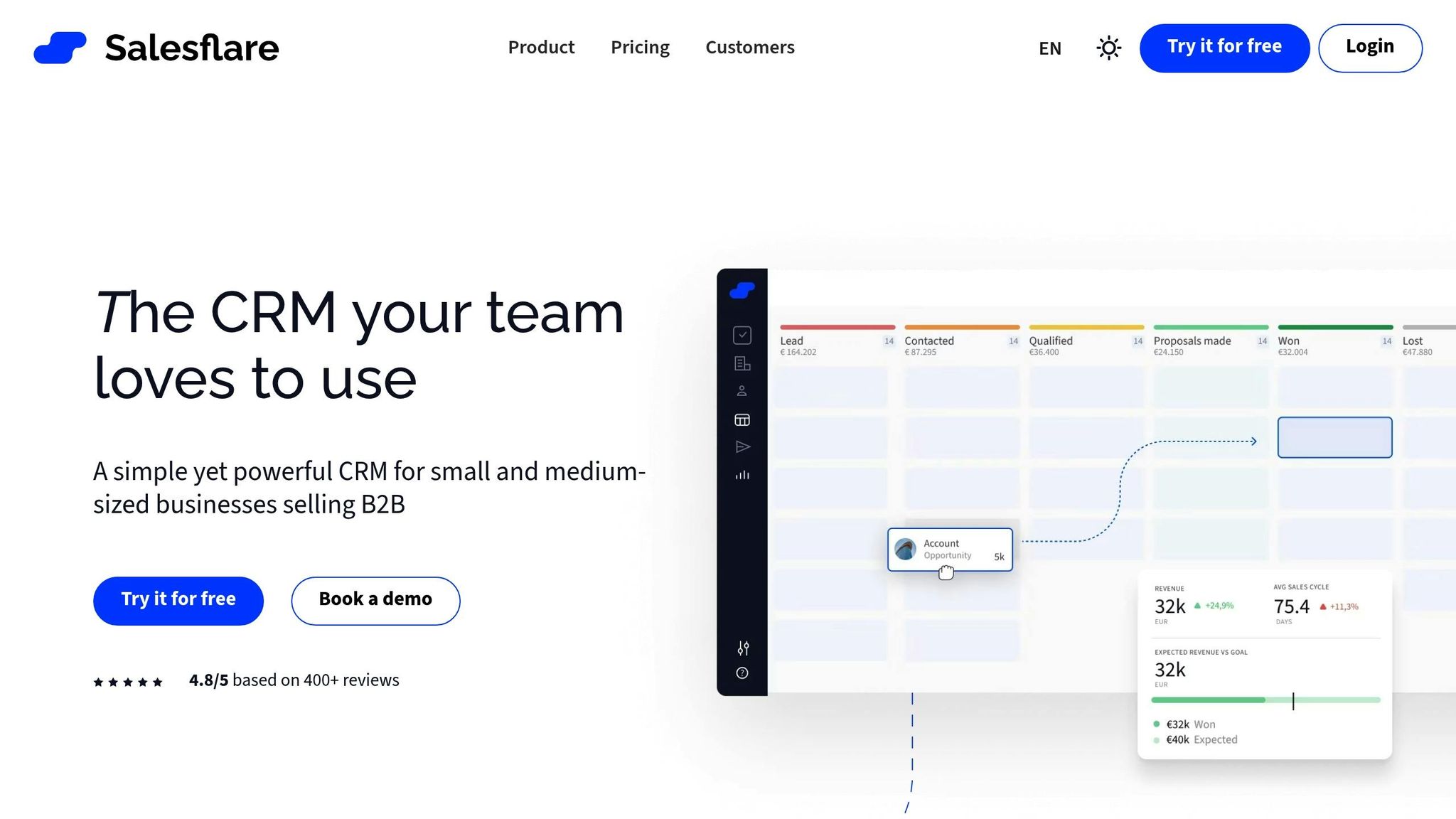
Salesflare connects seamlessly with personal LinkedIn accounts and LinkedIn Sales Navigator through its Chrome extension. This integration allows you to quickly add prospects, retrieve verified business email addresses, and automatically update CRM records directly from LinkedIn profiles and emails [2][10][11]. The built-in email finder simplifies the process by pulling verified business emails with a single click, and lead credits are part of every subscription plan. Once a prospect is added, you can choose to email them immediately or include them in automated outreach sequences. Additionally, Salesflare enriches contact profiles by gathering details like social media links, email signatures, and other relevant information [10][11]. These features set the stage for smoother, automated sales processes.
Automation Capabilities for Sales Outreach
Salesflare reduces administrative tasks by more than 50%, thanks to its ability to automate data entry. It populates your CRM with information sourced from social profiles and email signatures [8]. One user summed it up perfectly:
"This tool cuts admin work by over 50%!" [8]
The platform also logs emails, meetings, and calls automatically, presenting them in a unified timeline. It tracks email opens and link clicks, while its relationship intelligence feature scores connection strength based on email activity. It even identifies which team members have existing connections with a prospect. Users have shared impressive success stories - one reported adding $1 million annually to their revenue, while another saw a sixfold increase in revenue [8].
AI-Driven Tools for Lead Management
Salesflare’s AI tools take lead management to the next level. Features like timeline summaries, next-step recommendations, and automated follow-up reminders help streamline workflows [12]. A standout feature is its AI-powered email drafting, which creates tailored messages based on your interaction history with each lead. The platform also uses "hot" and "on fire" indicators to flag prospects actively engaging with your website or emails, making it easier to prioritize your outreach. Michael R., CEO of a market research company, shared his experience:
"What I like best about Salesflare is the integration with LinkedIn and with Microsoft Outlook/365. In just a few weeks, it streamlined managing contacts and relationships." [11]
With over 10,000 businesses relying on Salesflare and an impressive 4.8/5 rating from more than 400 reviews, it’s clear the platform delivers results [8].
Pricing and Scalability for Different Team Sizes
Salesflare offers flexible pricing across three tiers. The Growth Plan starts at $29 per user per month (billed annually) and includes essential LinkedIn integration features [9][12]. The Pro Plan, priced at $49 per user per month (billed annually) or $64 per user per month (billed monthly), adds automated email sequences and advanced reporting options [11][12]. For larger needs, the Enterprise Plan costs $99 per user per month (billed annually). Every plan supports unlimited contacts, making Salesflare a scalable solution for B2B startups and small-to-medium-sized businesses.
3. Breakcold
LinkedIn Integration Features
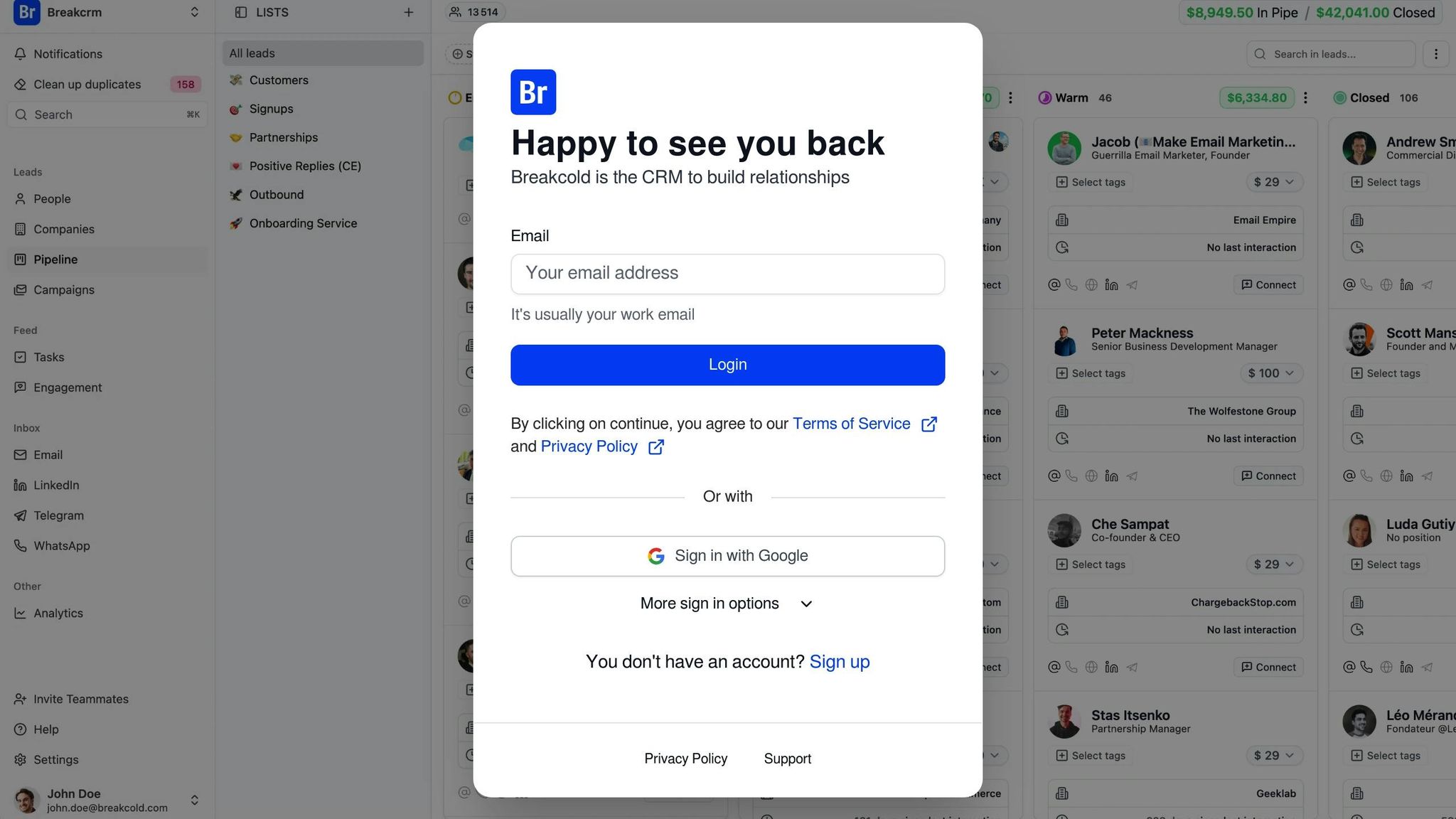
Breakcold seamlessly integrates with your LinkedIn account, pulling in direct messages and consolidating them into one platform. It automatically gathers LinkedIn data like profile details and conversation history, cutting down on administrative work. With its social engagement feed, you can comment on or like prospect posts directly from the CRM, keeping your interactions natural and timely. This integration not only streamlines your workflow but also sets the stage for efficient, automated outreach.
Automation Capabilities for Sales Outreach
Breakcold takes automation to the next level with AI-powered agents that monitor every interaction and move leads through your sales pipeline based on conversation insights. For example, if a prospect replies to your LinkedIn message or engages with your post, the system updates their status automatically - no manual updates needed. Additionally, it generates follow-up tasks using conversation analysis, ensuring no lead falls through the cracks. The Vision Builder feature even allows you to create automation workflows using simple voice commands or natural language.
AI-Driven Tools for Lead Management
Breakcold's AI contact management system organizes and scores leads by analyzing notes, activities, and past conversations. The platform offers actionable insights with its AI Reasoning feature, helping you prioritize leads and understand why they're worth pursuing. It also suggests personalized messages for email and LinkedIn, aligning with your communication style. For added flexibility, the system lets you customize AI agents with different "personalities" that tailor your dashboard and recommend daily tasks. To top it off, Breakcold handles contact deduplication automatically, merging duplicate entries to keep your database tidy.
Pricing and Scalability for Different Team Sizes
Breakcold offers four pricing plans designed to accommodate various team sizes and needs.
- Free Plan: Includes unlimited access to features but limits you to 20 prospects per month.
- CRM Essentials ($29 per user/month): Comes with 25 AI leads and unlimited AI actions.
- CRM Pro ($59 per user/month): Adds 50 AI leads and one LinkedIn social account.
- CRM Max ($99 per user/month): Tailored for larger teams, offering 200 AI leads and three social accounts.
While some users have noted occasional LinkedIn disconnections and mentioned that advanced analytics features are still under development [3], Breakcold continues to improve its offerings. Its tiered pricing structure provides flexibility, making it a practical choice for teams of all sizes.
4. Folk CRM
LinkedIn Integration Features
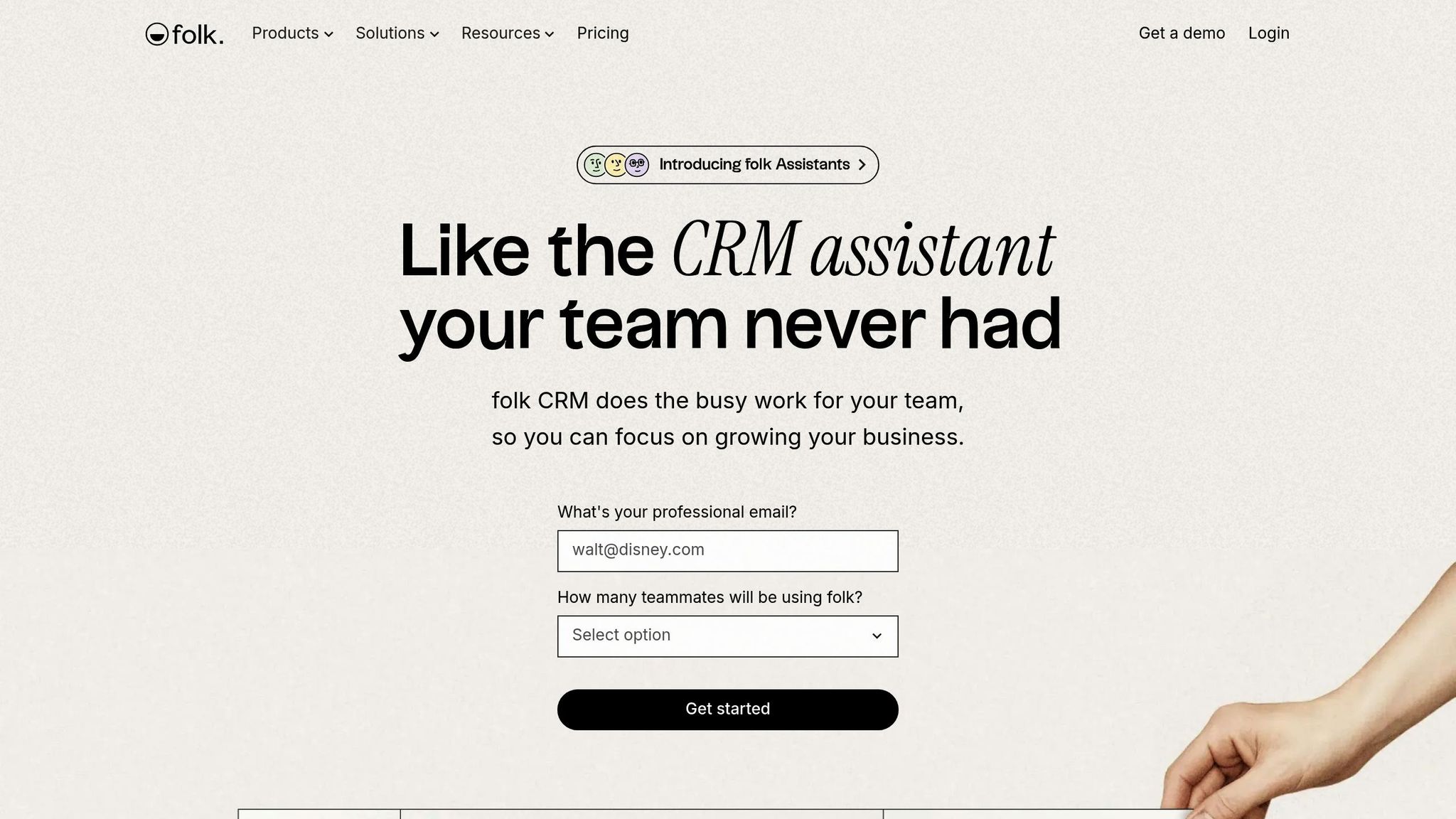
Folk CRM's folkX Chrome extension makes capturing leads from LinkedIn a breeze. Whether you're browsing LinkedIn search results or using Sales Navigator, you can add prospects directly to your CRM - individually or in bulk - without the hassle of switching tabs. With just one click, the tool enriches profiles by finding verified email addresses, saving you hours of manual research. Plus, a dedicated LinkedIn sidebar consolidates all prospect data and syncs your direct message conversations. To top it off, embedded message templates make personalizing outreach faster and easier. Folk is trusted by over 4,000 companies worldwide and has received glowing reviews, including a 4.9/5 on Product Hunt, 4.8/5 on the Chrome Web Store, and 4.5/5 on G2 [13].
Automation Capabilities for Sales Outreach
Folk CRM takes sales outreach to the next level with smart automation tools. It ensures your pipeline stays active by sending proactive reminders about which leads to prioritize and when to follow up. Catherine, a Partnerships Manager at Eugeniuses, shared her experience:
"folk helped us simplify our whole sales flow... Having folk just reminding us what leads to prioritize is a game-changer" [13].
For those on the Premium plan, automated email sequences integrate seamlessly with LinkedIn outreach, enabling multi-channel campaigns that also include platforms like WhatsApp. Another standout feature is the ability to scrape lists of LinkedIn users who have liked or commented on specific posts, instantly adding them to your CRM for targeted follow-ups. And with in-DM message templates, scheduling automated sequences has never been easier [13].
Pricing and Scalability for Different Team Sizes
Folk offers flexible pricing plans to suit teams of all sizes, with a 20% discount for annual billing:
- Standard Plan: $25/month ($20/month billed annually), includes pipeline management, the LinkedIn extension, and 500 enrichment credits.
- Premium Plan: $50/month ($40/month billed annually), adds email sequences, API access, and 1,000 enrichment credits.
- Custom Plan: Starts at $100/month ($80/month billed annually), offering dedicated support and custom usage limits.
All paid plans include unlimited team members, making Folk an excellent choice for growing teams. To help you get started, Folk offers a 14-day free trial with no credit card required. Additionally, it connects with over 6,000 tools, centralizing leads from email, calendar, and social channels into a single workspace [13].
5. Capsule CRM
LinkedIn Integration Features
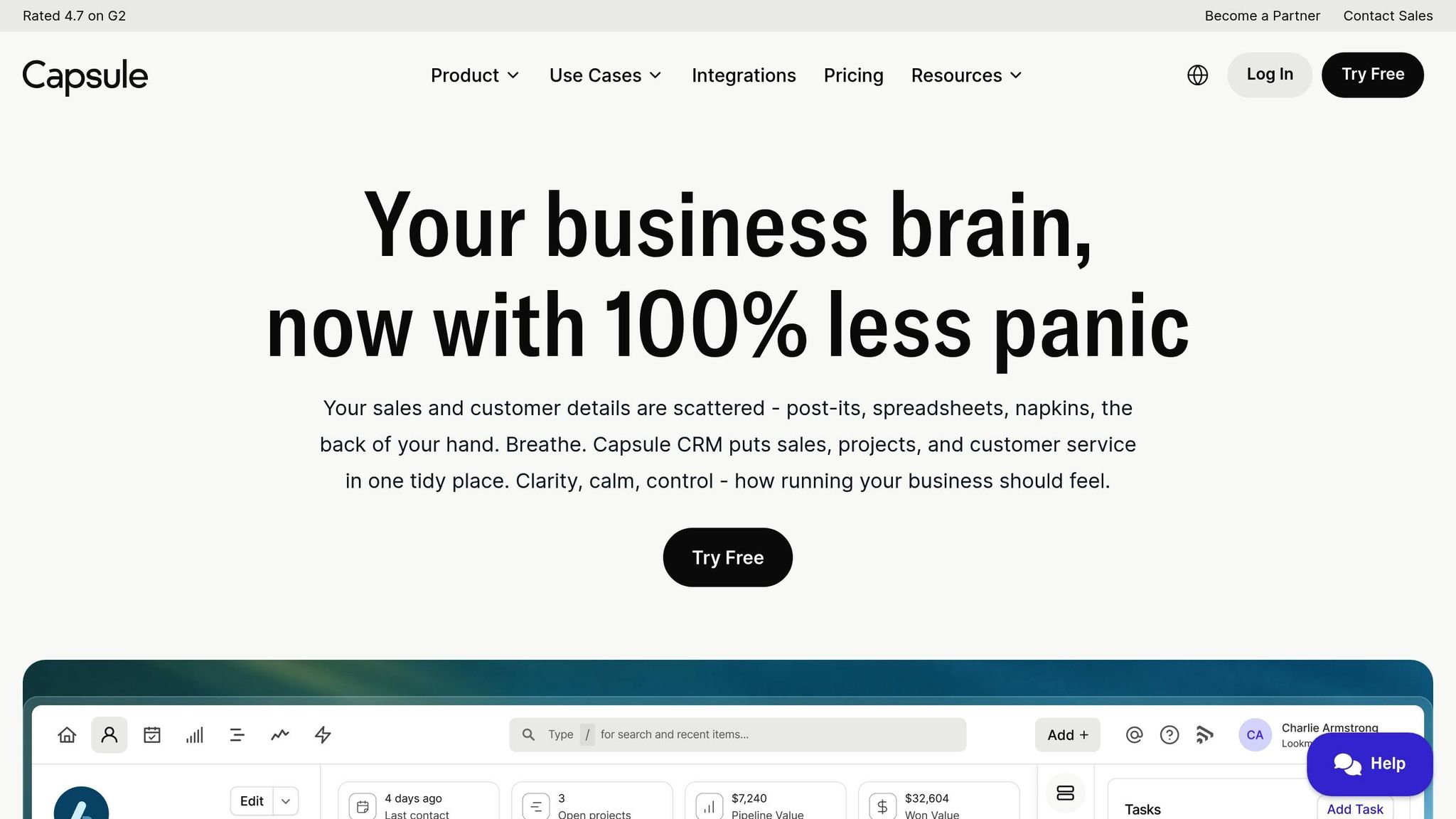
Capsule CRM connects with LinkedIn through third-party tools like the Magical browser extension, available for Chrome and Edge. This extension simplifies prospecting by capturing data such as names, job titles, companies, and profile links with just one click [15][16]. Capsule's "Add to CRM" feature further streamlines the process by finding verified email addresses for LinkedIn prospects and instantly adding them to your database [14].
The platform also includes a built-in data enrichment tool that automatically fills in company details like website, size, and industry based on the domain [15]. If you're using LinkedIn Sales Navigator, you can scale your efforts by exporting entire pages of search results into Google Sheets using Magical, then importing them into Capsule as a CSV file [15]. Capsule also integrates with Dripify, enabling it to automatically record leads generated through LinkedIn campaigns [14]. This seamless workflow has earned Capsule a 4.7/5 rating on G2, with users highlighting its ability to reduce manual data entry and make prospecting more efficient [15][16].
Automation Capabilities for Sales Outreach
Capsule enhances sales outreach with its Tracks feature, which are templated to-do lists designed to guide structured LinkedIn engagement. For instance, you could create a Track where Day 1 sends a connection request, Day 5 follows up with a message, and Day 10 shares a case study [15]. This ensures no potential lead is overlooked. Additionally, Capsule supports email automation with reusable templates that can be shared across teams. For more advanced marketing workflows, it integrates with Transpond, enabling tailored communication sequences and triggers [17].
AI-Driven Tools for Lead Management
Capsule leverages AI to streamline lead management. Its AI Content Assistant helps sales teams draft outreach messages and emails quickly, allowing you to select a tone that aligns with your brand [15]. The Nyckel AI integration adds another layer of efficiency by automatically identifying and categorizing leads by department, eliminating the need for manual sorting [14]. For businesses needing AI-assisted customer interactions, Capsule integrates with Smith.ai, which combines AI-powered tools with human receptionists to manage inquiries [14].
Pricing and Scalability for Different Team Sizes
Capsule offers a 14-day free trial across all plans, along with a free plan for those seeking basic CRM functionality [14][15]. For growing teams, the Growth plan unlocks advanced features, including multiple sales pipelines, detailed reporting, Google Data Studio integration, and restricted record access to support larger organizations [17].
sbb-itb-817c6a5
6. Zoho CRM
LinkedIn Integration Features
Zoho CRM connects seamlessly with LinkedIn Sales Navigator (Advanced or Advanced Plus licenses are needed) and also works with the LinkMatch extension for real-time data updates and duplicate detection [2][18][24][26]. LinkMatch helps by identifying if a LinkedIn lead is already in your database and updates records when prospects switch jobs [18].
Zoho's social CRM tools bring social media leads directly into the CRM, prioritize interactions using existing data, and allow you to add notes that link social media efforts to revenue outcomes [22]. For LinkedIn Ads users, Zoho CRM integrates via Zapier to capture leads from LinkedIn Lead Gen forms, update records, and tag new responses in real time [19]. Additionally, with over 1,100 pre-built app integrations available in the Zoho Marketplace, you can customize workflows to fit your needs [21]. These features simplify and automate sales outreach, saving valuable time.
Automation Capabilities for Sales Outreach
Zoho CRM streamlines follow-ups with automated sequences that adjust based on lead responses [22][23]. You can set workflow triggers to schedule follow-ups right after LinkedIn interactions [18]. Assignment Rules make it easy to route LinkedIn leads to the right sales reps based on criteria you define. Through Zapier, you can create custom workflows that map LinkedIn Lead Gen form data directly to Zoho CRM modules, enabling more personalized engagement. Plus, the LinkMatch extension improves team collaboration by saving LinkedIn conversations as notes in the CRM [18][19].
AI-Driven Tools for Lead Management
Zoho's AI assistant, Zia, takes automation a step further. Zia helps complete lead records, predicts outcomes, and flags irregularities in the sales pipeline [22][23]. It also suggests the best times to contact prospects based on past interactions and offers sentiment analysis along with subject line recommendations to improve outreach success [25][26].
Real-world examples highlight Zoho CRM's impact. Agappe, a medical diagnostics company, centralized its business data using Zoho CRM and saw an 80% boost in productivity within a year [20]. Similarly, Minor Hotels used Zoho's workflow rules to automate internal processes. Olga Kovshanova, Director at Minor Hotels, shared:
"Zoho CRM helped us automate our processes after we implemented workflow rules. Privacy and security are essential for us, and Zoho addressed it all. This was a game changer." [20]
Pricing and Scalability for Different Team Sizes
Zoho CRM offers options for businesses of all sizes. There's a free edition for up to three users, while paid plans start at $14 per user per month for the Standard version, $23 for Professional, $40 for Enterprise, and $52 for Ultimate (annual billing) [20][25][26]. Subscriptions are flexible, with monthly or annual payment options, and premium features come with a 15-day free trial - no credit card required [23].
For broader team access, Zoho's "CRM For Everyone" initiative provides Team User licenses at $7–$9 per month. These licenses are ideal for non-sales roles like marketing, legal, or finance, offering access to specific CRM data without the cost of full sales licenses [25]. This flexibility has made Zoho CRM a trusted choice for over 300,000 businesses worldwide, supporting 28 languages. Users report a 27% productivity increase and a 71% reduction in licensing costs after switching to Zoho CRM [20]. With its flexible pricing and wide-ranging scalability, Zoho CRM stands out as a powerful LinkedIn-integrated sales tool.
7. Salesforce Sales Cloud
LinkedIn Integration Features
Salesforce Sales Cloud connects seamlessly with LinkedIn Sales Navigator through the SNAP (Sales Navigator Application Platform) program. This integration pulls LinkedIn profile details directly into Lead and Contact records using a CRM Widget, allowing sales reps to access prospect information without switching between tabs [27][29]. It also automatically imports accounts, contacts, and lead records from Sales Navigator into Salesforce, while logging InMail messages and notes directly into the CRM to capture all outreach activity [27].
For teams with Advanced Plus licenses, Embedded Experiences offer features like Account IQ, Relationship Maps, and buyer alerts directly within Salesforce [1]. Additionally, the integration leverages AI-powered lead discovery, combining Salesforce CRM data with LinkedIn's algorithms to suggest potential leads [27]. This setup simplifies and streamlines sales outreach processes.
Automation Capabilities for Sales Outreach
Agentforce, an AI-driven automation tool, takes over lead nurturing around the clock. It personalizes responses and schedules meetings automatically, giving sales reps more time to focus on building relationships and closing deals [28][30]. By automating routine tasks, Agentforce enhances efficiency.
With Salesforce Flow, a drag-and-drop tool, you can automate how LinkedIn-sourced leads are funneled into specific sales sequences or marketing workflows [27]. It also syncs Account and Contact records tied to Open Opportunities with Sales Navigator, offering personalized outreach suggestions during active deal cycles [27]. The platform includes Einstein Conversation Insights, which analyzes sales calls to spot trends and identify coaching opportunities, further boosting productivity [28].
AI-Driven Tools for Lead Management
Salesforce's Einstein AI uses predictive lead scoring to analyze historical data and lead behavior, helping identify prospects with the highest likelihood of conversion [30]. The Revenue Intelligence feature monitors pipeline health in real time, flags at-risk deals, and provides actionable insights to help sales teams prioritize their efforts [28]. Companies using these AI tools have reported a 30% increase in revenue [30].
The integration also enriches CRM records with AI-generated profile summaries and real-time alerts for job changes or promotions [31]. By automating administrative tasks, these AI tools can save sales reps up to five hours a day [30]. With consistent 4/5-star ratings on platforms like G2 and Capterra, Salesforce continues to lead as the "#1 AI CRM" globally [28][29].
Pricing and Scalability for Different Team Sizes
Salesforce Sales Cloud offers flexible pricing based on the number of users, billed annually [32]. Plans range from a free version for two users to enterprise-level editions with unlimited AI usage. The Starter Suite costs $25 per user per month and includes unlimited users, built-in sales flows, and AI email syncing [32]. The Pro Suite, at $100 per user per month, adds features like sales quoting, forecasting, and access to AppExchange [32].
To use LinkedIn integration, you’ll need at least the Professional, Enterprise, Unlimited, Developer, or Performance edition of Salesforce [27][33]. The Enterprise plan, at $175 per user per month, includes advanced pipeline management and deal insights, while the Unlimited plan, at $350 per user per month, adds predictive AI and sales engagement tools [32]. For the full AI suite with unmetered Agentforce usage, the Agentforce 1 Sales edition costs $550 per user per month [32]. All plans come with a free 30-day trial, and businesses can upgrade or add features as they grow [32].
How to use LinkedIn efficiently with Surfe and Pipedrive | Tutorial
Feature Comparison Table
Selecting the right CRM depends on factors like team size, budget, and how LinkedIn fits into your outreach strategy. To make your decision easier, here’s a side-by-side breakdown of LinkedIn integration, AI features, automation tools, and pricing for popular CRMs.
| CRM | LinkedIn Sync Features | AI & Automation Capabilities | Starting Price | Best Use Case |
|---|---|---|---|---|
| SalesMind AI | Native LinkedIn integration, automated lead capture, real-time tracking | AI-driven personalized messaging, unified inbox, advanced lead scoring, automated follow-ups | Contact for pricing | Ideal for agencies and businesses needing white-label LinkedIn automation |
| Salesflare | Native sidebar for LinkedIn & Sales Navigator, 1-click lead addition | Automated email sequences, built-in email finder, automated customer timelines | ~$55/user/month | Perfect for SMBs seeking personal LinkedIn integration without extra tools [2] |
| Breakcold | Unified social inbox, multi-channel lead capture | Social engagement tracking, pipeline automation | $29.99/month | Designed for social sellers managing outreach across multiple platforms |
| Folk CRM | Chrome extension (folkX), multi-channel lead capture | AI Research Assistant for company insights, Proactive Follow-up Assistant | $17.50/month (annual) or $25/month (monthly) | Great for collaborative teams and service professionals [4] |
| Capsule CRM | Requires third-party tools (AddtoCRM or Linkmatch) | Basic sales pipeline automation | Base price + $16–$79/user/month for integration | Suitable for small teams with minimal LinkedIn needs [2] |
| Zoho CRM | Sales Navigator extension, profile enrichment | Zia AI for workflow automation and lead prioritization | ~$40/user/month (Enterprise, annual) | Best for mid-market teams needing customizable workflows [34][36] |
| Salesforce Sales Cloud | SNAP integration with Sales Navigator, embedded experiences, CRM Widget | Agentforce AI agents, Einstein lead scoring, Revenue Intelligence | $25/user/month (Starter) to $550/user/month (Agentforce 1) | Tailored for large enterprises requiring advanced automation and scalability |
This table highlights how each CRM adapts LinkedIn outreach to meet different business needs, ensuring a solution that aligns with your team's goals and workflows.
Be mindful of extra costs: Enterprise CRMs like Salesforce and Zoho require a LinkedIn Sales Navigator Advanced license, priced at $135/month (annual) or $149/month (monthly). Capsule CRM relies on third-party connectors, adding to its cost. For teams using personal LinkedIn accounts, Salesflare and SalesMind AI eliminate the need for middleware, saving money. Folk CRM offers a budget-friendly option at $17.50/month, while Breakcold is a solid pick for social selling at $29.99/month.
AI features vary widely across platforms: Salesforce leads with predictive analytics and autonomous agents, while SalesMind AI focuses on personalized messaging and streamlined lead scoring. Notably, Salesforce’s comprehensive Agentforce suite costs $550/user/month. By 2025, 78% of companies are expected to use AI for at least one business task [35].
Conclusion
Choosing the right CRM with LinkedIn integration can make a world of difference in streamlining your sales process. With features like automated data capture, your team could save over 10 hours a week - time that can be redirected toward closing deals and building relationships [3].
It’s crucial to align your CRM choice with your specific workflow. For small teams relying on personal LinkedIn accounts, native integrations are a great option since they eliminate the need for additional Sales Navigator licenses. On the other hand, agencies that require advanced lead scoring and white-label automation might prefer platforms that support personalized messaging at scale. For enterprise-level teams handling intricate pipelines, robust features may be worth the steeper learning curve [3].
Native integrations simplify setup and ensure a smooth data sync, but third-party connectors can add extra costs - ranging from $10 to $79 per user per month [2]. Studies show that automated LinkedIn integration can cut manual data entry by as much as 95% [37].
Before committing to a CRM, take the time to verify your team’s requirements and test how quickly the platform can be set up. Remember, the best CRM isn’t necessarily the priciest one - it’s the one that aligns with your team size, budget, and LinkedIn usage needs. Keep automation, native integration, and scalability at the forefront of your decision-making process to find the perfect fit for your sales goals.
FAQs
How can LinkedIn-integrated CRMs boost sales productivity?
CRMs with LinkedIn integration significantly enhance sales team efficiency by automating essential tasks and creating a smooth connection between the two platforms. With this setup, lead and contact details from LinkedIn are automatically synced into the CRM, cutting down on manual data entry and minimizing errors. This means sales teams always have access to the latest information, making it easier to plan targeted and timely outreach.
These integrations also simplify workflows by offering features like real-time activity tracking, embedded LinkedIn profiles, and automated lead qualification. Tasks like follow-ups and engagement tracking are handled automatically, freeing up sales professionals to focus on building relationships and closing deals. By streamlining processes and improving productivity, LinkedIn-integrated CRMs open the door to higher conversion rates and more significant sales opportunities.
What features should I look for in a CRM with LinkedIn integration?
When selecting a CRM with LinkedIn integration, prioritize features that simplify your sales process and outreach efforts. Start by ensuring it offers LinkedIn data syncing to automatically pull in contact details, saving you from tedious manual entry. Look for automation tools that handle tasks like personalized messaging, follow-up reminders, and lead qualification workflows - these can save valuable time and help you scale efficiently.
Your CRM should also include centralized lead management, consolidating LinkedIn contacts and insights into one accessible location. Features like AI-driven prospecting and unified inboxes can help you communicate more effectively and stay organized. Lastly, check for multi-channel outreach capabilities and tools that help you prioritize leads, ensuring you engage with the right prospects to boost conversions.
How do AI tools in CRMs improve lead management and outreach?
AI tools integrated into CRMs are transforming how businesses handle lead management and outreach. By automating repetitive tasks, they ensure data accuracy and enable large-scale personalized communication. For instance, these tools can automatically gather and organize LinkedIn profiles, monitor engagement signals, and qualify leads based on predefined criteria. This not only saves time but also minimizes manual errors.
When it comes to outreach, AI-powered platforms excel at creating tailored messaging sequences that adapt to how recipients interact with them. Tools like SalesMind AI take it a step further by automating tasks like messaging, follow-ups, and lead qualification. This ensures quicker responses and more precise communication, allowing businesses to concentrate on their most promising leads. The result? Improved efficiency, higher productivity, and stronger sales performance.
 JG
JG