LinkedIn Integration Tools: Comparison 2025
Compare five LinkedIn integration tools by automation, CRM sync, pricing, scalability, and safety to find the best fit for your sales or agency team.
 Julien Gadea
Compare five LinkedIn integration tools by automation, CRM sync, pricing, scalability, and safety to find the best fit for your sales or agency team.
SalesMind AI: Offers cloud-based automation, AI-crafted messaging, and CRM integration with advanced lead scoring.
HubSpot: Focuses on task-based LinkedIn automation with strong CRM sync but requires manual actions and higher costs.
Salesforce Pardot: Prioritizes data synchronization and enterprise-level features but comes with a steep price and complex setup.
Demandbase: Delivers intent signals for account-based marketing but lacks direct outreach automation.
LinkedIn automation tools have transformed B2B sales in 2025. With 81% of U.S. sales teams using AI-driven workflows to save time and increase efficiency, these tools are helping businesses generate up to 451% more qualified leads and boost conversion rates by 25–35%. The challenge? Choosing the right tool for your team.
Here’s a quick breakdown of five leading LinkedIn integration tools based on automation, CRM compatibility, pricing, and scalability:
- SalesMind AI: Offers cloud-based automation, AI-crafted messaging, and CRM integration with advanced lead scoring.
- HubSpot: Focuses on task-based LinkedIn automation with strong CRM sync but requires manual actions and higher costs.
- Salesforce Pardot: Prioritizes data synchronization and enterprise-level features but comes with a steep price and complex setup.
- Demandbase: Delivers intent signals for account-based marketing but lacks direct outreach automation.
- Zopto: Provides cloud-based LinkedIn outreach with AI tools, multi-channel support, and CRM integration ideal for agencies.
Key Takeaway: Each platform caters to different needs - whether it’s scaling outreach, integrating with CRMs, or leveraging AI for personalization. Start with trial periods and focus on tools with account safety features like dedicated IPs and activity caps to protect your LinkedIn account.
Here’s a quick comparison of these tools:
| Tool | Automation Features | CRM Integration | Pricing | Best For |
|---|---|---|---|---|
| SalesMind AI | AI-driven messaging, lead scoring | Full CRM sync | Custom plans | Teams prioritizing automation |
| HubSpot | Task-based LinkedIn automation | Seamless CRM sync | Requires HubSpot & Navigator Pro | HubSpot ecosystem users |
| Salesforce Pardot | Data sync, intent signals | Salesforce-focused | $15,000–$180,000 annually | Large enterprises |
| Demandbase | Intent-based targeting | Multi-CRM support | Custom enterprise pricing | Account-based marketing |
| Zopto | Cloud-based LinkedIn outreach | HubSpot, Salesforce, API | $197–$297/month (per account) | Agencies, scaling teams |
Each tool has strengths and trade-offs. Choose based on your team’s size, budget, and priorities.
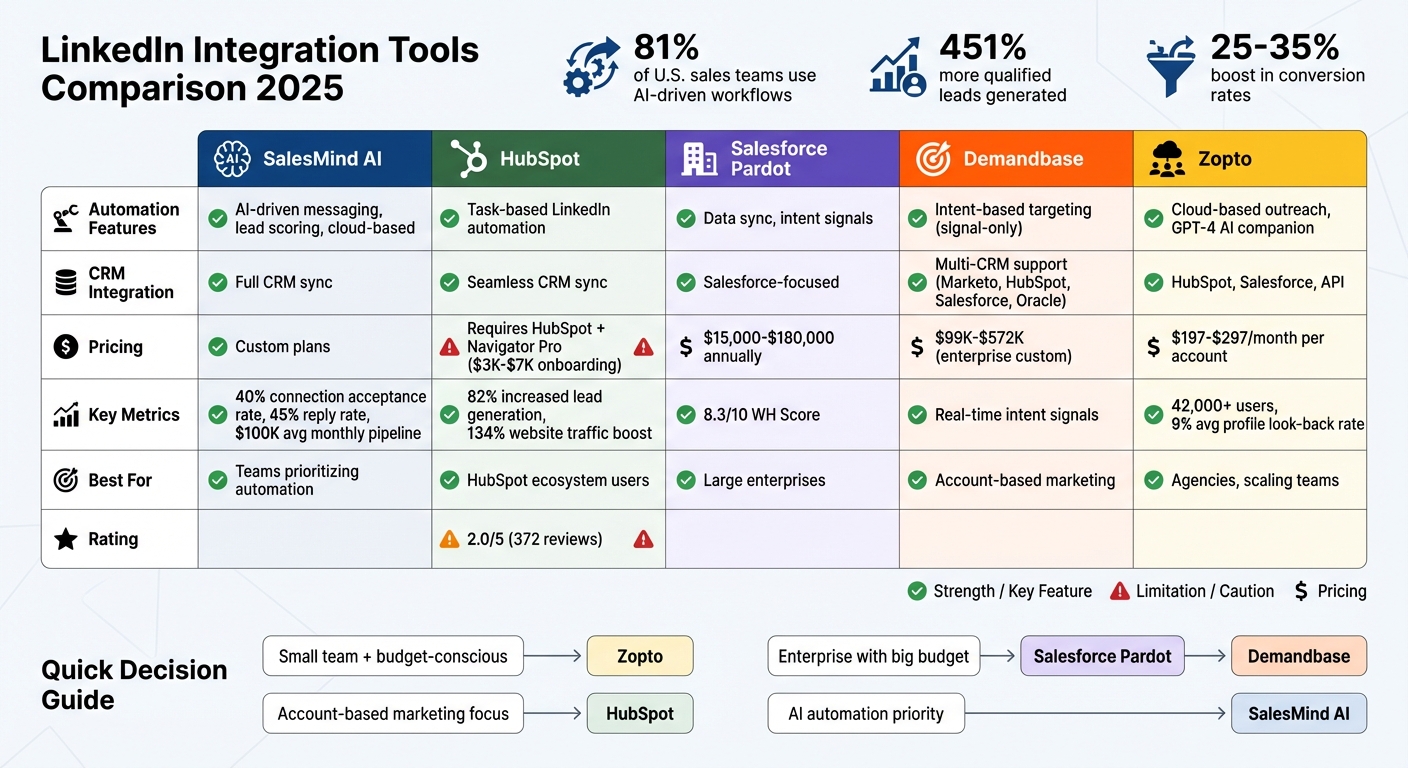
LinkedIn Integration Tools Comparison 2025: Features, Pricing & Best Use Cases
1. SalesMind AI
Automation Features
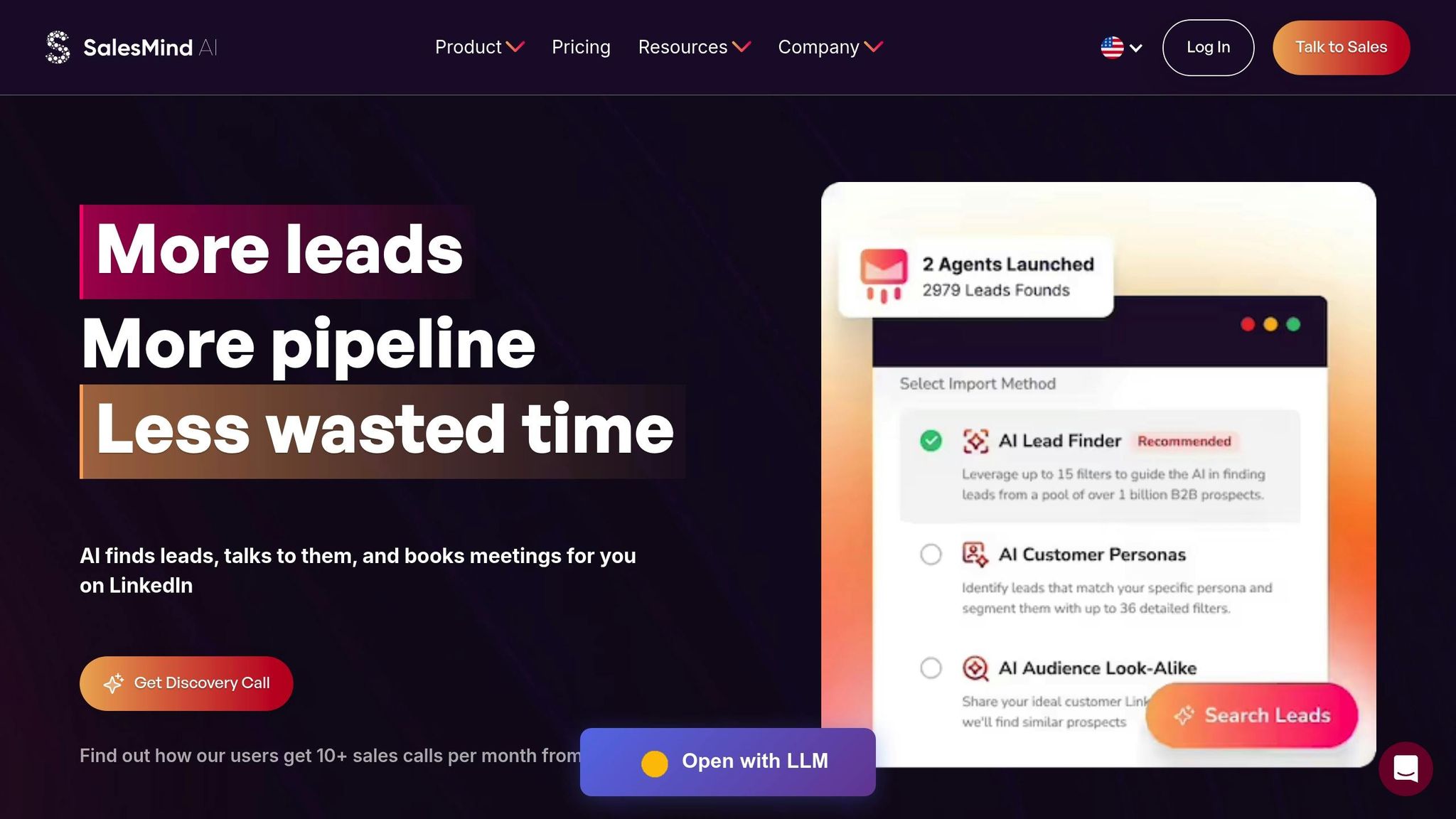
SalesMind AI takes the hassle out of LinkedIn outreach by automating tasks like profile visits, likes, follows, connection requests, and follow-ups - all running seamlessly from the cloud. It works around the clock, so you don't need to keep a browser open or manage it manually.
The platform’s AI-powered personalization engine analyzes context and data to craft messages that sound natural and engaging. Users have reported an average connection acceptance rate of 40% and reply rates of 45%, which are well above typical industry benchmarks[3][4]. Its Smart Prospect Extraction feature identifies high-value leads by analyzing LinkedIn event attendees, post interactions, and competitor followers, ensuring you’re connecting with people already engaged in relevant conversations[3].
"I've used a couple of other tools for LinkedIn outbound, but this has gotten me 3x the results." - Steven Huibers, COO, Policereports.ai[3]
To keep your account safe, SalesMind AI incorporates features like office-hour detection and local IP address usage, imitating natural human behavior to avoid triggering LinkedIn restrictions[3]. Additionally, it integrates with Sales Navigator, enabling you to import lead searches and saved lists directly into your campaigns with ease[4]. All this automation syncs effortlessly with your CRM, creating a streamlined workflow.
CRM Integration
SalesMind AI simplifies CRM management by automatically exporting detailed prospect information and keeping it up-to-date with a single-click Refresh Lists feature. This ensures your sales funnel stays accurate and current[3][4]. Teams can also share imported lead lists and collaborate on campaigns, making it easy to coordinate efforts across multiple users[4].
Pricing
The platform offers three pricing tiers to cater to different needs. The Basic plan is designed for small teams, the Professional plan includes advanced lead scoring and a unified inbox, and the Enterprise plan offers custom integrations and dedicated support. Its cloud-based infrastructure eliminates the need for desktop software, making it a practical choice for businesses looking to scale their outreach efforts[3].
Scalability
By automating prospecting, teams save up to 40 hours per week while generating an average pipeline value of $100,000 per month[3][4]. The platform supports multiple accounts with built-in security protocols and offers multichannel expansion options, including AI-driven cold email campaigns and B2B data enrichment strategies[3][4].
"The results were sometimes almost too good - connection rates and responses were way above what I expected." - Nick Heijman, CEO, ExtractTech[3]
2. HubSpot
Automation Features
HubSpot's LinkedIn integration focuses on task-based automation rather than offering fully automated outreach. If you're using the Sales Hub Professional or Enterprise plans, you can incorporate LinkedIn tasks, such as "Send connection request" or "Send InMail", directly into your HubSpot sequences[7]. However, these tasks still require manual action - you'll be redirected to LinkedIn to complete them with a click.
To make outreach more personalized, HubSpot provides tools like Icebreakers and Related Leads, which highlight shared connections and interests within contact records[5][7]. Additionally, the LinkedIn CRM Sync keeps track of your LinkedIn activities, such as sent InMails and connection requests, by automatically logging them into the HubSpot contact timeline. It also flags any discrepancies between a contact's LinkedIn data and your HubSpot records[5][6]. Together, these features streamline LinkedIn activity tracking and CRM integration.
CRM Integration
HubSpot offers two native integration options: the original LinkedIn Sales Navigator Integration and the newer LinkedIn CRM Sync[6]. These integrations pull LinkedIn insights - like job titles, company size, and industry - directly into HubSpot contact records. They also allow you to send InMails without leaving the HubSpot interface[7]. Using details like names, emails, and job titles, the system automatically matches LinkedIn profiles to HubSpot records[7].
However, neither integration supports importing new contacts from LinkedIn into HubSpot[7][6][8]. Many users turn to third-party tools like Hublead (starting at $32 per seat) or Botdog ($29.99 per month) to fill this gap[6][2].
Pricing
Accessing advanced integration features comes with a hefty price tag. You'll need a subscription to both Sales Hub Professional or Enterprise and LinkedIn Sales Navigator Advanced Plus, LinkedIn's top-tier enterprise plan[7][6]. Additionally, HubSpot's Professional and Enterprise plans require onboarding fees of $3,000 and $7,000, respectively[9].
"HubSpot needs to stop saying 'LinkedIn Sales Navigator'. It is really LinkedIn Sales Navigator Advanced Plus, that is the highest, most expensive plan on LinkedIn, only available for larger teams." - Laurenzo, H., Verified User[5]
Despite its functionality, the integration has received mixed feedback. On the HubSpot App Marketplace, it holds a 2.0/5 rating from 372 reviews, with many users pointing to the high costs as a primary drawback[5].
Scalability
HubSpot delivers impressive results for its customers. According to the company, 82% of marketers report increased lead generation, while 84% of sales professionals see better lead quality after adopting the platform[9]. On average, customers experience a 134% boost in website traffic and a 107% rise in inbound leads within six months of using the Marketing Hub[9]. For larger teams, the Enterprise plan supports up to 10,000 campaigns - double the 5,000 campaigns allowed in the Professional tier - with tiered contact overage pricing available as businesses grow[9].
3. Salesforce Pardot
Automation Features
Pardot emphasizes seamless automation for data synchronization and activity tracking. Instead of automating direct connection requests, Pardot focuses on importing Salesforce Account and Contact records into LinkedIn Sales Navigator, enabling more tailored outreach. When your team sends InMail messages through LinkedIn, Pardot automatically logs those interactions into Salesforce. This integration combines LinkedIn's algorithms with your CRM data to suggest potential leads for your sales team. For more advanced automation, third-party tools like Workato can be integrated to extend functionality [10][11].
These features work closely with Salesforce's CRM, creating a unified view of your data.
CRM Integration
Salesforce and LinkedIn Sales Navigator's native integration includes a CRM widget that displays LinkedIn profile details directly within Lead and Contact records. This eliminates the need to switch between platforms, offering instant access to relevant information. Additionally, leads assigned within Salesforce are matched to corresponding Sales Navigator accounts, ensuring seamless alignment. Salesforce also uses MuleSoft's Anypoint Platform to connect with other third-party systems, breaking down data silos and delivering a comprehensive view of customers. Note that access to these integrations is dependent on specific Salesforce editions [11][12].
Pricing
Pardot provides four enterprise-level pricing tiers:
- Growth Plan: $1,250 per month (or $15,000 annually) for up to 10,000 contacts.
- Plus Plan: $2,500 per month ($30,000 annually).
- Advanced Plan: $4,000 per month ($48,000 annually).
- Premium Plan: $15,000 per month ($180,000 annually) with a contact limit of 75,000.
If you need additional contacts, they can be added for about $100 per month per 10,000 contacts [13].
"Pardot is the product for B2B users... This is the best software that can be used for personalized mass mails for B2C solutions."
- Aaron, B2B User [14]
Pardot has earned an 8.3/10 WH Score on TopAdvisor and is highly rated on the G2 Crowd Grid for marketing automation. However, users have pointed out that the platform requires a substantial investment and may be challenging to implement without expert assistance [13][14].
Scalability
Pardot adjusts its features based on the selected plan. For instance, the Growth plan supports 10 SEO keywords and 50 automation rules, while the Premium plan includes 1,000 keywords and 150 rules. File hosting capacity also increases, starting at 1 GB for Growth and reaching 10 GB in the Premium plan. Advanced and Premium plans further enhance functionality with Salesforce Einstein AI, offering predictive lead scoring and campaign optimization. These features ensure real-time data synchronization, boosting performance for businesses already leveraging Salesforce CRM [13].
4. Demandbase
Automation Features
Demandbase operates with a "Signal-only" model that identifies buyer intent without sending automated connection requests. It delivers real-time data on prospects who are actively exploring solutions, helping your team focus on high-value opportunities [16]. Instead of automating direct outreach, it equips teams with actionable insights to refine their targeting strategy.
The platform gathers data from multiple marketing automation systems, monitors real-time website visitors, and deciphers intent signals. This helps pinpoint valuable prospects while leaving the actual outreach to other specialized tools [15][16][17]. This aligns with the "Signal-Based Warm Outbound" approach, where intent data triggers personalized outreach through external tools [16][17].
Demandbase also integrates with leading CRMs, ensuring these insights seamlessly enhance your sales process.
CRM Integration
Demandbase offers built-in integrations with major CRM and marketing automation platforms like Marketo, HubSpot, Salesforce Pardot, and Oracle Eloqua [15]. It syncs with Salesforce and LinkedIn to provide a consolidated view of high-value accounts and real-time intent data [20]. These integrations streamline workflows by automating activity logging and enabling intelligent lead scoring, making it easier to identify and prioritize promising leads [18].
"The real-time intent signals are a game-changer. We can see which accounts are actively researching solutions like ours and adjust our outreach accordingly. The integrations with Salesforce, LinkedIn, and other tools are smooth and save a ton of time."
- Sadhwi P., Verified User [20]
Pricing
Demandbase uses a platform fee plus per-user pricing model, designed for mid-market and enterprise organizations [20]. The base platform includes essential tools and services, while the per-user fee allows teams to scale as needed [20]. Recent pricing examples include 12-month contracts with a platform fee and two add-ons ranging from $99,000 to $104,000, and a 24-month enterprise deal with five add-ons negotiated at $572,000 [19]. Final pricing is determined through a consultation to match your specific requirements [20].
Scalability
The platform’s per-user pricing structure makes it easy to grow alongside your team [20]. Demandbase doesn’t offer standalone solutions; instead, it provides unified plans tailored to support all go-to-market teams [20]. By consolidating data from various lead platforms and CRMs into a single dashboard, the platform simplifies task management, offers customizable templates, and includes international calling features [20]. However, some users have pointed out a steep learning curve and occasional syncing delays [20].
9 Best Linkedin Automation Tools 2025 (Full Demo & Comparison)
5. Zopto
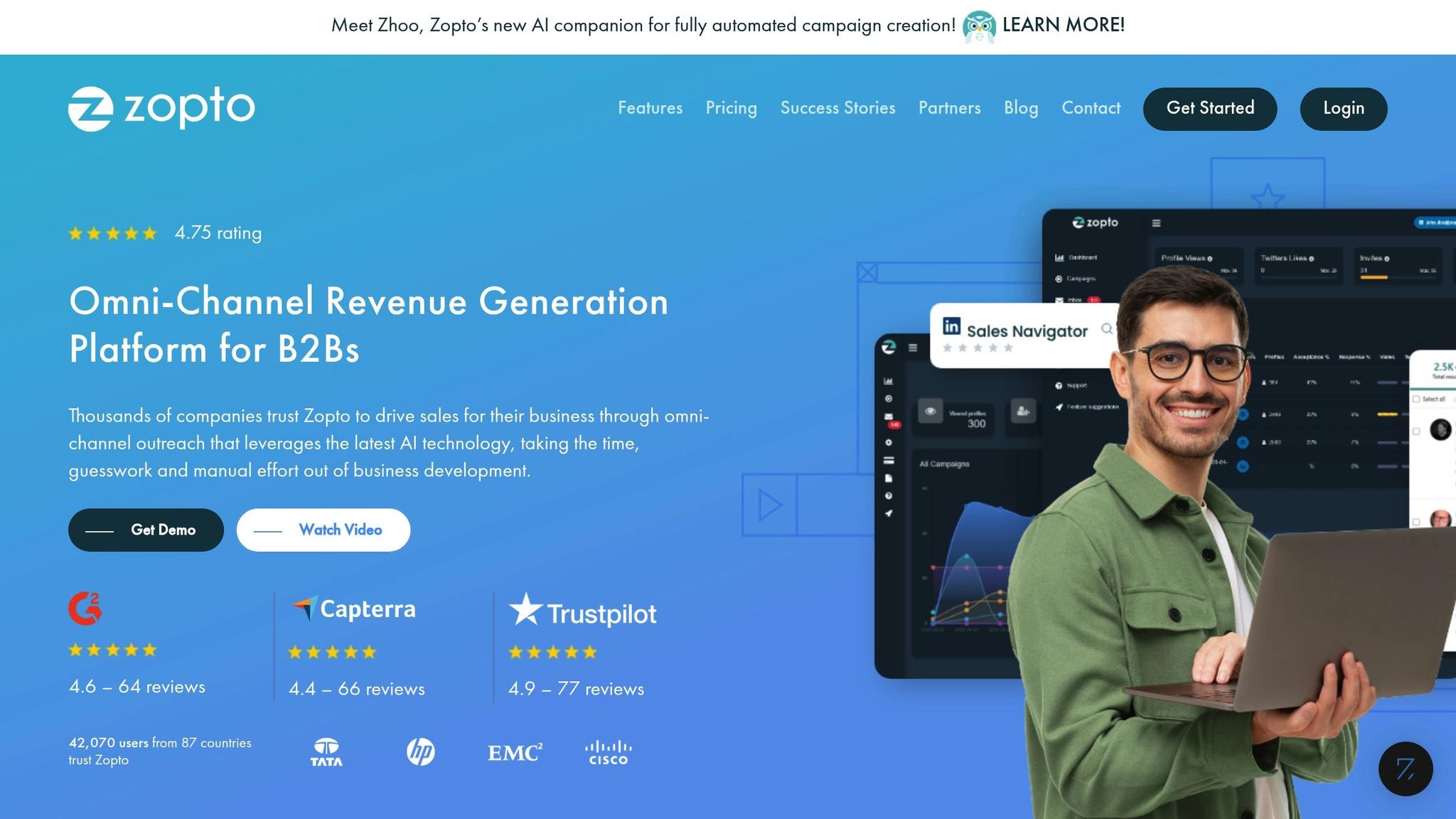
Zopto stands out as a strong contender for automating LinkedIn outreach, offering a cloud-based solution designed to streamline and optimize your LinkedIn efforts.
Automation Features
Zopto runs continuously on a cloud-based platform, managing LinkedIn outreach around the clock [23]. It automates tasks like sending connection requests, viewing profiles, following accounts, endorsing skills, and engaging with posts through likes and comments. Users can also create campaigns targeting specific groups, events, webinars, or even individuals who have viewed their profiles.
The platform incorporates the Zhoo AI Companion, an assistant powered by GPT-4, to help design campaigns, craft personalized LinkedIn templates, and handle inbox conversations with context-aware replies [21]. Advanced Boolean search capabilities allow users to filter prospects across hundreds of data points, while the Data Cleanse tool removes unprofessional symbols from prospect lists.
Daily activity limits include 100 emails, 100 InMails, 45 profile invites, and 200 messages to groups or events [21]. Each plan supports up to 5,000 email contacts per month, enabling omni-channel sequences that combine LinkedIn with email outreach. To avoid LinkedIn restrictions, Zopto assigns dedicated IP addresses to each account, mimicking human behavior.
"If you're targeting people on LinkedIn then Zopto is by far the best choice. It's easy to use and you can set up campaigns in a few minutes."
- Stan Skyrabin, Customer Support Engineer [21]
These features integrate seamlessly with CRM systems for a more cohesive workflow.
CRM Integration
Zopto connects directly with Salesforce and HubSpot, making it easy to import lead lists for targeted campaigns and export LinkedIn activity data back to your CRM [21]. The integration automatically pulls key prospect details, such as names, job titles, organizations, and websites, eliminating the need for manual data entry [22]. For users of other CRM platforms, Zopto leverages Zapier and provides API access, ensuring smooth data exchange. You can import Account-Based Marketing lists or existing contacts to kick off LinkedIn outreach, while the Data Cleanse feature ensures all imported data is clean and ready for use [23].
Pricing
Zopto offers several pricing tiers to cater to different needs and budgets:
- Basic plan: $197/month for one account, includes omni-channel sequences with 5,000 email contacts and CRM integration with HubSpot or Salesforce [21].
- Pro plan: $297/month for one account, adds features like the Zhoo AI campaign builder, AI-generated responses, and sentiment analysis [21].
- Agency & Enterprise Basic: $156/month per user (minimum two users), includes an agency dashboard for multi-user management [21].
- Agency & Enterprise Pro: $237/month per user (minimum two users), includes the full AI suite. A one-time fee of $997 unlocks white-labeling, a global inbox, and custom JavaScript settings [21]. For agencies managing 51+ users, volume discounts can lower the per-user cost to $100/month for the Basic tier or $157/month for the Pro tier. Quarterly billing offers additional savings of up to 30% [24].
Scalability
Zopto is trusted by over 42,000 professionals worldwide [21]. Agencies benefit from a centralized dashboard, allowing them to manage multiple client accounts efficiently. Features like deduplication groupings, global blacklists, and parallel LinkedIn viewing enhance usability [24]. Agencies can even white-label the platform, branding it as their own.
All plans include access to a Campaign Success Manager and monthly masterclasses to help users maximize their results [24]. For the best experience, Zopto works alongside LinkedIn Premium or Sales Navigator accounts to bypass search and view limitations. Users typically see an average profile "look back" rate of 9%, with results ranging from 2% to 14% [24].
Pros and Cons
Every tool has its own set of strengths and limitations. Based on the features, integrations, and pricing details discussed earlier, this section highlights the key advantages and challenges of each tool. Think of it as a quick reference guide to complement the in-depth reviews.
Security and infrastructure play a major role. Cloud-based platforms like SalesMind AI and Zopto use dedicated IPs, offering stronger protection. However, this added layer of security often comes at a higher cost.
Balancing simplicity with advanced features can be tricky. For instance, Botdog wins points for its user-friendly interface but falls short when it comes to multi-channel support [2]. On the other hand, Waalaxy stands out with its multi-channel flows - integrating LinkedIn and email - and has earned a 4.6/5 rating on G2 from 530 reviews. That said, many of its best features are only available in higher-tier plans [2].
"Good automation should be boring in the best possible way. It should quietly import leads, send invitation requests and messages, manage follow-ups, and stay within LinkedIn's limits." – Botdog Blog [2]
Integration capabilities can also be a hurdle. For example, linking tools like HubSpot or Salesforce often requires advanced Sales Navigator plans and third-party fees, which can quickly drive up costs [27].
| Tool | Primary Strength | Primary Weakness | Best For |
|---|---|---|---|
| SalesMind AI | AI-powered unified inbox with advanced lead scoring | Pricing not publicly disclosed | Teams focused on intelligent automation |
| HubSpot | Seamless CRM integration with a robust marketing suite | Requires extra Sales Navigator access | Businesses already using the HubSpot ecosystem |
| Salesforce Pardot | Enterprise-level B2B marketing automation | Complex setup and high overall cost | Large organizations with technical resources |
| Zopto | Cloud-based automation for continuous operations | Higher pricing | Agencies and scaling teams |
These insights align with earlier recommendations for safely scaling LinkedIn outreach. Start with 15–30 connection requests per day and gradually increase activity to avoid triggering LinkedIn's security filters [26].
Conclusion
Choosing the right tool comes down to your team's size, budget, and technical requirements. The five platforms reviewed each cater to different needs, offering a range of features to suit various workflows. For teams expanding beyond individual users, CRM integration and multi-account capabilities become increasingly important.
For growing sales teams with 10–50 members, seamless CRM integration and multi-account support are often essential. In this space, HubSpot and Salesforce Pardot shine, though they require larger budgets and technical expertise to fully leverage their capabilities. If your focus is on intelligent automation, SalesMind AI offers features like an AI-powered unified inbox and advanced lead scoring to simplify complex sales workflows. Agencies managing multiple accounts may find Zopto ideal for its strong cloud-based automation, while enterprise-level organizations prioritizing account-based marketing can benefit from Demandbase, which delivers powerful intent signals.
Each platform addresses the key factors - automation, CRM compatibility, pricing, and scalability - differently, so it's all about finding the best fit for your specific workflow. For example, personalized messaging can boost cold outreach response rates from 2.8% to 6.5%, highlighting the real-world advantages of intelligent automation [1].
Before committing, take advantage of trial periods to explore interfaces and features. Look for platforms with safeguards like daily activity caps, randomized action timing, and dedicated IPs to protect your LinkedIn account. Cloud-based solutions often outperform browser extensions in maintaining account safety over the long term [2][25]. With LinkedIn's average invite acceptance rate around 37% [1], even small improvements in automation can lead to measurable gains in your outreach efforts.
FAQs
What should I consider when selecting a LinkedIn integration tool?
When selecting a LinkedIn integration tool, it's essential to focus on how well it aligns with your specific goals, whether that's automating outreach, managing leads, or boosting connection rates. Features like AI-driven personalization, multi-step workflows, and automated follow-ups can simplify your tasks while maintaining a personal touch in your interactions.
Account security and compliance should be top priorities. Look for tools that replicate natural LinkedIn activity, adhere to platform limits (like connection requests and messaging caps), and include safeguards such as IP management to reduce the risk of account bans. An intuitive interface is also key - tools with user-friendly dashboards and clear reporting let you spend more time connecting with prospects and less time wrestling with complicated software.
Lastly, make sure the tool fits your budget and integrates smoothly with your existing systems, such as your CRM or email platforms. For example, tools like SalesMind AI offer a combination of personalized outreach, lead scoring, and LinkedIn integration, making it easier to grow your business efficiently.
How can LinkedIn integration tools enhance lead generation and improve conversion rates?
LinkedIn integration tools make lead generation smoother by automating repetitive tasks like sending connection requests, crafting personalized messages, and managing follow-ups. These tools connect seamlessly with your CRM, keeping lead data accurate and up to date. This means less time spent on spreadsheets and more time building meaningful relationships.
Thanks to AI-driven features like predictive analytics and natural language processing, these tools tailor outreach efforts to align with each prospect's unique interests. Automated follow-ups ensure you stay on top of communication, while advanced lead scoring helps identify and prioritize the most promising leads. Tools such as SalesMind AI allow businesses to expand their outreach efforts efficiently, turning LinkedIn connections into real opportunities.
What safety features should I consider when using LinkedIn automation tools?
When selecting LinkedIn automation tools, keeping your account safe should be your top concern. LinkedIn actively monitors for unusual behavior, so it's crucial to choose tools that align with its usage guidelines to avoid being flagged or restricted.
Here are some key features to look for:
- Human-like activity simulation: Tools that replicate natural behavior by randomizing actions, adjusting messaging intervals, and including rest periods can help you stay under the radar.
- Dedicated IP addresses or managed proxy pools: These features can lower the risk of detection and prevent your account from being blocked.
- Integration with LinkedIn’s official APIs: Tools that work within LinkedIn’s terms of service are less likely to cause compliance issues.
- Account health monitoring: Look for tools that track metrics like connection acceptance rates and offer alerts or “safe mode” options to pause campaigns if something seems off.
For instance, SalesMind AI is a great example of a tool that prioritizes safety. It uses AI-driven pacing, secure IP management, and smooth LinkedIn integration to keep your outreach campaigns effective while staying compliant.
 JG
JG