LinkedIn CRM Integration for Scalable Outreach
Compare LinkedIn integrations with Salesforce, HubSpot, Pipedrive, and AI tools to automate lead sync, scoring, and scalable outreach.
 Julien Gadea
Compare LinkedIn integrations with Salesforce, HubSpot, Pipedrive, and AI tools to automate lead sync, scoring, and scalable outreach.
Compare LinkedIn integrations with Salesforce, HubSpot, Pipedrive, and AI tools to automate lead sync, scoring, and scalable outreach.
Table of Contents
LinkedIn CRM integration connects LinkedIn data with CRM systems to simplify workflows, improve lead tracking, and boost sales productivity. By syncing LinkedIn activity - like profile updates, job changes, and engagement metrics - directly into CRMs such as Salesforce, HubSpot, Pipedrive, or SalesMind AI, sales teams can manage outreach efficiently without manual data entry. This integration helps streamline prospecting, automate follow-ups, and maintain accurate records, enabling teams to focus on building relationships.
Key options include:
- Salesforce + LinkedIn Sales Navigator: Best for large teams with complex pipelines; offers advanced customization and automation.
- HubSpot + LinkedIn Sales Navigator: Ideal for SMBs; provides user-friendly lead scoring and multi-channel follow-ups.
- Pipedrive + LinkedIn Integration: A cost-effective choice for small teams using third-party tools for LinkedIn sync.
- SalesMind AI: Combines LinkedIn automation with AI-powered lead scoring; simplifies large-scale prospecting.
Quick Tip: Choose based on team size, budget, and outreach scale. For enterprise needs, Salesforce excels. For SMBs, HubSpot balances simplicity and functionality. Smaller teams may prefer Pipedrive, while SalesMind AI suits those seeking AI-driven solutions.
5 ways to integrate LinkedIn with your CRM for better sales-marketing collaboration
1. Salesforce + LinkedIn Sales Navigator
Scaling LinkedIn outreach requires two key elements: seamless data synchronization and automated engagement. This is where the integration of Salesforce and LinkedIn Sales Navigator shines.
Syncing Data with Ease
When Salesforce and LinkedIn Sales Navigator are connected, they handle the heavy lifting of transferring prospect data between platforms. Key details - like names, job titles, company affiliations, and even engagement activities (such as recent posts or profile updates) - are automatically updated in Salesforce. This eliminates the need for manual data entry, ensuring your records are always up-to-date.
Setting up the integration is simple: install the Sales Navigator connector in Salesforce, authenticate using OAuth, and map LinkedIn data fields to custom Salesforce fields. The system also flags outdated or incomplete information, helping you maintain a cleaner, more accurate pipeline. In fact, Salesforce users often report pipeline quality improvements of 30–50% after implementing this integration[3].
This streamlined syncing process lays the groundwork for scaling your outreach efforts.
Automating Outreach Efforts
Beyond data syncing, this integration automates repetitive tasks to help you reach more prospects efficiently. For instance, Sales Navigator sends real-time alerts when prospects get promoted, publish content, or when their companies make headlines. These alerts can trigger automated follow-ups directly in Salesforce, saving your team time while keeping outreach timely.
Chrome extensions further enhance this process by enabling one-click syncing of LinkedIn profiles in bulk. Additionally, InMails and message templates make personalized outreach easier, with every interaction automatically logged in Salesforce. Since LinkedIn limits users to 50 InMails per month, this automation ensures each message is used wisely.
Scaling Your Prospecting Pipeline
For teams focused on high-volume prospecting, this integration offers advanced tools to qualify leads effectively. By combining LinkedIn’s filters - like industry, seniority, location, and company size - with Salesforce’s data, you can ensure only the most relevant leads make it into your pipeline.
Research shows that companies using CRM systems often experience a 34% boost in sales productivity[4]. With this integration, teams can sync large batches of leads without manual effort and track outreach performance in real time. This approach not only saves time but also supports consistent and scalable pipeline management.
2. HubSpot + LinkedIn Sales Navigator
Data Sync Efficiency
HubSpot's integration with LinkedIn Sales Navigator takes the hassle out of manual data entry by automatically updating prospect records. It syncs key details like profile information, job titles, and recent interactions, ensuring your records are always current[4][5]. For instance, if a prospect gets promoted or shares a new post, the system updates automatically. Tools like Chrome extensions (e.g., LeadCRM) make it even easier, allowing you to import LinkedIn profiles with a single click or in bulk[5]. Plus, leads are filtered by buyer personas before syncing, so your pipeline stays focused on high-quality prospects[3]. This seamless data flow sets the stage for more accurate lead prioritization.
Lead Scoring Capabilities
By combining LinkedIn's data with HubSpot's lead scoring, you can zero in on your most promising prospects. Real-time updates - like job changes or engagement activities - automatically boost scores for active leads. The integration also enhances HubSpot's search and filtering capabilities, letting you refine your focus using LinkedIn data[2][3]. For example, you can combine factors like industry, seniority, and company size with HubSpot's behavioral insights to quickly identify high-potential opportunities.
Automation Features
Automation takes productivity to the next level by leveraging the integration's data sync capabilities. LinkedIn Sales Navigator alerts can trigger HubSpot workflows, making follow-ups more timely and personal. For example, if a prospect gets promoted or shares an update, HubSpot can automatically send a tailored email or assign a task to a sales rep[3]. These timely touchpoints enhance engagement and keep your outreach relevant. Beyond that, LinkedIn performance reports - covering metrics like activity and engagement - can be exported directly into HubSpot for deeper analysis[3].
Scalability for Outreach
For teams handling large-scale prospecting, this integration simplifies multi-channel outreach by blending LinkedIn InMails with email and phone interactions. Every LinkedIn touchpoint is logged in HubSpot, ensuring all communication is centralized and eliminating the risk of duplicate outreach. Notably, businesses using CRM systems integrated with Sales Navigator report a 34% boost in sales productivity[4]. By combining these tools, HubSpot enables a scalable, multi-channel strategy that keeps your workflow unified and efficient.
3. Pipedrive + LinkedIn Integration
Data Sync Efficiency
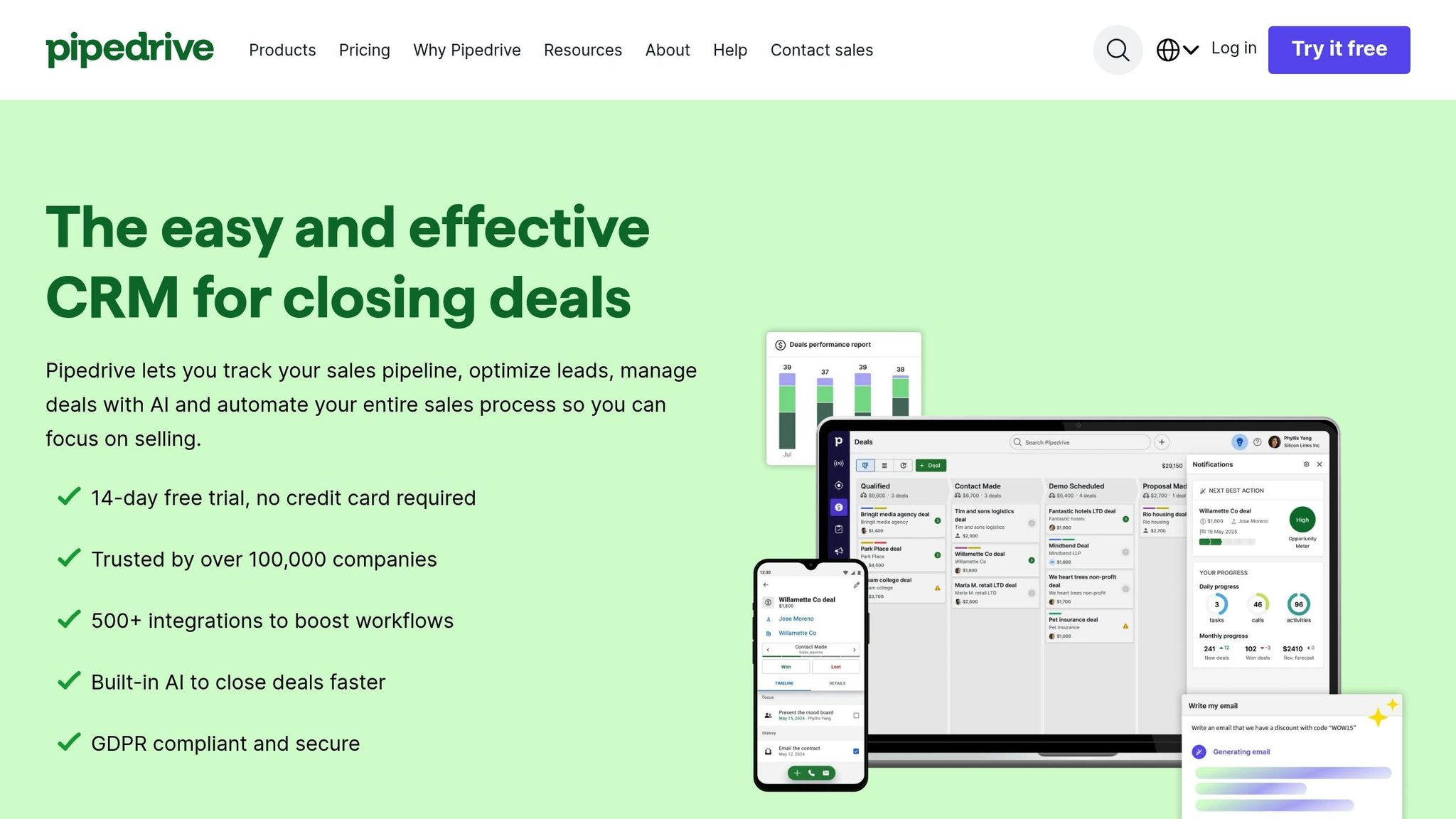
Unlike Salesforce and HubSpot, Pipedrive relies on third-party extensions to connect with LinkedIn, ensuring a smooth workflow for teams focused on expanding their outreach. Chrome extensions like LeadCRM, LinkPort, Surfe, or Kaspr act as the bridge, automatically capturing LinkedIn profile details, messages, and connection activity, and syncing them directly into Pipedrive. For instance, LeadCRM pulls essential information - names, job titles, organizations, and more - straight into the CRM. This eliminates the need for manual data entry, saving time and reducing errors by syncing contact details seamlessly [5]. This efficient data flow sets the stage for automated processes, making follow-ups more streamlined.
Automation Features
With these browser-based tools, sales reps can work directly on LinkedIn while syncing critical data to Pipedrive in real time. Many of these extensions also log LinkedIn messages and InMail history as activities in the CRM, ensuring that complete conversation histories are available alongside email and call logs. This centralized system allows sales teams to track every interaction without losing context. Plus, when a new LinkedIn contact is synced, Pipedrive can trigger automated workflows - like assigning tasks or sending follow-up emails - helping teams maintain timely and organized outreach [5]. These features make scaling LinkedIn interactions much more manageable.
Scalability for Outreach
Managing high volumes of prospects becomes far simpler with these integrations. By logging every LinkedIn interaction in Pipedrive, teams create a unified workflow that minimizes duplicate outreach and keeps the sales pipeline on track. Automation provided by these extensions boosts productivity by streamlining lead syncing and centralizing workflows [4][5]. This extension-based model is particularly effective for scaling, as reps can capture and sync leads instantly, cutting down on delays and ensuring a more efficient process.
sbb-itb-817c6a5
4. SalesMind AI
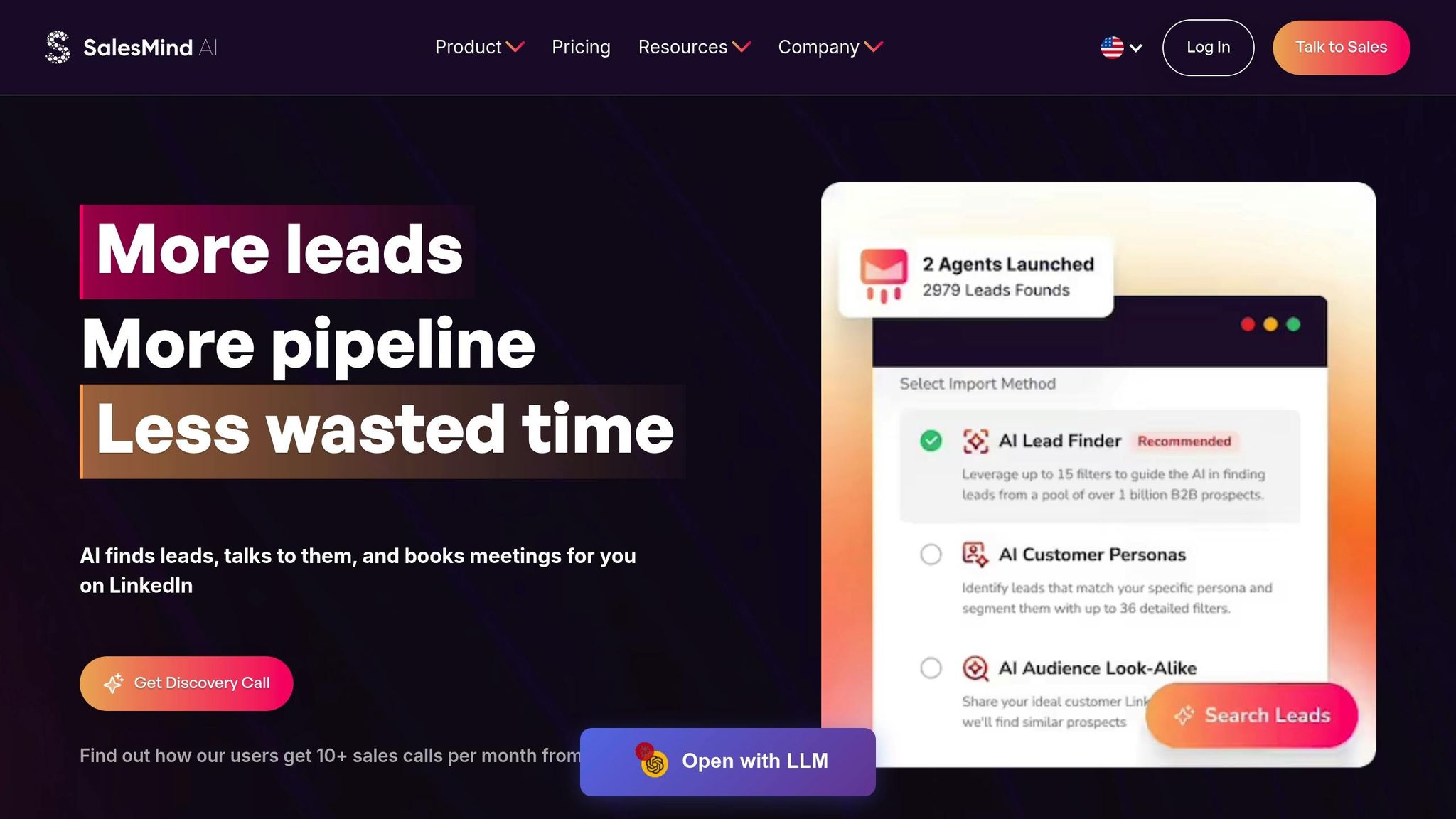
SalesMind AI changes the game for LinkedIn outreach by offering a fully integrated platform that doesn’t rely on third-party extensions. This approach simplifies and enhances the entire process, making it easier for teams to manage their outreach efforts.
Data Sync Efficiency
With its native LinkedIn integration, SalesMind AI eliminates the need for external tools. The platform captures all key LinkedIn activities and organizes them in a centralized dashboard. Here, teams can monitor lead interactions, manage lists, and track sequences in real time. Every prospect interaction is automatically logged, ensuring no data slips through the cracks [1]. This seamless integration provides the foundation for advanced features like lead scoring and automation.
Lead Scoring Capabilities
SalesMind AI uses an AI-powered lead scoring system to evaluate and prioritize prospects. By analyzing LinkedIn data and applying user-defined filters, the platform assigns scores to leads, helping teams zero in on the most promising opportunities.
Svit Babarovic of MountainDrop shared, "The lead scoring system is impressive." [1]
Automation Features
The platform takes care of time-consuming tasks with automated features, from sending personalized connection requests to managing follow-ups across multiple accounts. Its unified AI inbox consolidates LinkedIn replies and includes an AI assistant to help with responses, tagging, and setting reminders.
Henry F., an Enterprise Account Executive at Salesforce, noted that after just 8 days of using the platform, he was receiving 4–5 responses daily and automating tasks that previously took days or weeks to complete manually. [1]
Scalability for Outreach
For teams handling large-scale outreach, SalesMind AI delivers noticeable productivity improvements.
Alex L., CTO at Slash Co, stated, "The platform boosted my productivity in lead prospecting by 10x" within the first week, resulting in 5–10 new conversations weekly. Similarly, Roberto K., Chief Product Officer at aCommerce, highlighted how the platform allowed his team to reach hundreds or even thousands of prospects effortlessly, making high-volume prospecting much more manageable. [1]
Strengths and Weaknesses
LinkedIn CRM Integration Comparison: Features and Scalability
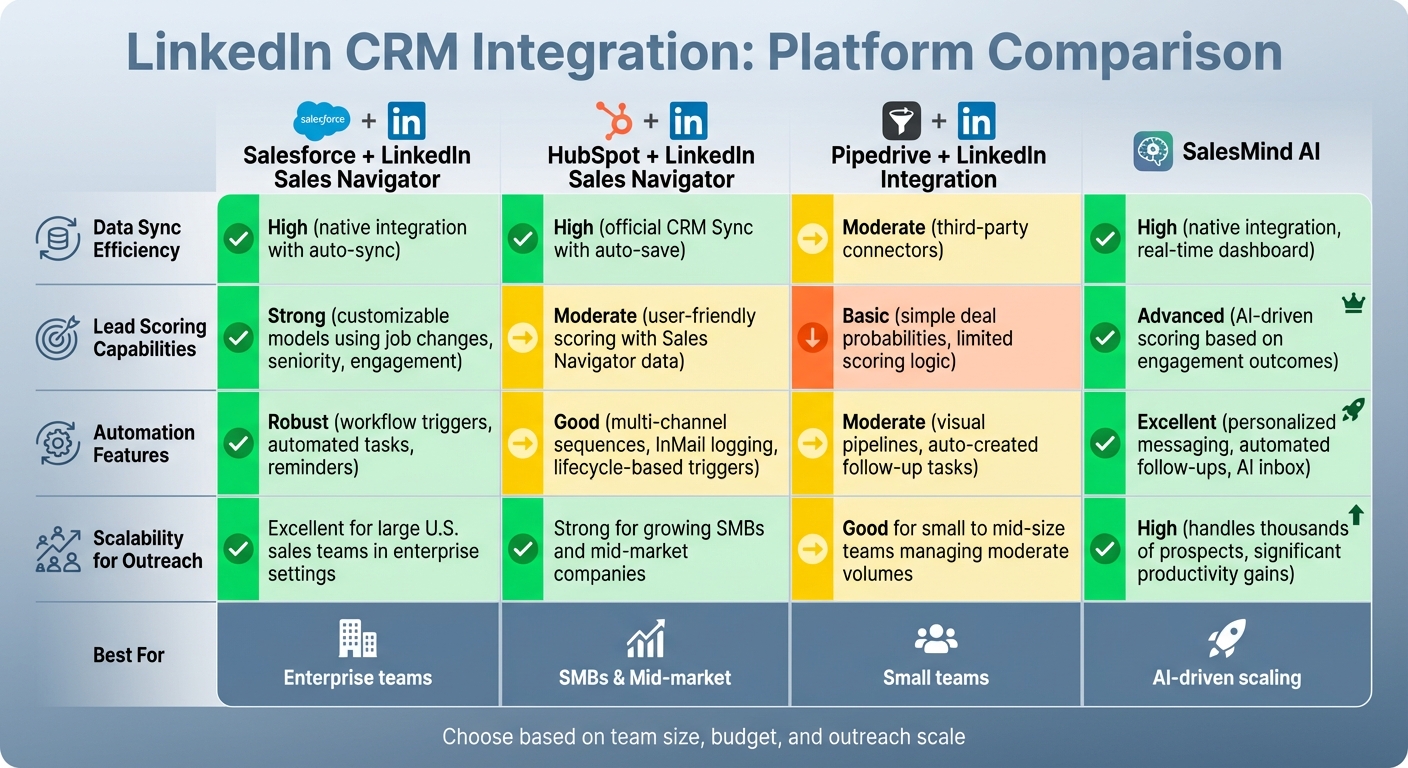
Each platform brings its own set of advantages and challenges when it comes to LinkedIn-CRM integration, catering to different team sizes, budgets, and operational needs.
Salesforce + LinkedIn Sales Navigator is ideal for large enterprise teams juggling complex territories and high volumes of records. It shines with its ability to auto-sync contacts, InMails, and leads while supporting advanced scoring models that consider job changes and engagement. However, setting it up and managing it can be tricky - it often requires experienced Salesforce administrators or RevOps specialists. The cost and complexity also make it less appealing for smaller teams. Still, for enterprise-level U.S. sales teams, this solution offers scalable and effective outreach.
HubSpot + LinkedIn Sales Navigator provides a more intuitive experience. Its official CRM Sync automatically saves leads and activities, eliminating the need to switch between tabs. Sales and marketing managers can adjust scoring easily without heavy reliance on IT. It also enables seamless multi-channel follow-ups, triggering email sequences, InMails, and calls based on lifecycle stages. On the downside, the high cost of Sales Navigator Advanced Plus and the potential for over-automation (leading to message fatigue) are notable concerns. This solution is particularly well-suited for growing SMBs and mid-market companies aiming for scalable outreach.
Pipedrive + LinkedIn Integration is a straightforward option for small teams. It offers visual pipelines and basic automation, leveraging LinkedIn data to set deal probabilities and schedule follow-up tasks. However, it depends on third-party connectors for LinkedIn sync, which can limit data volume and sync frequency. Additionally, its scoring logic is less sophisticated, making it less effective at capturing nuanced buying signals compared to enterprise-focused platforms. Nonetheless, it’s a practical choice for small to mid-size teams managing moderate outreach volumes.
SalesMind AI stands out with its native LinkedIn integration and AI-powered lead scoring, which adjusts dynamically based on engagement outcomes. It also offers automated, personalized messaging and a unified inbox for managing LinkedIn interactions. Users have reported significant productivity boosts, with noticeable increases in daily responses and prospecting efficiency. That said, some users have found the onboarding process a bit challenging, suggesting room for improvement in feature discovery. Still, its ability to handle thousands of prospects efficiently makes it an excellent choice for teams looking to scale their outreach efforts.
The table below provides a quick comparison of these platforms:
| Platform | Data Sync Efficiency | Lead Scoring Capabilities | Automation Features | Scalability for Outreach |
|---|---|---|---|---|
| Salesforce + LinkedIn Sales Navigator | High (native integration with auto-sync) | Strong (customizable models using job changes, seniority, and engagement) | Robust (workflow triggers, automated tasks, reminders) | Excellent for large U.S. sales teams in enterprise settings |
| HubSpot + LinkedIn Sales Navigator | High (official CRM Sync with auto-save for leads and activity) | Moderate (user-friendly scoring with Sales Navigator data) | Good (multi-channel sequences, InMail logging, lifecycle-based triggers) | Strong for growing SMBs and mid-market companies |
| Pipedrive + LinkedIn Integration | Moderate (third-party connectors and Chrome extension enrichment) | Basic (simple deal probabilities, limited scoring logic) | Moderate (visual pipelines, auto-created follow-up tasks) | Good for small to mid-size teams managing moderate volumes |
| SalesMind AI | High (native integration, real-time dashboard, automatic logging) | Advanced (AI-driven scoring based on engagement outcomes) | Excellent (personalized messaging, automated follow-ups, AI inbox) | High (handles thousands of prospects, significant productivity gains) |
Conclusion
Selecting the right LinkedIn–CRM integration depends on factors like your team size, budget, and long-term growth goals. For large enterprises that require extensive customization and strict operational controls, Salesforce with LinkedIn Sales Navigator is a great option. While it demands a higher investment, it delivers advanced customization and measurable revenue results.
For small to medium-sized businesses (SMBs), HubSpot combined with LinkedIn Sales Navigator is a practical choice. It’s perfect for businesses in the U.S. that rely on inbound marketing and need a streamlined, low-maintenance solution for LinkedIn outreach. Its rapid setup and standardized workflows make it easy to implement without a steep learning curve.
Startups and smaller sales teams can benefit from Pipedrive with LinkedIn integration. It offers an affordable, quick-to-deploy solution that enhances pipeline visibility without the complexity of enterprise tools.
For teams of any size looking to incorporate AI-driven automation, SalesMind AI stands out. Its native LinkedIn integration enables efficient management of thousands of prospects while maintaining a personalized approach. Users consistently highlight productivity boosts, with the platform earning a 4.7 rating on G2 and a perfect 5 on the Chrome Store [1]. Features like a unified inbox, advanced lead scoring, and automated follow-ups make it an excellent choice for scaling outreach efforts without adding extra team members.
Each of these platforms addresses different needs, ensuring there’s a solution tailored to your operational goals.
FAQs
How does integrating LinkedIn with a CRM boost sales productivity?
Integrating LinkedIn with a CRM simplifies sales processes by automating essential tasks such as finding leads, qualifying them, and initiating outreach. This means less time spent on repetitive manual work and more time for sales teams to concentrate on forming genuine relationships and closing deals efficiently.
With this integration in place, businesses can expand their outreach efforts, monitor interactions more accurately, and engage prospects with tailored follow-ups. These advantages help create a healthier sales pipeline while boosting overall team productivity.
What should you look for in a LinkedIn CRM integration?
When choosing a LinkedIn CRM integration, there are a few essentials to keep in mind. Start by ensuring it’s compatible with your existing CRM system and fits seamlessly into your current workflow. This will help avoid disruptions and make the transition smoother.
Look into its automation capabilities - features like personalized outreach and automated follow-ups can save time and make scaling your connections much easier.
Don’t overlook data security and privacy. Make sure the integration safeguards sensitive information and complies with U.S. standards for currency, dates, and measurements. Lastly, a user-friendly interface and the ability to adapt as your business grows are key factors for long-term success.
How can automation improve LinkedIn outreach?
Automation can transform LinkedIn outreach by making it more efficient and effective. With the help of automation tools, businesses can send customized messages to a large audience, ensuring each recipient feels the communication is tailored specifically to them - without the need for manual input.
These tools also excel at lead qualification, helping identify prospects with the highest potential and prioritizing them for engagement. By automating tasks like follow-ups and other repetitive activities, companies free up valuable time. This allows them to concentrate on fostering genuine relationships, ultimately achieving better outcomes in less time.
 JG
JG