

.avif)




Find out how our users get 10+ sales calls per month from LinkedIn.
White label LinkedIn outreach lets agencies manage lead generation for clients while maintaining the client’s branding. With 94% of B2B marketers using LinkedIn, it’s the top platform for connecting with decision-makers. But success requires precision: personalized messages, targeting the right audience, and using automation tools effectively.
Here’s a quick guide to mastering LinkedIn outreach:
- Target the right audience: Use LinkedIn filters to identify decision-makers based on job titles, industries, and company size.
- Optimize profiles for branding: Ensure profiles look professional with clear photos, branded banners, and measurable results in the experience section.
- Personalize outreach: Tailor connection requests and follow-ups to address specific prospects’ needs and interests.
- Use safe automation tools: Tools like cloud-based platforms can scale outreach without violating LinkedIn’s limits.
- Track performance: Measure key metrics like connection acceptance rate (aim for 50%+) and reply rate (30%+).
This approach combines personalization, safe scaling, and data-driven adjustments to deliver consistent results for your clients.

LinkedIn Outreach Performance Benchmarks and Key Statistics
AI Agents That Sell for You | White Label Suite Demo
Define Your Target Audience and Selection Criteria
Targeting the right audience transforms random outreach into a steady flow of qualified leads. With LinkedIn boasting over 1 billion members, including 61 million senior-level influencers and 40 million decision-makers [3], the challenge isn’t finding people - it’s finding the right people. Even the most well-crafted outreach messages will fail if they land in front of individuals who don’t need your solution or lack the authority to make decisions.
"Success in sales often hinges on the quality of connections rather than the quantity." - LinkedIn Sales Solutions [6]
The key is to create a target list that aligns with your client’s Ideal Customer Profile (ICP) while keeping the scope broad enough to maintain volume. Overly narrow targeting can actually reduce response rates, so finding the sweet spot is essential [5]. Start by outlining who should see your message, then use LinkedIn’s filters to refine your search systematically.
Identify Demographics and Firmographics
Demographics and firmographics are the backbone of any targeting strategy. Demographics include factors like job title, seniority, experience, and department. Firmographics, on the other hand, focus on industry, company size, annual revenue, and location. Together, these elements ensure your outreach reaches decision-makers who align with your client’s business model.
But don’t stop there. Consider technographics, which look at the prospect’s current technology stack and software needs, helping you identify areas where your service can provide value [6]. Psychographic and behavioral insights are also crucial. Scan LinkedIn profiles for keywords like "growth mindset" or "culture-focused", which can reveal professional values and business priorities [4][5][6]. Additionally, tools like the BANT framework (Budget, Authority, Need, and Timing) can help you qualify and rank leads based on their likelihood to convert [6].
Take advantage of LinkedIn’s networking features. Use the "Connections Of" filter to leverage mutual connections for warm introductions [4]. Similarly, the "People Also Viewed" section can help you discover prospects who share similarities with your top-performing leads [4]. These tactics allow you to expand your reach without losing relevance.
Use Data to Segment Your Audience
Segmentation turns generic outreach into tailored communication that resonates with each prospect’s unique challenges [2]. AI-powered tools can analyze hundreds of profiles daily, pinpointing high-probability leads far faster than manual methods ever could [1]. By dividing your audience into smaller, more focused groups based on shared traits or behaviors, you can lower your cost per lead while boosting response rates [5].
Combine explicit data - like job titles, locations, and company sizes - with implicit data, such as website activity, social media engagement, or trigger events like leadership changes or mergers [6]. For instance, pairing job functions with seniority levels ensures your message gets to decision-makers rather than mid-level employees [7]. Timing is also critical. Monitor events like company expansions or funding announcements to reach prospects when they’re most likely to need your solution [6].
To prioritize effectively, implement lead scoring by assigning points based on how closely prospects match your ICP and their engagement levels. This helps you focus on the most promising opportunities first [6]. With precise segmentation, you can scale personalized outreach while maintaining relevance and impact.
Set Up LinkedIn Profiles for Client Branding
Your LinkedIn profile often serves as the first impression for potential prospects - even before they read your message. Did you know that 49% of buyers research sales professionals on LinkedIn before engaging, and 50% avoid professionals with incomplete profiles? [8]. When managing white label campaigns, it's vital that profiles reflect your client's brand identity while also fostering trust with decision-makers.
"A LinkedIn Sales Profile is more than a resumé. It's a proxy for the experience of doing business with you, and a way to add value to your brand." - LinkedIn Sales Solutions [8]
The objective is to craft a profile that looks polished, aligns seamlessly with your client’s branding, and communicates their value proposition clearly. Every detail should inspire confidence and encourage engagement. By focusing on these elements, you create profiles that not only mirror your client’s identity but also capture the attention of decision-makers right away.
Create Professional Branded Profiles
Start with a high-resolution profile photo (400x400 pixels) that showcases 60–70% of the face against a neutral or branded background [8][11]. This isn’t just about looking professional - it’s about ensuring the profile visually aligns with your client’s brand. The background banner, sized at 4000x4000 pixels, should incorporate brand colors, the logo, and a clear value statement or call-to-action [8][10].
The headline is a crucial piece that many profiles overlook. Instead of just listing a job title, use a value-focused formula that highlights who you help and the results you deliver. Keep it concise - between 180–220 characters - and include relevant keywords [10][11]. For instance, Zaria Parvez from Duolingo uses her headline and banner to emphasize her success in growing Duolingo’s TikTok account from 50,000 to over 5 million followers [12].
The "About" section should be written in the first person, starting with a hook, showcasing client outcomes, and ending with a clear call-to-action. Incorporate social proof wherever possible, and keep the tone authentic and clear [10][11].
Claim a custom LinkedIn URL, set the profile to public visibility, and complete all contact details. This includes tools like name pronunciation and links to portfolios or booking pages [8][10].
Showcase Experience and Results
The experience section should emphasize measurable results, not just job responsibilities. Use strong action verbs like “Spearheaded,” “Transformed,” or “Increased” to convey impact [9][10]. For example, instead of writing “Responsible for sales,” try “Generated $500,000 in revenue” and include specific timeframes for context [10].
"Your LinkedIn profile is more than a digital resume. It's a conversion tool that drives visibility, credibility, and opportunities." - Malay Gupta, VP of Growth & Operations, Growleads [11]
The Featured section acts as visual proof of expertise. Include 3–6 key items, such as case studies, testimonials, videos, or presentations [10][11]. This creates an immediate “wow” factor for visitors. Use the "2 and 5" rule: limit rich media to five pieces in the summary and two per job entry to keep the profile easy to scan [8].
Secure at least three recent recommendations (within the last 12–18 months) from credible peers or clients [8][11]. These should highlight specific problems solved rather than offering generic praise. Lastly, list 20–30 skills, prioritizing the top three that align with your client’s branding goals [10][11]. Use LinkedIn’s skill assessments to earn “Verified Skills” badges, which provide an extra layer of credibility for potential buyers [8].
Build Personalized Outreach Sequences at Scale
White label campaigns face the challenge of combining large-scale outreach with a personal touch. Here's a striking fact: multi-contact sequences can increase response rates by 160%. Yet, 70% of salespeople give up after just one message, even though 80% of B2B sales require at least five follow-ups to close [14].
The secret is crafting outreach sequences that seamlessly merge automation with personalization. AI tools can help by pulling details like profile information, recent posts, and company updates [13]. This lets you add relevant, specific touches to each message without spending hours on manual research.
Write Connection Requests and Messages
Start with a concise, relevant connection request. Mention something that resonates - like a recent post they shared, a mutual connection, or a challenge their business might be facing.
Once they accept your request, your first follow-up message should immediately offer value. Explain why you’re reaching out now, reference something specific about their work, and include a soft call-to-action to keep the conversation easy and approachable. Did you know personalized subject lines can boost response rates by 30.5%? [14] And while the average invite acceptance rate is around 37%, top performers achieve over 40% - sometimes even 50% - by leaning heavily on personalization [13].
After establishing that initial connection, it’s time to shift into a well-structured follow-up strategy.
Automate Follow-Ups with Personal Touches
A consistent follow-up sequence is key to keeping the dialogue alive. Tools like SalesMind AI can handle this process for you, automating follow-ups while maintaining a human tone. For example, you can schedule follow-ups on Days 3, 7, 14, and 30, depending on the situation [14]. This method ensures scalability while safeguarding your client’s brand identity.
"Triggers automate tasks, prompt timely follow-ups, and sustain sales consistency." – Outreach.io [14]
Timing matters more than you might think. Responding to a lead within the first hour significantly increases your chances of conversion, and following up within 24 hours can lift response rates by 60% [14]. Each follow-up should feel like a natural extension of the last - whether you’re sharing a case study, offering industry insights, or posing a thoughtful question. When paired with AI-driven personalization, these efforts can boost response rates by as much as 300% compared to generic templates [14].
Use Safe Automation and Track Campaign Performance
Scaling personalized outreach can be tricky, but safe automation makes it possible without risking your credibility. While automation is a powerful tool for white label campaigns, exceeding safe limits - like sending more than 100 messages per week - can lead to account flags. To avoid this, start small when warming up new or dormant LinkedIn profiles. Gradually increase activity while fostering genuine engagement through actions like liking, commenting, and sharing. Active profiles not only perform better but are also less likely to face restrictions. Once these precautions are in place, the right automation tools can help you scale effectively.
Use Cloud-Based Automation Platforms
When it comes to automation, cloud-based platforms are a step ahead of browser-based tools. Unlike browser-based systems that stop working when you close the tab, cloud-based platforms like SalesMind AI keep running 24/7. These tools manage multiple campaigns at once, simulating natural human behavior by spacing out connection requests and messages to avoid spam filters. They also track engagement and conversation history, making it easier to identify the best times for follow-ups. By automating repetitive tasks while maintaining a personal touch, these platforms allow you to expand your white label efforts safely and efficiently.
Schedule Outreach for Better Response Rates
Timing matters just as much as the tools you use. Scheduling outreach to align with natural work patterns can significantly improve response rates. Avoid sending messages during peak industry times, and use A/B testing to fine-tune your approach. Experiment with different message lengths, subject lines, and calls-to-action to see what resonates most. Pay attention to engagement signals - like profile views or content interactions - and adjust your follow-up timing accordingly. If a prospect doesn’t respond after several attempts over two months, it’s better to stop active outreach to protect your sender reputation. Intelligent workflows can then step in, tailoring follow-ups to feel personal and relevant based on the prospect’s activity. This ensures your outreach remains effective without coming across as overly automated.
sbb-itb-817c6a5
Follow Up Regularly and Use Multiple Channels
One message alone rarely seals the deal. In fact, 37.5% of replies come from the first outreach, while the second touchpoint still generates an impressive 31.5% reply rate [15]. This means nearly two-thirds of potential responses happen during follow-ups, not the initial contact. Yet, many white label campaigns stop after just one or two attempts, leaving valuable opportunities untapped.
The key is persistence - balanced with professionalism. Reaching out through multiple channels, like LinkedIn and email, increases your chances of connecting with prospects. For instance, if someone overlooks your LinkedIn message during a hectic week, an email might catch their attention when the timing is better. Since 80% of B2B leads from social media come from LinkedIn [1], combining it with email creates a safety net that boosts your odds of engagement.
Create a Follow-Up Schedule
To keep prospects engaged, plan a follow-up schedule that feels natural and avoids overwhelming them. A popular and effective approach is the Fibonacci sequence method: send messages on days 1, 2, 3, 5, 8, and 13 [15]. This strategy starts with frequent touchpoints to grab attention early, then spaces them out to avoid coming across as pushy.
For new connections who don’t respond to your first message, wait 72 hours (or 3 business days) before sending your first follow-up [15]. This gives them time to notice your message without feeling rushed. Aim for 3–5 well-timed follow-ups. After the fourth touchpoint, reply rates drop to around 8% [15], so it’s wise to pause active outreach and shift to a more passive approach, like nurturing through content or occasional check-ins.
Connect CRM and Email Tools
To streamline multi-channel outreach, integrate your CRM with LinkedIn and email tools. Platforms like HubSpot or Salesforce can sync LinkedIn activity and email interactions, automatically updating contact records [13][16]. This eliminates tedious manual updates and ensures no lead slips through the cracks.
A unified inbox can also simplify communication by consolidating LinkedIn messages and emails. When a prospect replies on any channel, automation tools remove them from further outreach sequences, keeping the experience professional [16]. This kind of seamless coordination allows you to focus on building meaningful relationships instead of juggling multiple platforms, which ultimately leads to better results for your white label clients.
Organize Leads and Measure Campaign Results
Once you've nailed down targeted segmentation and personalized follow-ups, the next step is organizing your leads and keeping a close eye on campaign performance. After launching your outreach efforts, it’s essential to track and manage leads effectively. Without proper organization, you risk missing out on potential opportunities and won’t have a clear picture of which campaigns are actually working. Here’s a key stat to keep in mind: companies that use lead segmentation are 7x more likely to generate higher-quality leads [17]. So, categorizing contacts and monitoring results isn’t just helpful - it’s non-negotiable.
Group Leads by Engagement Level
Let’s face it: not every lead is ready to sign on the dotted line today. Some need immediate attention, while others require a little more time and nurturing. To stay on top of things, classify your leads into categories like MQLs (Marketing Qualified Leads), SQLs (Sales Qualified Leads), or SALs (Sales Accepted Leads). This approach helps you focus on the right priorities.
- MQLs are in the research phase, downloading content or exploring resources.
- SQLs are actively asking about pricing or requesting demos.
- SALs are those that the sales team has reviewed, accepted, and committed to pursuing.
"A SAL is an MQL that the sales team has reviewed, accepted as legitimate, and committed to pursuing." - Maria Akhter, Editor, Outreach [18]
If those labels feel too formal, you can simplify things with tags like “hot leads” for prospects showing strong buying signals, “nurture leads” for those needing more education, or “engaged but no reply” for people who’ve interacted with your content but haven’t responded [21]. The key is to establish clear handoff points between marketing and sales to ensure no lead slips through the cracks. This is especially important when transitioning an MQL to an SQL. And here’s another stat worth noting: 65% of B2B buyers choose vendors who demonstrate a deep understanding of their company and specific needs [17]. By organizing leads effectively, you can deliver the right message at the right time and boost your chances of success.
Track Key Performance Metrics
Once your leads are organized, it’s time to measure how well your campaigns are performing. But don’t just count connection requests - dig deeper. Focus on metrics that show how prospects are moving through your funnel and whether your outreach is creating real opportunities. Some key KPIs to track include:
- Connection Acceptance Rate: Aim for 50% or higher.
- Message Reply Rate: 30% or more is a solid benchmark.
- Positive Reply Rate: Shoot for 40% or higher.
- Meeting Conversion Rate: Target around 30%.
- Deal Conversion Rate: A healthy goal is 5% [19][20].
"You can't underestimate the power of monitoring your LinkedIn outreach stats. Just like with cold email, LinkedIn automation is all about optimization, knowing what's working and what needs to be adjusted." - Zack Olivas, Founder & CEO, LeadLoft [20]
To make tracking easier, integrate LinkedIn data with a CRM like Salesforce or HubSpot. This will help you measure ROI and pinpoint which campaigns are driving revenue [19][21]. Keep in mind that most LinkedIn responses come within the first 48 hours [19], so it’s a good idea to review your metrics weekly. If a campaign isn’t performing as expected, you can catch it early and make adjustments. Experiment with A/B testing - try different subject lines, shorter messages (under 150 words), and varying calls-to-action to see what resonates best [19][3]. By consistently monitoring these KPIs, you’ll be able to create detailed performance reports that show clients exactly how your white-label campaigns are delivering results.
Use SalesMind AI for White Label Campaigns
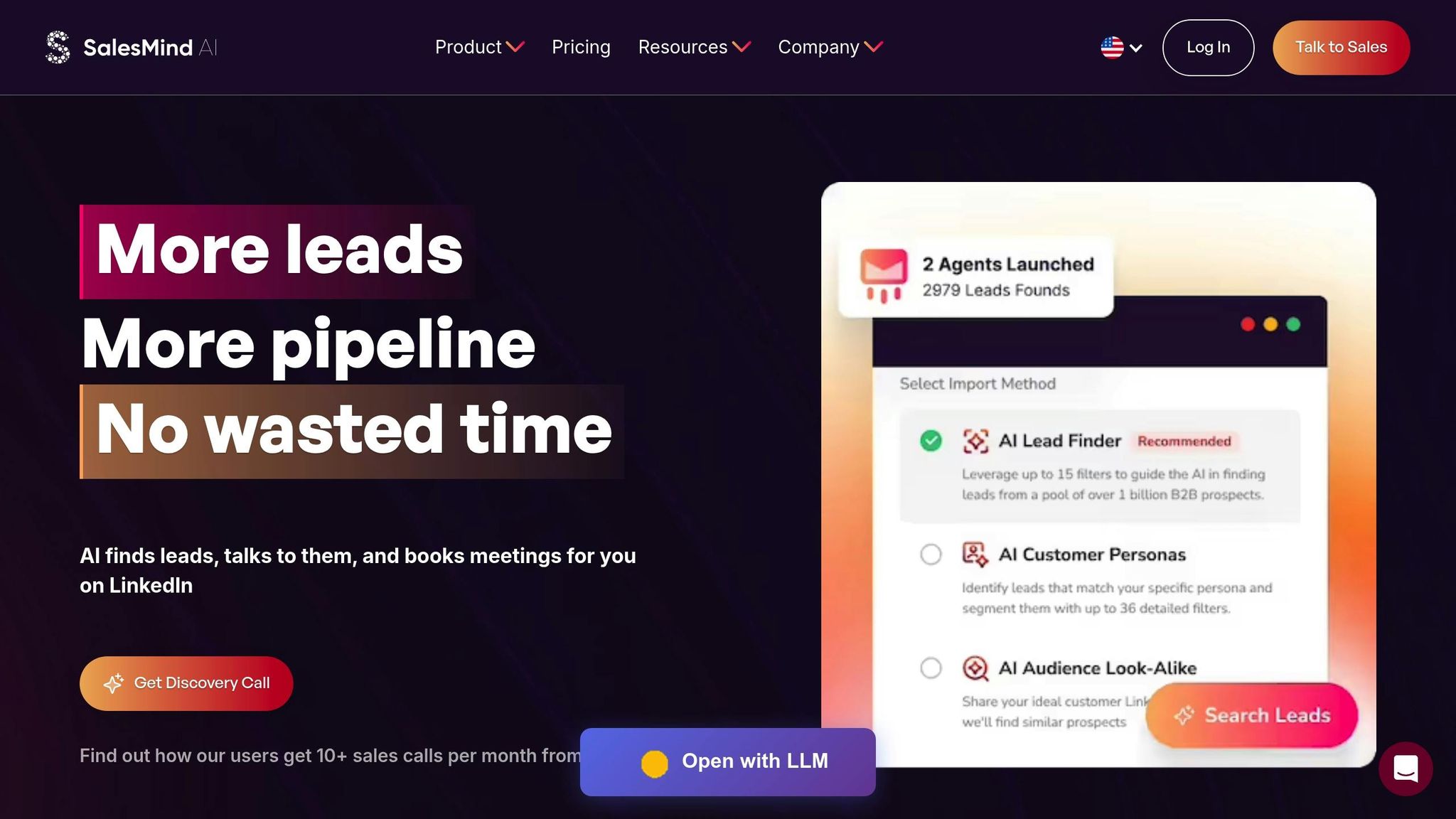
If you're running white-label LinkedIn outreach campaigns, you know the importance of back-end automation that aligns with your agency's branding. SalesMind AI is designed specifically for this purpose. It automates outreach, manages leads, and delivers results - all while keeping your branding front and center. The platform offers complete white-label customization, allowing you to tailor the tool with your agency's name, colors, logos, and even unique subdomains. And the best part? You don't need a development team to make it happen. So far, users have sent over 3 million hyper-personalized messages and generated more than $86 million in pipeline revenue [22]. Let’s take a closer look at how SalesMind AI simplifies every aspect of your white-label strategy, from outreach to reporting.
Automate Personalized Messages and Follow-Ups
Scaling outreach often comes at the cost of personalization - but not with SalesMind AI. The platform integrates directly with LinkedIn to create customized connection requests and follow-ups based on prospect data. For example, you can set up a sequence like this:
- Day 1: "Hi [Name], your insights on [specific post] align with our expertise in [agency service]."
- Day 3: A value-driven message.
- Day 7: A follow-up featuring a case study.
These messages are kept under 100 words, which has been shown to boost response rates by 50%. Plus, the added personalization can increase engagement by another 15% [24]. For even better results, schedule messages for Tuesdays or Wednesdays between 9:00 AM and 4:00 PM - this timing has been proven to drive 10% higher engagement [23][24]. And since all communications carry your agency’s branding, clients will see your logo, fonts, and colors - not a third-party tool.
Apply Lead Scoring and Unified Inbox Features
Managing large volumes of prospects can quickly become overwhelming. That’s where SalesMind AI’s lead scoring system comes in. It assigns scores based on key engagement signals like profile views, content interactions, and response rates [23][24]. Leads with scores above 80 can be flagged for immediate follow-up, while lower scores can be funneled into nurture sequences.
The platform also includes an AI-powered unified inbox, which consolidates all LinkedIn messages, replies, and multi-channel interactions into one easy-to-navigate dashboard [24]. No more jumping between tabs or missing important conversations. Plus, the tool integrates seamlessly with your CRM and email systems, enabling a multi-channel approach that can triple engagement compared to using LinkedIn alone [24].
"What ultimately made me choose SalesMind was the service" - Camilo Cardoso, CEO of Monomo [22]
Create Branded Campaign Reports
When it comes to white-label campaigns, clients expect clear evidence of success. SalesMind AI makes it easy to deliver. The platform automatically tracks key metrics - like connection acceptance rates (averaging 40%), response rates (42%), and conversions - and turns them into professional, branded reports [22]. These reports are fully customizable and can include visuals like lead scoring data, outreach sequences, and ROI figures. You can export them as PDFs featuring your agency’s logo and even set up automated deliveries, so clients receive regular updates without any extra effort on your part.
"The tool provided 3x the results compared to other LinkedIn outbound tools" - Steven Huibers, COO of Policereports.ai [22]
With users generating an average of $100,000 in pipeline value per month [22], SalesMind AI gives you the numbers you need to show clients how your campaigns are driving real growth.
Stay Compliant and Improve Campaign Performance
Protecting your agency's reputation and your clients' LinkedIn accounts starts with following LinkedIn's strict automation rules. Combine these practices with the automation strategies we’ve already covered to keep your campaigns safe. At the same time, fine-tune your approach using actual performance data. The secret? Balancing safe automation with ongoing testing and adjustments.
Follow LinkedIn's Usage Rules
LinkedIn has clear restrictions when it comes to automation. Automated likes, comments, follows, and sending invitations that mimic human behavior without consent are not allowed [25]. Avoid using fake or duplicate profiles - every profile should represent an actual person or brand [25]. If you’re automating company page management, label those accounts as automated to maintain transparency [25].
"LinkedIn has clear guidelines around automation and bot use on their platform. As a professional network, they aim to ensure authentic connections between users." - Alex Gray, Lead Generation Expert [25]
On the other hand, LinkedIn generally permits automation for tasks like importing contacts or updating profiles in bulk, as long as it doesn’t involve outreach [25].
Test Different Message Variations
Once compliance is in check, focus on refining your messaging to boost engagement. Even small changes can make a big difference - tweaking your message to address specific problems can increase response rates by 45% [3]. Shorter messages tend to perform better, with those under 150 words seeing strong results in 2025 [3]. Messages under 400 characters outperform the average LinkedIn outreach message by 22% [26].
If your response rates fall below 15% to 25%, consider trying more personalized or concise messages [3]. Timing also matters - outreach sent between Tuesday and Thursday, from 9:00 AM to 4:00 PM local time, tends to perform best [3]. Experiment with formats too; video messages often lead to higher response rates [3]. Always test your approach with a small group before scaling up [3].
Refine Campaigns with Data
With compliance and messaging dialed in, use data to continuously improve your campaigns. Precision is key - just like with targeting and segmentation, ongoing data analysis helps maintain strong performance. Weekly trend reviews and KPI tracking can uncover patterns that guide timely adjustments [26]. A well-optimized LinkedIn outreach strategy can deliver a 72% connection acceptance rate and a 40% reply rate for follow-ups [26].
If your connection acceptance rate falls below 30%, it’s time to audit your invitation message, review your LinkedIn profile’s professionalism, and reassess your target audience criteria [26]. When A/B testing, let campaigns run for at least 48 hours to gather enough data before drawing conclusions [26]. Use equal-sized samples (50% original and 50% variant) to keep activity consistent and avoid triggering LinkedIn’s automation detection [26]. Lastly, regularly clean up pending invitations to maintain the health of your account [26].
Conclusion
Running a successful white label LinkedIn outreach campaign boils down to a few essential strategies. It all starts with defining a clear Ideal Customer Profile (ICP). By leveraging demographics and firmographics, you can ensure your connection requests land in front of the right people.
Personalization is the secret ingredient that makes outreach stand out. For example, referencing a prospect's recent post can boost response rates by 27%, while keeping messages concise - under 300 characters - can increase responses by 19% [27].
To take things further, automation tools can help you scale without losing that personal touch. Platforms like SalesMind AI streamline the process by automating connection requests and follow-ups, allowing you to focus on crafting your strategy. With features like a unified inbox and advanced lead scoring, tools like these help you prioritize high-value prospects and maintain consistent communication. Given that 58% of LinkedIn leads are now automated through partner solutions [28], choosing the right tool is crucial for scaling your efforts effectively.
Regularly tracking metrics like connection acceptance, response rates, and conversions is equally important. If your performance dips, revisit your messaging, refine your targeting, and experiment with different message variations. Strong B2B campaigns typically see response rates ranging from 10% to 25% [27].
Lastly, staying compliant with LinkedIn’s guidelines is non-negotiable. Clean up pending invitations frequently and schedule outreach during optimal times - midweek business hours, ideally Tuesday through Thursday between 9:00 AM and 4:00 PM - to avoid overcrowded inboxes. By blending strategic targeting, authentic personalization, and smart automation, you’ll set the stage for LinkedIn outreach success.
FAQs
How can I make sure my LinkedIn outreach connects with the right decision-makers?
To connect with the right decision-makers on LinkedIn, begin by defining your ideal customer profile (ICP). LinkedIn’s advanced search filters can help you narrow down potential prospects based on factors like industry, company size, and seniority level. Once you’ve compiled a list of prospects, use AI-powered lead scoring tools to identify and prioritize the most promising leads.
Keep an eye on key metrics such as connection acceptance rates and response rates. Regularly analyzing this data will allow you to fine-tune your outreach strategy, ensuring your targeting becomes sharper and more effective over time.
How can I effectively personalize LinkedIn messages at scale?
To tailor LinkedIn messages for a larger audience without losing the personal touch, start by breaking your audience into smaller, targeted groups. These groups could be based on factors like job titles, industries, or company sizes. Then, use dynamic fields in your message templates to automatically add personalized details, such as the recipient’s name, role, company, or even recent accomplishments.
Make sure your messages are short, to the point, and conversational to keep them engaging and genuine. Don’t forget to analyze and tweak your strategy over time by monitoring response rates and fine-tuning your templates. And most importantly, always operate within LinkedIn’s compliance guidelines to keep your outreach professional and effective.
How can I use LinkedIn automation tools effectively without risking account restrictions?
To safely use LinkedIn automation tools while adhering to the platform's rules, here are some practical tips to keep in mind:
- Choose a tool that mimics human behavior: Look for tools that vary the timing of messages, introduce delays, and personalize outreach efforts. This helps make your activity appear more natural.
- Stick to daily activity limits: For free accounts, keep connection requests between 10–20 per day and limit messages to 50–100 daily to avoid triggering LinkedIn's spam filters.
- Make every message personal: Include specific details like the recipient’s name, their company, or recent updates they’ve shared. This makes your outreach feel authentic and less automated.
- Avoid repetitive actions: Spread your activity across the day, using random intervals to break up predictable patterns.
- Keep an eye on your account: Watch for warnings or restrictions. If you notice any, reduce your activity levels to avoid further issues.
By following these guidelines, you can expand your LinkedIn network safely while minimizing the risk of account restrictions.
Have You Ever Experienced Sales Done by AI?