

.avif)




Find out how our users get 10+ sales calls per month from LinkedIn.
Manually managing LinkedIn networking takes time - 10–20 hours weekly for tasks like sending connection requests, writing messages, and following up. Automating these tasks can save you up to 40 hours a week while increasing efficiency. Tools like SalesMind AI help you:
- Automate outreach with AI-driven personalization, achieving a 40% connection acceptance rate and 45% reply rate.
- Scale efforts to reach thousands of prospects daily, generating an average monthly pipeline value of $100,000.
- Manage leads, follow-ups, and responses with features like lead scoring, a unified inbox, and CRM integration.
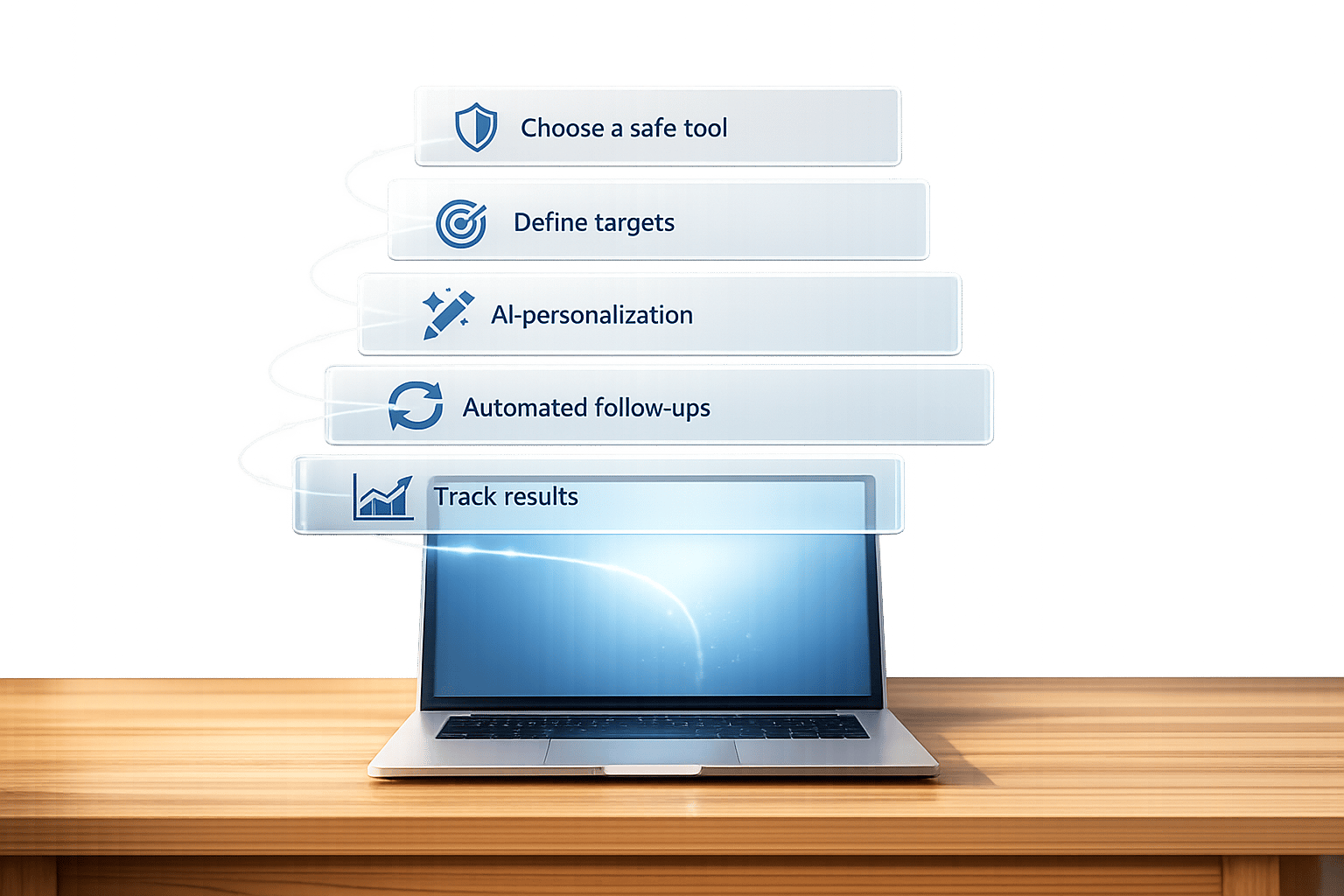
Here’s how to automate LinkedIn networking in 5 steps:
- Choose a reliable automation tool (e.g., SalesMind AI) that prioritizes account safety and streamlines outreach.
- Define your target audience using filters like industry, job title, and lead scoring to prioritize high-value prospects.
- Build personalized campaigns with AI-powered messaging tailored to each lead’s profile and activity.
- Automate follow-ups with response-based triggers to nurture relationships without manual effort.
- Track results with analytics to refine your strategy and improve performance.
Automation saves time, boosts productivity, and ensures consistent, high-quality outreach.

5 Steps to Automate LinkedIn Networking with Key Metrics
How to Automate your LinkedIn with AI (Full Tutorial with Prompts)
Step 1: Choose Your LinkedIn Automation Tool
Picking the right automation tool is a key step in building your LinkedIn networking strategy. The tool you choose should prioritize account safety, offer strong automation features, and fit within your budget.
When it comes to safety, look for tools that use randomized actions and enforce smart limits to align with LinkedIn's guidelines. Cloud-based tools are especially useful, as they can run campaigns continuously while mimicking natural user behavior to minimize risks.
Why Use SalesMind AI
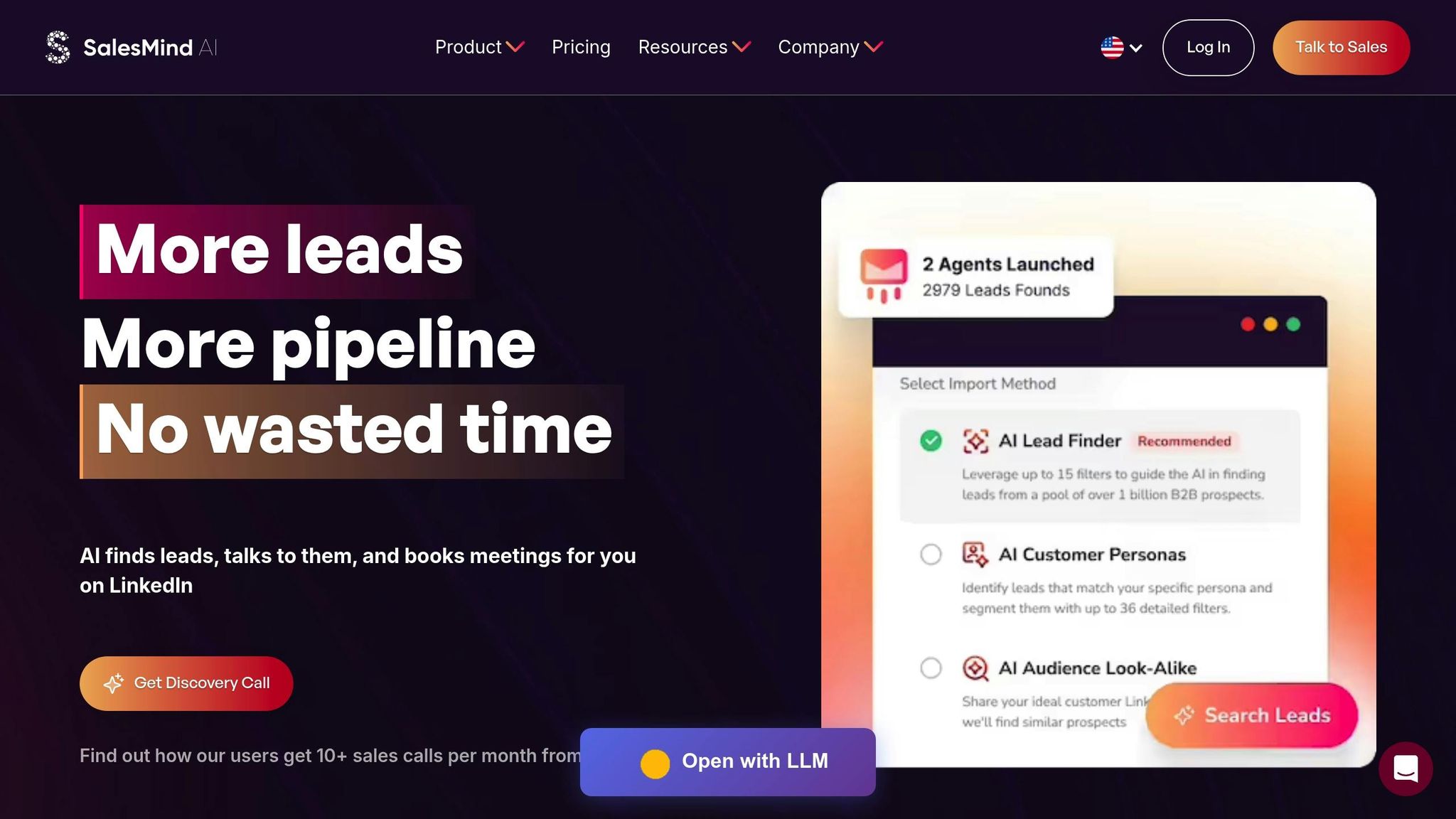
If you're looking for a reliable, efficient solution for LinkedIn networking, SalesMind AI stands out as an excellent option.
SalesMind AI offers an all-in-one platform for LinkedIn outreach. It manages every step of the process, from profile visits and connection requests to multi-step messaging sequences. With its AI-powered personalization engine, it creates highly relevant messages, achieving a 40% connection acceptance rate and a 45% reply rate [2][3].
The platform also simplifies communication with its unified AI inbox, which consolidates responses, automatically tags them, and even suggests replies. Its advanced lead scoring system helps you focus on high-value prospects by filtering out less promising leads. Plus, campaigns run seamlessly around the clock, even when you're not online.
"SalesMind AI has transformed our lead generation process. The platform's intuitive interface and smart automation features have significantly boosted our sales efficiency."
- Svit Babarovic, Chief Operating Officer, Mountaindrop
SalesMind AI's integration capabilities are another big plus. It connects directly with Sales Navigator, allowing you to pull lead search results and saved lists into your campaigns instantly. Additionally, its CRM sync feature exports leads and campaign data, making follow-up management smoother and more efficient.
Setup Requirements
Getting started with SalesMind AI is quick and straightforward. You can connect your LinkedIn account to the cloud platform in just a few minutes. The platform is designed to mimic natural user behavior, reducing the risk of triggering LinkedIn's restrictions.
Choose from three plan options based on your needs:
- Basic: Ideal for entry-level features.
- Professional: Includes advanced lead scoring, a unified inbox, and CRM integration.
- Enterprise: Offers custom integrations and dedicated support.
SalesMind AI has earned high ratings, including 4.7/5 on G2 and 5/5 on the Chrome Store. Users frequently highlight its intuitive design and responsive customer support. Best of all, no technical expertise is needed to get started.
Once your tool is set up, the next step is to define your target audience for more precise and effective outreach campaigns.
Step 2: Define Your Target Audience and Lead Scoring
Before launching any outreach campaign, it's crucial to clearly define your target audience. Without a well-defined audience, your efforts can easily miss the mark. Start by creating a detailed profile of your ideal connection, focusing on specifics like industry, job title, company size, and their level of activity or engagement.
Lead scoring takes this a step further by assigning numerical values to prospects based on how well they align with your criteria. This system helps you prioritize high-value leads instead of treating every prospect equally. For instance, you could assign +30 points for "posted in the last 7 days" (indicating high activity) and +25 points for "industry: Marketing Tech."
Using lead scoring can increase response rates by 20–30%. By focusing on active and relevant prospects, you're more likely to see better engagement and stronger conversions.
Configure Lead Scoring in SalesMind AI
SalesMind AI simplifies the process by generating a suitability score for each prospect based on your chosen filters. This score reflects how closely a lead matches your ideal customer profile.
"The concept as well as the automation are good and I like that it shows you a score on what the lead suitability with your filters is."
- Jure Grabljevec, CEO, Jure Design
To get started, identify 3–5 key criteria that define your best prospects. Common examples include industry fit (like tech or SaaS for B2B partnerships), decision-maker titles (e.g., "VP Sales" or "Founder"), company size (50–500 employees for scalable opportunities), and recent activity (posts or comments within the past 7–14 days). SalesMind AI uses these parameters to calculate scores automatically, helping you focus your outreach on the most promising leads.
Begin by testing your scoring rules on a small batch of 100 leads. After a week, review the results to determine which criteria are driving higher acceptance and reply rates. Adjust your scoring rules as needed to ensure your model aligns with actual performance. This iterative process keeps your targeting sharp and effective.
Once your leads are scored and prioritized, you can easily import and segment them for outreach.
Import and Filter Your Leads
SalesMind AI offers multiple ways to import leads, making it adaptable to your workflow. You can bring in leads directly from LinkedIn search results, Sales Navigator lists, or upload them via CSV or Google Sheets.
For CSV uploads, simply click "Import Leads" and map essential fields like name, URL, company, and job title. The platform also supports bulk imports from CRMs like HubSpot and Salesforce. Before importing, clean your data by removing duplicates and start with batches of 1,000 rows or fewer to ensure smooth processing. SalesMind AI’s built-in enrichment feature fills in any missing details, improving data quality before your campaigns go live.
Filtering options include over 30 advanced filters from Sales Navigator, such as industry, company size, role, seniority level, and location. These filters ensure you're targeting only active and relevant prospects. The "Refresh Lists" feature keeps your data up-to-date by automatically updating lead information.
The platform’s AI-powered lead review eliminates irrelevant prospects from your lists, saving you time on manual curation. Combined with suitability scoring, this ensures your outreach focuses on high-potential leads who are most likely to engage positively.
Step 3: Build Personalized Outreach Campaigns
Now that you’ve identified qualified leads, the next step is creating outreach campaigns that feel personal yet operate efficiently at scale. Striking the right balance between automation and a personal touch is crucial. A generic message won’t grab attention, but writing hundreds of custom messages by hand isn’t practical either.
This is where SalesMind AI’s personalization engine comes into play. By combining AI-driven datasets with contextual insights, the platform crafts highly relevant messages for each prospect. It analyzes details like their profile, recent activity, and industry, generating connection requests and follow-ups that sound natural and engaging.
"The results were sometimes almost too good - connection rates and responses were way above what I expected."
- Nick Heijman, CEO, HypotheekXperts[1]
To avoid LinkedIn spam filters, the platform mimics human behavior by detecting office hours and scheduling messages accordingly. It also automates subtle engagement actions, like liking posts or following prospects, to create a sense of familiarity before sending connection requests[2].
Write AI-Powered Messages
Crafting effective messages starts with templates enhanced by personalization tokens. These tokens - such as {firstName}, {companyName}, {jobTitle}, or {recentActivity} - pull data directly from each prospect’s profile, making every message feel tailored. For instance, instead of a generic “Hi, I’d like to connect,” you could send: “Hi {firstName}, I saw your recent post about {recentActivity} and thought we could exchange insights on {industry}.”
SalesMind AI also offers an AI co-pilot to help refine your messaging. Whether you’re proposing a partnership, sharing a resource, or requesting a meeting, the tool suggests phrasing that aligns with your goals and resonates with your audience. Keep connection requests concise - under 300 characters - and focus on presenting a single, clear value proposition.
"I love the way it allows us to scale the prospecting without spending much time writing the messages."
- Eugénie Masse, Senior Consultant[1]
Experimenting with different message styles can improve results. For example, try varying the tone (casual vs. professional) or tweaking the opening line. Use duplicate campaigns to test these variations and analyze the results. SalesMind AI’s analytics dashboard highlights which messages perform best, helping you refine your approach.
When reaching out for the first time, avoid coming across as overly sales-driven. Instead, aim to build a connection by mentioning a shared interest, commenting on their content, or referencing a mutual connection. Save any direct pitches for follow-ups after the initial connection request is accepted.
Once your personalized messages are ready, schedule them to go out at times when they’re most likely to be seen and acted upon.
Schedule Your Campaigns
Timing can be just as important as the message itself. SalesMind AI uses predictive engagement timing to determine when your prospects are most active on LinkedIn, ensuring your messages land at the right moment[4].
Set up your campaign with a gradual cadence to avoid overwhelming your prospects. For example:
- Day 1: Like a recent post.
- Day 3: Send a connection request.
- Day 7: Follow up if the request is accepted.
- Day 14: Send a second follow-up if there’s no reply.
This staggered approach feels more natural and increases the chances of engagement. The platform’s cloud-based automation ensures your campaigns run smoothly, even when your browser is closed[2]. You can also manage multiple LinkedIn accounts from a single dashboard, making it easier to scale outreach across your team. With optimized sequences, connection rates can surpass 55%, and reply rates can climb above 60%[4].
sbb-itb-817c6a5
Step 4: Automate Follow-Ups and Nurture Relationships
Making a connection is just the beginning; the real work lies in building and maintaining that relationship. Most prospects won’t respond to your first message, which is why automated follow-ups are so important. These sequences adapt based on how prospects engage with your outreach.
The secret lies in response-based conditional logic. This system automatically adjusts your follow-up strategy. For instance, if someone replies, the sequence halts to avoid overwhelming them. If there’s no response after five days, a gentle re-engagement message is sent. This approach keeps you persistent without being intrusive, ensuring you stay on the radar of prospects who might need more touchpoints.
Set Up Response-Based Follow-Ups
SalesMind AI takes follow-ups to the next level with conditional triggers that tailor your outreach. For example:
- A personalized introduction is sent within 24 hours.
- Value-driven messages follow when a prospect views your profile multiple times.
- Context-specific responses are triggered by engagement with your content.
This eliminates the need for generic follow-ups. Instead, each prospect receives messages that align with their level of interest. Using a visual workflow builder, you can design these decision trees without needing any coding skills.
SalesMind AI also mimics human behavior by spreading out actions like sending connection requests, messages, and profile visits throughout the day. This keeps you within LinkedIn's daily limits - 100 to 200 connection requests and 50 to 100 messages - protecting your account while maintaining consistent outreach.
Manage Responses in the Unified Inbox
Once your automated follow-ups are in place, managing responses becomes the next priority. A unified inbox simplifies this process by centralizing all your interactions.
SalesMind AI’s unified inbox pulls responses from multiple LinkedIn accounts into one dashboard. It even includes an AI co-pilot that suggests quick, personalized replies, so you can respond efficiently without losing that personal touch. You can also organize leads with automatic tagging and reminders, ensuring high-priority prospects get the attention they deserve. Plus, detailed metrics like response rates, connection acceptances, and conversions help you fine-tune your strategy in real time.
"SalesMind AI has proven very useful to our sales team in reducing the massive pain points of manually tracking each and every lead interaction."
- Rahul Pushkarna, Senior Advisor, Bounty Media[1]
Since the platform operates in the cloud, you can access your inbox and conversation history from anywhere - even if your browser is closed. This flexibility means you can manage relationships while on the go, ensuring you never miss a chance to engage with a warm lead. Users have reported an average reply rate of 45% and a connection acceptance rate of 40%, resulting in pipeline values averaging $100,000 per month[2].
Step 5: Track Results and Improve Your Campaigns
You can’t improve what you don’t measure. That’s why SalesMind AI's analytics dashboard is a game-changer. It provides a clear snapshot of your campaign’s performance, tracking key metrics like response rates, connection acceptance rates, and conversion rates. For context, successful campaigns often see connection acceptance rates between 30% and 50%, with response rates hovering around 20% to 30% for well-targeted outreach. If your results fall short of these benchmarks, it’s time to revisit your strategy.
The platform simplifies data management by consolidating insights from multiple LinkedIn accounts into one centralized view. This makes it easier to identify trends and pinpoint where prospects drop off in your sequences. You can even export reports in CSV format with US-friendly formatting (e.g., $1,250.00 for ROI and MM/DD/YYYY for dates) to share with your team or sync with your CRM. This streamlined setup ensures you have all the data you need to fine-tune your campaigns.
Monitor Your Key Metrics
To get started, log into your SalesMind AI dashboard and head to the Campaign Analytics section. Here, you’ll find detailed metrics like response rates (how many messages get replies), connection acceptance rates (invitations accepted), and engagement metrics (profile views and content interactions). You can filter these metrics by date range to track weekly trends, helping you identify and address potential issues before they snowball.
Set up threshold-based alerts to stay ahead of problems. For example, you can configure alerts to notify you if response rates fall below 20% or if connection acceptance rates dip under 40%. This real-time monitoring allows you to pivot quickly, tweaking your messaging or targeting before wasting valuable leads. Additionally, the unified inbox tracks conversions to meetings, giving you a full view of your funnel - from initial connection to qualified opportunity.
With these insights in hand, you’re ready to refine your outreach strategy.
Optimize Your Outreach Strategy
Once you’ve analyzed your metrics, it’s time to test and improve your approach. A/B testing is an essential tool for this. Create two variations of your outreach message, tweaking one element at a time - such as the subject line, opening sentence, or call-to-action. Messages personalized with AI, especially those referencing mutual connections, often deliver 2-3x higher response rates compared to generic ones.
Review your top-performing sequences weekly to understand what’s working. Use SalesMind AI’s detailed tracking to see exactly where prospects disengage - whether it’s after the profile visit, connection request, or initial message. Focus on replicating high-performing sequences across other campaigns while pausing underperforming ones. To go a step further, integrate your data with your CRM to track revenue attribution, linking LinkedIn activities directly to closed deals.
This data-driven approach ensures your strategy remains flexible and continuously improves based on real-world results - not guesswork.
Conclusion
Automating your LinkedIn networking doesn’t have to feel overwhelming. By following the steps outlined earlier, you’ve built a system that tackles the tedious tasks - like finding leads, sending connection requests, and managing follow-ups - while you focus on what truly matters: closing deals and building genuine relationships. Tools like SalesMind AI streamline everything, offering a centralized dashboard to handle it all.
The results speak for themselves. On average, users save around 40 hours every week by automating profile visits, connection requests, and message sequences [3]. That’s an entire workweek freed up for engaging in meaningful conversations with prospects who are genuinely interested. And it’s not just about sending more messages - it’s about starting better conversations. With an average acceptance rate of 40% and reply rate of 45%, this approach ensures you’re scaling your outreach without sacrificing quality [2][3]. The payoff? An average pipeline value of $100,000 per month, proving that automation paired with personalization can be incredibly effective [2][3].
What’s more, the system works 24/7 - even when your browser is closed - keeping your outreach consistent and hands-free [2]. Built-in analytics provide clear insights into what’s working and where you can improve, allowing you to refine your strategy based on real performance data. This creates a self-sustaining cycle of growth, helping you generate collaboration opportunities that only get stronger over time.
FAQs
How does SalesMind AI keep your LinkedIn account safe while automating tasks?
SalesMind AI takes LinkedIn account safety seriously by employing smart measures that align with LinkedIn's rules. Instead of engaging in spammy behaviors, it uses AI to mimic genuine, human-like interactions. This approach minimizes the chances of your account facing restrictions.
The platform also keeps automation within reasonable limits, staying well within LinkedIn's guidelines. This thoughtful balance ensures your account remains secure while still allowing you to grow your network effectively.
What factors should be considered for effective lead scoring on LinkedIn?
Effective lead scoring on LinkedIn means identifying which leads are most likely to turn into customers by analyzing specific behaviors and professional details. AI-powered tools make this process smarter by looking at behavioral data - like profile views, interactions with posts, and replies to messages - alongside professional information, such as job titles and industry alignment. These scores aren’t static; they update in real-time based on a lead’s latest activity, helping businesses zero in on top prospects.
To get the best results, prioritize leads who show steady engagement, actively participate, and align with your target professional criteria. Leveraging AI insights allows you to focus your efforts where they matter most, boosting conversions and making better use of your resources.
How do I evaluate the performance of my automated LinkedIn campaigns?
To get a clear picture of how your automated LinkedIn campaigns are performing, keep an eye on key metrics that match your objectives. These could include lead generation, engagement rates, click-through rates, and the number of qualified conversations or sales meetings booked. Another important factor to track is the revenue generated through your outreach efforts, as it gives insight into the overall impact on your business.
Consistently reviewing these metrics allows you to pinpoint what’s working and what’s not, helping you fine-tune your campaigns to achieve better results for your LinkedIn networking strategy.
Have You Ever Experienced Sales Done by AI?