5 Steps to Automate LinkedIn Lead Generation
Automating LinkedIn outreach with five clear steps saves time, scales personalized B2B prospecting, and improves response rates.
 Julien Gadea
Automating LinkedIn outreach with five clear steps saves time, scales personalized B2B prospecting, and improves response rates.
Automating LinkedIn outreach with five clear steps saves time, scales personalized B2B prospecting, and improves response rates.
Table of Contents
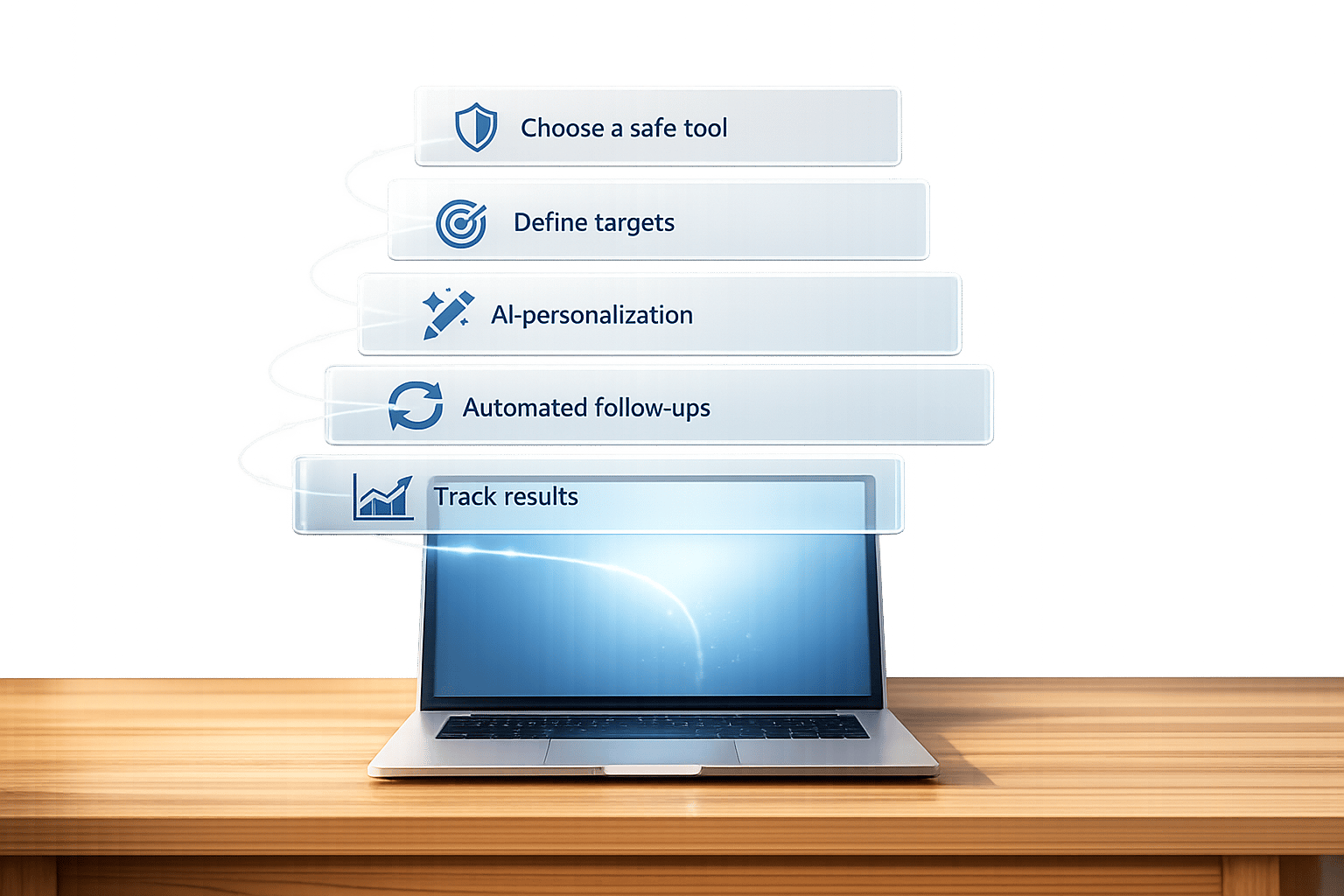
Manually managing LinkedIn outreach takes time. Automation can help you connect with hundreds of prospects while keeping a personal touch. Tools like SalesMind AI make this possible by handling repetitive tasks such as sending connection requests, follow-ups, and managing conversations - all while protecting your LinkedIn account. Here's how to automate LinkedIn lead generation in 5 simple steps:
With these steps, you can save time, improve outreach efficiency, and focus on closing deals. For example, SalesMind AI users report an average pipeline value of $100,000/month, with a 40% connection acceptance rate and a 45% reply rate. Ready to simplify your LinkedIn lead generation process? Start automating today.
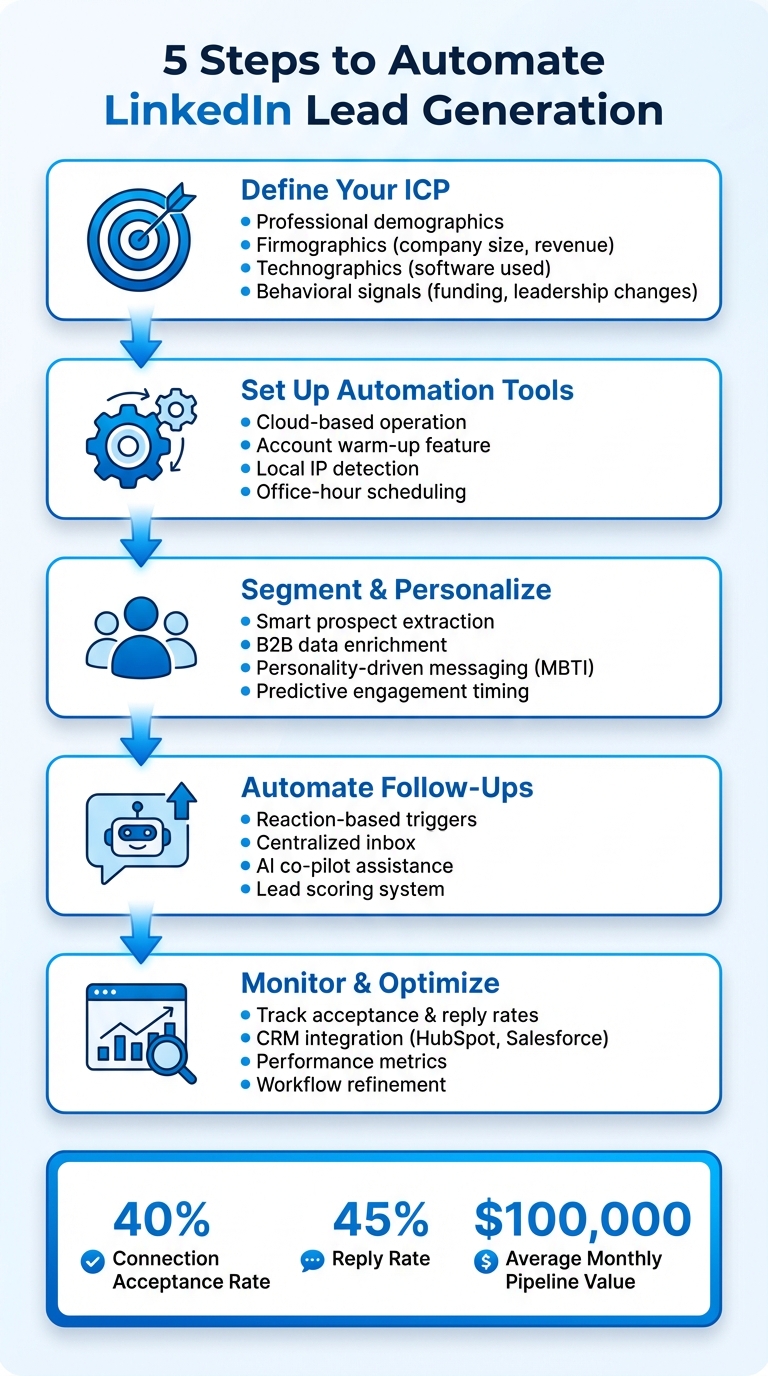
5-Step LinkedIn Lead Generation Automation Process
Step 1: Define Your Ideal Customer Profile and Build Your Lead List
Identifying Your ICP
Your Ideal Customer Profile (ICP) acts as a filter to separate qualified prospects from those unlikely to convert. Without this clarity, you risk wasting time on leads that may never turn into customers. To define your ICP, focus on four main areas:
For example, use LinkedIn Sales Navigator to narrow your search. You can filter by department, seniority, and company history to find roles such as "VP of Sales" at SaaS companies with 50–200 employees and recent Series A funding. Key signals like new executive hires or funding rounds often suggest these companies are actively exploring solutions.
Don’t stop there - leads can also come from events, competitor activities, or followers of industry leaders. When signals overlap, it often points to strong buying intent. Once you’ve nailed down your ICP, organize these insights into a structured, actionable lead list.
Preparing and Importing Lead Lists
Before you start outreach, take time to clean and organize your lead data. Standardize job titles (e.g., "VP Sales", "VP of Sales", "Vice President of Sales") and enrich your list with verified contact information from trusted B2B sources. This not only boosts personalization but also helps avoid duplicate outreach.
To ensure your leads match your ICP, use AI-powered tools for qualification. Companies that implement advanced lead scoring systems achieve a 9.3% higher sales quota success rate and a 192% increase in lead qualification rates compared to those without such tools [4].
Platforms like SalesMind AI offer features like Smart Prospect Extraction, which automatically identifies high-potential profiles based on LinkedIn activities. Once your list is cleaned, scored, and ready, you can directly import it into the platform to kick off your outreach efforts.
How To Get Clients By Automating Linkedin Outreach Lead Generation
Step 2: Set Up SalesMind AI for LinkedIn Outreach
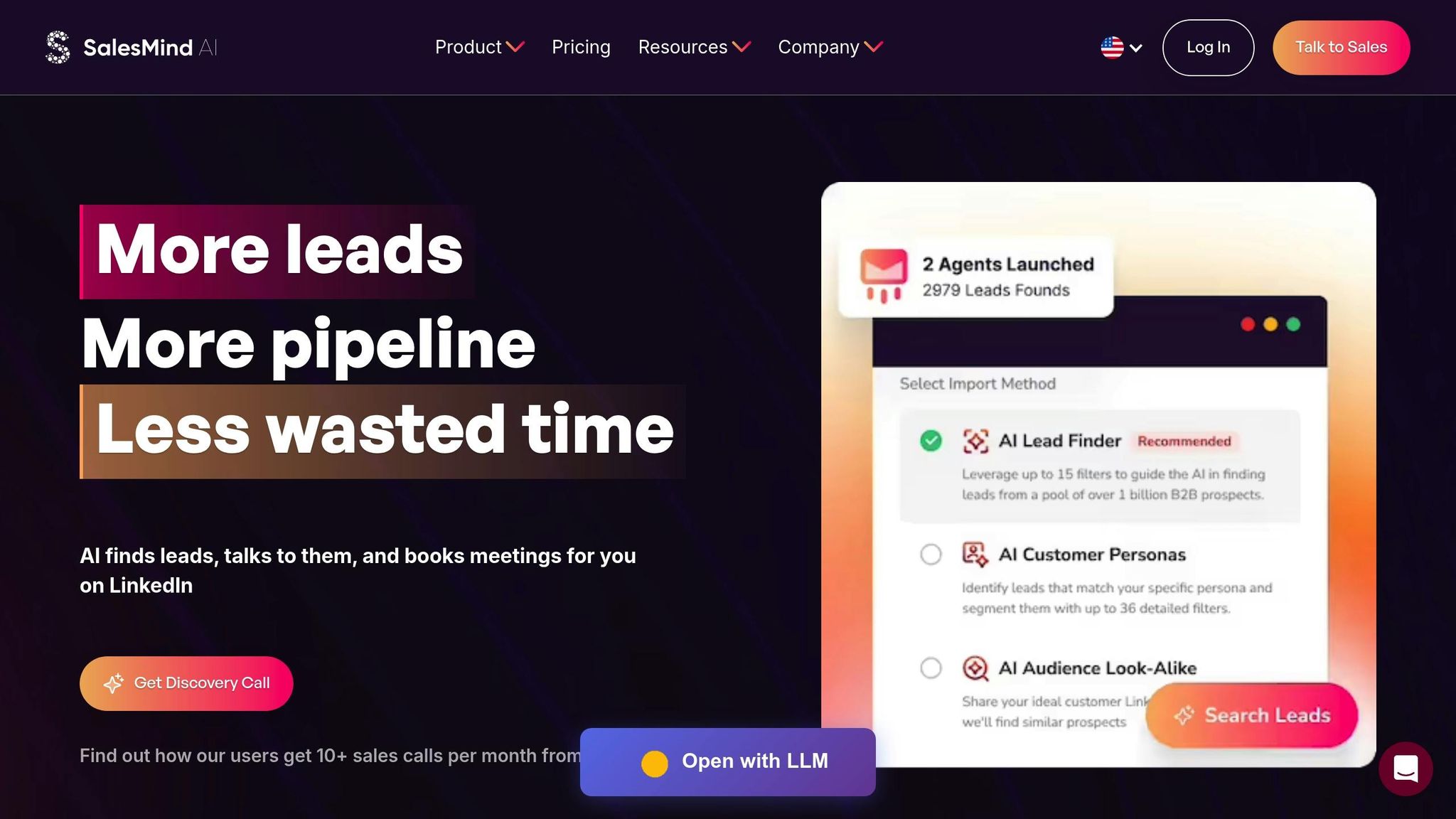
Once you’ve nailed down your ICP and compiled a solid lead list, it’s time to set up SalesMind AI to automate your LinkedIn outreach efforts.
Setting Up Your SalesMind AI Account
Start by booking a Discovery Call or Demo to find the plan that best fits your needs - Basic, Professional, or Enterprise. The choice depends on your team size and outreach goals, and this consultation ensures you’re off to the right start [1][5]. Since SalesMind AI operates entirely in the cloud, your campaigns can run around the clock without interruptions [1].
During the setup, prioritize security to protect your LinkedIn account. SalesMind AI employs local IP addresses, advanced scheduling, and office-hour detection to replicate natural human activity [1]. For new users or those ramping up their activity, the Account Warm-Up feature is essential. It gradually increases the volume of connection requests and messages, keeping your account safe [8].
"What ultimately made me choose SalesMind was the service. Before the subscription, I had a demo plus some days to get used to the tool, always receiving tips from their team." - Camilo Cardoso, CEO, Monomo
Once your account is secure, you’ll be ready to connect LinkedIn for real-time campaign management.
Connecting LinkedIn with SalesMind AI
After configuring your account, the next step is integrating LinkedIn. This is done through the SalesMind AI Google Chrome extension, which handles session syncing and lead importing seamlessly [7]. Install the extension, authenticate using your "LI_AT" cookie, and you’re all set to maintain a secure, real-time connection [7].
Next, set up your Unified Inbox, which consolidates replies from multiple LinkedIn accounts into one dashboard. With the AI co-pilot, you’ll get response suggestions and reminders, ensuring no lead slips through the cracks. If you’re using LinkedIn Sales Navigator, syncing it with SalesMind AI allows you to pull lead search results and saved lists directly into your campaigns with a single click. This feature alone can save you up to 40 hours per week [6].
To keep your outreach within LinkedIn’s activity limits, you can set daily invitation caps directly in the platform [2]. Additionally, the lead scoring system simplifies prioritization by assigning suitability scores based on filters you define. From day one, you’ll be able to focus on the most promising prospects [5].
Users have seen impressive results, with some reporting a 10x increase in lead prospecting productivity in their first week [5]. On average, the platform helps generate a pipeline value of $100,000 per month [6][7].
Step 3: Segment Leads and Personalize Your Messages
To truly engage your audience, start by organizing your leads effectively and crafting messages that resonate on a personal level. Personalized, segmented communication is the cornerstone of meaningful engagement.
Segmenting Leads by ICP Tiers
Not all leads carry the same potential. With SalesMind AI's Smart Prospect Extraction, you can identify high-intent leads from sources like LinkedIn event attendees, post interactions, or even followers of competitor pages. The platform’s B2B Data Enrichment feature ensures your lists are accurate and actionable by verifying lead data and adding valuable context. This way, you can identify which prospects align with your top-tier Ideal Customer Profile (ICP) before reaching out.
Using Intelligent Profiling, SalesMind AI goes a step further by analyzing sentiment and scraping contextual data to spotlight key decision-makers and gauge their buying intent. Leads are then categorized into tiers based on their likelihood of conversion. To make things even smoother, the system automatically tags leads based on their responses, helping you prioritize your efforts. The results? Users report connection rates of over 55% and reply rates exceeding 60%, with some achieving a 2.3x boost in replies compared to manual outreach efforts [9].
Once your leads are segmented, it’s time to focus on creating tailored messaging sequences that truly connect.
Creating Personalized Messaging Sequences
A well-segmented lead list is the foundation for crafting messages that feel personal and relevant. With SalesMind AI's Advanced Personalization Engine, you can customize your outreach to address each prospect's specific interests and challenges. For example, the platform analyzes recent LinkedIn activity to help you craft hyper-relevant messages that align with a prospect’s current priorities [3].
SalesMind AI also incorporates Personality-Driven Personalization, using MBTI insights to adjust your messaging tone. Analytical personalities respond better to data-driven language, while relationship-focused individuals prefer messages that emphasize collaboration and partnership. To further enhance engagement, the platform’s Predictive Engagement Timing ensures your messages are sent when prospects are most likely to respond, increasing your chances of starting a meaningful conversation.
"The results were sometimes almost too good - connection rates and responses were way above what I expected. It definitely helped me grow my network quickly and start more meaningful conversations." - Nick Heijman, CEO, ExtractTech
On average, SalesMind AI campaigns see a 40% acceptance rate and a 45% reply rate [1][2]. By combining smart segmentation with AI-powered personalization, users have generated over $385,000 in monthly pipeline [9]. The secret lies in delivering value-first messaging that addresses specific pain points, rather than jumping straight into a sales pitch [3].
sbb-itb-817c6a5
Step 4: Automate Follow-Ups and Qualify Leads
After sending out those initial messages, chances are most prospects won’t respond right away. That’s where automated follow-ups and smart lead qualification come into play - they’re key to turning those first connections into meaningful conversations.
Setting Up Automated Follow-Ups
SalesMind AI simplifies follow-ups with reaction-based triggers that keep your outreach moving seamlessly. Follow-up messages are sent automatically until a prospect replies, at which point the system pauses to allow for manual engagement [5]. This setup lets you manage outreach to hundreds - or even thousands - of prospects without losing track of personal interactions.
Operating entirely in the cloud, SalesMind AI mimics human behavior with features like advanced scheduling, office-hour detection, and the use of local IP addresses to ensure your outreach stays both active and secure [2]. Beyond just messages, the platform allows for additional steps like profile visits and "likes" to boost your visibility before sending out connection requests [2].
"Ready integrated with LinkedIn, it was easy to set up in terms of selecting the audience and setting up the sequence of follow-up messages until the LinkedIn member reacts. It means we can reach out to hundreds or thousands of prospects without losing control."
All replies are funneled into SalesMind AI’s centralized inbox, where an AI co-pilot steps in to assist with pre-drafted responses, reminders, and automatic tagging to track lead status [5]. For instance, in June 2025, Henry F., an Enterprise Account Executive at Salesforce, used the platform’s free 8-day trial to automate cold outreach. His efforts paid off with a steady 4–5 responses daily [5].
With follow-ups running automatically, the next step is to zero in on the most promising leads.
Using Lead Scoring for Qualification
Automated follow-ups work hand-in-hand with a powerful lead scoring system, ensuring your team spends time on the prospects most likely to convert. SalesMind AI’s lead suitability score evaluates prospects based on your target filters - such as industry, location, or role - so you can quickly identify high-potential leads [5]. This process saves time by eliminating the need for manual filtering and helps focus efforts where they matter most.
"The lead scoring system is particularly impressive, providing clear insights into lead quality."
The platform tracks every interaction - responses, accepted connections, and reactions - automatically tagging leads by their qualification level [2][5]. For example, Alex L., CTO at Slash Co, implemented SalesMind AI in June 2025 to handle lead prospecting. The automation boosted his productivity tenfold, helping him start 5–10 new conversations weekly and connect with high-value prospects that were previously out of reach [5].
With users reporting an average reply rate of 45% and a connection acceptance rate of 40%, SalesMind AI helps generate an average pipeline value of $100,000 per month [2]. Regularly reviewing lead scores ensures that your target filters stay sharp, allowing the AI to consistently surface the best-quality prospects [5].
Step 5: Monitor Performance, Sync with CRM, and Optimize Workflows
Once your automated outreach is live, the real work begins: keeping an eye on performance, fine-tuning workflows, and ensuring smooth CRM integration. These steps are critical to maintaining momentum and capturing every opportunity for growth.
Tracking and Analyzing Campaign Performance
SalesMind AI provides a dashboard packed with essential metrics like connection acceptance rates, reply rates, and pipeline value. These insights help you see exactly where prospects are engaging - or falling off - within your outreach sequence. For instance, if your opening message isn’t resonating or your follow-up timing feels off, the data will make it clear where adjustments are needed.
Take the example of Steady Growth in 2024. By automating their LinkedIn outreach using SalesMind AI, they achieved a 55% acceptance rate and a 60% reply rate, resulting in $385,000 in pipeline value in just one month [10].
"The platform seems really intuitive... Built-in analytics highlight acceptance rates, replies, and overall campaign performance within LinkedIn."
On top of engagement metrics, the dashboard also tracks security-related details like daily activity limits and scheduling. This ensures your account operates within LinkedIn’s safety guidelines and avoids behavior that might appear automated [2].
Once you’ve got a handle on your campaign performance, the next step is to streamline your data flow with CRM integration.
CRM Integration and Workflow Optimization
Integrating your CRM with SalesMind AI eliminates the hassle of manual data entry and ensures no conversation slips through the cracks. The platform works seamlessly with tools like HubSpot and Salesforce, automatically enriching prospect profiles with verified contact details and engagement histories [2][11].
For example, Bounty Media used SalesMind AI to eliminate the tedious task of manual tracking. By leveraging the platform’s automated dashboard and CRM syncing, they drastically reduced the time spent on data management while boosting team productivity [10]. Features like a centralized inbox and automatic tagging further simplify the process, categorizing responses, accepted connections, and conversions before syncing them directly to your CRM [2][1].
With these insights in hand, you can refine your outreach strategy. If certain industries or job roles consistently yield better reply rates, adjust your filters to focus on those segments. If a specific message garners positive responses, experiment with variations to see what works even better. Automation takes care of the repetitive tasks, freeing you up to focus on strategy and closing deals. In fact, 100% of AI-powered SDR users report saving significant time compared to manual outreach [11].
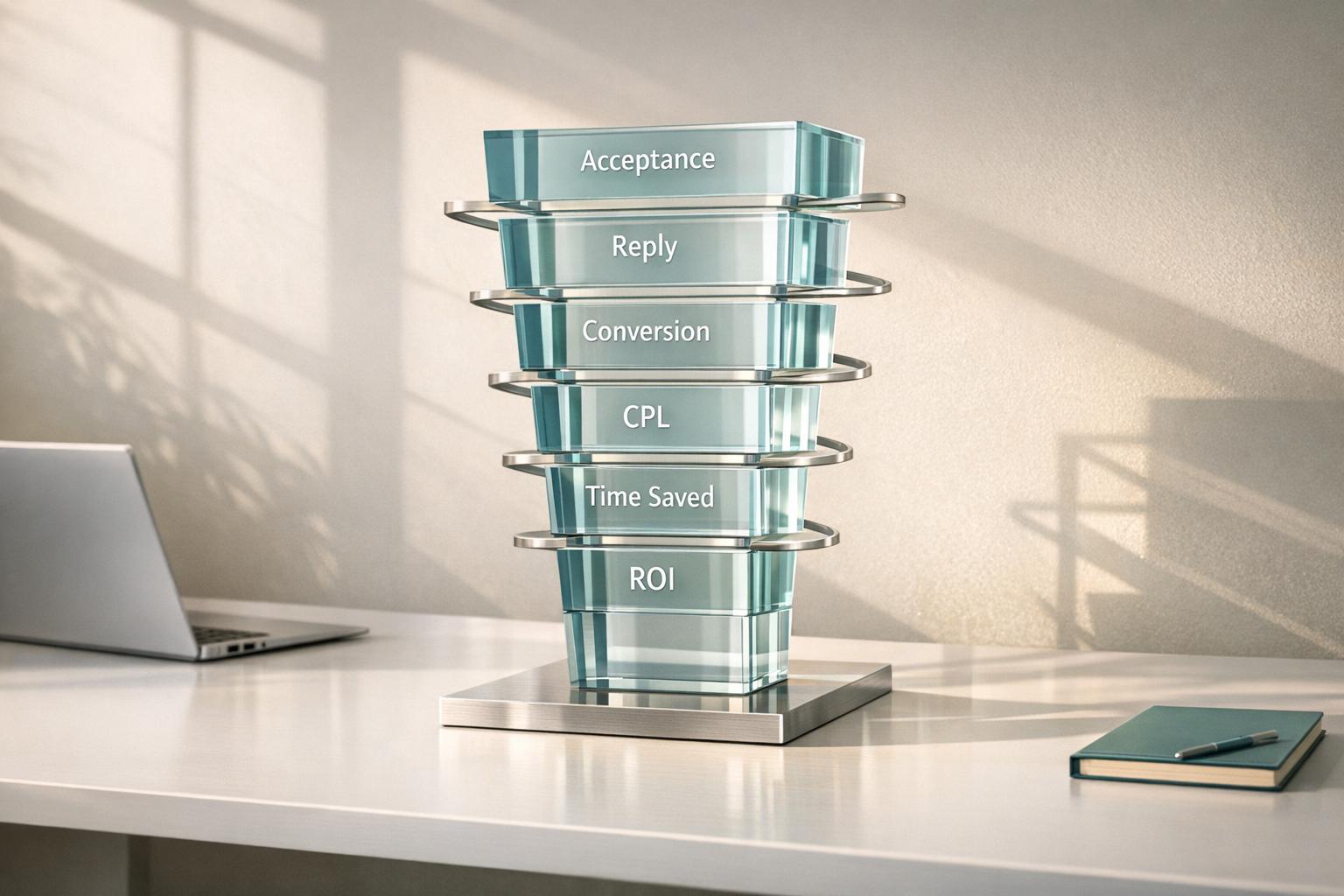
Metric Category
Data Points Tracked
Purpose for Optimization
Acceptance Rate, Reply Rate, Profile Visits
Fine-tune targeting and improve initial connection messaging.
Completion Rate per Step, Follow-up Response
Spot and resolve friction points in the messaging sequence.
Positive Sentiment, Lead Tags, MBTI Profile
Focus on high-value leads for personalized follow-ups.
CRM Sync Status, Lead Export Volume
Maintain consistent data across your sales tools.
Conclusion
Automating LinkedIn lead generation doesn't have to be complicated. By following these five steps, you can create a system that takes care of the grunt work, leaving your team free to focus on closing deals. Here's the process: define your Ideal Customer Profile (ICP), set up SalesMind AI, segment leads for tailored messaging, automate follow-ups with smart lead scoring, and track performance while syncing everything with your CRM. This approach simplifies your workflow and keeps your team laser-focused on driving results.
And the numbers back it up. On average, SalesMind AI users achieve a 40% connection acceptance rate and a 45% reply rate, translating to $100,000 in pipeline value every month [2].
"SalesMind AI gives us a new channel in LinkedIn sales... It cuts down the working time and helps us close the deals. Best B2B sales product I have ever used."
With SalesMind AI, outreach runs around the clock. It crafts highly relevant messages and integrates seamlessly with your CRM, eliminating manual data entry and ensuring your sales process stays smooth and efficient.
Whether you're a small team aiming to grow or a large enterprise juggling multiple accounts, automating LinkedIn lead generation with SalesMind AI turns time-consuming tasks into streamlined, measurable success. Ready to take your lead generation to the next level? SalesMind AI is here to make it happen.
FAQs
How does SalesMind AI protect your LinkedIn account during automation?
SalesMind AI places a strong emphasis on keeping your LinkedIn account secure by mimicking natural, human-like actions. It achieves this by employing smart scheduling methods, routing activity through local IP addresses, and aligning its behavior with typical office hours to stay under the radar.
On top of that, it adheres closely to LinkedIn's usage guidelines, minimizing the chances of account restrictions while providing safe and seamless automation for lead generation.
What are the advantages of using AI to personalize and streamline LinkedIn outreach?
AI brings a powerful edge to personalizing and automating LinkedIn outreach. By analyzing profile data, user activity, and company details, it helps create precise prospect segments. This means your messages can be tailored to specific roles, industries, or challenges, cutting down on irrelevant communication and boosting response rates.
On top of that, AI makes it possible to send personalized messages at scale. It can automatically include details like names, job titles, or recent company achievements, keeping your outreach personal without the manual effort. Tools like SalesMind AI go a step further with advanced lead scoring and unified inboxes, helping you focus on high-potential leads and stay on top of follow-ups. This ensures you don’t miss any opportunities while saving time for more strategic sales efforts. In short, AI simplifies outreach, enhances engagement, and lets you concentrate on what truly matters.
How can I monitor and improve the results of my LinkedIn lead generation campaigns?
To get the most out of your LinkedIn lead generation campaigns, it’s crucial to start with clear goals. Define key metrics like connection acceptance rates, reply rates, booked meetings, and the value of your sales pipeline (e.g., $10,000). Tools like SalesMind AI make tracking these metrics easier by providing real-time analytics. It highlights which prospect groups and message variations are delivering the best results. Plus, its AI-powered lead scoring helps you zero in on high-value prospects by analyzing factors like company size, job role, and engagement history.
Fine-tuning your campaigns is just as important. Use A/B testing to compare different message scripts and see which resonates more with your audience. Adjust your follow-up strategies, such as scheduling reminders 24 hours after initial outreach, to boost engagement. Don’t forget to regularly revisit and tweak your lead-scoring criteria to ensure they align with your sales goals. By consistently reviewing your performance and making improvements, you can turn LinkedIn into a powerful tool for generating quality leads.
{"@context":"https://schema.org","@type":"FAQPage","mainEntity":[{"@type":"Question","name":"How does SalesMind AI protect your LinkedIn account during automation?","acceptedAnswer":{"@type":"Answer","text":"<p>SalesMind AI places a strong emphasis on keeping your LinkedIn account secure by mimicking natural, human-like actions. It achieves this by employing smart scheduling methods, routing activity through local IP addresses, and aligning its behavior with typical office hours to stay under the radar.</p> <p>On top of that, it adheres closely to LinkedIn's usage guidelines, minimizing the chances of account restrictions while providing safe and seamless automation for lead generation.</p>"}},{"@type":"Question","name":"What are the advantages of using AI to personalize and streamline LinkedIn outreach?","acceptedAnswer":{"@type":"Answer","text":"<p>AI brings a powerful edge to personalizing and <a href=\"https://sales-mind.ai/blog/linkedin-outreach-faq-15-common-questions-answered\">automating LinkedIn outreach</a>. By analyzing profile data, user activity, and company details, it helps create precise prospect segments. This means your messages can be tailored to specific roles, industries, or challenges, cutting down on irrelevant communication and boosting response rates.</p> <p>On top of that, AI makes it possible to send personalized messages at scale. It can automatically include details like names, job titles, or recent company achievements, keeping your outreach personal without the manual effort. Tools like SalesMind AI go a step further with advanced lead scoring and unified inboxes, helping you focus on high-potential leads and stay on top of follow-ups. This ensures you don’t miss any opportunities while saving time for more strategic sales efforts. In short, AI simplifies outreach, enhances engagement, and lets you concentrate on what truly matters.</p>"}},{"@type":"Question","name":"How can I monitor and improve the results of my LinkedIn lead generation campaigns?","acceptedAnswer":{"@type":"Answer","text":"<p>To get the most out of your LinkedIn lead generation campaigns, it’s crucial to start with clear goals. Define key metrics like <strong>connection acceptance rates</strong>, <strong>reply rates</strong>, <strong>booked meetings</strong>, and the <strong>value of your sales pipeline</strong> (e.g., $10,000). Tools like <strong>SalesMind AI</strong> make tracking these metrics easier by providing real-time analytics. It highlights which prospect groups and message variations are delivering the best results. Plus, its AI-powered lead scoring helps you zero in on high-value prospects by analyzing factors like company size, job role, and engagement history.</p> <p>Fine-tuning your campaigns is just as important. Use <strong>A/B testing</strong> to compare different message scripts and see which resonates more with your audience. Adjust your follow-up strategies, such as scheduling reminders 24 hours after initial outreach, to boost engagement. Don’t forget to regularly revisit and tweak your lead-scoring criteria to ensure they align with your sales goals. By consistently reviewing your performance and making improvements, you can turn LinkedIn into a powerful tool for generating quality leads.</p>"}}]}
 JG
JG