.avif)
Julien Gadea
Julien Gadea specializes in AI prospecting solutions for business growth. Empowering businesses to connect with their audience with SalesMind AI tools that automate your sales funnel, starting from lead generation.
Managing LinkedIn messages can be overwhelming, especially for sales reps, recruiters, and business owners juggling hundreds of conversations. AI tools simplify this by automating tasks like follow-ups, lead scoring, and personalized outreach, saving time and improving efficiency. Here’s a quick overview of 10 AI tools that help you stay organized and boost engagement on LinkedIn:
- SalesMind AI: Centralized inbox, lead scoring, and automated follow-ups tailored for B2B sales teams.
- Expandi: Cloud-based tool for safe, high-volume LinkedIn outreach with smart inbox features.
- LiProspect: AI-driven platform with evolving features for message management.
- Skylead: Centralized dashboard for managing LinkedIn conversations.
- MeetAlfred: Simplifies LinkedIn outreach with a unified dashboard for easy organization.
- Reply: Combines LinkedIn, email, and phone interactions into one workspace.
- Lemlist: Focuses on advanced personalization for LinkedIn and email outreach.
- SaleeAI: AI-powered inbox organization and lead qualification with CRM integration.
- Linked Radar: Limited details available; a developing option to watch.
- Waalaxy: Multi-step LinkedIn and email outreach with a visual scenario builder.
Quick Comparison
| Tool | Key Features | Best For | Price Range |
|---|---|---|---|
| SalesMind AI | Unified inbox, lead scoring, follow-ups | B2B sales teams | Tiered plans |
| Expandi | Safe automation, smart inbox | High-volume outreach | Paid plans |
| LiProspect | Evolving features | Early adopters | Varies |
| Skylead | Centralized dashboard | Sales teams, agencies | Mid-range |
| MeetAlfred | Streamlined LinkedIn outreach | Professionals, small teams | Varies |
| Reply | Multichannel communication | High-volume sales teams | Paid plans |
| Lemlist | Advanced personalization | Sales teams, U.S. professionals | Mid-range |
| SaleeAI | Inbox organization, lead qualification | Multi-account management | Paid plans |
| Linked Radar | Limited details | Developing option | TBD |
| Waalaxy | Multi-channel outreach | B2B sales reps, recruiters | Mid-range |
Choose the tool that fits your needs based on features like inbox organization, personalization, and integration with CRMs. Start with trial periods to test how they improve your LinkedIn workflow.
I Ranked 16 LinkedIn Automation Tools From Best To Worst - (Lemlist, HeyReach, Expandi, Dripify)

How AI Improves LinkedIn Message Management
AI has revolutionized how sales professionals handle LinkedIn messaging, tackling everyday challenges like scattered conversations and the need for personalized outreach at scale. By automating and organizing these processes, AI makes LinkedIn a more powerful tool for sales and networking.
Unified Inbox for Centralized Communication
One of the standout benefits of AI is its ability to bring all LinkedIn messages together in a single dashboard. According to a report by Sprout Social, brands using automation tools for social interactions - LinkedIn included - respond to messages up to three times faster, significantly improving response times and customer satisfaction [4].
This unified inbox often comes with an AI assistant that helps with automated replies, tagging, and setting reminders to keep conversations organized. Nick Heijman, CEO of ExtractTech, shared his initial experience:
"I initially missed a few handy features, like the reminder function and the option to connect multiple accounts - both of which, as I later learned, are actually available." [1]
Sprout Social also emphasizes the value of integrating LinkedIn interactions into a central platform, giving teams access to complete conversation histories. This added context helps avoid duplicate messages and ensures no ongoing conversation gets overlooked [4]. With everything in one place, teams can focus on nurturing leads and maintaining meaningful connections.
Intelligent Thread Organization and Lead Tracking
AI platforms simplify lead management by offering a master dashboard that tracks every interaction in real time. Teams can easily manage lead lists, monitor communication sequences, and check the status of conversations without digging through individual threads. Rahul P., Senior Advisor at Bounty Media, highlighted the benefits:
"SalesMind AI has proven very useful to our sales team in reducing the massive pain points of manually tracking each and every lead interaction. To manage team interactions, lead lists, and sequences in real time is fantastic." [1]
These systems automatically categorize conversations, flag high-priority leads, and identify messages that need immediate attention. This ensures no prospect is overlooked, even when juggling hundreds of conversations simultaneously.
Personalized Messaging at Scale
AI takes personalization to the next level by analyzing prospect profiles, company data, and publicly available information. It doesn’t stop at simply adding a prospect's name to a message. Instead, it identifies key talking points, such as industry trends, recent company news, or shared connections, to create messages that resonate on a deeper level. This tailored approach is invaluable when reaching out to large numbers of prospects while maintaining a personal touch.
Automated Follow-Up Sequences
Follow-ups are a crucial part of sales outreach, and AI handles this seamlessly. Automated follow-up sequences keep the conversation going until the prospect responds. Roberto K., Chief Product Officer at aCommerce, explained how this feature transformed their process:
"Fully automated our LinkedIn prospecting. Ready integrated with LinkedIn, it was easy to set up in terms of selecting the audience and setting up the sequence of follow-up messages until the LinkedIn member reacts. It means we can reach out to hundreds or thousands of prospects without losing control." [1]
Podawaa notes that AI-driven outreach tools optimize response rates by perfecting the timing and sequence of follow-ups [2]. These systems learn from engagement patterns, ensuring messages are sent at the best times and limiting unnecessary follow-ups.
Advanced Lead Scoring and Qualification
AI also excels at lead scoring, helping sales teams focus on the most promising prospects. By analyzing factors like engagement, profile completeness, company size, and industry relevance, AI assigns priority scores to leads. Svit Babarovic from MountainDrop shared their experience:
"The lead scoring system is particularly impressive, providing clear insights into lead quality." [1]
This automated approach saves time on research, allowing sales professionals to spend more time on meaningful conversations with high-potential leads. Scores are updated in real time, ensuring accuracy as new data becomes available.
Workflow Integration and Productivity Gains
AI message management tools integrate seamlessly with existing CRM systems, streamlining data flow and eliminating duplicate entries. This integration allows sales teams to monitor LinkedIn conversations alongside emails, phone calls, and other touchpoints, creating a unified workflow.
By automating repetitive tasks like cold outreach, follow-ups, and data entry, AI frees up valuable time for activities that drive results. Nick Heijman noted its impact:
"Connection rates and responses were way above what I expected. It definitely helped me grow my network quickly and start more meaningful conversations." [1]
These AI-driven tools transform LinkedIn from a chaotic messaging platform into a well-organized sales powerhouse, enabling professionals to scale their efforts without losing the personal touch that builds strong relationships.
1. SalesMind AI

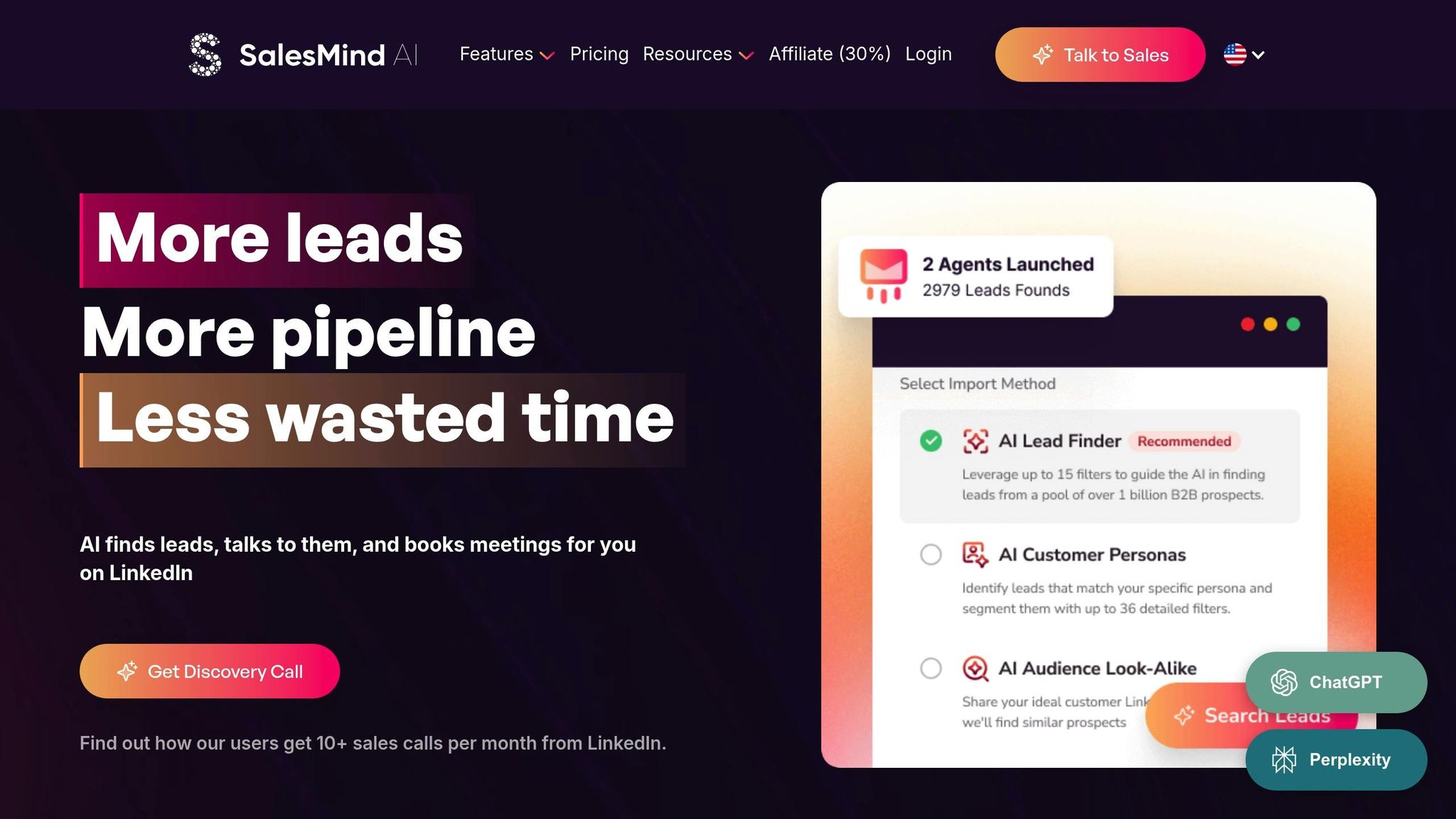
SalesMind AI is built specifically for B2B sales teams and SDRs, offering tools like LinkedIn automation, an AI-powered unified inbox, lead scoring, and automated follow-ups. These features help U.S.-based teams simplify their prospecting and manage outreach more effectively.
The unified inbox brings all LinkedIn conversations across multiple accounts into one dashboard. Sales reps can view, filter, and respond to messages without switching between accounts. The AI assistant suggests ready-to-send responses, organizes conversations with tags, and sets reminders for follow-ups. Rahul P., Senior Advisor at Bounty Media, highlights its impact:
"To have one master dashboard not just for yourself but for our entire team and try different lead lists, sequences, and track them all in real time is fantastic." [1]
SalesMind AI also uses advanced lead scoring to prioritize prospects. By analyzing data like company size, industry, role, profile visits, message opens, and reply rates, the platform ranks leads based on their likelihood to convert. Svit Babarovic from MountainDrop shares:
"The lead scoring system is particularly impressive, providing clear insights into lead quality." [1]
The AI goes a step further by creating personalized icebreakers and tailored messages. It adapts the tone and content based on each prospect's profile and interaction history, resulting in 2–2.5x more replies compared to generic templates [3].
Automated follow-ups allow teams to set up 3–5 step campaigns running over 10–21 days. These sequences ensure timely outreach while staying within LinkedIn’s safety limits. Roberto K., Chief Product Officer at aCommerce, explains:
"Fully automated our LinkedIn prospecting. Ready integrated with LinkedIn, it was easy to set up in terms of selecting the audience and setting up the sequence of follow-up messages until the LinkedIn member reacts. It means we can reach out to hundreds or thousands of prospects without losing control." [1]
For U.S.-based teams, the platform supports account-based outreach and integrates seamlessly with existing CRMs, enabling real-time campaign tracking and data flow. Filters for "hot replies" help prioritize positive responses and meeting requests, ensuring timely follow-ups aligned with each prospect's time zone.
SalesMind AI has earned strong reviews, including a 4.4 rating on Trustpilot, 4.7 on G2, and 5.0 on the Chrome Store [1]. Users frequently praise its ability to automate repetitive tasks while keeping communication personalized and effective.
The platform offers three pricing tiers - Basic, Professional, and Enterprise - with costs tailored to seat count and feature needs. By combining automation, AI-driven insights, and streamlined message management, SalesMind AI empowers teams to scale LinkedIn outreach efficiently while keeping conversations organized and prospects engaged.
2. Expandi
Expandi is a cloud-based LinkedIn automation tool designed for B2B sales teams, recruiters, and business founders who want to streamline their outreach efforts and manage LinkedIn messages more effectively. It helps users run multi-step messaging campaigns while prioritizing safety, allowing high-volume LinkedIn conversations to be handled from a single dashboard.
With its smart inbox, Expandi centralizes all LinkedIn replies into one view, making it easier to monitor and manage conversations. Users can filter and label messages by stages like "New lead", "Booked call", or "Not interested", ensuring communication stays organized. On top of that, Expandi automates personalized outreach sequences, saving time without compromising the personal touch.
The platform handles more than just message organization. It automates connection requests, initial messages, and follow-ups, allowing users to schedule 2–4 follow-up messages to maintain engagement. Expandi also supports audience segmentation, so campaigns can target specific industries, roles, or regions. By using custom fields - like the recipient's first name, company name, or job title - messages feel tailored and personal.
To protect LinkedIn accounts, Expandi incorporates built-in safety measures. These include daily activity limits that mimic human behavior, reducing the risk of accounts being flagged or blocked. This makes it especially useful for teams running large-scale campaigns who need to stay compliant with LinkedIn's rules.
Expandi also offers analytics dashboards to track key metrics like connection acceptance rates and reply rates. Teams can use these insights to fine-tune their outreach strategies, experimenting with A/B testing for subject lines and initial messages to improve performance.
Since Expandi is a paid tool with no free plan, it’s best suited for professional teams rather than casual LinkedIn users. While it’s praised for reducing the manual workload of prospecting and simplifying message management, success depends on crafting thoughtful, personalized copy and carefully scheduling messages to avoid coming across as spammy.
Using Expandi typically involves importing a list of LinkedIn profiles, setting up campaign rules and sequence steps, and allowing the tool to automate connection requests, initial messages, and follow-ups. The smart inbox consolidates all conversations, making it easy to respond promptly and personally.
3. LiProspect

LiProspect is an AI-driven tool designed to streamline LinkedIn message management. While specific details about its features - such as thread organization, personalization capabilities, and advanced analytics - are somewhat scarce at the moment, you can find the most up-to-date information on its official website. Unlike some of the other tools we've discussed, LiProspect's features are still developing, making it an interesting option to keep an eye on.
4. Skylead

Skylead makes managing LinkedIn messages a breeze by offering a centralized dashboard where all your conversations are organized in one place. No more jumping between accounts - this tool lets you keep track of and respond to multiple LinkedIn threads from a single interface. Designed with B2B sales teams and agencies in mind, it automates outreach efforts and simplifies how you handle connections. Up next, MeetAlfred takes LinkedIn automation to the next level with its powerful set of features.
5. MeetAlfred

MeetAlfred is another handy tool for managing LinkedIn messaging, sitting right alongside Skylead in terms of usefulness. This AI-powered platform simplifies LinkedIn outreach by pulling all your message threads into one easy-to-navigate dashboard. This setup makes it a breeze to stay organized and engage with connections in a more personalized way. By centralizing your LinkedIn communication, MeetAlfred helps you save time and boost productivity. For a full rundown of its features and pricing, head over to MeetAlfred's website.
sbb-itb-817c6a5
6. Reply

Reply brings LinkedIn messaging, email, and phone interactions together in one centralized workspace, making communication easier for high-volume sales teams. By integrating LinkedIn messaging into its platform, Reply ensures that conversations stay organized and manageable, which is crucial for busy sales professionals handling large volumes of outreach.
For a deeper dive into its features, check out Reply's official website.
This multichannel setup aligns with the trend of unified communication tools, helping teams streamline their outreach efforts and improve overall efficiency.
7. Lemlist
Lemlist is all about personalization, making it a standout option for sales teams aiming to cut through the noise in LinkedIn and email outreach. With its ability to automate LinkedIn sequences - like connection requests, direct messages, and InMail follow-ups - Lemlist lets you manage everything from one streamlined dashboard. No more juggling multiple tools or interfaces.
What really makes Lemlist shine is its personalization features. Using advanced personalization tokens, the platform allows you to tailor messages at scale. Beyond just adding a prospect's first name, you can include details like their job title, recent actions, or even specific challenges they face. On top of that, Lemlist lets you incorporate personalized images, such as custom screenshots or thumbnails, to make your outreach visually unique. According to Taplio's review of LinkedIn tools, these features can boost reply rates by 2.5× [3].
For sales teams working in the U.S., Lemlist is built with team collaboration in mind. It enables multiple team members to contribute to LinkedIn campaigns, ensuring everyone stays on the same page. Teams can optimize sequences together, share reports, and maintain consistent messaging across campaigns. This collaborative setup is especially helpful for tracking prospect interactions and campaign performance across the board.
Lemlist also provides analytics tools to track message delivery, responses, and sequence performance. With this data, you can pinpoint which personalization strategies are most effective, fine-tune your outreach, and even run A/B tests to see what works best. These insights make it easier to show the ROI of your LinkedIn campaigns and continuously improve them.
The platform simplifies follow-up sequences, automating multiple touchpoints with prospects. This ensures consistent and timely follow-ups without requiring manual effort for each contact. At the same time, Lemlist’s personalization features help your messages feel genuine, steering clear of spam-like behavior. For sales teams looking to scale outreach without losing that personal touch, this balance is key - especially when working within LinkedIn’s daily activity limits while still meeting quotas.
To make the most of Lemlist, use personalized images whenever possible to add a visual edge to your messages. These tools not only help you comply with LinkedIn’s rules but also maximize the impact of your outreach efforts.
8. SaleeAI

SaleeAI simplifies LinkedIn message management by combining AI-powered inbox organization with intelligent lead qualification, making it easier to handle multiple accounts and numerous conversations without missing a beat.
Its AI-driven inbox consolidates all your LinkedIn messages into a single dashboard, so you no longer need to toggle between profiles. Incoming messages are automatically sorted into categories like new connection requests, replies, objections, or out-of-office responses. This setup helps you prioritize follow-ups and focus on what matters most.
One of SaleeAI's standout features is its thread organization. You can tag conversations, assign status labels like "Interested", "Not Interested", or "Follow Up", and rely on the AI to snooze or archive threads based on reply patterns. This keeps your inbox tidy and your attention on the most important conversations. The AI even detects intent in replies, suggesting next steps or follow-up messages, so you can keep the conversation moving with minimal effort.
For outreach, SaleeAI excels at personalization. It supports dynamic fields such as {First Name}, {Last Name}, {Company}, {Job Title}, and {Industry}, along with custom fields from your CRM or CSV imports. You can craft sequences that include references to recent company news, mutual connections, or personalized icebreakers. For instance, a message could say: "Hi {First Name}, I noticed {Company} recently launched {Product} - congrats! I work with companies like yours to streamline sales outreach with AI. Would you be open to a quick chat?" This approach scales your outreach while keeping messages relevant and engaging.
SaleeAI also enhances lead qualification directly within the message thread. You can set up rules-based triggers to automatically tag and categorize prospects based on their responses. For example, if someone says "Not interested", the system tags them and removes them from active sequences. If they reply with "Tell me more", it triggers a follow-up sequence with additional information or a meeting link. The AI analyzes reply sentiment and intent to suggest qualification statuses like Hot, Warm, or Cold and recommends next steps, helping your team focus on high-potential leads without manually sorting through replies.
For multi-step outreach, SaleeAI pauses sequences upon receiving replies and allows for customizable delays, such as follow-ups on Day 1, Day 4, or Day 7. It also adheres to LinkedIn's activity limits, randomizes timing, and mimics human behavior to keep your account safe.
Beyond messaging, SaleeAI integrates seamlessly with CRMs like HubSpot, Salesforce, and Pipedrive. It automatically syncs LinkedIn message threads, lead statuses, and engagement histories. For example, when a prospect replies "Interested", their profile and conversation history are synced to your CRM as a new or updated lead. SaleeAI also connects with tools like Google Sheets, Slack, and email platforms via Zapier, ensuring your outreach aligns with your broader sales workflow.
To maximize SaleeAI's potential, use its smart inbox with filters and tags to group conversations by deal stage, such as new leads, interested prospects, or closed deals. Tag key accounts or decision-makers to quickly identify conversations that need immediate attention. This level of organization allows sales teams to handle high-volume outreach while maintaining the personal touch that drives better response rates.
9. Linked Radar

Information about Linked Radar is still scarce, with limited verified details available about its features. As more updates emerge, we’ll be sure to share them.
Let’s move on to the next solution in our lineup.
10. Waalaxy

Waalaxy is a LinkedIn and email outreach automation platform designed to help sales teams and recruiters handle large-scale messaging while keeping things personal. It lets users create multi-step sequences that combine connection requests, profile visits, LinkedIn messages, and email follow-ups. All of this is automated, allowing you to focus on meaningful conversations rather than repetitive tasks. Let’s dive into how Waalaxy simplifies and personalizes outreach.
One standout feature is its visual scenario builder, which lets you design outreach flows step by step. For example, you could create a sequence like this: Day 1 - visit a profile; Day 3 - send a connection request with a brief note; Day 7 - if no response, follow up with a value-added message. Each step operates within LinkedIn's safety limits, giving you control over personalization and templates without risking account restrictions.
Waalaxy also streamlines conversation management with a unified inbox. Instead of juggling multiple LinkedIn threads, you can view all conversations in a CRM-like interface. This setup allows you to organize leads with tags (like New, Contacted, Demo Set, or Closed), add notes to individual prospects, and monitor the progress of each interaction. With this level of organization, you can prioritize responses and keep your campaigns running smoothly, even when managing multiple at once.
The platform uses dynamic variables - such as first name, company name, and job title - and allows segmentation by industry, company size, or region. This ensures your outreach feels tailored without requiring manual adjustments for every message.
Waalaxy integrates seamlessly with popular CRMs and workflow tools like HubSpot, Pipedrive, Zapier, and Make. If a LinkedIn prospect responds or moves to a new stage, updates can automatically sync to your CRM. This keeps your sales pipeline up to date, reduces the risk of duplicate data entry, and ensures you never miss a follow-up.
This tool is especially valuable for B2B sales reps aiming to book discovery calls with U.S.-based decision-makers and for recruiters connecting with candidates across different industries. By automating repetitive tasks like connection requests, initial messages, and follow-ups, Waalaxy frees up your time for more meaningful interactions when a prospect shows interest.
To get the best results, start with lower daily limits and gradually increase your automation volume. Use targeted lists based on job roles, company size, and regions to boost acceptance and reply rates. Avoid generic pitches, and stagger your follow-ups over several days, aligning them with U.S. business hours for better engagement.
Keep an eye on key metrics like connection request acceptance rates, initial and total reply rates, time to first response, and the number of touches needed to get a reply. Tagging positive and negative responses in your conversations can also help you refine your messaging strategy over time.
Waalaxy is priced in the mid-range category and typically offers a free or low-cost starter plan with limited leads and actions per month. Higher-tier plans unlock additional features like multi-channel outreach, more leads, and team collaboration tools. Reviews from 2024 and 2025 frequently praise Waalaxy for its intuitive visual campaign builder, effective automation of LinkedIn tasks, and strong value for money. However, some users mention a learning curve when setting up more complex workflows.
How to Choose the Right AI Tool for LinkedIn Message Management
Start by identifying the challenges you face in managing your LinkedIn inbox. Are you drowning in unread messages across multiple accounts? Struggling to send timely follow-ups? Or maybe your messages feel too generic to make an impact? Pinpointing these pain points will help you zero in on the features that matter most. This guide will walk you through the must-have capabilities to ensure your AI tool enhances both productivity and connection quality.
Unified Inbox Management
If you’re juggling outreach across several LinkedIn profiles or managing a team, a unified inbox is a game-changer. Tools like SalesMind AI, Expandi, and Linked Radar offer dashboards that consolidate all your conversations in one place. Look for features like tagging, note-taking, snoozing messages, and assigning conversations to team members. These capabilities make it easier to stay organized and ensure no message falls through the cracks.
AI-Powered Personalization
Personalization is key to standing out. Advanced AI tools analyze profiles and recent activities to craft outreach messages that feel tailored and relevant. For example, Lemlist boasts dynamic image and video customization, claiming it can generate 2.5× more replies compared to standard, non-personalized messages [3]. Similarly, SalesMind AI uses data from websites and prospect profiles to recommend responses. Henry F., an Enterprise Account Executive at Salesforce, shared:
"Impressed with some of the AI-recommended messaging. They pulled information from my website and other sources to curate recommended responses."
Thread Organization and Search
Managing multiple conversations can get overwhelming. Choose a tool with strong organizational features like reminders, stage filters, and advanced search options. Beyond basic tagging, look for sentiment analysis and keyword search capabilities that help you quickly find conversations based on specific attributes or stages in the outreach process.
Compliance with LinkedIn’s Rules
Staying within LinkedIn’s usage limits is non-negotiable. Ask vendors how they handle daily and weekly connection limits, message caps, and ramp-up periods for new accounts. For instance, Expandi includes built-in safety measures to minimize account risks [2]. Starting with a low daily limit - such as 10 to 20 connection requests for new accounts - and gradually increasing volume over a few weeks is a smart way to stay compliant. Ensure the tool pauses activity if warnings arise and adheres to LinkedIn’s terms of service.
Integration and Multi-Channel Outreach
Efficiency improves when your AI tool integrates seamlessly with your existing CRM and supports outreach across multiple channels. For example, Waalaxy syncs with platforms like HubSpot, Pipedrive, Zapier, and Make, ensuring smooth updates without duplicate data entry. Tools like Reply and Lemlist also enable multi-channel sequences, combining LinkedIn messages with email follow-ups - a valuable feature for engaging prospects across platforms.
Reporting and Insights
Robust reporting features can help you measure success. Look for tools that track metrics like connection acceptance rates, reply rates, response times, and touchpoints. Some platforms, like SalesMind AI, even include lead scoring systems to help prioritize high-potential prospects. Tagging responses as positive or negative adds another layer of insight, making it easier to refine your outreach strategy.
Pricing vs. Scalability
Pricing is important, but it’s not just about the subscription cost. Consider how many prospects you plan to contact each month and calculate the cost per qualified conversation or booked meeting. Many tools offer free or low-cost starter plans, with advanced features - like team collaboration and multi-channel outreach - available at higher tiers.
Test Before You Commit
A trial period can help you evaluate whether the tool fits your needs. Run a two- to four-week test, sending a limited number of messages within LinkedIn’s safe usage limits. Monitor response rates, time spent managing conversations, missed or delayed replies, and team feedback. For example, Alex L., CTO at Slash Co, shared that SalesMind AI helped his team initiate 5 to 10 new conversations per week, leading to valuable connections they might have otherwise missed.
Keep It Simple
The right AI tool should simplify your workflow, not complicate it. If you find yourself spending more time configuring automation than engaging with prospects, it’s probably not the right fit. Focus on platforms that reduce manual work, improve message quality, and give you clear visibility into every conversation - so you can spend more time closing deals and building relationships.
Conclusion
Using AI for managing LinkedIn messages offers a way to handle inboxes efficiently without losing the personal touch. These tools have reshaped how sales teams, recruiters, and professionals manage their communication, turning hours of manual effort into streamlined processes. The right platform can help you respond more quickly, customize outreach without starting from scratch, and track conversations across multiple accounts or team members.
Each tool - whether it's SalesMind AI, Waalaxy, or others - brings its own strengths to the table. Some are great for unified inbox management and team collaboration, while others focus on multi-channel campaigns or advanced personalization. Research shows that personalized outreach significantly improves response rates [2][3].
When choosing a platform, consider your specific needs. For B2B workflows with AI-powered lead scoring, SalesMind AI could be a great fit. If multi-channel campaigns are your focus, tools like Lemlist or Reply might be better suited. Solo professionals might prefer simpler solutions, while large enterprises in the U.S. may need platforms with strong collaboration features and CRM integration.
Take advantage of trial periods to see if the tool saves time, improves response rates, and keeps your conversations organized. Since AI features evolve rapidly, it’s worth revisiting your choice regularly to take advantage of new capabilities like advanced analytics or improved lead scoring.
Ultimately, focus on solving your biggest challenge - whether it’s managing an overflowing inbox, ensuring follow-ups aren’t missed, or making your outreach feel less generic. The goal is to free up time for meaningful conversations that build relationships and close deals. With AI-powered tools, you can turn time-consuming tasks into efficient, personalized interactions.
FAQs
How can AI tools help sales teams manage LinkedIn messages more effectively?
AI tools like SalesMind AI simplify LinkedIn message management by automating essential tasks such as sending personalized messages, qualifying leads, and handling follow-ups. This not only saves time but also ensures steady and reliable communication with potential clients.
With AI, sales teams can stay on top of their game using features like a unified inbox and advanced lead scoring. These tools help streamline workflows, allowing teams to concentrate on nurturing genuine relationships and sealing deals.
What key features should I look for in an AI tool to manage LinkedIn messages effectively?
When choosing an AI tool to manage LinkedIn messages, prioritize features that boost both efficiency and personalization. Key functionalities to consider include:
- AI-powered unified inbox: This helps centralize and organize all your conversations in one place.
- Advanced lead scoring: Allows you to focus on high-value prospects by identifying and prioritizing them.
- Seamless LinkedIn integration: Ensures smooth outreach and follow-up processes without switching between platforms.
These tools can save you time, keep your communication meaningful, and help you scale your efforts while staying on top of your workflow.
How does AI-driven personalization improve LinkedIn outreach and response rates?
AI-powered personalization enhances LinkedIn outreach by crafting messages that resonate with each recipient, making interactions feel more relevant and engaging. This often results in higher acceptance rates for connection requests and improved response rates.
With tools that automate tasks like crafting tailored messages, managing follow-ups, and qualifying leads, AI not only saves time but also retains the personal element in communication. This balance enables businesses to form genuine connections while scaling their outreach efforts efficiently.