

.avif)




Find out how our users get 10+ sales calls per month from LinkedIn.

Want to close more B2B deals with less effort? AI-powered tools like SalesMind AI make LinkedIn outreach faster and more effective by automating repetitive tasks while keeping messages personalized. Here’s what you need to know:
- Automated LinkedIn Outreach: SalesMind AI handles profile visits, connection requests, and follow-ups, mimicking human behavior to keep your account secure.
- Personalized Messaging at Scale: AI crafts tailored messages using profile data, boosting connection acceptance rates to 40% and reply rates to 45%.
- Unified Inbox: Manage all LinkedIn replies in one place, with AI-suggested responses and lead tagging to stay organized.
- Lead Scoring: Prioritize high-value prospects based on engagement and profile data, saving time and effort.
- Proven Results: Users report 10+ booked sales calls per month and an added $100,000 in pipeline value.
Pricing starts at $96/month for small teams, scaling up for larger organizations with advanced features like unlimited users and detailed analytics. Whether you're a startup or an enterprise, SalesMind AI simplifies LinkedIn prospecting, helping you focus on closing deals instead of chasing leads.
How to Make Outbound Easy in 2025 with AI | B2B Sales Automation Tips
Why Personalized LinkedIn Messaging Matters in B2B Sales

Manual vs AI-Powered LinkedIn Prospecting Comparison
87% of LinkedIn connection requests lack personalization, making tailored notes an easy way to stand out [2]. Personalization signals that you've done your homework, which helps build trust with prospects.
Personalized LinkedIn messages see a 67% higher response rate because they reference details that resonate with the recipient [2]. Mentioning a recent promotion, a funding milestone, or a specific challenge shows you're paying attention to their world. And that kind of effort? It opens doors.
This is where AI steps in. Personalization at scale becomes possible, enabling outreach at a level humans can't match. While a person might craft 20–30 personalized messages daily, AI can handle hundreds without losing quality [2]. It pulls insights from profiles, posts, and mutual connections to create messages that feel personal. The result? Personalized connection requests can hit an acceptance rate of 45%, compared to just 15% for generic ones [4]. AI bridges the gap, making high-quality, tailored outreach scalable.
How Personalization Increases Engagement and Conversions
Including role-specific challenges or timely triggers - like a funding announcement or product launch - makes your message immediately relevant. 96% of marketers agree that personalized outreach drives higher sales [3].
The numbers back it up. SalesLoft found that personalization nearly doubles response rates for average sales teams. For top-performing teams, those rates jump by over 5x [2]. AI-powered personalization can increase lead conversions by 51–52% [2].
Timing is just as crucial. Reaching out within 48 to 72 hours of a job change or funding announcement ensures your message arrives when prospects are most receptive. AI tracks these events automatically, delivering your outreach at the perfect moment. And don’t forget: LinkedIn InMail messages under 400 words perform 22% better [2]. Keeping it short and relevant makes all the difference.
While personalization boosts engagement, manually scaling this effort is nearly impossible. That’s where AI automation becomes essential.
Problems with Manual LinkedIn Prospecting
Manual prospecting is time-intensive. Researching profiles, writing personalized messages, and managing follow-ups can quickly become overwhelming - especially when you're juggling hundreds of prospects alongside active deals.
Scaling this process often means hiring more staff or cutting corners on personalization, neither of which is ideal. Consistency also becomes an issue. One rep might strike the right tone, while another's message feels impersonal or robotic.
AI eliminates these bottlenecks. It instantly extracts profile data, drafts personalized messages using proven templates, and schedules follow-ups automatically. This frees sales reps to focus on meaningful interactions rather than repetitive tasks. Tools like SalesMind AI make it possible to maintain high-volume, personalized outreach without sacrificing quality.
| Feature | Manual Approach | AI-Powered Approach |
|---|---|---|
| Daily Volume | 20–30 personalized messages | 100+ hyper-personalized messages |
| Research Time | 10–15 minutes per prospect | Seconds (automated extraction) |
| Response Rate | ~3–5% (generic) | ~18–25% (personalized) |
| Follow-up | Often inconsistent/forgotten | Automated based on triggers |
| Scalability | Low (requires more headcount) | High (software-driven) |
Dana Kosychenko from Belkins explains it well: "Sometimes I'll spend just a minute looking at their profile to find something to personalize - maybe a recent promotion or a long tenure. It's small, but it makes the message feel human." [2]
AI replicates this process at scale, ensuring every message feels thoughtfully crafted for the recipient.
SalesMind AI Features for B2B Messaging
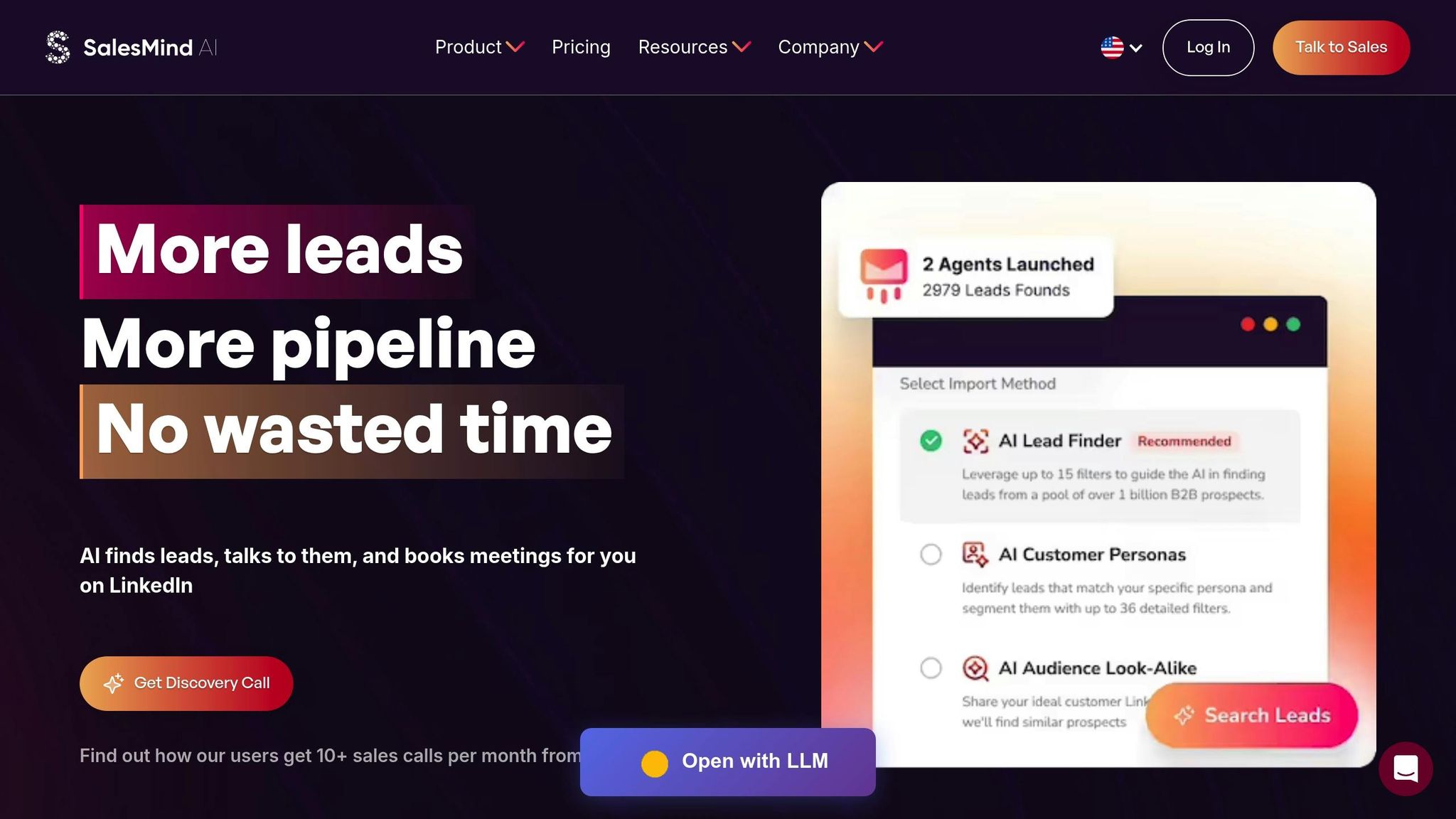
SalesMind AI takes the hassle out of LinkedIn engagement by automating the entire process - from profile visits to multi-step follow-ups - so your campaigns run smoothly in the cloud. By eliminating repetitive tasks, it allows sales teams to zero in on meaningful, high-value interactions instead of spending hours on manual prospecting.
What makes SalesMind AI stand out is its ability to identify high-intent leads. Instead of sifting through LinkedIn manually, the platform pulls prospects from event attendees, post interactions, and competitor followers. This means you're connecting with people already interested in topics relevant to your business. Let’s break down how its features - like prospect automation and lead scoring - can supercharge your outreach.
LinkedIn Prospecting Automation
SalesMind AI handles the entire prospecting process, from initial profile visits to sending connection requests and follow-ups. It even mimics human behavior by using local IP addresses, working within office hours, and capping daily activity to keep your LinkedIn account safe. For example, Alex Lossing, CTO at Slash, implemented the platform in June 2025 and saw his lead prospecting productivity increase tenfold in just one week [1].
The tool also saves hours by automatically capturing leads from LinkedIn events, post engagements, and competitor followers. This ensures you're targeting individuals who are already interested in your industry.
AI-Driven Message Personalization
SalesMind AI’s personalization engine uses data and clues from prospect profiles to create tailored messages. It references specific details - like event attendance, recent posts, or mutual connections - to make each message feel personal. Nick Heijman, CEO at HypotheekXperts, shared how his automated campaigns surpassed expectations in November 2025:
"The results were sometimes almost too good - connection rates and responses were way above what I expected."
– Nick Heijman, CEO, HypotheekXperts [1]
The system also automates "warm-up" actions, such as profile visits, likes, and follows, before sending connection requests. This strategy increases the chances of acceptance and sets the stage for meaningful conversations.
Unified Inbox for Managing Conversations
SalesMind AI simplifies managing replies across multiple LinkedIn accounts by consolidating all messages into one unified inbox. This feature works alongside the platform’s prospecting and personalization tools, offering an AI co-pilot that suggests ready-to-use responses. It also includes tagging and reminders to ensure no follow-up is missed, keeping prospects engaged throughout the sales cycle. Rahul Pushkarna, Senior Advisor at Bounty Media, highlighted its value:
"SalesMind AI has proven very useful to our sales team in reducing the massive pain points of manually tracking each and every lead interaction."
– Rahul Pushkarna, Senior Advisor, Bounty Media [1]
Considering that sales reps typically spend just 28% of their time actually selling, this streamlined conversation management can make a big difference. On average, users report generating 10+ sales calls per month [1].
Lead Scoring and Qualification
SalesMind AI takes the guesswork out of lead qualification. It evaluates prospects based on custom filters and engagement history, prioritizing those most likely to convert. Factors like profile completeness, past interactions, and alignment with your ideal customer profile are all considered. With CRM integration, transitioning from automated outreach to manual follow-ups is seamless. The results? Response rates as high as 14.7%, compared to the typical 3.2% for manual efforts [5].
| Feature | Functionality | Sales Impact |
|---|---|---|
| Prospect Extraction | Gathers leads from events, posts, and competitors | Targets high-intent prospects automatically |
| AI Personalization | Crafts messages based on professional insights | Boosts acceptance and response rates |
| Unified Inbox | Combines all LinkedIn conversations | Reduces response time and prevents lead loss |
| Lead Scoring | Ranks leads using engagement and custom filters | Focuses efforts on high-value opportunities |
SalesMind AI consistently earns high marks from users, with ratings of 4.7/5 on G2, 4.4/5 on Trustpilot, and 5/5 on the Chrome Store. Users frequently praise its intuitive design and ability to scale prospecting without adding to the team [1].
How to Build B2B Messaging Campaigns with SalesMind AI
SalesMind AI makes building LinkedIn campaigns faster and easier by helping you identify prospects, create tailored messages, and automate follow-ups. What used to take days can now be done in just hours.
Identifying and Segmenting Target Prospects
The first step is to define your ideal customer profile. SalesMind AI simplifies this by identifying prospects from LinkedIn events, engaged users, or even your competitors' followers - people who are already showing interest in your industry. As Jure Grabljevec, CEO at Jure Design, puts it:
"The concept as well as the automation are good and I like that it shows you a score on what the lead suitability with your filters is" [1]
Using custom filters, you can segment your audience based on criteria like job title, company size, industry, or location. The platform even assigns a suitability score to each lead, helping you zero in on high-potential prospects while avoiding lower-quality ones.
Once you’ve identified your target segments, it’s time to craft messages that address their specific needs.
Creating Personalized Message Templates
SalesMind AI’s personalization engine uses details from prospect profiles to create messages that feel tailored and unique. By referencing recent events or mutual connections, your outreach feels more genuine. The AI co-pilot handles connection requests and follow-up messages automatically, saving you hours of manual work. As Eugénie Masse, Senior Consultant in Accounting, shared:
"I love the way it allows us to scale the prospecting without spending much time writing the messages." [1]
Keep your message templates conversational and focused on solving the prospect’s challenges. This approach lays the groundwork for meaningful engagement, which becomes even more effective with automation.
Automating Follow-Ups to Increase Engagement
One of the biggest challenges in LinkedIn outreach is losing momentum when follow-ups are delayed. SalesMind AI solves this by automating multi-step follow-up sequences, ensuring prospects stay engaged without extra effort on your part. Henry Face, Enterprise Account Executive at Salesforce, highlighted this benefit:
"I was able to automate something that would have taken me days or weeks of consistent manual work." [1]
The unified inbox consolidates responses from multiple LinkedIn accounts and provides AI-suggested replies, tags, and reminders, so no lead slips through the cracks. Follow-ups can be triggered by prospect actions, and the system keeps track of every interaction, giving you a clear view of where each lead is in your pipeline. Florian Decludt, Product Marketing at Clutch, summed it up perfectly:
"It's the best tool out there to curate your audience on autopilot while focusing on higher-leverage tasks." [1]
sbb-itb-817c6a5
Measuring and Improving AI Messaging Campaign Performance
Executing a campaign is just the beginning - its real success depends on making data-driven adjustments. With tools like SalesMind AI, you can refine your approach and focus on prospects who are most likely to engage.
Tracking Key Performance Metrics
To fine-tune your campaign, keep a close eye on metrics like response rates, connection acceptance, conversion rates, and overall engagement. These numbers can reveal valuable patterns in how prospects interact with your messaging. For example, analyzing engagement trends can help you determine the best times to send messages for maximum impact. Combine these insights with dynamic lead scoring to zero in on high-value prospects, ensuring your energy is spent where it matters most.
Using Lead Scoring to Prioritize High-Value Prospects
SalesMind AI's lead scoring system evaluates each prospect against your ideal customer profile, assigning a suitability score. This helps you focus your efforts on leads that are most likely to convert, instead of spreading your resources too thin. Real-time updates to lead scores allow you to adjust priorities quickly, making follow-ups more efficient. Beyond prioritization, testing and refining your messaging strategy can further improve your campaign's effectiveness.
A/B Testing for Message Optimization
Small tweaks in your messaging can lead to significant improvements. Use A/B testing to experiment with different message formats, calls-to-action, and follow-up timing. For instance, compare responses to calls-to-action like "Would love your thoughts" versus "Let's chat this week." Similarly, test varying follow-up intervals - such as a 1-day gap versus a 3-day gap - to find the timing that drives the most responses. These adjustments can help you establish the ideal outreach rhythm, with optimized LinkedIn strategies often delivering 5–15 qualified leads per month [6].
You can also test emotional triggers to see what resonates more with your audience. For example, a message focusing on pain points like "Struggling to book high-quality meetings?" might perform differently than one highlighting success, such as "See how we boosted response rates by 300%." Make sure to run each test long enough to collect meaningful data, then use those insights to refine your messaging for even better results.
SalesMind AI Pricing Plans for B2B Teams
SalesMind AI offers pricing options designed to meet the needs of teams of all sizes, making its outreach tools accessible whether you're a solo founder or part of a large enterprise.
Choose a plan based on your team's size, outreach goals, and automation requirements. There are three pricing tiers, each tailored to different levels of functionality and scalability.
The Basic plan, priced at $96 per month, is ideal for small teams or startups. This plan includes essential features like AI-driven messaging, personality analysis, and LinkedIn automation. It also provides lead generation tools and integrates with popular CRMs, all without requiring multi-user licenses. It's a great starting point for those new to LinkedIn outreach [7][8].
The Professional plan, at $192 per month, is perfect for teams of up to 20 users. It adds team collaboration tools, higher connection limits, and coordination capabilities for sales reps. Weekly connection limits are capped at 200 for compliance, while account warming gradually increases daily limits to up to 60 connections. This tier is designed for growing teams looking to scale their outreach efforts [9][10].
For larger organizations, the Enterprise plan, priced at $384 per month, offers unlimited user access. It includes advanced features like priority support, detailed analytics, and a unified inbox that consolidates communication from multiple LinkedIn accounts. This plan is tailored for businesses managing large-scale campaigns and complex team structures.
Comparing Basic, Professional, and Enterprise Plans
All plans come with core features like AI-powered lead generation, personalized messaging, and LinkedIn automation. However, they differ in user capacity, collaboration tools, and support levels. Note that a LinkedIn Sales Navigator subscription is often recommended for advanced filtering and to ensure account safety during high-volume outreach [11].
| Plan | Price (Monthly) | Target Audience | Features & Limits |
|---|---|---|---|
| Basic | $96 | Small teams & Startups | AI lead generation, personalized messaging, LinkedIn automation [7] |
| Professional | $192 | Growing teams | Up to 20 users, team management, expanded connection limits [7][10] |
| Enterprise | $384 | Large organizations | Unlimited users, priority support, advanced analytics, unified inbox [7][10] |
These plans are structured to grow with your team, ensuring you can maintain personalized engagement and effective lead qualification as your outreach efforts expand. Additionally, seamless CRM integration with tools like HubSpot and Salesforce ensures your lead data stays organized and actionable. Starting with the Basic plan is a great way to explore key features like personality analysis and tone-of-voice customization before committing to a larger plan [7][10].
Conclusion
AI-powered messaging tools have reshaped B2B LinkedIn outreach, turning manual prospecting into a process driven by scalable, tailored automation. SalesMind AI addresses key challenges by focusing on personalized messaging, efficient conversation management, and smart lead prioritization.
The results speak for themselves - users have reported noticeable productivity improvements and steady growth in sales call volume. These real-world outcomes highlight the platform's ability to simplify and enhance lead generation efforts.
SalesMind AI combines advanced messaging tools with smooth CRM integration, making it suitable for businesses of all sizes. By keeping lead data organized and actionable, it ensures teams can focus on what matters most - closing deals. Whether you're running a startup or managing a large enterprise, flexible plans make it easy to adapt to your business needs.
The platform’s success is evident in how it transforms lead generation with its intuitive design and smart automation, helping sales teams work more efficiently and effectively.
If you're ready to leave behind the inefficiencies of manual outreach and consistently generate qualified leads, check out SalesMind AI at https://sales-mind.ai. With a 4.7/5 rating on G2 and a 5/5 rating on the Chrome Store, SalesMind AI is a trusted solution for B2B sales teams looking to elevate their results.
FAQs
How does AI create personalized LinkedIn messages for B2B sales?
AI takes LinkedIn messaging to the next level by analyzing details like job titles, company information, and activity history. With this data, it crafts messages that feel highly tailored to the recipient, making them more engaging and relevant.
But it doesn’t stop there. AI can also evaluate communication preferences and even predict personality traits. This means it can adjust the tone and style of messages to better connect with each individual. The result? Sales teams save time, boost connection rates, and scale their outreach - without sacrificing that personal, human element.
How does AI improve lead scoring and help prioritize prospects?
AI transforms lead scoring by diving deep into massive datasets - like engagement history, behavior trends, and outside signals - to identify top prospects with precision. This helps sales teams zero in on leads most likely to convert, saving time and cutting down on wasted effort.
What’s more, AI delivers real-time updates as fresh data rolls in, keeping lead prioritization flexible and up-to-date. This allows sales teams to quickly react to shifting signals, close deals faster, and work more seamlessly with marketing teams. By simplifying lead qualification and prioritization, AI empowers businesses to boost conversion rates and scale their B2B sales strategies with greater efficiency.
How does SalesMind AI ensure LinkedIn account safety during automated outreach?
SalesMind AI places a strong emphasis on LinkedIn account safety by mimicking natural, human-like behavior. It adjusts the timing of messages, customizes outreach content, and strictly follows LinkedIn's rules to minimize the chances of detection or account suspension.
By sticking to proven practices for responsible automation, SalesMind AI enables users to expand their LinkedIn outreach securely while maintaining an effective and professional presence.
Have You Ever Experienced Sales Done by AI?