AI Behavioral Scoring: Improve Lead Conversions
Score LinkedIn prospects with AI to prioritize high-intent leads, sync scores to your CRM, and increase reply, connection, and conversion rates.
 Julien Gadea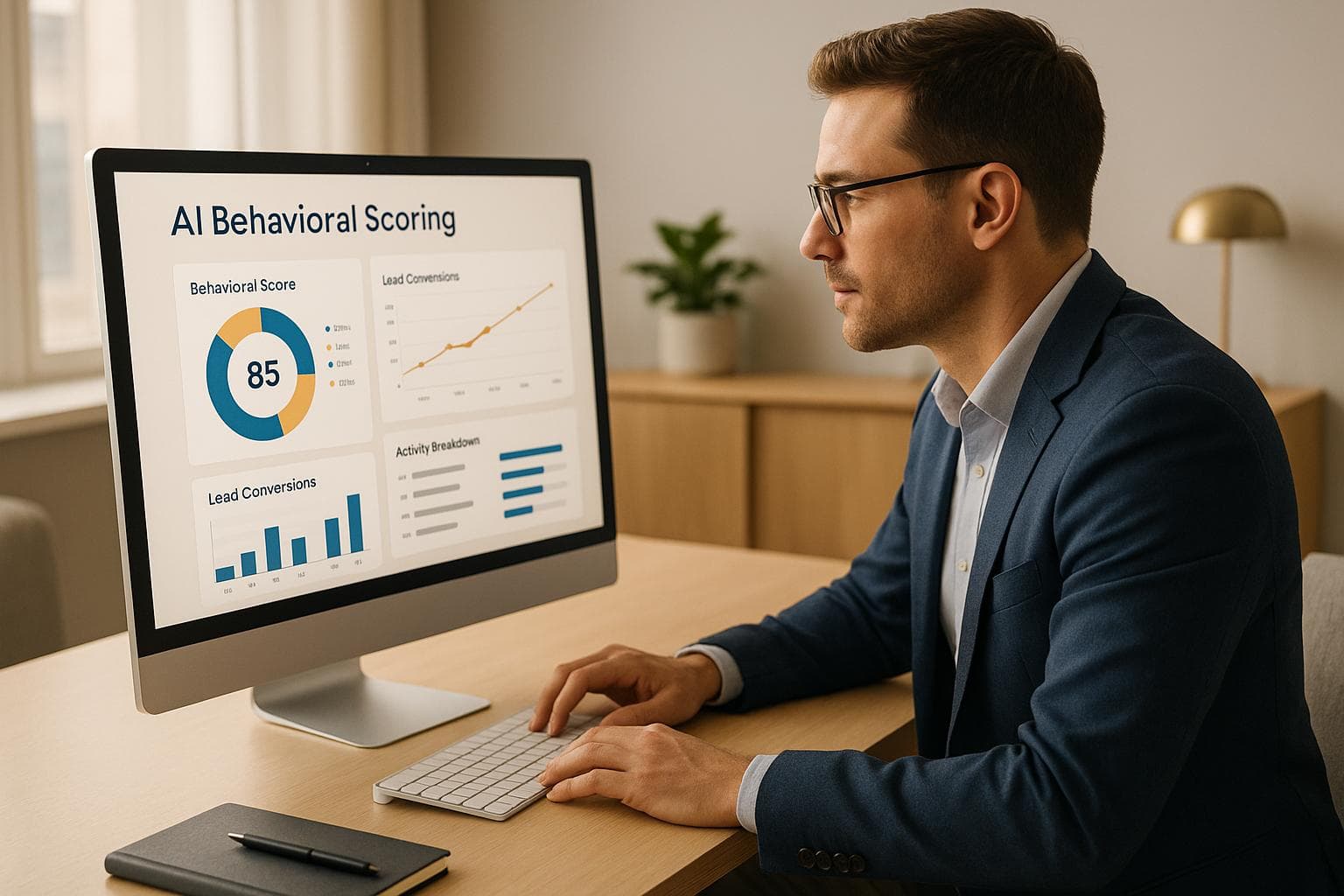
Score LinkedIn prospects with AI to prioritize high-intent leads, sync scores to your CRM, and increase reply, connection, and conversion rates.
77% higher conversion rates and 21% boost in productivity.
Focus on high-value leads with tools like SalesMind AI.
Automate scoring, outreach, and follow-ups.
AI behavioral scoring helps sales teams on LinkedIn prioritize leads by analyzing actions like profile views, message replies, and content engagement. Instead of guessing which prospects are most likely to convert, AI assigns scores based on behavior and firmographic data, syncing directly with CRMs for automated lead prioritization.
Key Benefits:
- 77% higher conversion rates and 21% boost in productivity.
- Focus on high-value leads with tools like SalesMind AI.
- Automate scoring, outreach, and follow-ups.
Using AI-driven scoring, teams can achieve reply rates of up to 45%, connection acceptance rates of 40%, and monthly revenue increases exceeding $45,000. This guide explains how to set up and refine your scoring model, track LinkedIn behaviors, and integrate data seamlessly into your CRM for better results.
Unlock the Power of Precision Lead Gen with AI
How AI Behavioral Scoring Works
AI behavioral scoring is changing the way LinkedIn users prioritize leads. Instead of relying on gut feelings or manually tracking every interaction, this system automatically analyzes behavioral patterns to predict which leads are most likely to convert. Let’s break down how it works.
What Is Behavioral Scoring?
Behavioral scoring ranks leads based on their actions, not just their background. It tracks activities like profile visits, connection acceptances, post engagements, and message replies, then combines this data with firmographics (such as industry, company size, and location).
This method helps distinguish between leads that might appear similar at first glance. For example, someone who frequently views your profile and engages with your posts may seem interested, but if their company doesn’t align with your target market, they’re less likely to be a priority. On the other hand, a high-value account that shows modest engagement - like accepting a connection request and reviewing a case study - might represent a key opportunity.
The scoring model integrates three main data types: behavioral data (LinkedIn interactions), firmographic data (company details), and demographic data (job title, seniority, and function).
Why Use AI for Behavioral Scoring?
Traditional lead scoring methods rely on static rules, like assigning fixed points for specific actions (e.g., a profile view or message reply). The problem? These rules don’t adjust when market trends shift, messaging strategies evolve, or LinkedIn usage changes.
AI operates differently. It trains on historical data, analyzing LinkedIn behaviors alongside actual conversion outcomes - whether that’s booking a meeting, signing a contract, or closing a deal in your CRM. The system identifies patterns, such as how multiple profile views paired with a connection acceptance often lead to conversion, while isolated post likes do not.
The model assigns greater importance to behaviors that drive revenue and less to those that don’t. Even better, it continuously improves. As new leads convert or go cold, the system retrains itself - often weekly or monthly - incorporating fresh data and refining its predictions. For instance, if engagement with short-form videos becomes a strong buying signal, the AI adjusts automatically without requiring manual updates.
This dynamic approach delivers results. Companies using AI-driven lead scoring often report a 25–32% increase in conversion rates and more qualified leads by focusing on high-scoring prospects [6][7]. By eliminating guesswork and manual recalculations, sales teams can spend more time on meaningful conversations.
LinkedIn Behavioral Signals to Track
Not all LinkedIn activity reflects the same level of intent. Some actions are casual, while others suggest serious interest. Here are key behaviors to monitor and what they reveal about a prospect’s decision stage:
- Repeated profile views: Indicates active research and evaluation.
- Connection acceptances and message replies: Suggest readiness to engage in conversations.
- Engagement with thought-leadership posts: Comments, in particular, show the prospect is considering the challenges your solution addresses.
- Viewing pricing or product-related content: Signals late-stage consideration. Similarly, interacting with case studies or webinars suggests the prospect is looking for proof and deeper insights before deciding.
The model also tracks negative signals. For example, ignoring outreach, never viewing shared links, or going silent after initial engagement can indicate lower interest. Recognizing these behaviors helps refine lead prioritization.
Tools like SalesMind AI automate this process. They capture LinkedIn activity - such as profile views or reply rates - and convert it into actionable metrics. These metrics are weighted and transformed into a score, typically on a 0–100 scale or categorized as Hot, Warm, or Cold. This score syncs directly with your CRM, making it easy for sales teams to sort, filter, and prioritize leads without manual effort.
"SalesMind AI has transformed our lead generation process. The platform's intuitive interface and smart automation features have significantly boosted our sales efficiency. The lead scoring system is particularly impressive, providing clear insights into lead quality." - Svit Babarovic, Food and Beverage Retail, MountainDrop
Setting Up AI Behavioral Scoring
Creating an effective AI behavioral scoring system takes more than flipping a switch - it requires careful planning, the right data, and a clear understanding of your business priorities. This involves gathering key information, defining success metrics, and ensuring the system runs seamlessly. Here's how to get started.
What You Need Before Starting
To build a solid scoring model, you'll need three main components: LinkedIn activity data, CRM records, and a well-defined Ideal Customer Profile (ICP).
Start by collecting LinkedIn activity data, such as profile views, connection requests, message responses, and content interactions. For example, prospects who engage with B2B content or participate in professional discussions often show a higher level of interest [5]. Additionally, firmographic data from LinkedIn profiles - like company size, industry, and location - can help you fine-tune your targeting efforts [1].
Next, ensure your CRM contains essential details, including contact information, job titles, company size, and industry. Add firmographics like revenue and growth rate, and if possible, include technographics, which track the tools and platforms your prospects use. Combining this with behavioral data gives you a well-rounded scoring model [7].
Finally, craft your Ideal Customer Profile (ICP). This should outline the characteristics of your most successful customers. For instance, a B2B SaaS company might focus on tech professionals at mid-sized firms with high LinkedIn engagement [3]. Your ICP should specify job roles, industries, company size, location, and behavioral tendencies. By analyzing your existing customer base, you can identify patterns among those who converted quickly and brought in significant revenue.
Without these foundational elements, your scoring model will lack focus. The data fuels the AI, and the ICP sets the standard for what success looks like.
Building Your Scoring Model
Once you have your data and ICP, you can assign point values to LinkedIn behaviors and combine these with company information to predict conversion potential.
For example, assign higher points to actions strongly linked to conversions: multiple profile views (+10), message responses (+15), and engaging with industry content (+5). Lower points can be assigned to less indicative actions, like a single profile view (+2) [5][7]. Regularly test and fine-tune these values using real conversion data to keep your model aligned with your business goals.
You can then build a scoring formula that weighs behavioral signals (e.g., engagement frequency) alongside firmographic data using machine learning algorithms. A lead who frequently engages with content and works at a high-growth company might score higher than a passive lead from a smaller firm [5][7]. Make sure to update the formula as new data becomes available.
Challenges like poor data quality, disconnected data sources, and evolving market behavior can impact your scoring system. To maintain accuracy, regularly update your scoring logic and validate it against actual conversion results [5][7].
Businesses using AI-driven scoring have reported impressive results: up to a 52% increase in lead-to-opportunity conversion rates, a 40% connection acceptance rate, and an average monthly pipeline value of $100,000. Some have even seen a 215% rise in qualified leads and a 30% reduction in sales cycle length [5][7][3].
With a refined scoring system, you can seamlessly integrate these insights into your CRM.
Connecting LinkedIn Data to Your CRM
Once your scoring model is set, ensuring smooth data integration is critical. Automate the transfer of LinkedIn activity data to your CRM to avoid manual updates.
Tools like SalesMind AI or CRM-native connectors can automatically sync LinkedIn activity with your CRM. Real-time updates are essential so that lead scores reflect the most recent behaviors. Set up alerts to notify your sales team when a lead's score increases significantly. For instance, if a prospect views your profile multiple times in a week and engages with your posts, your sales team should be alerted immediately [5][2].
The integration should capture all relevant LinkedIn interactions and feed them into your CRM, where the AI calculates or updates lead scores. These scores are typically displayed on a 0–100 scale or categorized as Hot, Warm, or Cold.
You can also create workflows to act on score changes automatically. For example, if a lead's score jumps from 45 to 75, your CRM can notify the assigned sales rep and suggest a personalized follow-up. This eliminates manual monitoring and ensures no high-value lead is overlooked.
Keep your model updated with fresh data, track conversion rates, and adjust scoring criteria as needed. Feedback from your sales team can help refine the system further, ensuring it evolves with changing market trends [5][7].
This setup allows your team to focus on high-priority prospects while the system continuously learns and improves.
Using SalesMind AI for Behavioral Scoring
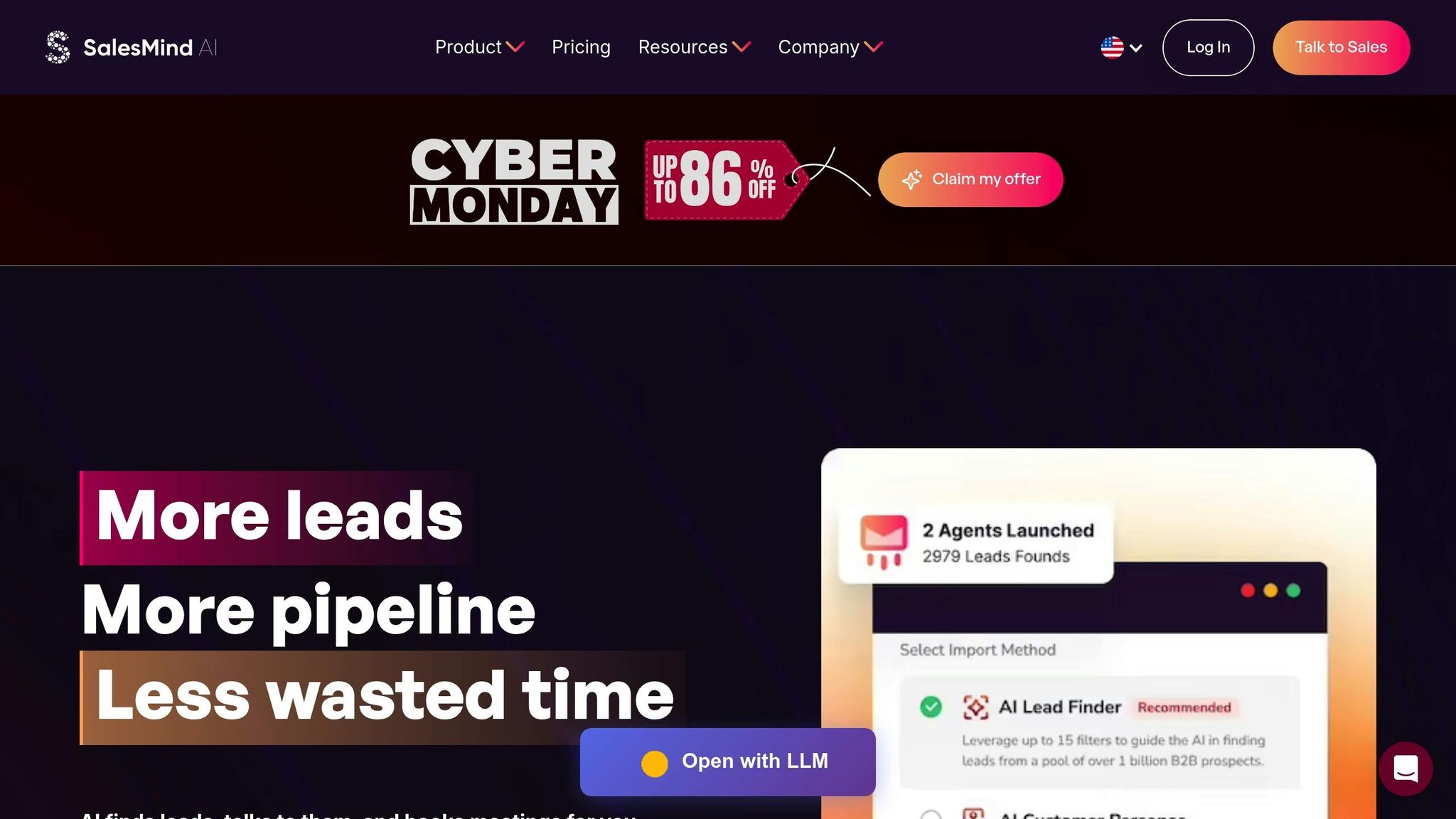
Once you've set up your behavioral scoring framework, it's time to put it into action. SalesMind AI simplifies the process by combining lead scoring, LinkedIn automation, and inbox management into one streamlined platform. This means your sales team can focus on the right prospects at the right time - without juggling multiple tools.
SalesMind AI Features for Lead Scoring
SalesMind AI integrates AI-powered lead scoring, LinkedIn outreach automation, and a unified inbox, giving sales teams a centralized way to manage and prioritize leads. It automatically gathers LinkedIn data and assigns scores based on how prospects behave.
The platform's lead scoring engine evaluates two key types of signals. First, there are static signals like job title, seniority, company size, and industry, which help identify if a prospect aligns with your Ideal Customer Profile (ICP). Then, there are dynamic signals - real-time LinkedIn activities such as profile views, post engagement, message replies, and even role or company changes. Actions that suggest strong buying intent, like repeated profile visits or engaging with solution-related posts, carry more weight and can instantly push a lead into a high-priority category.
The unified inbox brings together LinkedIn messages, connection requests, and related interactions from integrated channels into one view. This inbox organizes messages by behavioral score, letting reps focus on the hottest leads first. It also offers AI-suggested responses and allows reps to log notes or meeting outcomes directly within the interface.
Using LinkedIn-focused AI targeting has shown impressive results, including a 39% higher InMail response rate and a 52% boost in lead-to-opportunity conversion when outreach is informed by behavioral data rather than manual selection [4][5].
SalesMind AI also integrates seamlessly with your CRM, adding a live behavioral score field to every contact. This ensures your entire sales process - from prospecting to pipeline management - is driven by current intent rather than outdated lists.
How SalesMind AI Prioritizes Leads
Let’s dive into how SalesMind AI actively helps sales teams prioritize leads and improve outreach efficiency.
The platform uses behavioral scores to identify high-value prospects and automatically triggers personalized messages at the perfect moment. It continuously monitors scores and can adjust outreach sequences when a lead performs a key action or crosses a scoring threshold.
For example, if a decision-maker views your profile several times in one week and engages with your posts, SalesMind AI can immediately alert your team and initiate a follow-up sequence. You can also configure automations to flag high-scoring leads for same-day follow-ups or route them to senior account executives. Reps can filter their outreach lists by score, focusing only on those most likely to convert.
Research backs up these methods. A McKinsey B2B study found that using AI to personalize LinkedIn connection requests and follow-ups can increase the conversion rate from first contact to a booked meeting by 42% compared to generic messaging [5]. LinkedIn benchmarks show connection acceptance rates can climb by up to 63% when messages include personalized context generated by AI [5].
SalesMind AI doesn’t just track whether a prospect responds - it also analyzes the tone and urgency of their message using natural language processing. This helps refine behavioral scores and ensures “hot” leads are routed to sales reps quickly. For instance, if a prospect asks about pricing or implementation timelines, their score increases, and they’re flagged for immediate follow-up.
For high-scoring decision-makers who actively engage with relevant content, reps can send a short, personalized message inviting them to a 15-minute call. Meanwhile, mid-scoring leads who fit the ICP but show lighter engagement can be placed in a slower nurture sequence until their behavior signals stronger intent.
AI-driven lead scoring integrated into CRM pipelines has been linked to a 21% boost in sales productivity, as reps spend more time on high-intent leads and less time on low-quality ones [4][5][6]. One fintech company saw a 215% increase in conversion rates, a 30% reduction in sales cycle length, and a 25% revenue increase within six months of adopting behavioral-based prioritization [3].
To maximize the benefits of SalesMind AI, start by analyzing recently closed deals to identify the roles, company sizes, industries, and engagement patterns that correlate with success. Use these insights to fine-tune the platform’s scoring criteria. For teams selling high-ticket solutions (e.g., deals over $10,000), stricter fit criteria and higher behavioral thresholds can ensure only the most promising leads are escalated for direct sales attention.
Managers should review performance data quarterly to identify trends in buyer behavior. Look for signals that consistently predict success and adjust scoring weights or thresholds as needed. This ensures the system stays aligned with current LinkedIn activity patterns.
Finally, reps should treat SalesMind AI scores as a guide, not a substitute for their own judgment. Use the scores to prioritize outreach, but craft genuine, tailored messages for each prospect. Avoid overwhelming leads with automated messages - stick to thoughtful, well-timed outreach and use live calls to build authentic relationships with top-scoring prospects.
Measuring and Improving Conversion Rates
After implementing AI behavioral scoring, the key to keeping your conversion rates on an upward trajectory lies in tracking key metrics and refining your model. Without regular reviews and updates, your scoring system can fall out of sync with how buyers interact on LinkedIn. These steps build on the earlier discussion about merging behavioral signals with CRM data to create actionable insights.
Metrics to Track
Start by establishing baseline metrics for LinkedIn and your sales funnel to measure the impact of AI scoring.
One of the most basic yet important metrics is the reply rate. This is calculated by dividing the total number of replies by the total number of messages sent. For instance, if 1,250 InMails result in 450 replies, your reply rate is 36.0%. Before using AI scoring, teams often see reply rates around 25%. However, behavioral targeting can push this number into the 35–40% range, or even higher.
You’ll also want to track meeting booking rates to measure engagement. This metric reflects the percentage of leads who schedule a meeting after showing interest. For example, if 150 engaged leads result in 25 meetings, your meeting booking rate is 16.7%. Teams typically start with rates near 8%, but AI-driven behavioral scoring can increase this to 12–15%.
Another critical metric is the opportunity-to-close rate. This measures how efficiently your team converts qualified opportunities into closed deals. For example, closing 14 deals out of 50 qualified opportunities gives you a close rate of 28.0%. Before AI scoring, close rates often hover around 18%, but with AI, reaching 25–30% within six months is realistic.
Additionally, monitor your monthly pipeline value in USD to directly link LinkedIn activity to revenue. If your team generates $60,000 in pipeline value per month before AI scoring, aim for $100,000+ within six months.
Lastly, the connection acceptance rate is a great way to evaluate the effectiveness of your cold outreach. This is calculated by dividing the number of accepted connection requests by the total sent. Tools like SalesMind AI can help personalize outreach, leading to better results. For example, Henry F., an Enterprise Account Executive at Salesforce, shared:
"I am already getting 4-5 responses per day and am confident they will start converting to booked meetings and new business" [1].
To effectively measure progress, record at least 30–90 days of pre-AI data for these metrics. This will allow for meaningful quarterly comparisons, using consistent U.S. formats for percentages, currency, and other figures.
Updating Your AI Model
Buyer behaviors on LinkedIn are constantly changing. Job roles evolve, engagement patterns shift, and signals that once indicated strong intent may lose their relevance. To keep your AI model accurate, regular updates are essential.
Start by analyzing closed deals every quarter. Identify which behavioral signals, job titles, company sizes, and industries are most strongly associated with successful outcomes, and adjust your model’s weightings accordingly. Sales reps, who interact directly with high-scoring leads, can provide valuable feedback to refine your thresholds, especially when high scores don’t consistently lead to conversions.
A/B testing is a practical way to validate these updates. Divide your outreach into two groups: one using your current scoring model and the other using a revised version with updated weights or new signals. After 30–60 days, compare metrics like reply rates, meeting bookings, and pipeline value. Only implement changes that show clear improvements. Regular feedback from tools like SalesMind AI ensures your model stays aligned with evolving LinkedIn behaviors.
For high-volume campaigns, retrain your model monthly; for others, quarterly updates should suffice. Maintain a detailed changelog of all adjustments to track progress and ensure consistency over time.
Comparing Results Before and After
Once you’ve tracked these metrics, compare your pre- and post-AI performance to evaluate improvements. A comparison table can make these changes easy to understand. For example:
| Metric | Before AI | After AI (6 Months) | Change |
|---|---|---|---|
| Connection Acceptance Rate | 22.0% | 40.0% | +18.0% |
| Reply Rate | 25.0% | 45.0% | +20.0% |
| Meetings per 100 Prospects | 8 | 15 | +7 |
| Opportunity-to-Close Rate | 18.0% | 28.0% | +10.0% |
| Monthly Closed Revenue (USD) | $60,000 | $105,000 | +$45,000 |
This side-by-side format highlights improvements in both conversion rates and revenue. Breaking down results by score band can also reveal that higher-scoring leads convert at much better rates than lower-scoring ones.
Review these tables during quarterly meetings to emphasize not just percentage gains but also the financial impact. For example, a $45,000 monthly increase translates to over $500,000 annually.
If reply rates start to stagnate, experiment with new messaging strategies or adjust your targeting. Similarly, if meeting booking rates level off, review your follow-up approach. The goal is to continually optimize your process so that your investment in AI behavioral scoring delivers consistent, measurable results.
SalesMind AI users have reported standout results. Svit Babarovic from MountainDrop noted:
"The lead scoring system is particularly impressive, providing clear insights into lead quality" [1].
Conclusion
AI behavioral scoring is changing the game for LinkedIn lead conversion by making data-driven prioritization a reality. It starts with defining your ideal customer profile and identifying key LinkedIn behaviors - like profile views, message replies, and content engagement - that signal genuine buying intent. By linking your LinkedIn activity to your CRM, you can create a scoring model that assigns value to these actions. From there, automating outreach based on score tiers ensures your team focuses on high-potential leads first, while nurturing lower-priority leads until they show stronger interest. This approach streamlines your sales process and delivers measurable improvements.
Teams leveraging AI-driven behavioral scoring often experience higher lead-to-opportunity conversion rates, quicker follow-ups with promising prospects, and better time management for sales reps. Automating lead prioritization eliminates the hassle of manual sorting, leading to more qualified conversations, stronger pipeline growth, and fewer wasted hours chasing uninterested prospects.
SalesMind AI takes this process further by automating data collection, scoring, and lead prioritization. The platform also handles personalized outreach and follow-up sequences based on scoring thresholds, allowing your team to shift from “Who should I contact today?” to working through a prioritized list of high-value leads - no spreadsheets or manual sorting required. Alex L., CTO at Slash Co, highlighted the impact:
"From the very first week, SalesMind AI boosted my productivity in lead prospecting by 10×. At full capacity, the AI managed to get 5 to 10 new conversations started per week, opening doors to valuable connections I might not have reached otherwise" [1].
To see the benefits firsthand, try a basic behavioral scoring model on a subset of leads for 30 days. Measure metrics like connection acceptance rates, reply rates, and meetings booked per 100 prospects. This low-risk experiment can reveal how much time and pipeline AI scoring could add to your sales process.
Instead of managing complex scoring logic manually, tools like SalesMind AI can automate every step - from data collection to outreach. Roberto K., Chief Product Officer at aCommerce, shared his experience:
"Completely automated our sales prospecting on LinkedIn... It's super powerful and has helped us scale up our lead generation and thus our business effortlessly" [1].
As discussed earlier, integrating AI behavioral scoring is key to staying competitive in today’s sales landscape. Make it a part of your ongoing strategy, reviewing its performance alongside KPIs, pipeline health, and forecasts during quarterly meetings. Buyers increasingly expect timely, relevant outreach, and tools that respond to behavioral signals in real time will keep your team ahead of the curve. Teams adopting AI scoring now will be better positioned to turn LinkedIn activity into consistent revenue growth.
FAQs
How can AI behavioral scoring help boost lead conversion rates?
AI behavioral scoring transforms how businesses approach lead conversion by diving into prospect behaviors - like engagement patterns and interaction history - to pinpoint the leads most likely to convert. Unlike older methods that rely on manual scoring or outdated metrics, AI leverages real-time data and predictive analytics to make smarter, faster evaluations.
By zeroing in on high-potential leads, businesses can allocate resources more efficiently, craft personalized outreach strategies, and avoid wasting time on prospects who are unlikely to convert. Tools such as SalesMind AI make this process even smoother by automating lead qualification and follow-ups, helping your sales team connect with the right people at precisely the right moment.
What LinkedIn activities should be tracked to prioritize leads using AI effectively?
To make the most of AI for prioritizing leads on LinkedIn, pay attention to behaviors that reflect genuine interest and engagement. Here are some key activities to keep an eye on:
- Profile views: When someone checks out your profile, it often signals curiosity about you or your services.
- Message interactions: Replies or any form of engagement with your outreach efforts can be a strong indicator of intent.
- Content engagement: Actions like likes, comments, or shares on your posts suggest that your content resonates and that the person is actively interested in what you offer.
AI tools like SalesMind AI can analyze these behaviors and assign scores to your leads, ensuring you focus your efforts on those most likely to convert.
How can businesses keep their AI behavioral scoring models accurate as buyer behaviors evolve?
To keep your AI behavioral scoring model performing well, it's important to refresh it regularly with up-to-date, high-quality data. Pay attention to shifts in buyer behavior - like changes in engagement habits or preferences - and tweak the model to reflect these trends. Retraining the AI with new data periodically helps it stay aligned with evolving patterns and remain effective.
Don't forget to involve your sales team in the process. Their feedback can highlight gaps or inaccuracies in the lead scoring system. By blending AI-driven insights with the practical knowledge of your team, you create a more reliable and flexible scoring system that mirrors actual buyer behavior.
 JG
JG